
Imagine waking up to find your WordPress website running smoother, faster, and more secure than ever before. Sounds great, right?
That’s exactly what can happen when you update WordPress. If you’ve ever wondered what actually goes on behind the scenes when you hit that ‘update’ button, you’re in the right place. Updating WordPress isn’t just about keeping up with the latest features—it’s about ensuring your site stays in top shape for your visitors.
But before you take the plunge, it’s important to understand the full scope of what these updates mean for your website. Stick with us, and we’ll break down the process, demystify common concerns, and show you how updates can propel your site to new heights. Ready to unlock the potential of your WordPress site? Let’s dive in!
Credit: themeisle.com
Benefits Of Updating WordPress
Updates keep your WordPress site safe. Hackers look for weak spots. New updates fix these weak spots. This makes your site safer. You protect your data and your users.
WordPress updates make your site run better. Faster loading times make users happy. They stay longer on your site. This can help your site rank higher on search engines.
Updates give you new tools. New features make your site fun and easy. You get more options to make your site look nice. This can attract more visitors.
Understanding The Update Process
Core updates are important for WordPress. They keep your site safe. These updates fix bugs and improve speed. Always check for core updates. They bring new features too. Updating is easy. It happens with a click. Remember to back up your site first. A backup keeps your data safe.
Themes and plugins need updates too. They work with core updates. New versions fix problems. They add better features. Keeping them updated is smart. It helps your site run well. Some updates happen automatically. Others need your approval. Always review changes before updating. This keeps your site stable.
Preparing For An Update
Backing up your site is very important. It saves your work. You can use plugins for this. Your site may break during updates. Backups help you fix this. You won’t lose your data. Always keep a recent backup. This keeps your site safe.
Plugins and themes must work well with updates. Sometimes they don’t. This causes problems. Check their compatibility before updating. Visit the plugin or theme page. Read the update notes. Make sure they support the latest WordPress version. This avoids errors. Your site stays smooth and fast.

Credit: wp-techsupport.com
Executing The Update
Click the dashboard to start the update. The dashboard has a button for updates. Press it to see new versions. This tells WordPress to check for updates. Updates make WordPress better and safer. Backups are important before updates. They save your site if there are problems. Always make a backup first.
Read instructions on the update page. Follow them step by step. The update takes a few minutes. Be patient and wait for the update to finish. Do not close the browser during the update. Closing it can cause problems.
Download the latest WordPress files. Get them from the official site. Use FTP to access your server. Delete old WordPress files, except wp-content and wp-config.php. Replace them with new files. This updates WordPress manually. Back up your site before doing this.
Check your site after updating. Ensure everything works well. Fix any problems you see. This keeps your site running smoothly.
Post-update Checks
Testing Site Functionality is important after updating WordPress. Ensure all pages load smoothly. Click on links to verify they work. Check forms, make sure they send data correctly. Look at images, confirm they display properly. Test your site on different devices. Check mobile and tablet views. Verify plugins are active. Some might need updates too. Check navigation menus. Ensure users can move around easily.
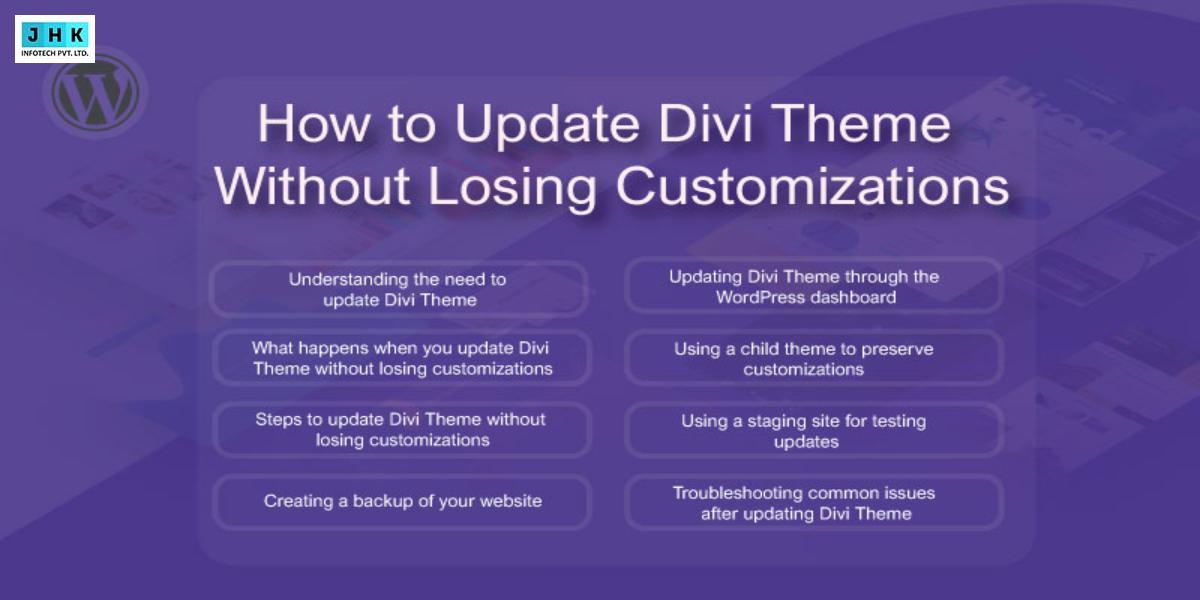
Resolving Common Issues can save time. Sometimes plugins conflict with updates. Try deactivating them one by one. Check your theme settings. Updates might change layouts. Revert back if needed. Look for error messages. They often give clues. Backup your site before changes. This helps restore if problems arise. Clear your browser cache. It might show old versions. Use a staging site for testing. This keeps the live site safe.
Credit: www.jhkinfotech.com
Troubleshooting Update Problems
Compatibility issues can cause your website to break. Plugins and themes may not work. They need updates too. Check if they are compatible with the new WordPress version. It is important to read the plugin or theme notes. They often list known issues. Always test updates on a staging site. This is a safe place to make changes. If problems occur, you can fix them without risk.
Backups are like safety nets. They help when things go wrong. Always create a backup before updating. If the update causes problems, use the backup. Restoring a backup brings back the old version. This can save your site from being broken. Many plugins can help with backups. Choose one that is easy to use. Regular backups are a good habit. They protect your hard work.
Best Practices For WordPress Maintenance
Backups are important. They protect your site. Always save your data. Use reliable tools. Choose a safe cloud service. Back up weekly. Increase frequency if needed. Ensure files are complete. Test your backups often. A backup plan saves time.
Monitor site speed. Check loading times. Use performance tools. Track site uptime. Look for errors. Slow sites lose visitors. Fix broken links quickly. Update plugins regularly. Good performance means happy users. Make changes if needed.
Frequently Asked Questions
What Are The Benefits Of Updating WordPress?
Updating WordPress improves security, fixes bugs, and enhances performance. It also provides new features and ensures compatibility with plugins. Regular updates help in maintaining a seamless user experience and keeping your website secure from vulnerabilities.
Can Updating WordPress Break My Site?
While rare, updates can sometimes cause issues due to plugin or theme incompatibilities. Always back up your site before updating. Test updates in a staging environment to ensure everything functions correctly and prevent potential disruptions.
How Often Should I Update WordPress?
You should update WordPress whenever a new version is released. Regular updates ensure security and performance improvements. Keeping your site updated minimizes vulnerabilities and ensures compatibility with themes and plugins.
Does Updating WordPress Affect Seo?
Updating WordPress can positively impact SEO by improving site speed and security. It ensures your website remains compatible with the latest SEO tools. Staying updated helps maintain optimal site performance and user experience, which are crucial for SEO.
Conclusion
Updating WordPress brings many benefits. Security improves with each update. Bugs are fixed, enhancing site performance. You gain access to new features. These updates can enhance user experience. Always backup your site before updating. This ensures safety in case of issues.
Updating regularly is important. It keeps your site running smoothly and securely. Staying updated helps maintain your site’s credibility. It also ensures compatibility with plugins and themes. So, make updates a routine task. Keep your WordPress site current. You’ll enjoy a better, more secure online presence.


