
Have you ever wondered how to seamlessly transfer your content from one WordPress site to another without losing a single post or page? Imagine a tool that makes this daunting task as easy as clicking a button.
Enter the WordPress Importer—a plugin that might just be your new best friend. If you’re a blogger, a business owner, or a developer, understanding this tool could save you time and headaches. You’ll discover exactly what the WordPress Importer does, how it can simplify your life, and why it’s a must-have in your WordPress toolkit.
Stay tuned to learn how you can effortlessly manage your content and enhance your website’s efficiency!

Credit: duplicator.com
WordPress Importer Basics
The WordPress Importer is a tool. It helps move data from one site to another. This includes posts, pages, and comments. It also transfers custom fields and categories. This tool is very handy. Users can keep their site content safe.
Purpose And Functionality
The main purpose is to make data transfer easy. Users can quickly move content. The tool saves time and effort. It is simple to use. No special skills are needed. Many people find it helpful. They use it for different projects.
Compatibility With Themes And Plugins
WordPress Importer works with most themes. It also supports many plugins. Users should check compatibility first. This ensures everything runs smoothly. Sometimes, minor issues can occur. Most are easy to fix. Support is available if needed.
Installation Process
First, visit the WordPress admin dashboard. Look for the “Tools” menu on the left. Click on “Import“. You will see a list of importers. Find the “WordPress” importer. Click “Install Now” to download it. This process is simple and takes just a few minutes.
After downloading, you need to activate the plugin. Go back to the “Plugins” page in your dashboard. Find the “WordPress Importer” plugin. Click on “Activate“. Now, the importer is ready to use. You can import posts, pages, and comments easily. This tool is very handy for site management.
Importing Content
The WordPress Importer helps bring in different types of content. You can import posts, pages, and comments. It also includes custom fields and post meta. Users, tags, and categories are easy to import too. Even attachments like images come through.
First, go to your WordPress dashboard. Find the Tools menu, then click on Import. Next, choose the format you want. Upload the file you saved. Click Upload file and import. Wait for the process to finish. Now, check your content. Make sure everything looks right. Fix any errors if needed.
Handling Media Files
The WordPress Importer helps bring images and videos into your site. It copies media from another site. Then it places them in your media library. All files keep their original size and quality. This tool makes moving content easy. It supports most common file types. Importer deals with JPEGs, PNGs, and MP4s well.
Sometimes, media files do not import correctly. This can happen due to file size limits. Check your settings to fix it. Large files might need resizing. Another issue is missing media links. Links can break during import. Double-check links after importing. This ensures everything works fine. Broken links can lead to missing images or videos. Adjust settings if problems continue.
Managing Users And Authors
WordPress Importer helps transfer content like posts, pages, and comments between sites. It also manages user roles and author assignments during the import process. This tool simplifies content migration, ensuring a smooth transition for users and authors.
Assigning Roles
WordPress Importer helps in assigning roles. Each user can have a specific role. This ensures they have the right permissions. Admins can control who does what on the site. Authors can write and edit their posts. Editors can make changes to any post. Contributors need approval for their posts. Subscribers can read and comment. Assigning roles is important for site management. It keeps everything organized. Roles prevent unauthorized actions. Choose roles based on user needs.
Troubleshooting User Import
Problems may arise during user import. Users might not appear on the site. Sometimes, roles are not assigned correctly. Check settings and permissions first. Ensure the import file is accurate. Look for errors in the file format. Sometimes, plugins cause conflicts. Disabling them may help. Always back up data before importing users. This prevents loss of important information. Contact support if problems persist. They can offer guidance and solutions.
Post-import Tasks
After using the WordPress Importer, it’s time to check everything. Make sure all posts, pages, and comments are in place. Confirm that images and media files display correctly. Look for any missing elements in your content. Ensure links in your content are working. Verify all categories and tags are present. This step is important to ensure a smooth transition.
Ensure your settings match your preferences. Go to Settings and check options like reading and discussion. Adjust the permalinks to keep links neat. It’s important for SEO and user experience. Choose a structure that fits your site. This can help in making your site easier to navigate.
Common Challenges
WordPress Importer often faces common challenges. Users struggle with incomplete data transfers and broken links. Formatting issues arise frequently, causing frustration. Addressing these problems can enhance the import process, ensuring smoother transitions and better user experiences.
Error Messages
Many users see error messages during the import process. These messages can be confusing. They often do not explain the problem well. Common errors include “file not found” or “import failed.” These errors can stop the process. Users may need to try again. It can be frustrating. Finding solutions can be hard without help.
File Size Limitations
WordPress Importer often has file size limits. Large files might not upload. This means some data stays behind. Users need to split large files. This takes extra time and effort. People may need special tools to do this. Smaller files will upload more easily. Planning can help avoid this problem.
Credit: wholesalesuiteplugin.com
Enhancing Import Efficiency
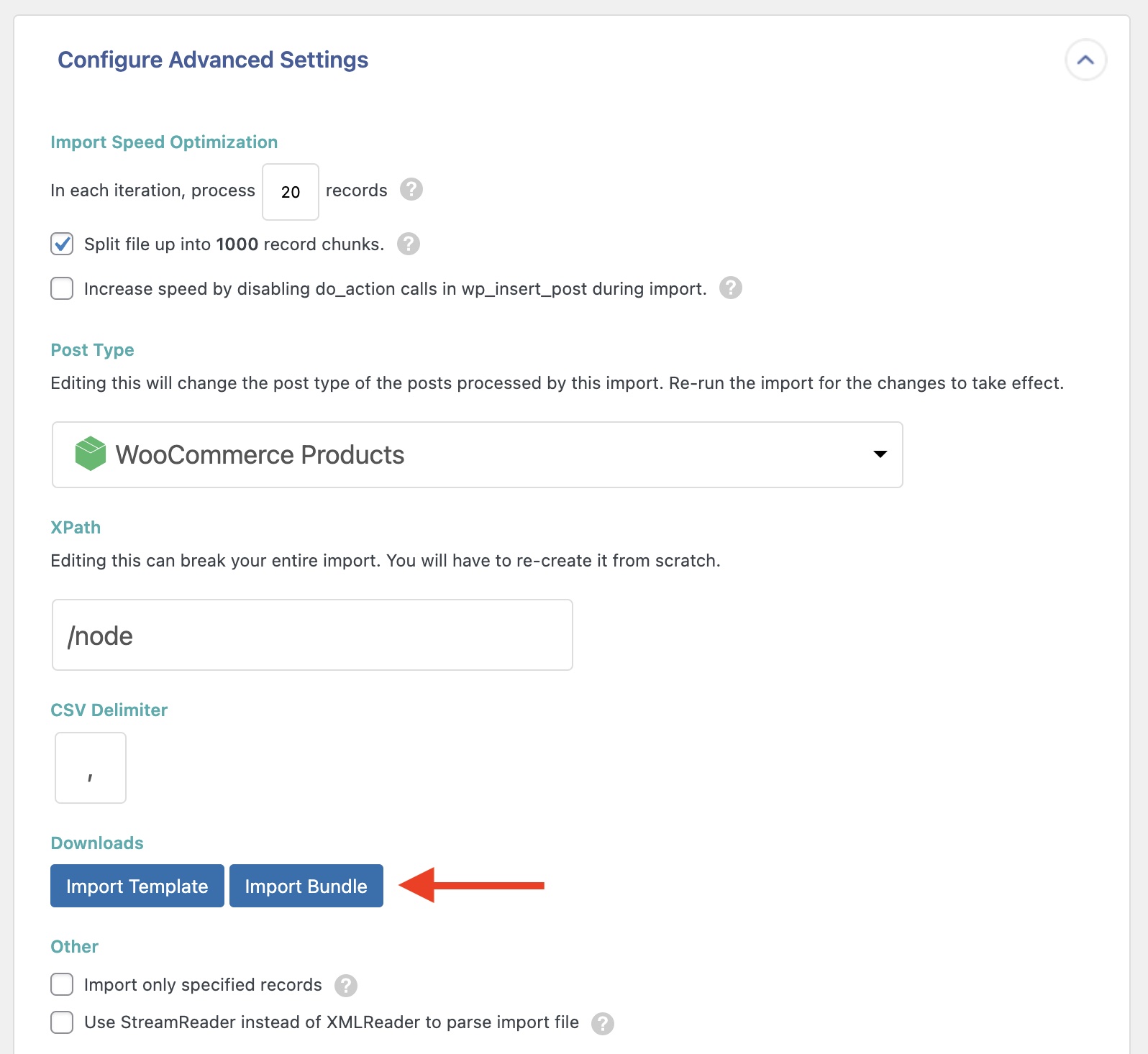
Importing data into WordPress can be tricky. Follow some tips for a smooth process. First, check your files for errors. Errors can stop the import. Use clean, error-free files. Large files can slow down the import. Break large files into smaller ones. This improves speed.
Use a reliable internet connection. A stable connection prevents interruptions. Always back up your site before importing. Backups save your data if something goes wrong. Make sure your plugins are updated. Updated plugins work better with imports. Keep your WordPress version current.
Several plugins make importing easier. WordPress Importer is popular. It handles posts, pages, and comments. WP All Import is another option. It works with different file types. CSV files, XML files, and more. Import CSV helps with CSV files. These tools save time and effort.
Look for plugins with good reviews. Good reviews show plugin reliability. Use tools that fit your needs. Some plugins have extra features. Extra features might help in special cases. Choose wisely. Test plugins first on a small site. Testing prevents large-scale issues.
Credit: www.wpallimport.com
Frequently Asked Questions
What Is The WordPress Importer Tool?
The WordPress Importer is a plugin for migrating content. It imports posts, pages, comments, and more from a WordPress export file. This tool simplifies the process of moving content between WordPress sites. It helps in efficiently transferring essential data without losing any important information.
How Do I Use WordPress Importer?
To use the WordPress Importer, first install and activate the plugin. Navigate to Tools > Import in your WordPress dashboard. Select the WordPress option and upload your export file. Follow the on-screen instructions to map authors and import attachments. Finally, click the “Submit” button to complete the process.
Can WordPress Importer Transfer Media Files?
Yes, WordPress Importer can transfer media files. During the import process, you can choose to download and import file attachments. This option ensures that your media files are included in the migration. It’s a convenient way to keep your content and media intact during transfer.
Does WordPress Importer Support Custom Post Types?
Yes, WordPress Importer supports custom post types. It imports different content types created on your site. This includes posts, pages, and custom post types. Ensure the destination site supports these custom types for a smooth import. This feature enhances flexibility in content migration.
Conclusion
Understanding the WordPress Importer is crucial for smooth website migration. It simplifies transferring content from one site to another. You save time and effort with its user-friendly interface. Import posts, pages, comments, and custom fields easily. A few clicks, and your content moves safely.
No need for complex technical skills. Anyone can use it to ensure data integrity. Keep your site consistent and functional. Enhance your WordPress experience. Embrace seamless content migration. Perfect for bloggers and developers alike. Enjoy a hassle-free transition with WordPress Importer.
Make website management simpler and more efficient.


