
Imagine unlocking a secret feature on your WordPress site that could enhance user engagement, boost your online community, and streamline your content distribution. That’s the power of understanding what a “Subscriber” means in WordPress.
You might think it’s just another user role, but it holds the key to building a loyal audience and amplifying your site’s reach. Are you ready to discover how tapping into this role can transform the way you interact with your audience?
Dive into this article to learn the ins and outs of WordPress Subscribers and how you can leverage them to grow your online presence effortlessly. Don’t miss out on these insights that could set your website apart from the competition!
Role Of A Subscriber
Subscribers in WordPress have a simple role. They can read posts and leave comments. They cannot edit posts or change site settings. Their access is quite limited. Subscribers can update their profile. This includes changing their name and password. They can also manage their own comments. They cannot write new posts or pages. It is mainly a viewing role.
Some sites use subscribers for newsletters. They get updates from the site. This helps engage with readers. Subscribers are important for building a community. They follow the site’s content closely. Their role is basic but valuable. They help spread the site’s message. They are a part of the audience. Every site needs dedicated subscribers.

Credit: wordpress.com
Capabilities Of Subscribers
Subscribers in WordPress have limited access. They can read posts and leave comments. They cannot edit or publish posts. Their role is mostly passive on the site. Subscribers can manage their own profiles. They can change their passwords and email. They cannot change site settings. This role is ideal for members who follow the site. It keeps the site secure from unwanted edits. Subscribers keep the site lively with comments. They can see all the public content. Their access is simple and easy.
Subscriber Vs Other Roles
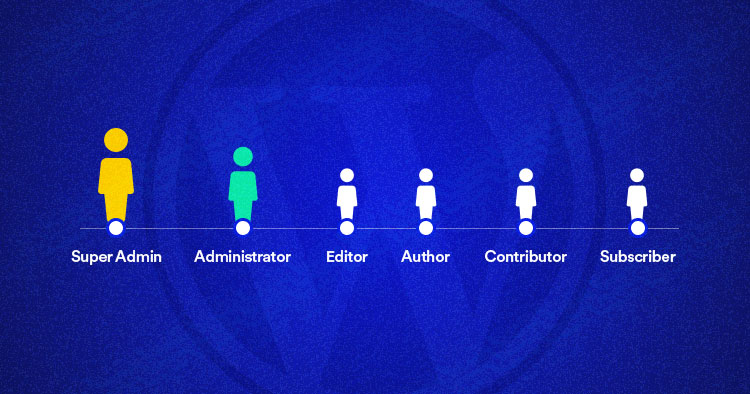
A subscriber can only read posts and leave comments. A contributor can write and edit their own posts. But they cannot publish them. Subscribers have the least amount of control. Contributors can do a bit more. Both need help from higher roles.
An author can write, edit, and publish their own posts. A subscriber cannot do these tasks. Authors have more power than subscribers. They can manage their own content. Subscribers just enjoy the content.
An editor can edit, approve, and delete posts from any user. Subscribers can’t do any of this. Editors have control over the whole site’s content. Subscribers are there to consume content. Editors help keep everything in check.
An administrator has the highest level of access. They can do everything on the site. This includes changing settings and managing users. Subscribers have no such powers. They only view and comment. Administrators run the show.
How To Add Subscribers
Adding subscribers in WordPress is quite easy. First, go to your WordPress dashboard. Click on the “Users” option. Here, you can see a list of all users. To add a new subscriber, click on the “Add New” button. Fill in the required information like username and email. Set the role to “Subscriber”. Finally, click the “Add New User” button. Your new subscriber will be added. They can now receive updates from your site. Subscribers can only read and comment. They cannot change settings. This keeps your site safe.
Managing Subscriber Permissions
Subscribers in WordPress have limited access. They can read posts and leave comments. They can’t make changes to the site. They can’t write new posts. This role is great for community members. Subscribers can follow updates easily. This role helps protect the website. It stops people from changing things by mistake. Managing permissions is simple in WordPress. Admins can change roles quickly. They ensure the right access for everyone. It’s easy to control who does what. This keeps the website safe and organized.
Benefits Of Subscriber Role
Subscriber role in WordPress is simple yet important. Users can read posts and leave comments. They cannot change settings. This keeps the website safe. Subscribers enjoy engaging with content. They follow updates. They become part of the community.
Subscribers help grow the audience. They can share posts. This brings new visitors. They also provide feedback. This helps improve content. Subscribers are valuable for WordPress sites. They add to the interaction. They make sites lively and active.
Subscribers have limited access. This prevents accidental changes. Sites remain secure. Admins have peace of mind. Subscribers focus on content. They enjoy without worries. This role is perfect for those who love reading.
Best Practices For Subscriber Management
Managing subscribers is important for your website. It keeps your audience happy. Keep your subscriber list clean. Remove inactive users often. This helps your website run smoothly.
Always send clear and friendly emails. Tell subscribers what they will get. Use simple words. This makes your message easy to understand.
Allow subscribers to choose. Let them pick what emails they get. This makes them feel in control. Happy subscribers stay longer.
Respect their data. Keep it safe. Never share without permission. Trust is very important.
Offer easy unsubscribe options. Don’t hide them. This shows respect. Your subscribers will appreciate this.
Credit: www.cloudways.com

Credit: faceequalityinternational.org
Frequently Asked Questions
What Is A Subscriber Role In WordPress?
In WordPress, a subscriber is a user role with limited permissions. They can read content and manage their profile. Subscribers cannot create or edit content. This role is ideal for websites offering exclusive content to registered users.
How Do I Add Subscribers In WordPress?
To add subscribers, go to your WordPress dashboard. Navigate to ‘Users’ and click ‘Add New’. Fill in the required information and assign the ‘Subscriber’ role. This allows them limited access to your site.
Can Subscribers Comment On Posts In WordPress?
Yes, subscribers can comment on posts in WordPress. They need to be logged in to leave comments. This feature helps in engaging with your audience and building a community.
Why Use The Subscriber Role In WordPress?
The subscriber role is useful for membership sites. It allows users to access exclusive content. This role helps in managing user subscriptions and building an engaged audience.
Conclusion
Understanding the role of a subscriber in WordPress is key. It helps manage user interactions effectively. Subscribers access content but can’t edit or delete. This role ensures content security and user engagement. WordPress makes it easy to manage subscribers. Assigning roles requires just a few clicks.
This simplicity enhances user experience. Subscribers contribute to a vibrant community. They engage with your content regularly. Their involvement adds value to your site. Managing subscribers well boosts your website’s success. Keep exploring WordPress roles. Enhance your site’s functionality and user experience.


