
Are you looking to enhance your WordPress site’s accessibility and SEO? Understanding alt text is a powerful step in that direction.
Alt text, or alternative text, is more than just a technical detail; it’s a critical component that can make or break how users and search engines perceive your content. Imagine this: a visually impaired user visits your site or a search engine bot scans your page.
Without proper alt text, they miss out on important context, potentially leading to a poor user experience or missed SEO opportunities. Are you ready to unlock the full potential of your images in WordPress? Dive into this guide to discover what alt text means for your site and how it can transform your online presence.
Alt Text Basics
Alt text is a description for images. It helps people who can’t see images. It tells them what the image is about. Alt text is important for web accessibility. Search engines use alt text to understand images. This helps your site rank better. Always write clear alt text. Use short and simple words. Describe the image well. Do not use too many words. Keep it brief and helpful. Alt text is not visible to users. It is hidden in the image code. Adding alt text is easy in WordPress. You can add it when uploading images. Look for the alt text box. Type your description there. Alt text is a small task but very useful.
Importance Of Alt Text
Alt text is very important for images. It helps people with visual impairments. They use screen readers to understand images. Alt text also improves SEO. Search engines use it to know what is in the image. It makes your website more accessible to everyone. Alt text also helps if an image fails to load. People can still know what the image is about. Always use simple and clear words in alt text. This helps search engines and users understand better.
Alt Text For Accessibility
Alt text helps people who can’t see pictures. It tells them what is in the picture. Blind people use tools that read this text to them. Websites should always use alt text. It makes them friendly to everyone. Alt text is also important for search engines. It helps them understand what is on the page.
Adding alt text is easy. Describe what you see in the picture. Use simple words. For example, “A red apple on a table.” This way, all visitors can know what the image shows.
Seo Benefits Of Alt Text
Alt text helps search engines understand images. This makes your site more visible. With alt text, your images can appear in search results. This can bring more visitors to your site.
Alt text is important for users with visual impairments. It helps them understand images on the page. This makes your site more accessible to everyone. More people can enjoy your content.
Using alt text can improve your site’s SEO. It helps search engines index your images. Your site’s ranking can improve. More people will find your website.
How To Add Alt Text In WordPress
Alt text in WordPress describes images to improve accessibility and SEO. To add it, select an image in the media library, find the alt text field, and enter a brief description. This helps search engines understand image content and assists users with visual impairments.
Via Media Library
First, open the Media Library in your WordPress dashboard. Find the image you want to edit. Click on it. A window will pop up. Look for the Alt Text box. It’s on the right side. Type your description there. Keep it short and clear. This helps search engines understand the image.
During Image Upload
Uploading a new image? You can add Alt Text right away. After selecting an image, a box appears. It asks for Alt Text. Write a simple description. This boosts SEO and accessibility. Make sure it fits the image well. This way, everyone knows what the image shows.
In Image Blocks
Using Image Blocks? Adding Alt Text is easy. Click the block to edit. Find the settings panel on the right. There’s an Alt Text field. Put your description there. Make sure it describes the image accurately. This helps people using screen readers.

Credit: wpmudev.com
Tips For Writing Effective Alt Text
Use clear and simple words to describe the image. Think about what the image shows. Tell the important details. Keep it short but informative. This helps everyone understand the picture better. Blind users rely on alt text. It guides them through the content. Make sure it’s accurate.
Focus on the image itself. Too many keywords confuse the reader. It’s not about adding lots of words. Keep it natural. Search engines might penalize keyword stuffing. Quality over quantity matters here. The message should be clear.
Think about the image’s role in the page. Does it show a product? Is it part of a story? Context helps frame the alt text. Images in different places mean different things. Adjust the description based on its use. This helps users and search engines. Every image serves a purpose. Highlight that purpose in the text.
Common Mistakes With Alt Text
Images should never be used as alt text. Alt text is for describing the image. It helps people who can’t see the image. Always use words to explain what the image shows. This ensures everyone understands the content.
Leaving alt text blank is a common mistake. Without alt text, some users miss important info. Always add a brief description. This helps search engines and improves accessibility. Even small details can make a big difference.
Some people add too many keywords in alt text. This is not helpful. It can confuse users and search engines. Use a few, relevant words. Keep it natural and simple. Focus on the image’s meaning.

Credit: wpmudev.com
Tools For Managing Alt Text
Managing alt text in WordPress can be easy. Use the Media Library to update alt text. Click on an image to edit its details. Add descriptive words in the alt text field. Plugins like Yoast SEO help too. They remind you to include alt text. Some plugins also check the quality of your alt text. This makes sure it helps with SEO. You can also use tools like SEMrush. It checks if you missed any alt text. Good alt text improves your site’s visibility. It also helps visually impaired users. Always aim for clear and helpful descriptions.
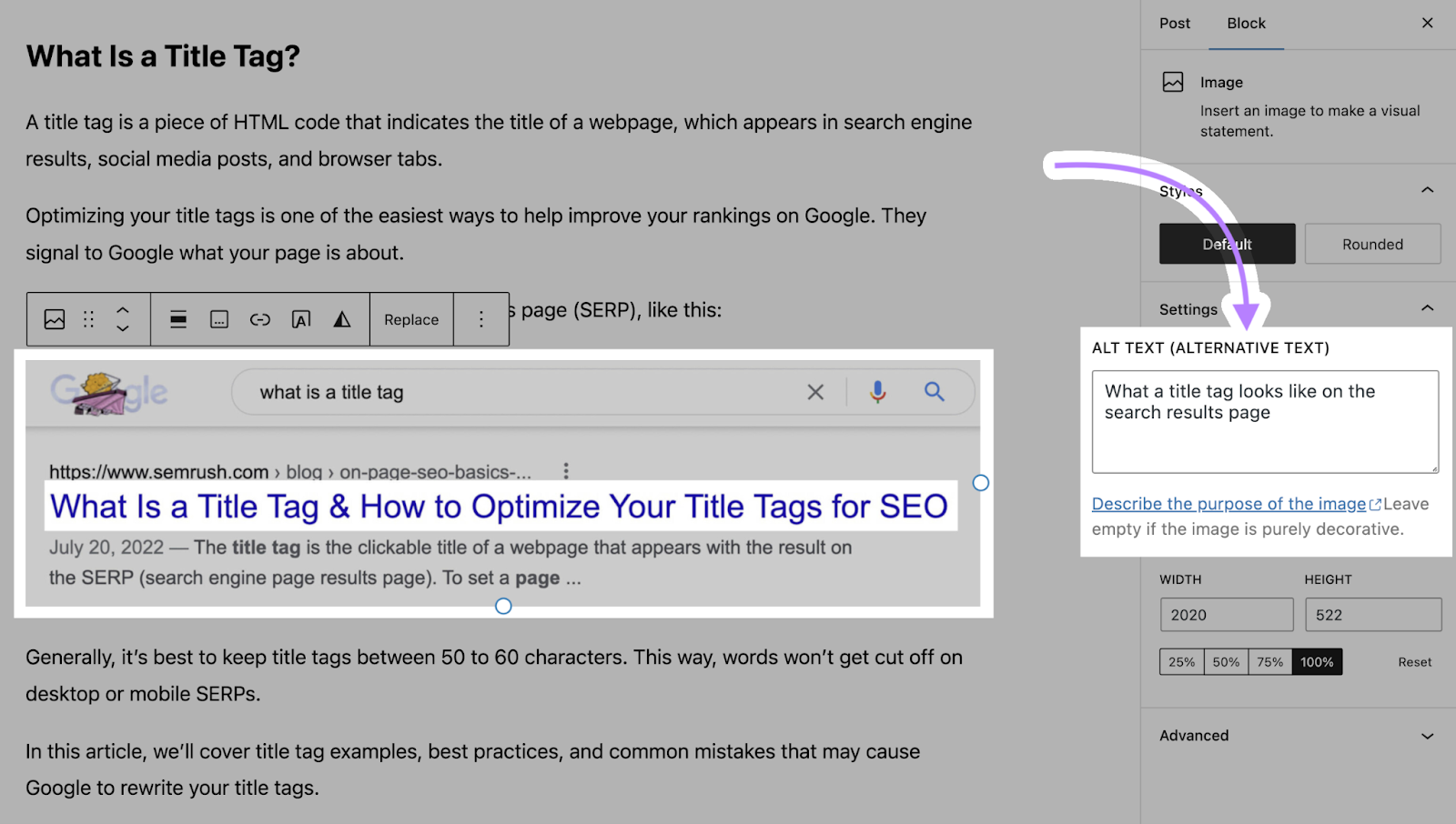
Credit: www.semrush.com
Frequently Asked Questions
What Is Alt Text In WordPress?
Alt text in WordPress is a brief description of an image. It helps search engines understand image content. It also improves website accessibility for visually impaired users using screen readers. Adding relevant alt text to images is crucial for SEO and enhances user experience.
How To Add Alt Text In WordPress?
To add alt text, go to the Media Library in WordPress. Click on an image and find the “Alt Text” field in the attachment details. Enter a descriptive phrase that accurately represents the image. Save your changes. This simple step boosts SEO and accessibility.
Why Is Alt Text Important For Seo?
Alt text is crucial for SEO because it helps search engines index images. It provides context to search engines, improving image visibility in search results. Additionally, alt text enhances website accessibility, which search engines value. Properly optimized alt text can lead to increased traffic and better search rankings.
Does Alt Text Improve Website Accessibility?
Yes, alt text significantly improves website accessibility. It offers descriptions for images, making content accessible to visually impaired users using screen readers. Proper alt text ensures all users, regardless of ability, can understand and engage with your content. This inclusivity also positively impacts your site’s SEO.
Conclusion
Alt text plays a key role in enhancing website accessibility. It helps visually impaired users understand images. Search engines also benefit from alt text. They use it to index images accurately. This boosts your site’s visibility online. Writing effective alt text in WordPress is simple.
Just describe the image clearly and concisely. Keep it relevant to the content. Avoid keyword stuffing. This practice ensures your site is user-friendly. Plus, it improves search engine ranking. Focus on creating meaningful alt text. It makes your website more inclusive.
And it attracts more visitors.


