
Are you dreaming of launching your own online store but unsure about the costs involved with a WordPress eCommerce site? You’re not alone.
Navigating the world of eCommerce can be daunting, especially when it comes to budgeting. But don’t worry, understanding the true cost of setting up a WordPress eCommerce site is simpler than it seems. Imagine having a clear breakdown of expenses so you can plan effectively and avoid unexpected surprises.
You’ll discover exactly what goes into the cost of building your dream eCommerce platform on WordPress. By the end, you’ll feel empowered and ready to take the next step in your online business journey. Let’s delve into the details and unlock the secrets behind the costs of your future online store.
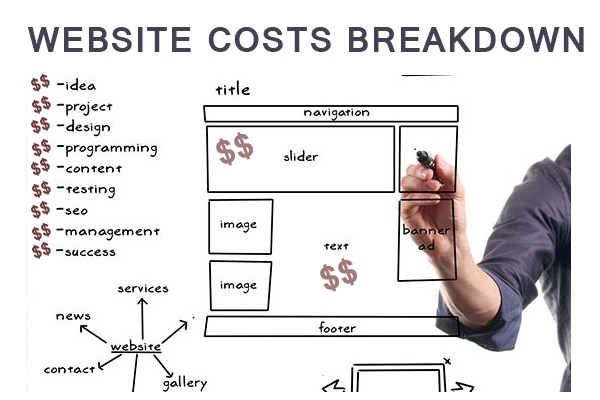
Credit: webappick.com
Factors Affecting Cost
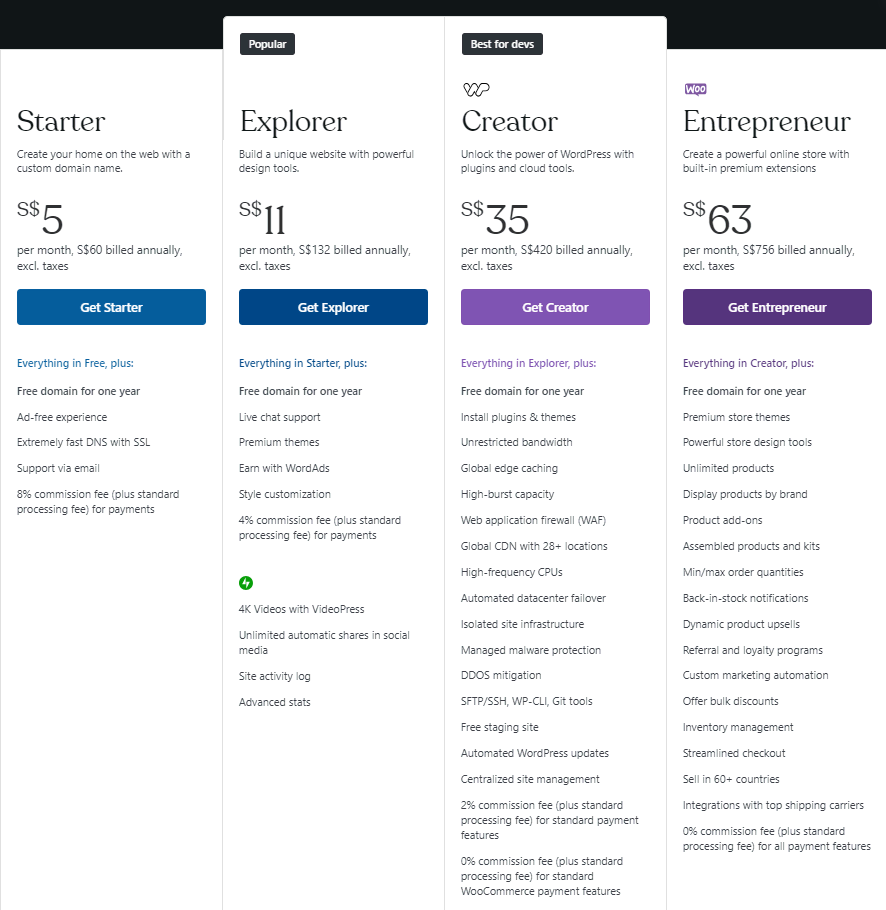
The domain is your website’s name. You pay for this yearly. Hosting is where your site lives. Think of it as rent for your site. Cheap hosting plans start at $3 per month. Better plans cost more.
Themes change the look of your site. Some are free, others cost money. Premium themes can be $30 to $100. Custom design costs more.
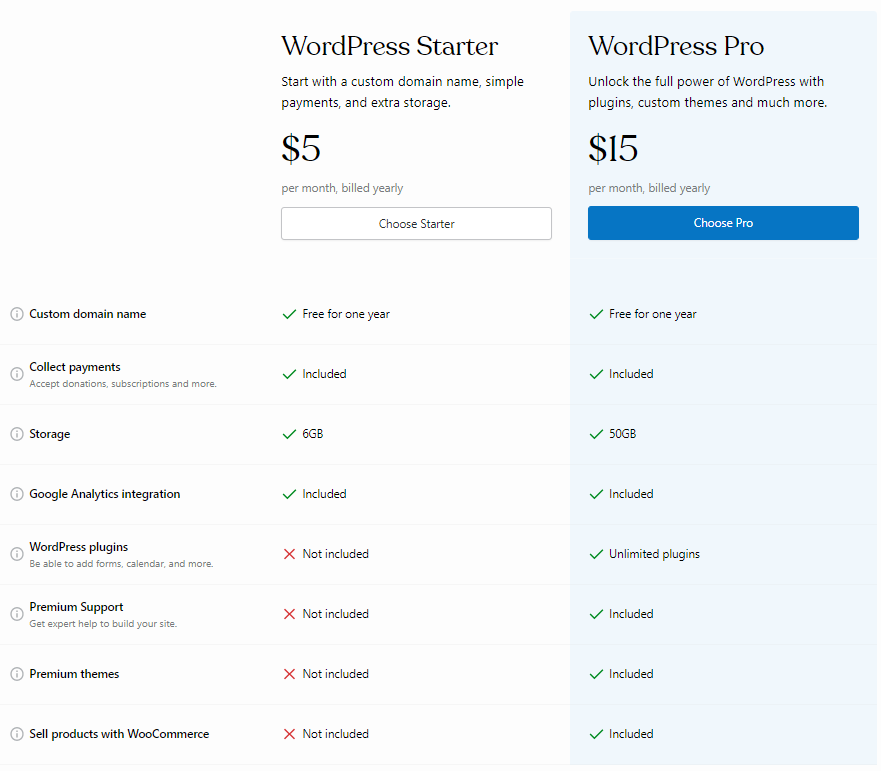
Plugins add features to your site. Basic plugins are often free. Advanced plugins might cost $10 to $50 each. You need them for more functions.
Customization makes your site unique. Simple changes might cost less. Complex changes can be expensive. Costs depend on what you want.
Websites need care. Updates keep it safe and fast. Support helps fix problems. Monthly plans can cost $50 or more. It keeps your site running smoothly.
Choosing A Domain And Hosting
Picking a domain name is important. It is your website’s address. Domain names usually cost between $10 to $15 per year. Prices can change based on demand. Short and catchy names might cost more. Some websites offer discounts. Always check for offers. A good domain name helps customers remember your site.
Hosting keeps your website online. Many hosting options exist. Shared hosting is cheapest. Costs start at $3 to $10 per month. VPS hosting is faster. It costs around $20 to $60 per month. Dedicated servers are the best. They can cost over $100 monthly. Choose what fits your needs. More visitors need better hosting. Always check for reliability and support. Good hosting keeps your site running smoothly.
Selecting Themes And Designs
Choosing the right theme affects your WordPress ecommerce site’s cost. Simple designs are cheaper, while custom themes can be expensive. Balancing style and budget is key to managing costs effectively.
Free Vs. Premium Themes
Free themes offer basic designs. They suit small budgets. These themes have limited features. Premium themes cost more. They provide advanced designs. More customization options are available. Premium themes often include support. Free themes may lack this. Choose based on needs and budget. Premium themes can enhance user experience. Consider long-term goals and growth.
Custom Design Costs
Custom designs are unique. They reflect your brand. These designs can be costly. Hiring a designer increases costs. Prices vary with complexity. Simple designs cost less. Complex designs need more work. Custom designs can attract more visitors. They offer a tailored user experience. Consider cost-benefit analysis. Custom designs may boost sales.
Credit: www.hostinger.com
Plugins And Extensions
Estimating the cost of a WordPress eCommerce site involves considering plugins and extensions. These tools enhance functionality but can vary in price, impacting the budget. Balancing essential features with costs is key to developing a successful online store.
Essential Plugins
Essential plugins make your site work better. They help with tasks like security, SEO, and site speed. These plugins usually have a one-time cost. Some plugins might need a yearly fee. Prices can start from $0 to $100. A well-chosen plugin saves time and keeps your site safe.
Additional Functionality Costs
Adding more features can cost more. Custom plugins or advanced features might cost extra. These can range from $50 to $200. Each extra feature adds value but also adds cost. Be wise when choosing. Make sure each feature is needed. This keeps costs low.
Customization And Development
A developer can make your site unique. They add special features. They fix problems quickly. They cost more than DIY methods. But they save time. They bring skills you may not have.
Compare costs. Developers charge by the hour. Ask for their rates. Check their past work. This helps you pick the right one.
DIY can be cheap. But it takes time. You learn a lot. Errors can happen. Fixing them can be hard.
Professionals know what to do. They get things right the first time. They cost more. But they can save you from big mistakes. Choose what fits your needs best.
Ongoing Maintenance
Security is crucial for any ecommerce site. Regular updates keep the site safe. WordPress needs updates to function well. These updates fix bugs and improve security. They can cost money if you hire someone. But they are important to keep your site safe.
Technical support can also cost money. Problems can happen anytime. You might need help to fix them. Hiring a professional can be expensive. But it ensures your site runs smoothly. Good support prevents long-term issues. It saves time and stress.
Hidden Costs And Considerations
Building a WordPress ecommerce site involves more than just initial setup costs. Unexpected expenses like premium themes, plugins, and security measures can arise. Maintenance and updates add to the ongoing financial commitment. Understanding these hidden costs ensures better budgeting for a successful online store.
Transaction Fees
Every sale on your site might incur transaction fees. These fees can come from payment gateways like PayPal or Stripe. They usually take a small percentage of each sale. This can add up quickly if sales grow. Some eCommerce platforms charge extra transaction fees. Always check the terms before choosing a platform. It’s important to understand these costs upfront. This helps avoid surprises later.
Scalability Expenses
Growing your site can lead to extra costs. More traffic might need better hosting. This means more money for a faster server. Adding new features may require plugins. Some plugins have monthly fees. Expanding your business can also mean hiring help. Developers or designers might be needed. These costs should be part of your plan. Growth is good but can be costly.
Credit: www.uplers.com
Budgeting Tips
Choose the right theme. Themes can be expensive. Free themes work too. Use free plugins for basic needs. Paid plugins add extra costs.
Keep hosting costs low. Shared hosting is cheaper. Compare different services. Plan your spending carefully. Avoid buying unnecessary tools.
Spend money on important features. Prioritize security. Customers need safe shopping. Invest in a good payment system. Make sure it works well.
Marketing comes next. Basic marketing starts small. Spend more as you grow. Choose cost-effective methods. Keep track of your budget.
Frequently Asked Questions
How Much Does A WordPress Ecommerce Site Cost?
The cost of a WordPress ecommerce site varies widely. It depends on factors like hosting, themes, plugins, and custom development. Basic sites may start at $500, while more complex sites can exceed $5,000. Ongoing costs include hosting, maintenance, and updates.
Budgeting for these elements ensures a successful ecommerce site.
What Are The Main Expenses In Building A WordPress Ecommerce Site?
The main expenses include hosting, domain registration, and SSL certificates. You’ll also invest in themes, plugins, and possibly custom development. Consider costs for payment gateway integrations and ongoing maintenance. Marketing efforts may also require budget allocation. Each expense contributes to the overall functionality and success of your ecommerce site.
Are Free Themes Suitable For WordPress Ecommerce Sites?
Free themes can be suitable but may have limitations. They often lack advanced features and customization options. Premium themes offer better support and updates. They’re usually more secure and optimized for ecommerce. Consider your business needs and budget when choosing between free and premium themes.
How Do Plugins Impact WordPress Ecommerce Site Costs?
Plugins can significantly impact costs. Some essential plugins are free, but premium plugins can add expenses. They enhance functionality and improve user experience. Consider costs for SEO, payment gateways, and security plugins. Balancing free and paid plugins helps manage your budget effectively while optimizing site performance.
Conclusion
Creating a WordPress ecommerce site involves thoughtful budgeting. Costs vary widely. Domain and hosting fees are essential. Themes and plugins add to expenses. Hiring developers can increase overall costs. Consider maintenance and security costs too. Start with a clear plan.
Know your needs and budget accordingly. A well-planned site can boost your online presence. It attracts customers and drives sales. Balance quality and cost for best results. Every business has different needs. Choose wisely to suit your goals. A successful ecommerce site is an investment.
Make informed choices for long-term benefits.


