
Have you ever wondered about the different post styles in WordPress? As someone looking to create engaging content, understanding these styles can be a game-changer for your website.
Whether you’re a blogger, business owner, or just starting your online presence, knowing what options you have is crucial. Imagine the possibilities of customizing your posts to captivate your audience and keep them coming back for more. Your website could transform from ordinary to extraordinary, all by choosing the right post style.
Let’s delve into how these styles can enhance your content and help you stand out in the crowded digital world. Discover the secrets to optimizing your WordPress posts and make your content shine like never before!
Post Formats Overview
WordPress offers different post formats for blog posts. Each format gives a unique style. Standard format is the most common. It is used for regular posts. Aside format is short and often without a title. Perfect for quick notes. Gallery format shows pictures in a neat way. Great for photo collections.
Link format is for sharing URLs. It highlights the linked content. Image format centers around a single picture. Ideal for photo sharing. Quote format is used to share sayings or quotes. It stands out with styled text. Status format is brief, like social media updates.
Standard Post Style
Standard post style is the most common style in WordPress. It is used for regular blog posts. This style includes a title and the main content. You can add text, images, and links. Standard posts can also have categories and tags. These help to organize content. Posts often show the author’s name and the date. Readers can leave comments below the post. Standard posts appear in the main blog feed. They are in order by date. You can also share them on social media.
This style is simple and easy to use. It is perfect for regular updates. You can add a featured image at the top. This image draws attention. Standard posts are a good choice for most bloggers. They are flexible and can fit any topic.
Gallery Post Style
A Gallery Post Style in WordPress shows off images. It arranges pictures in a neat grid. You can see all photos at once. This style is perfect for photo-heavy posts. It makes the page look lively and colorful. Each image can be clicked to see a bigger version. This is great for art or travel blogs. It helps users enjoy each picture fully.
Adding captions to images is easy. Captions can tell a story or give details. Readers will understand the context of each photo. This style keeps the focus on visuals. It’s simple and clear for everyone. Perfect for those who love photos!
Image Post Style
Image Post Style in WordPress is all about photos. This style shows images in a big way. It brings pictures to the front. Text is less important here. The focus is the image. Images can tell stories. They can show feelings too. Words can add details. But the image is the star.
Using this style is easy. First, choose an image. Make sure it’s clear. Then, upload it to your post. Add a caption if you want. Next, write a short text. Keep it simple. This style works well for travel photos. Also good for art and fashion pics. It makes your blog look lively.
Video Post Style
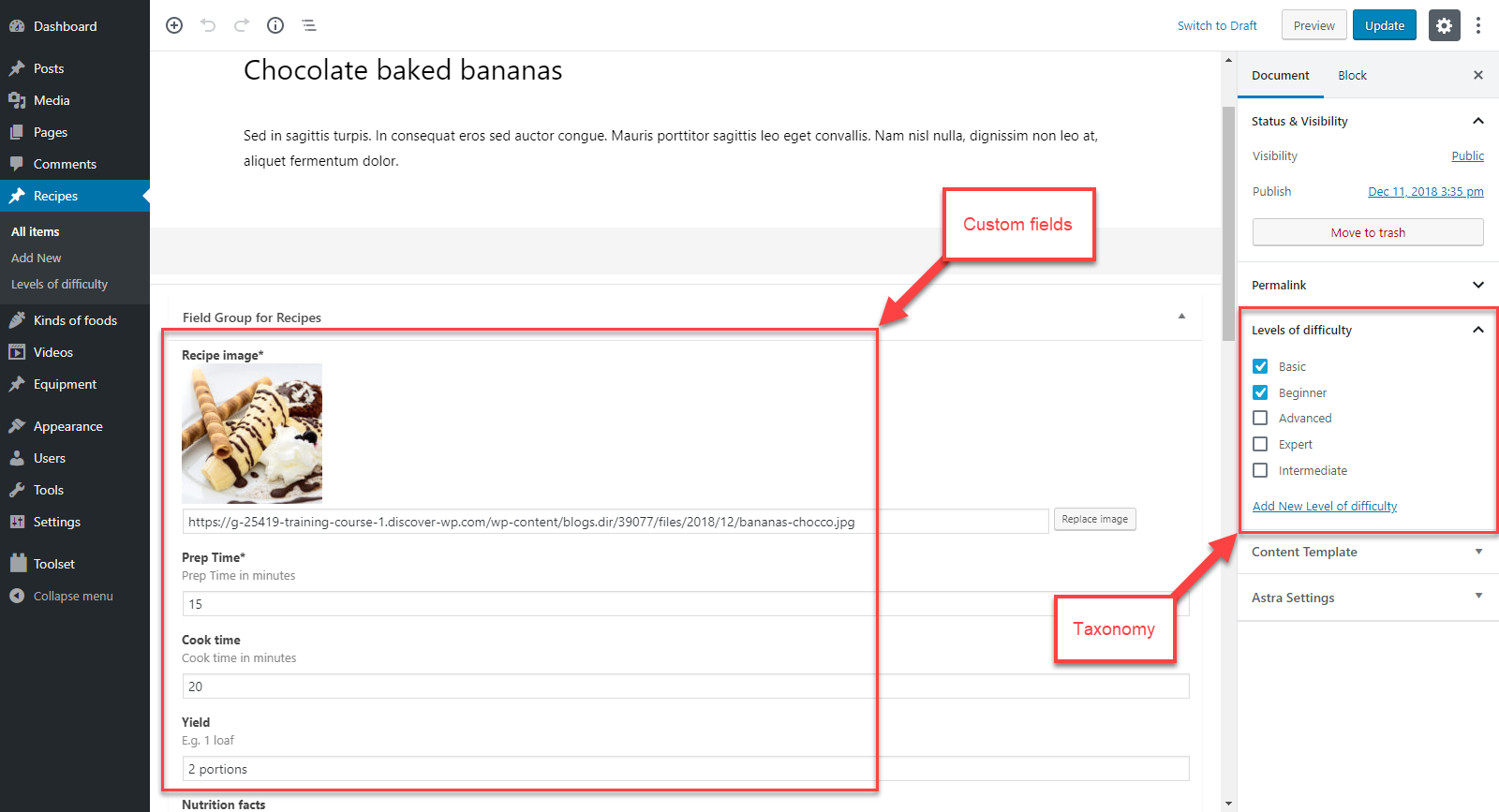
Video posts make blogs exciting. They show moving pictures and sound. Readers enjoy watching videos. Many bloggers use video posts. These posts can teach or entertain. They can show how to do things. Videos are fun to share.
Adding a video is easy. Just click “Add Media.” Choose your video. You can upload it or use a link. Many bloggers use YouTube links. The video will appear in the post. You can write about the video too. Explain what the video shows. Or write why you like it.
Videos make posts engaging. Readers stay longer. They like seeing action. Videos can make blogs popular. People might share your post. Video posts are a great idea.
Credit: toolset.com
Audio Post Style
Audio posts are fun and engaging. They let you share sounds and music. You can add a podcast or a song to your post. This makes your blog more interesting. Listeners can play the audio right from your page. It’s like adding a voice to your words. Readers love hearing stories. Music can set a mood. Background sounds create an atmosphere. Audio posts can make readers stay longer. They listen while reading. This style is easy to use in WordPress. Just upload your file and insert it. It works well on all devices. People with visual difficulties can also enjoy your content. Audio posts are a great way to connect. Engage your audience with sound.
Quote Post Style
WordPress offers a unique quote post style. It highlights key thoughts in your text. This style is great for sharing inspiring words. It makes quotes stand out clearly. The text is often larger and centered. Sometimes, the font is different too. This draws the reader’s eye to the quote.
Adding quotes can enrich your content. It can make your blog more engaging. Readers love quotes that spark thought. Easy to use and effective. A simple way to enhance your posts. Try using it to emphasize important ideas.
Link Post Style
Link post style is special. It highlights one main link. This link is the focus. The post often has a bold title. The title is a link. It takes readers to another page. This page is the main topic.
Many bloggers like this style. It is simple. It is clear. Readers know where to click. They find more info easily. The link post style is good for sharing news. It is good for sharing resources too. This style is fast to make.
The best part? It saves time. It is quick to read. It is quick to write. Both readers and writers love it. It is a popular choice in blogs.
Aside Post Style
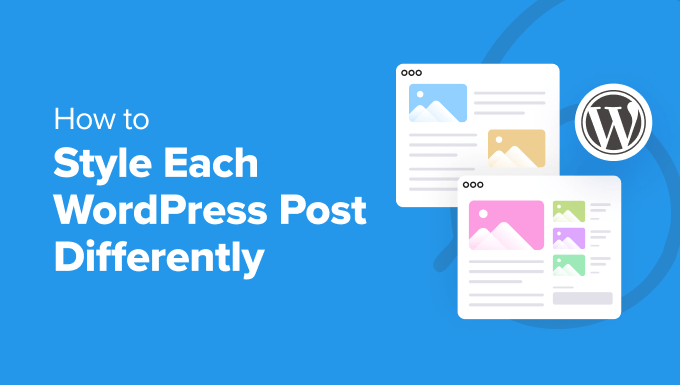
The Aside Post Style is a popular choice in WordPress. It is often used for short notes or quick thoughts. This style is simple and easy to read. The design is clean, with minimal distractions. People use it to share brief updates or personal reflections. The layout does not have a title, making it unique. It blends well with other post styles, adding variety to a blog. The content appears in a small section of the page. This makes it stand out from regular posts. Bloggers love it for its simplicity and effectiveness. It is a great tool for engaging readers with short content. The style keeps the focus on the message, not the format. This makes it appealing to many users.
Credit: www.wpbeginner.com
Chat Post Style
The Chat Post Style is fun and lively. It looks like a real chat. Each line is like a message in a chat. This style is great for storytelling. It makes reading feel like a conversation. Readers can easily follow along.
Using short sentences helps. It keeps the chat simple. Each message stands out. This style is perfect for casual topics. It feels fresh and modern. Readers enjoy the chat style. It feels personal and engaging.
Impact On User Experience
Different post styles can change how users feel. Colors and fonts affect moods. Bright colors may feel happy. Dark colors might feel serious. Font size matters too. Small fonts are hard to read. Big fonts make reading easy.
Layout plays a big role. Posts with clear sections are easy to follow. Messy layouts confuse users. Images can make posts engaging. Pictures tell stories fast. Users like posts with images. Video adds life to content.
Links guide users to more information. They keep users on the site longer. Buttons help users take action. Clear buttons improve user experience. Spacing between paragraphs is important. It makes reading comfortable.
Credit: www.wpzoom.com
Customizing Post Styles
WordPress is great for making your blog look cool. You can change how your posts look. Make them unique. Use different styles to make your blog fun. You can add colors to your text. Use big fonts for headlines. Choose small fonts for details. It’s easy to do.
Adding images to your posts is important. Images make posts interesting. Pick pictures that go with your text. This helps readers understand better. You can also add borders. Borders make pictures stand out.
Create lists in your posts. Lists are neat. They help readers see ideas clearly. Write short sentences in lists. This keeps information clear and simple. Use bold text for key points. This shows important information.
Change your layout too. Try different formats. Some formats are wide. Others are narrow. Play with layouts. Find what looks best. Your blog should be easy to read. Make sure text is not too small.
Frequently Asked Questions
What Are WordPress Post Styles?
WordPress post styles are templates that define the appearance of blog posts. They control layout, fonts, and colors. Post styles enhance the visual appeal and readability of your content. You can customize them to suit your brand and audience. Experimenting with styles helps differentiate your blog from others.
How To Customize WordPress Post Styles?
Customizing WordPress post styles involves using themes and plugins. Themes offer predefined styles, while plugins provide additional customization options. You can modify the CSS code for more control. Experiment with different settings to achieve the desired look. Always preview changes to ensure they fit your brand.
Why Are Post Styles Important In WordPress?
Post styles are crucial for creating a visually appealing blog. They ensure consistency and enhance readability. Well-designed styles attract and retain readers. They also help convey your brand’s identity and message. Customizing post styles can improve user engagement and SEO performance.
Can Post Styles Affect Seo?
Yes, post styles can impact SEO. Well-structured styles improve readability, leading to longer visitor engagement. Using responsive and mobile-friendly styles enhances user experience. Fast-loading styles reduce bounce rates, boosting SEO. Properly optimized styles can indirectly contribute to better search rankings.
Conclusion
Exploring post styles in WordPress opens up new possibilities for creativity. Each style offers unique features to enhance your content’s appeal. Choose the one that best matches your needs. Try different styles to see what fits your audience. Simplicity often works best, making your posts easy to read.
Remember, the right style can boost engagement. Keep experimenting to discover what works for you. With practice, you’ll find your perfect style. Enjoy the process, and let your creativity flow. WordPress makes it easier for you to share your ideas with the world.


