
Have you ever felt overwhelmed by the maze of files and folders within your WordPress public_html directory? You’re not alone.
Navigating through these directories can feel like deciphering a secret code. Yet, understanding what’s inside is crucial for managing your website effectively. Imagine having the power to know exactly where everything is and what it does. This knowledge not only boosts your confidence but also puts you in control of your site’s performance and security.
In this guide, we will unveil the essential directories you should be familiar with under WordPress public_html. By the end, you’ll have a clear map of your WordPress terrain, empowering you to make informed decisions and keep your website running smoothly. So, let’s dive in and unlock the mysteries of your WordPress public_html directory.
Credit: seo-gold.com
WordPress Core Files
This directory holds the files for WordPress dashboard. It lets you manage your site. You can edit posts and change settings. Keep this folder safe. It is key for your site.
This folder has the code that makes WordPress work. Many important functions live here. It helps with site features. Never change these files. They are very important.
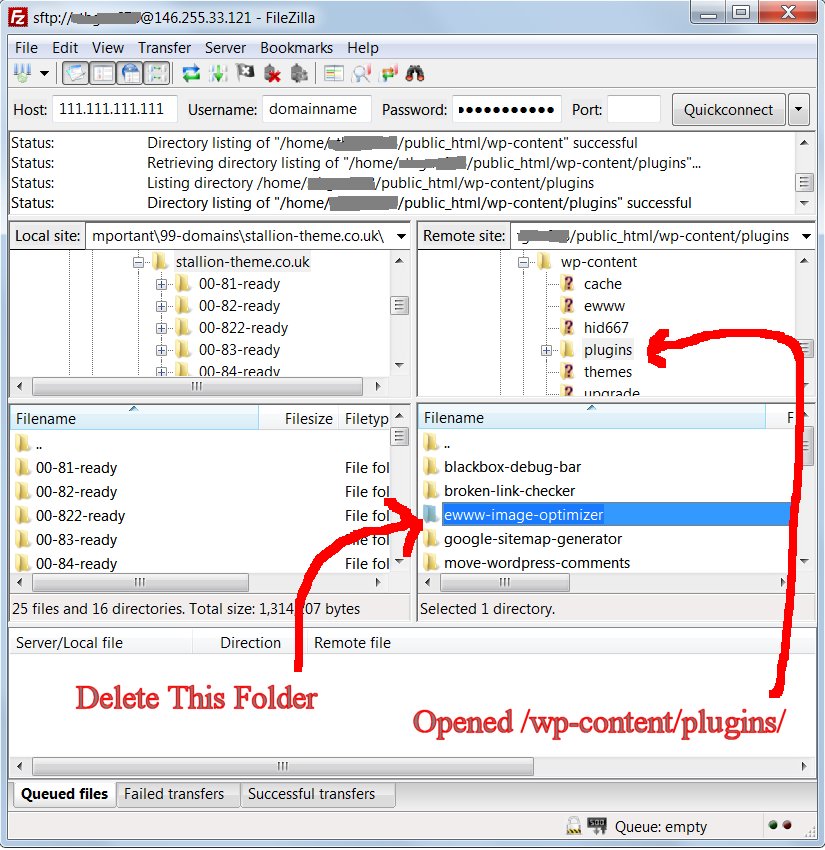
This directory is where your themes and plugins are stored. It also keeps your media files like images. You can add and edit files here. Customize your site using this folder.
Themes Directory
WordPress comes with some themes. These are called default themes. They are simple and clean. They help you start your website quickly. Default themes are good for beginners. They are updated regularly. This keeps them secure and fast. You can find them in the themes directory. They are a safe choice for new sites.
Custom themes are special. They make your site unique. Many designers create them. You can buy or download them. They have many features. These themes need updates too. Check if they are compatible. They might need more plugins. Always backup your site before installing them. Custom themes need more care. They can make your site stand out.
Plugins Directory
The Installed Plugins folder is where your current plugins live. It holds plugins you have added to your site. Each plugin has its own folder. These folders store important files. They help the plugin work properly. Always keep this folder safe. Plugins need updates often. Updated plugins keep your site secure. Remove plugins you do not use. This keeps your site clean and fast.
Custom Plugins are special. They are made just for your site. You or a developer can make them. These plugins add unique features. They sit in the plugins folder too. Custom plugins can be simple or complex. They help tailor your website needs. Remember, custom plugins need good coding. Poor code can harm your site. Keep them updated for safety.
Credit: www.hostgator.com
Uploads Directory
The Uploads directory is important in WordPress. It holds all the media files. Images, videos, and audio are stored here. Users often upload these files through the admin panel. This makes the site more lively and engaging.
Files in this directory are organized. They are sorted by year and month. This helps in finding files easily. For example, a photo from January 2023 will be in the 2023/01 folder. This structure is automatic. WordPress does it for you.
Configuration Files
The wp-config.php file is very important. It holds the settings for your WordPress site. This file connects the website to the database. It contains database name and password. Changes in this file can break the site. So, handle it with care.
The .htaccess file is used for server settings. It can control redirects. It can also enable friendly URLs. This file keeps your site safe. Always make a backup before editing. If you make a mistake, your site might go down.
Content Management Files
The index.php file is very important. It helps your website to show pages. Without it, your site will not work. It is usually small. But it does a big job. It tells WordPress what to do.
The license.txt file tells you rules. These rules are about using WordPress. It explains what you can do. And what you cannot do. It is important to read this file. You must follow these rules.
The readme.html file shows details. It tells you what is new in WordPress. You can find the version here. It helps you know changes. It is good to read this file. You stay updated with it.
Security And Maintenance
File permissions help keep your website safe. They control who can read, write, or run files. Setting permissions correctly protects your site from hackers. Files in the public_html should have secure permissions. This limits what others can do. For instance, set files to 644 and folders to 755. These numbers mean only you can make changes. Others can see but not change them. Check permissions often. It’s important for your site’s health and safety.
Backups save copies of your website data. They are very important. If something goes wrong, you can restore your site. Use a tool or plugin to automate backups. Store backups in a safe place. Not on the same server. This way, if the server fails, your data is safe. Schedule regular backups. Daily or weekly is good. Always check that your backups work. This ensures your site can be recovered easily.
Credit: www.ukhost4u.com
Additional Custom Directories
WordPress allows for custom scripts in the public_html folder. These scripts can add unique features to your site. They might include JavaScript files or custom PHP scripts. These scripts help tailor the site to specific needs. Ensure these scripts are safe. They should not slow down your site. Always test scripts before adding them.
The public_html folder can hold extra resources. These may be images, videos, or documents. Such resources are often needed for content. Organize them in folders for easy access. This keeps the site neat and structured. Remember to keep file sizes small. Large files can affect site speed. Use optimized images for better performance.
Frequently Asked Questions
What Is The Wp-content Directory For?
The wp-content directory stores themes, plugins, and uploads. It is crucial for customization and site management. By accessing wp-content, you can modify your site’s appearance and functionality. Always back up before making changes here to prevent data loss.
Why Is Wp-admin Directory Important?
The wp-admin directory contains WordPress dashboard files. It is essential for site administration and management. This directory allows you to manage content, plugins, and themes effectively. Protecting wp-admin ensures your site’s security and smooth operation.
What Does Wp-includes Directory Contain?
The wp-includes directory holds core WordPress files. It contains libraries and functions necessary for site operation. Modifying files here can affect your site’s performance. It is recommended to avoid changes unless you know the technical details.
Can I Find .htaccess In Public_html?
Yes,. htaccess is often found in public_html. It is used for URL rewriting and security configurations. Customizing. htaccess can enhance site performance and security. Ensure you have backups before editing to prevent site errors.
Conclusion
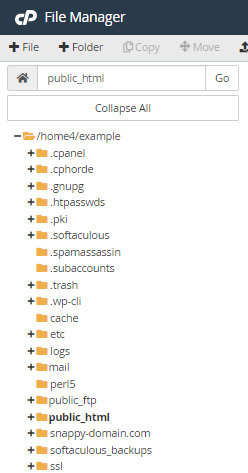
Finding the right directories in WordPress is crucial. It helps with navigation. You should know the purpose of each directory. This ensures better management of your website. The public_html folder holds key files. Familiarize yourself with wp-content, wp-admin, and wp-includes.
These directories are central to WordPress operation. Regularly update and back up your files. This keeps your site secure and efficient. Understanding these basics boosts your WordPress experience. It helps you maintain a smooth-running site. Keep learning and exploring WordPress directories.
Your website’s health depends on it. Stay informed and proactive.


