
Are you puzzled by the maze of character encodings while editing your WordPress files? You’re not alone.
Choosing the right character encoding is crucial for ensuring your website displays text correctly, supports multiple languages, and avoids frustrating errors. Imagine this: you’ve spent hours perfecting your content, only to find strange symbols replacing your carefully chosen words. It’s a nightmare no one wants to face.
We’ll guide you through the essentials of character encoding for WordPress, helping you make informed decisions with ease. By the end, you’ll have the confidence to choose the right encoding that guarantees your content appears just as you intended. Dive in to discover how simple choices can lead to a seamless website experience for your visitors. Don’t let encoding issues hold your site back – read on to empower yourself with the knowledge you need!
Importance Of Character Encoding
Character encoding is like a language for computers. It helps them understand letters and symbols. UTF-8 is a popular encoding. It supports many languages. This makes it a good choice for websites. WordPress uses UTF-8 by default. This helps in reading and writing files without errors.
Incorrect encoding can cause problems. Text may look strange. Characters might not display right. Always check the encoding before editing files. Use a good text editor. This keeps your files safe.
Using the right encoding is important. It helps your site work smoothly. Visitors will see everything clearly. No strange symbols or errors. Make sure to stick with UTF-8. It’s reliable and easy to use.

Credit: docs.themeisle.com
Common Encoding Types
UTF-8 is very popular for web pages. It supports many languages. Most websites use UTF-8. It can handle special characters. This makes it flexible for different languages. It’s a great choice for WordPress files. Easy to use and widely accepted.
ISO-8859-1 is also known as Latin-1. It’s used for Western European languages. Not as flexible as UTF-8. It might not support all characters. It works well for simple texts. Good for documents with basic language needs.
ASCII is basic and simple. It supports only English characters. No special symbols or accents. It’s best for simple texts. Not suitable for complex documents. It is limited but easy to understand. Useful for basic coding.
Advantages Of Utf-8
Global Compatibility: UTF-8 is used all over the world. It works well with different languages. This makes it a popular choice. Websites can reach more people. It helps connect globally.
Support for Special Characters: UTF-8 handles special characters easily. It includes symbols, accents, and other marks. This is important for many languages. It keeps the text clear and correct. No more strange boxes or question marks.
SEO Benefits: Search engines prefer UTF-8. It helps websites rank better. UTF-8 makes sure all content is readable. It shows search engines the right words. This can improve a site’s visibility.
How WordPress Uses Encoding
WordPress stores data in the database. It uses UTF-8 encoding for this. UTF-8 supports many languages. This means you can use different characters easily. It keeps data safe and readable. Most databases support UTF-8. This makes it a good choice for WordPress. UTF-8 is also fast and reliable. It handles emojis, symbols, and more. This is important for modern websites. Always use UTF-8 for your WordPress database.
WordPress theme and plugin files also use UTF-8 encoding. This helps maintain compatibility. Code and text must be clear and correct. UTF-8 ensures this. It allows smooth operation of themes and plugins. Files with UTF-8 can be edited easily. This is important for developers. Themes look the same on different devices. Plugins work without errors. Always save files in UTF-8 format.
Checking Current Encoding
Using Text Editors can make this task easy. Many editors show file encoding. Notepad++ is a good choice. It shows encoding at the bottom. Open your file and see it there. You can also use Sublime Text. Check the status bar for encoding info. Other editors like Atom work too. Always make sure to save changes.
WordPress Plugins help check encoding without leaving WordPress. Plugins like “WP Multibyte Patch” do the job. They ensure your files use the right encoding. They can fix issues automatically. This way, you keep your site safe. Always keep plugins updated. This avoids any problems.
Credit: help.one.com
Changing File Encoding
Using the right tools is important for editing WordPress files. Popular text editors like Notepad++ and Visual Studio Code can help. They support many encoding formats. These editors let you easily change the file encoding. Always choose UTF-8 encoding for WordPress files. It handles all characters well. This prevents problems with special characters. You can also use online converters. These tools can change encoding quickly. Make sure to save files with the new encoding. Check if the website displays correctly after changes.
Keep backups of original files before changing encoding. This helps avoid mistakes. Use reliable software for editing. Follow WordPress guidelines for encoding. Check plugins and themes for compatibility. Not all plugins support different encodings. It’s best to test changes on a staging site. This prevents issues on the live website. Regularly update your tools and software. Updated tools have better encoding support. Always verify changes after editing. Look for errors in website display. Encoding affects how content appears. Proper encoding ensures smooth website performance.
Avoiding Common Issues
Character corruption can cause strange symbols in your files. These symbols replace your normal text. It makes the text hard to read. This issue happens due to incorrect character encoding. Using the wrong encoding can break your website. Your site may not display correctly. Always use UTF-8 encoding. This encoding is safe for most languages. It helps to keep your text clean and readable.
Backup Strategies
Backups are important. They save your work. If something goes wrong, you can restore it. Always create a backup before making changes. Use tools or plugins for easy backup. Store backups in a safe place. Use a cloud service or an external drive. Regular backups protect your files. They keep your work safe and secure.
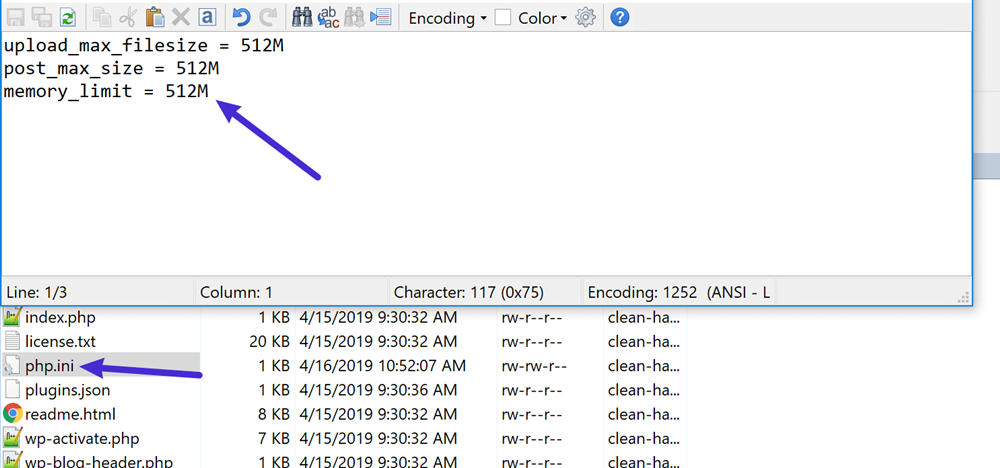
Credit: wpdevart.com
Encoding In Multilingual Sites
Choosing the right character encoding is essential for editing WordPress files on multilingual sites. UTF-8 is recommended for its compatibility and ability to handle diverse characters, ensuring your content displays correctly across different languages. This encoding helps maintain consistent and error-free text presentation.
Handling Multiple Languages
Using the right character encoding is crucial. It ensures your website displays correctly. UTF-8 is the best choice for most sites. It supports almost all languages. This makes it perfect for multilingual sites. With UTF-8, you can mix languages easily. There will be no strange symbols or errors. This helps keep your site professional.
Ensuring Consistency
Consistency in encoding is key. All files should use the same encoding. This prevents errors and confusion. Double-check your settings in WordPress. Ensure all plugins and themes use UTF-8 too. This keeps everything neat and tidy. Your site will run smoothly. Visitors will see your content as intended.
Frequently Asked Questions
What Is Character Encoding In WordPress?
Character encoding is a system that pairs characters with specific byte sequences. In WordPress, it ensures that content is displayed correctly across different browsers and devices. Using the correct encoding, like UTF-8, prevents issues such as unreadable text or strange symbols, enhancing the overall user experience.
Why Use Utf-8 For WordPress Files?
UTF-8 is the most widely used encoding system for web content. It supports a vast range of characters from different languages. Using UTF-8 for WordPress files ensures compatibility, reducing issues like character misinterpretation. It also improves SEO by making content accessible and readable to a global audience.
How To Change Character Encoding In WordPress?
To change character encoding in WordPress, access your website’s wp-config. php file. Set the `DB_CHARSET` to `’utf8’`. This change ensures your database uses the UTF-8 encoding, improving compatibility and readability. Always backup your files before making changes to avoid potential data loss.
Can Wrong Encoding Affect WordPress Performance?
Yes, wrong encoding can negatively impact WordPress performance. Incorrect encoding may lead to unreadable text or corrupted content. This affects user experience and can lower SEO rankings. Ensuring the correct encoding, like UTF-8, helps maintain site integrity and performance.
Conclusion
Choosing the right character encoding ensures smooth WordPress editing. UTF-8 is often the best choice. It supports diverse languages and symbols. This encoding prevents display errors. No more strange characters appearing. It’s widely recommended by experts. Easy to set up in WordPress.
Remember to check file settings regularly. Avoid unexpected issues later. Understanding encoding helps maintain a seamless website experience. Your content will look as expected. This improves user engagement. Keep encoding settings consistent. This ensures your site runs efficiently. Regular checks make sure everything stays in order.
Happy editing!


