
Ever wondered how to make your WordPress site more dynamic and tailored to your needs? WordPress plugins are the secret sauce that can transform your website from basic to brilliant.
These plugins are like magical tools that add new features and functionalities, enhancing your site’s performance and user experience. But what exactly are WordPress plugins written in, and how do they work? By understanding the foundation of these plugins, you can make more informed decisions about which ones to use and how they can optimize your site.
Dive into this article to uncover the mysteries behind WordPress plugins and discover how they can revolutionize your website. With this knowledge, you’ll be empowered to harness the full potential of your WordPress site, ensuring it’s not only beautiful but also highly functional. Keep reading to unlock the secrets of WordPress plugins and elevate your web presence to the next level!
Core Language
WordPress plugins are mainly written in PHP. PHP is a server-side scripting language. It helps in creating dynamic websites. These plugins add new features to your site. Some plugins also use JavaScript. JavaScript makes websites interactive. CSS and HTML are also used. They help in designing the plugin’s look. All these languages work together. They make plugins powerful and useful.
Developers use MySQL for storing data. MySQL is a database management system. It keeps your data safe and organized. For more complex tasks, some plugins use Ajax. Ajax helps in updating parts of a web page. This happens without reloading the whole page. This makes the plugin faster and efficient.
Php And Its Role
PHP helps WordPress plugins work. Functions in PHP are simple. They do basic tasks. For example, they add numbers. Functions also show messages. They are like a recipe. Follow steps, get results. Variables in PHP hold data. Think of them as boxes. These boxes have names. They keep numbers or words. Functions use these boxes to work. Functions are like tools. Each tool does a special job.
Advanced PHP is more complex. It can make smart decisions. These techniques use if statements. They ask questions. Like, “Is this true?” If yes, do a task. They also use loops. Loops repeat actions. Like making a list. PHP can connect to databases too. It gets information from there. This makes plugins powerful. They can do many things. These techniques need more knowledge. But they make plugins better. They give extra abilities.
Html And Css Integration
CSS makes web pages look good. It changes the color, size, and position of text. With CSS, you can also add backgrounds and borders. This makes things pretty and neat. Buttons, menus, and images look better with CSS. It is like dressing up your web page. Simple and fun!
HTML is the base of web pages. It helps to organize text and images. Use HTML to create headings, paragraphs, and lists. HTML gives structure to the page. It is like the bones of a body. Everything fits well because of HTML. Easy to understand!
Credit: www.darkreading.com
Javascript For Dynamic Features
JavaScript makes websites more fun. It adds cool features. Buttons pop up. Forms work better. Kids like magic. JavaScript does magic online. It makes things move. It changes colors. It makes pages lively.
Many tools help JavaScript. These tools are libraries and frameworks. They make work easy. They save time. Libraries have helpful code. Frameworks give a plan. They guide you. Popular ones are React and Vue.js. They are like friends for JavaScript. They help build cool stuff.
Database Interaction
WordPress uses MySQL to store its data. This database helps save posts, comments, and settings. It is like a big storage box for WordPress. Plugins interact with this database to get or save information. Each plugin can use MySQL in its own way. Some plugins make data access fast. Others focus on keeping data safe.
Data Management Techniques are important. Plugins must use them well. They keep data organized and easy to find. Good techniques make websites run smoothly. Bad techniques can cause errors. So, choosing the right plugins is key. This ensures your site works well.
Credit: www.dreamhost.com
Security Practices
Keeping plugins safe is very important. Regular updates help fix bugs. Strong passwords protect sites from hackers. Always backup data before installing new plugins. This keeps your work safe.
Clean code is easy to read and fix. This makes it less likely to have bugs. Use trusted sources for coding help. Avoid copying code from unknown places. Testing code often finds mistakes early. Use tools to check your work. This helps keep the code safe.
Testing And Debugging
Debugging tools help find and fix errors in WordPress plugins. Developers use tools like Xdebug and WP Debug. Xdebug helps trace problems in code. WP Debug shows error messages in WordPress. These tools make finding issues easier. Errors can break plugins. Fixing them is important. Debugging tools save time. They make plugins work better.
Testing ensures plugins work correctly. Unit testing checks each part of a plugin. Integration testing checks how plugins work together. Test plugins in different environments. Use test data to simulate real users. Test for security issues. Testing catches bugs early. Fixing bugs before release is best. Good testing makes plugins reliable. Reliable plugins are trusted by users.
Deployment And Maintenance
WordPress plugins are primarily crafted using PHP language. These plugins enhance website functionality and offer custom features. Regular updates ensure smooth operation and compatibility with WordPress versions.
Efficient Deployment
WordPress plugins need careful deployment. Using simple tools, developers can automate this task. This saves time and reduces errors. Always test plugins before going live. Testing ensures they work well with other plugins. It also helps avoid site crashes. Keep a backup of your website. Backups are important for restoring data if something goes wrong.
Regular Updates And Maintenance
Plugins need regular updates. Updates fix bugs and add new features. Updated plugins are safer and more reliable. Check for updates often in the WordPress dashboard. Install updates as soon as they are available. Updated plugins keep your site secure. Use a staging site for testing updates. This prevents problems on the live site. Always have a backup before updating. This way, you can restore your site if needed.

Credit: triggergrowth.com
Frequently Asked Questions
What Language Are WordPress Plugins Written In?
WordPress plugins are primarily written in PHP. PHP is a server-side scripting language widely used in web development. Plugins may also use HTML, CSS, and JavaScript for frontend functionality. These languages help create dynamic features and enhance user experience on WordPress websites.
Can WordPress Plugins Use Javascript?
Yes, WordPress plugins can use JavaScript. JavaScript is essential for adding dynamic features and interactivity to web pages. Many plugins incorporate JavaScript for frontend behavior, such as animations and AJAX calls. JavaScript enhances user experience and allows plugins to perform complex tasks efficiently.
Are WordPress Plugins Built With Html And Css?
Yes, WordPress plugins often use HTML and CSS. HTML structures the content, while CSS styles it. These languages ensure plugins integrate seamlessly with WordPress themes. By using HTML and CSS, plugins can offer responsive designs and user-friendly interfaces.
Do WordPress Plugins Need A Database?
Most WordPress plugins interact with databases. They often use MySQL, which stores and retrieves data efficiently. Plugins may store settings, user information, or content data. This integration allows plugins to offer dynamic features and maintain data integrity across WordPress sites.
Conclusion
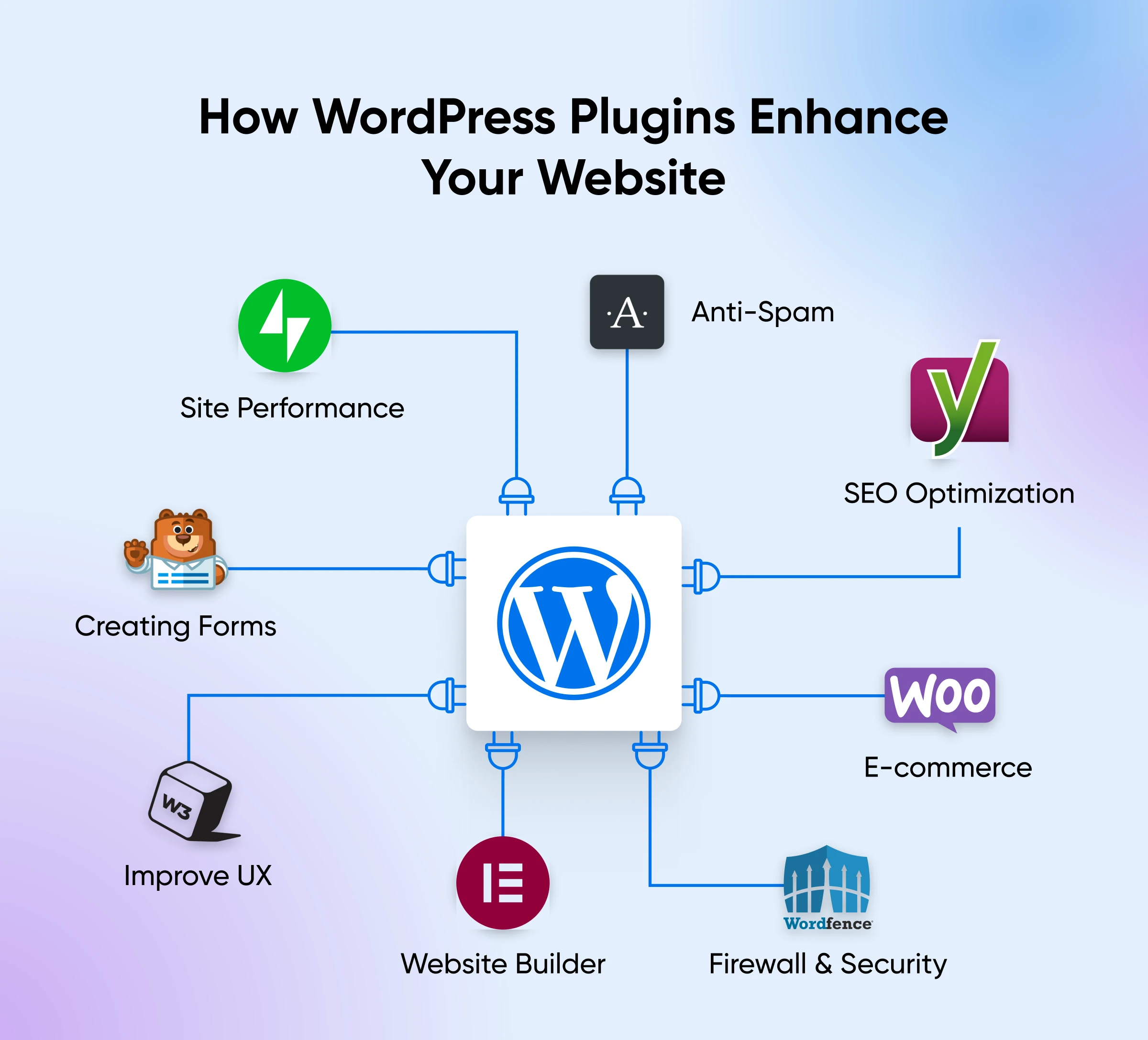
WordPress plugins make your website versatile and functional. They expand features without needing complex coding skills. Simple tools can enhance site performance. They offer solutions for SEO, security, and customization. Choose plugins wisely to avoid slowing your site. Always update them to keep your site secure.
Remember, plugins can help your website grow. But, too many plugins may cause issues. Aim for balance and efficiency. Regularly check for plugin updates. This ensures your site runs smoothly. Explore plugins that suit your needs. They can truly elevate your WordPress experience.


