
Have you ever wondered how websites collect information from their visitors? Whether it’s a simple contact form, a survey, or a registration page, WordPress forms are the magic tools behind the scenes.
They help you gather valuable data, engage with your audience, and streamline communication all in one go. Imagine having a tool that not only enhances your website’s functionality but also boosts your interaction with visitors. Do you want to make your website more interactive and user-friendly?
Then understanding WordPress forms is crucial. Stick around to discover how these forms can transform your site into a dynamic hub of activity, catering to both your needs and those of your visitors.
Credit: zapier.com
WordPress Forms Explained
WordPress forms help you collect information from users. They are easy to create. No coding needed. You can use plugins to make forms. Many plugins are free. Some popular ones are WPForms and Ninja Forms. These plugins offer drag-and-drop builders. This makes form creation simple and fast.
Forms can have many fields like name, email, and message. You can also add dropdowns and checkboxes. Collect feedback, registrations, or even payments. Forms are useful for contact pages. They help you connect with visitors. Keep forms short and sweet for better responses.
Importance Of Forms On Websites
Forms are vital for websites. They allow users to share their information. This includes names, emails, and messages. Forms create a connection between the site and the user. They help gather feedback from visitors. This feedback is crucial for website improvement. Forms can be used for sign-ups. They help in building email lists. Businesses can then send newsletters. Forms also assist in processing orders. They manage customer requests and queries. Without forms, websites miss important data. Forms help in user engagement. Users feel heard and valued. Forms are easy to create on WordPress. Many plugins offer simple solutions.
Types Of WordPress Forms
Contact forms are common on websites. They let visitors send messages easily. Users fill in their name, email, and message. This helps site owners get feedback or questions. Many plugins make them easy to add. Simple and effective communication tool for websites.
Survey forms gather opinions from users. They ask questions about different topics. Useful for getting customer feedback. Website owners learn what visitors think. They can improve services based on responses. Surveys are easy to create with plugins.
Registration forms help users sign up on websites. Users provide details like name and email. This allows them to access special content. They are vital for membership sites or events. Easy to customize with plugins.
Feedback forms collect user thoughts. Visitors share their experience with the site. Site owners learn what works or needs fixing. Important for improving user satisfaction. Plugins make them easy to set up.
Credit: torro-forms.com
Choosing The Right Form Plugin
WordPress offers many form plugins. Some are more popular than others. WPForms and Contact Form 7 are quite famous. Ninja Forms is another top choice. Each has unique features. Choose based on your needs. Keep it simple for your site visitors.
| Plugin | Ease of Use | Customization | Integrations |
|---|---|---|---|
| WPForms | Easy | High | Many |
| Contact Form 7 | Moderate | Medium | Few |
| Ninja Forms | Easy | High | Many |
Always check for updates and support. Choose a plugin that fits your budget. Your needs may change over time.
Creating A Basic WordPress Form
WordPress forms collect user information through interactive fields on websites. They enhance user experience by simplifying data collection. Creating basic forms involves selecting fields, customizing settings, and embedding them into pages effortlessly.
Installation And Setup
To add forms in WordPress, first install a plugin. Popular plugins include WPForms and Contact Form 7. Go to the WordPress dashboard. Click on “Plugins” and select “Add New”. Search for your chosen plugin. Click “Install” and then “Activate”. This sets up the form plugin on your site.
Form Configuration
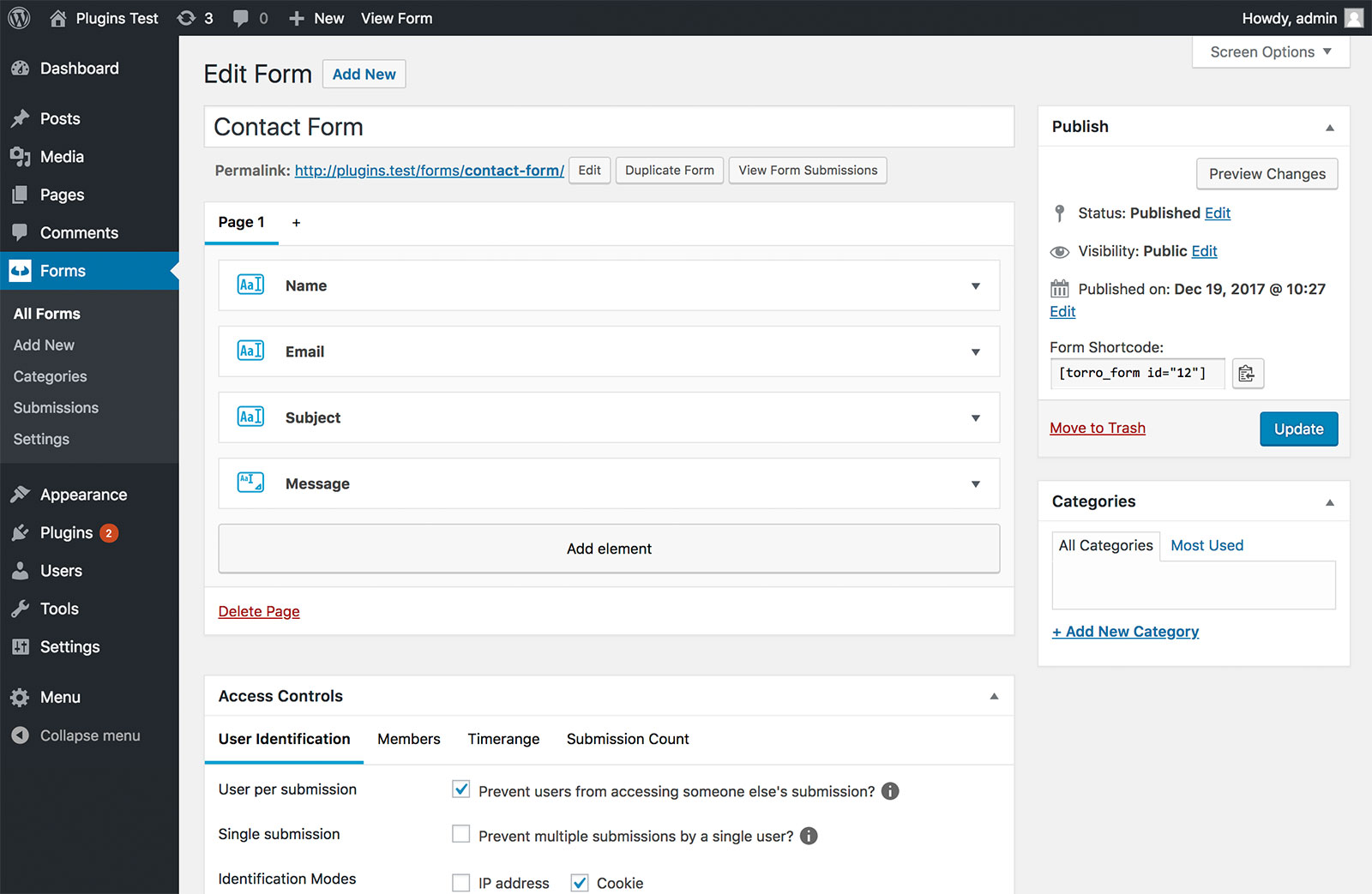
After installation, find the form builder in your dashboard. Select “Add New” to create a form. Choose a template or start from scratch. Add fields like name, email, and message. Configure settings for each field. Save the form when done. You can now use this form on your site.
Customizing Design
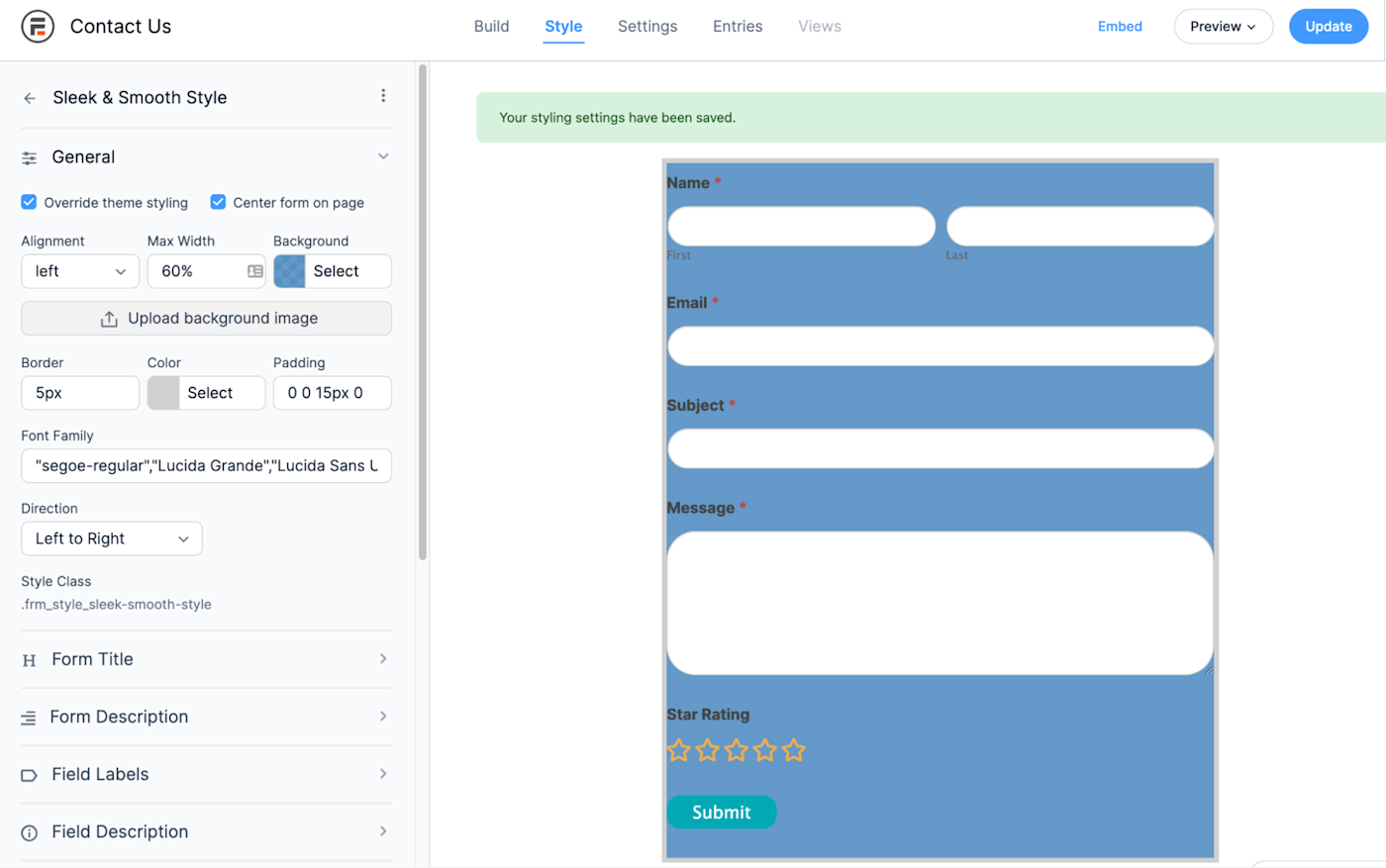
Make your form look nice. Use the design settings in your plugin. Change colors, fonts, and sizes. Add a background image if needed. Align text and fields properly. Preview changes to ensure it looks good. Customize forms to match your website’s style.
Advanced Form Features
Conditional logic helps make forms smart. Show or hide fields based on user choices. This makes forms easier to fill. It can also help gather specific information. Users see only what they need. No extra questions.
Multi-page forms split long forms into smaller sections. They are less overwhelming. Users stay focused on one step at a time. This improves the user experience. It also helps reduce form abandonment. Users are more likely to finish.
File uploads let users send documents or images. This is handy for many tasks. Users can attach resumes, photos, or proofs. It adds convenience to the form process. Businesses receive all needed files with ease.
Integrating Forms With Email Marketing
Connecting with Email Services can be simple with WordPress forms. Many plugins allow easy linking. Use services like Mailchimp or Constant Contact. Connect forms to these platforms in a few clicks. This helps collect user emails directly. It saves time and keeps data organized.
Automating Responses is another benefit. Set automatic replies for each form submission. Users get instant feedback. This builds trust and keeps them engaged. Automated responses can also offer more info or deals. It’s a way to keep the conversation going without manual effort.
Enhancing Form Security
WordPress forms are essential tools for collecting user data on websites. Ensuring their security protects sensitive information from threats. Implementing strong security measures is crucial to safeguard user data effectively.
Spam Prevention
Forms often get spammed by bots. Adding a CAPTCHA can help. This tool asks users to complete a simple task. It checks if they are human. Another way is to use honey pots. These are hidden fields in the form. Bots fill them, but humans do not. This helps in catching bots. Regularly update your plugins. It keeps you safe from new spam tricks.
Data Protection Measures
Protecting user data is vital. Use SSL certificates for your site. They encrypt data between user and server. This makes it hard for hackers. Ensure your forms do not ask for sensitive info. Avoid asking for credit card numbers. Also, limit the data you store. Only keep what’s necessary. Regularly check your site’s security settings. Update them as needed.
Troubleshooting Common Issues
WordPress forms are essential for collecting user information efficiently. Troubleshooting common issues involves checking plugin compatibility and ensuring proper configurations. Regular updates and clear error messages help maintain seamless functionality.
Form Not Sending Emails
Forms sometimes don’t send emails. This can frustrate users. First, check the email settings. Ensure the correct email address is set. Verify the SMTP settings too. They help send emails.
Another reason might be spam filters. These block emails. Add trusted email addresses to the safe list. Also, check your email server. It might be down. If none of these work, plugins may be the issue. Sometimes, plugins conflict with each other. Disable plugins one by one. See if emails start sending.
Display Problems
Forms might not display correctly. This can confuse users. Sometimes, themes cause display issues. Try switching to another theme. Update your current theme too. Check the form plugin version. Outdated plugins might cause problems. Update them regularly.
Check the CSS settings too. Incorrect CSS can affect form display. Adjust the CSS if needed. Sometimes, browser issues arise. Forms might work in one browser, not another. Try different browsers to see the difference.

Credit: css-tricks.com
Future Trends In WordPress Forms
WordPress forms are changing fast. AI integration is a big trend. Forms will soon understand user needs better. Voice input might become popular. It makes filling forms easier for everyone. Mobile-first design is important. Many users fill forms on phones. Forms need to be simple and clear. Data security is crucial. People want their information safe. Real-time validation helps users correct mistakes quickly. Forms will become smarter. They will guide users step by step.
Customizable forms will be more common. Users will design forms to fit their needs. Drag-and-drop builders will make form creation easy. Everyone can create forms without coding. Interactive forms engage users more. They keep users interested and focused. Forms will be more personal. They will adapt to each user’s needs. Accessibility features will improve. Everyone, including those with disabilities, will use forms easily.
Frequently Asked Questions
What Are WordPress Forms Used For?
WordPress forms are used to collect information from website visitors. They enable users to submit data like contact details, feedback, or queries. These forms enhance user interaction and improve communication between site owners and visitors. They can be customized to meet various needs and can integrate with other tools.
How Do You Create A Form In WordPress?
Creating a form in WordPress is simple using plugins like WPForms or Contact Form 7. Install and activate the plugin, then use its drag-and-drop builder to design your form. Customize fields according to your needs, save, and embed the form on your desired page or post using a shortcode.
Which Plugins Are Best For WordPress Forms?
Some popular WordPress form plugins include WPForms, Gravity Forms, and Ninja Forms. WPForms is user-friendly and ideal for beginners. Gravity Forms offers advanced features for developers. Ninja Forms is customizable and has many extensions. Each plugin provides unique features suited to different user requirements.
Can WordPress Forms Integrate With Other Tools?
Yes, WordPress forms can integrate with various tools and services. They connect with email marketing platforms like Mailchimp, CRM systems like Salesforce, and payment gateways like PayPal. These integrations streamline workflows, automate data collection, and enhance user experience by ensuring seamless connectivity between your form and external services.
Conclusion
WordPress forms are essential tools for any website. They enhance user interaction. From collecting feedback to processing payments, forms do it all. Easy customization options make them versatile. Beginners find them simple to use. Advanced users enjoy the flexibility. Many plugins offer drag-and-drop features.
These save time and effort. Forms also improve site functionality. They help gather valuable data. This aids in making informed decisions. Using WordPress forms is a smart choice. They cater to varied needs and goals. Start exploring these forms today.
Enhance your website’s user experience effortlessly.


