
Are you finding yourself tangled in a web of categories and tags on your WordPress site? Don’t worry, you’re not alone.
Understanding taxonomies in WordPress can feel like deciphering a secret code. But what if I told you that mastering taxonomies could elevate your website’s organization, boost your SEO, and make your content more accessible? Imagine creating a seamless experience for your visitors where they effortlessly find the information they need.
Intrigued? This article will break down what taxonomies in WordPress are, why they matter to you, and how they can transform your site into a well-oiled machine. Ready to unlock the potential of your website? Let’s dive in and unravel the mystery of WordPress taxonomies together.
Taxonomy Basics
Taxonomy in WordPress is like a labeling system. It helps in organizing and grouping content. Think of it as a way to sort your posts. Categories and tags are common types of taxonomies. They make it easier for readers to find related content. Imagine a big library. Taxonomies are like the sections that help you find books.
Taxonomies play a big role in how content is shown. They help in making your website user-friendly. With taxonomies, content is not just a jumble. It is organized and easy to navigate. Your readers can find what they need quickly. This keeps them happy and engaged. So, taxonomies are a key part of a well-structured site.
Credit: www.hostinger.com
Types Of Taxonomies
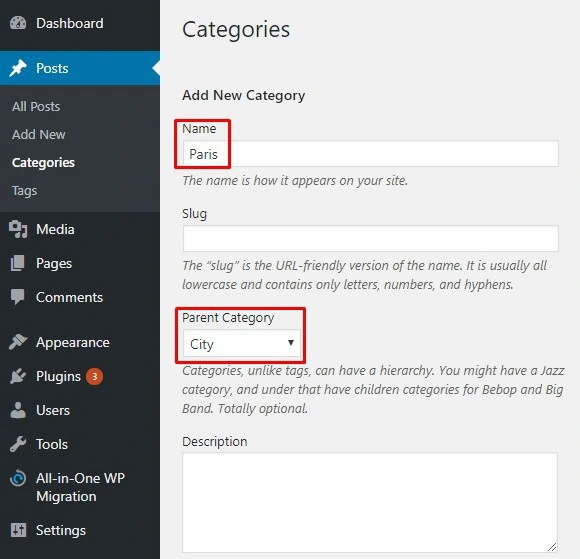
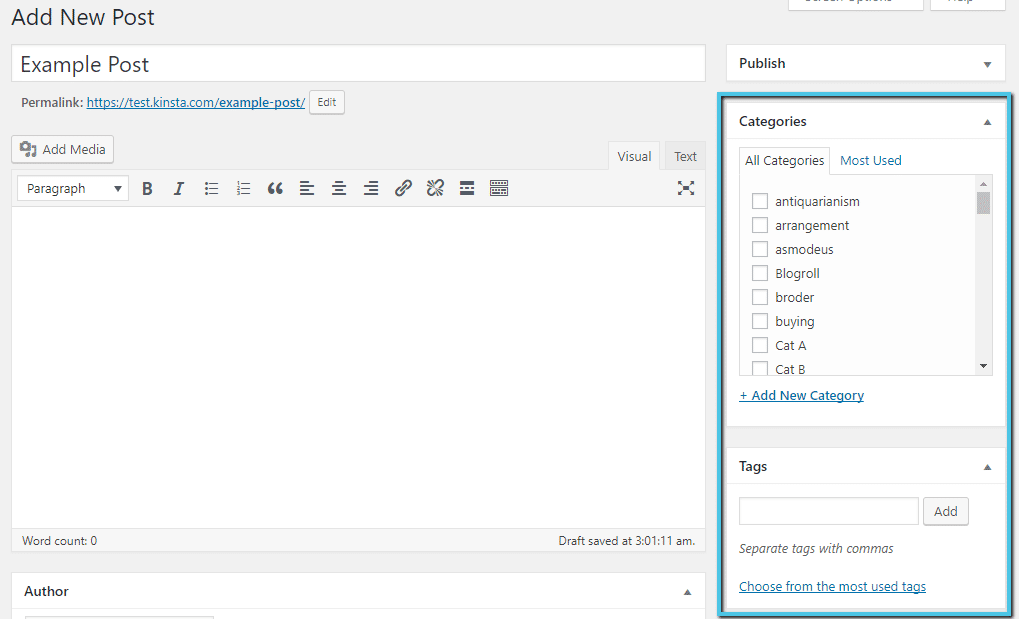
Categories help organize posts. They let you group similar topics together. Each post can have more than one category. This makes it easy to find related content. Categories appear in menus. This helps users navigate your site. They are broad topics. Examples: Food, Travel, Technology. Categories are essential for content management. They improve user experience.
Tags are more specific than categories. They help describe details. Tags allow users to find content quickly. Each post can have many tags. This helps highlight important topics. Tags are usually single words. Examples: Vegan, Tips, DIY. They organize content in a detailed way. Tags create connections between posts. Useful for search and discovery.
Custom Taxonomies offer flexibility. They let you create unique groups. You can tailor them to fit your needs. Examples: Genre, Series, Location. Custom taxonomies add depth to your site. They help organize complex content. Useful for specialized websites. They give your site a personal touch. Perfect for niche topics.
Creating Custom Taxonomies
First, understand what taxonomy means in WordPress. It helps organize content. Use it to group posts or pages. Next, decide the name for your taxonomy. Choose something simple. Then, use functions to register your taxonomy. Add labels to make it clear. Set up hierarchical or flat taxonomy. Hierarchical is like categories. Flat is like tags.
Link your taxonomy to specific post types. Make sure it fits your content. Test it to see if it works. Adjust if needed. Keep it clean and organized. This helps users find content easily. Finally, update your site and check for errors.
Always keep taxonomy names short. Use clear labels for users. Regularly review and update taxonomies. Avoid using too many taxonomies. It can confuse visitors. Make sure each taxonomy serves a purpose. Link them wisely to post types. Think about user experience. Help them navigate your site easily. Test your taxonomies often. Fix issues quickly. Keep your site organized and user-friendly.
Credit: www.fixrunner.com
Benefits Of Using Taxonomies
Taxonomies help users find content quickly. They group similar items together. This makes websites easy to use. Users can find what they need faster. For example, a blog about food can use categories like recipes and reviews. This helps readers locate articles they like. Better navigation keeps visitors on your site longer. Happy visitors return and share your site.
Search engines love well-organized sites. Using taxonomies improves your site’s SEO. Keywords in categories help search engines understand your content. This can boost your ranking on search results. More people find your site this way. Good organization means better visibility. Better visibility attracts more visitors. More visitors mean more success for your website.
Managing Taxonomies
Editing taxonomies in WordPress is simple. Use the admin panel to make changes. Click on the taxonomy name. Update the details as needed. Save changes to keep them. Use these steps for categories and tags. Easy to manage!
Taxonomies help organize content. They group similar items together. Categories and tags are common types. Use them to sort posts and pages. This makes finding content easier. Readers enjoy well-organized sites. Helps keep everything tidy.
Common Challenges
Tags help in organizing content. Using too many tags can confuse users. It can also affect your site’s performance. Tags should be relevant and specific. Avoid creating a tag for every post. This keeps the site clean and easy to navigate. Search engines also prefer well-organized sites. Focus on quality, not quantity. Choose tags that match your post’s main idea.
Complex hierarchies can make navigation hard. Keep categories and subcategories simple. This helps users find content quickly. Too many layers can confuse visitors. Use clear, short names for categories. This aids in better understanding. Simple structure improves user experience. It also benefits search engine ranking. Clear paths lead to happy users and better SEO.
Tools And Plugins
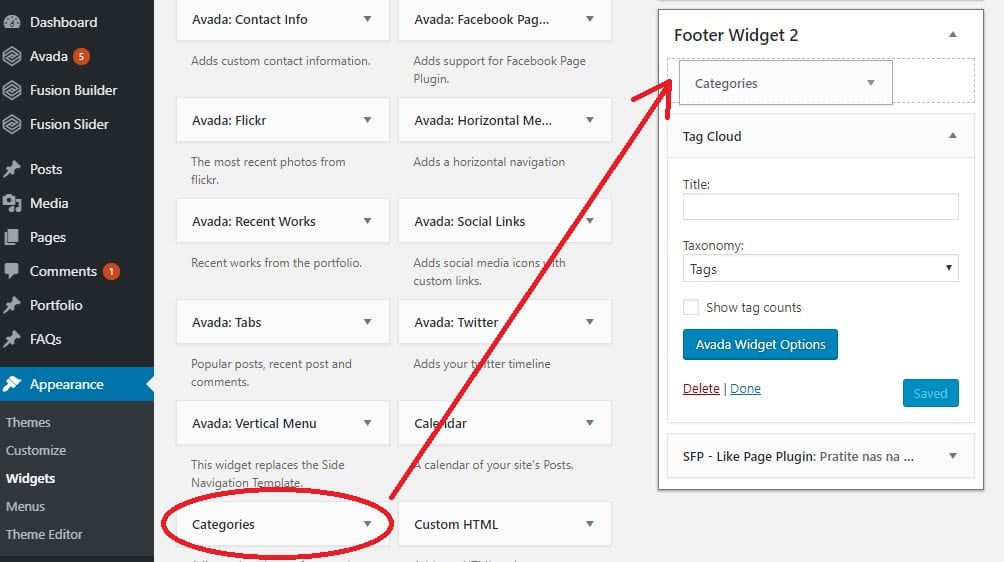
WordPress offers many tools for managing taxonomies. Yoast SEO is a top choice. It helps with tags and categories. Custom Post Type UI is another good plugin. It lets you create custom taxonomies. Advanced Custom Fields allows adding fields to posts. These plugins make managing taxonomies easy. They are great for beginners.
Integrating plugins is simple. First, install the plugin. Second, activate it. Third, set it up. Make sure to check settings. Use plugin guides. They help in understanding settings. Always update plugins. This keeps your site safe. Test changes before going live. This avoids errors.
Credit: kinsta.com
Frequently Asked Questions
What Are WordPress Taxonomies?
WordPress taxonomies are systems for classifying content. They help organize posts into categories and tags. This improves site navigation and user experience. Taxonomies are crucial for content organization and SEO.
How Do Taxonomies Affect Seo?
Taxonomies improve SEO by organizing content logically. They enhance site structure, making it easier for search engines to index. Properly used, they boost visibility and user engagement.
Can I Create Custom Taxonomies?
Yes, you can create custom taxonomies in WordPress. This allows personalized content organization. Custom taxonomies cater to specific site needs, enhancing content discoverability and user experience.
What Is The Difference Between Categories And Tags?
Categories are broad classifications, while tags are specific descriptors. Categories group related content, and tags highlight individual aspects. Both enhance content organization and improve SEO.
Conclusion
Understanding WordPress taxonomies can improve your website’s organization. They help categorize and tag content effectively. This makes it easier for users to find what they need. Better structure improves SEO, attracting more visitors. Implementing taxonomies is simple with WordPress tools.
You can customize and adapt them to fit your needs. Using taxonomies enhances user experience and content management. Start exploring them today for a more efficient website. Your site will benefit from better navigation. Visitors will appreciate the ease of finding information.
Embrace taxonomies to boost your WordPress site’s performance.


