
Have you ever found yourself tangled in the web of WordPress, trying to locate a specific page file, only to get lost in its extensive file tree? Navigating through WordPress’s complex file structure can be daunting, especially if you’re new to website management or development.
But don’t worry; you’re not alone. Understanding what pages are called in the WordPress file tree is crucial for customizing your site, enhancing its performance, and ensuring a smooth user experience. By the end of this article, you’ll have a clear roadmap to navigate the WordPress file maze with confidence.
So, why not take a moment to dive deeper and simplify your WordPress journey?
Credit: devowl.io
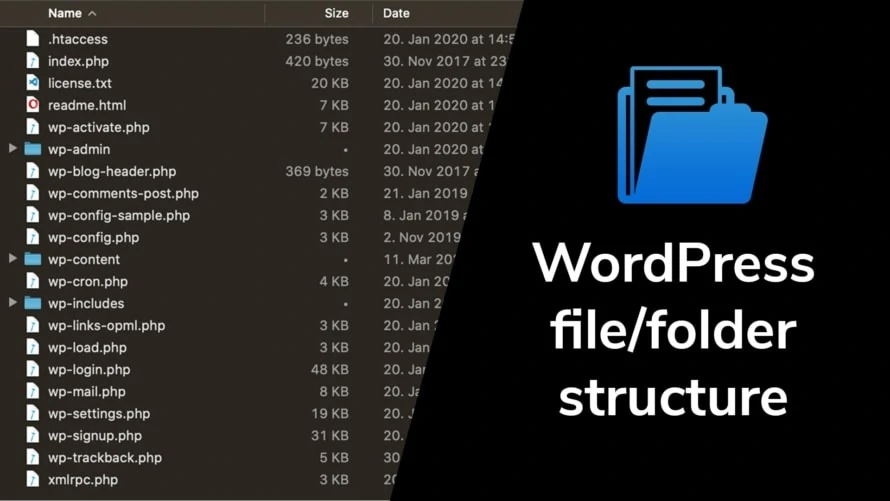
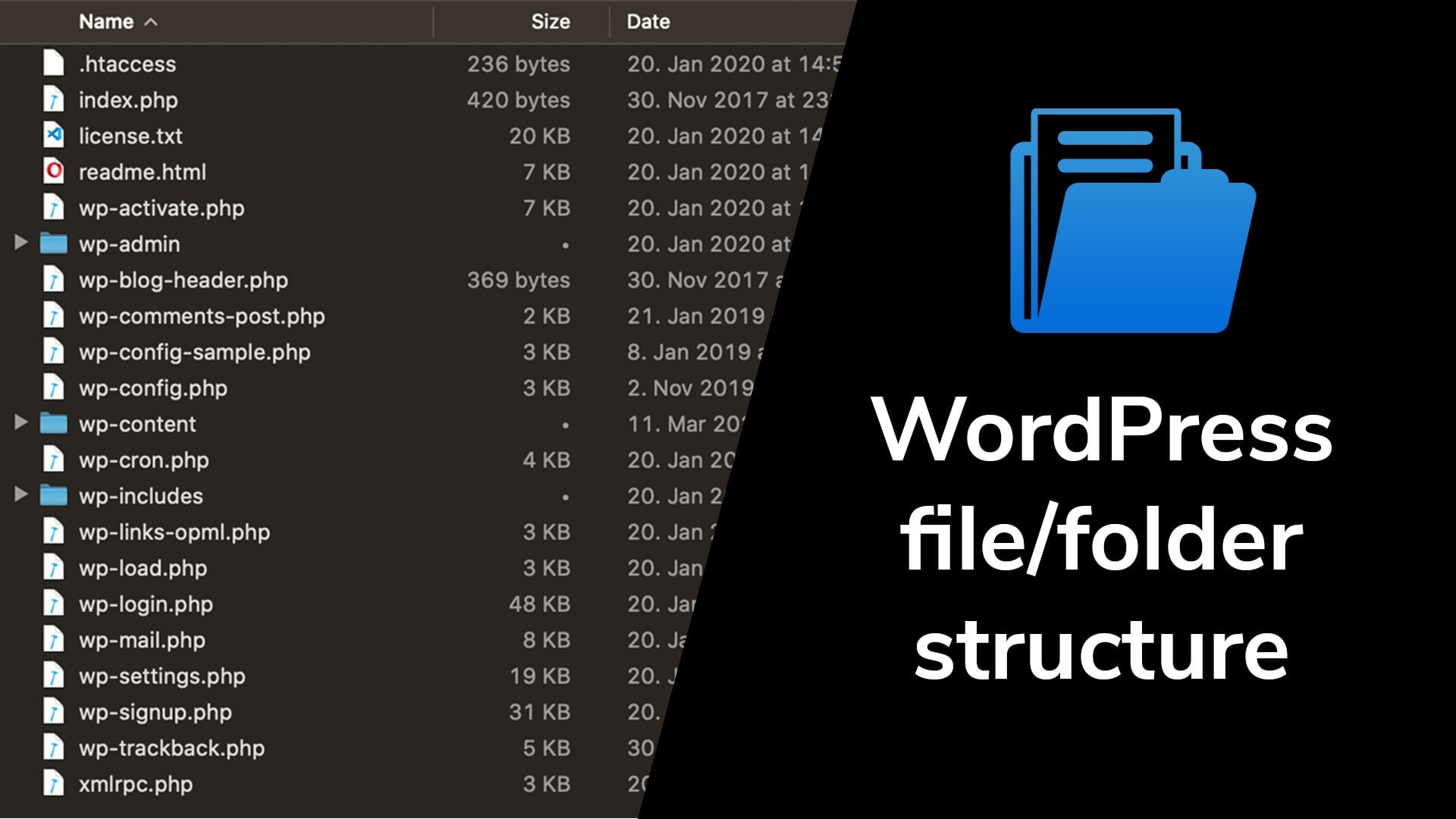
WordPress File Structure
WordPress has many core files. These files make WordPress work well. You can find them in the wp-admin and wp-includes folders. They help manage the website. These files are important for security. Don’t change them. Keep them updated.
Themes make your site look nice. They live in the wp-content/themes folder. Each theme has its own folder. Inside, you’ll find CSS and PHP files. They control layout and design. You can add or change themes. Make sure your theme is compatible.
Plugins add features to your site. They are stored in the wp-content/plugins folder. Each plugin has its own folder. Inside are files that help your site do more. Plugins can be activated or deactivated. Always update plugins to ensure safety.
Understanding Pages In WordPress
In WordPress, pages and posts are different. Pages hold static content. They don’t change often. Posts are dynamic and appear on blogs. Pages are for content like About Us or Contact. They have a permanent place on your site. Posts are for news and updates. Each post is dated. Pages are not.
Pages help in organizing content on a website. They make navigation easy. Visitors can find information quickly. Pages can be linked in menus. They provide a clear structure to a site. Pages can also have a hierarchy. This means a page can be a parent or a child. This helps to organize information better.
Pages In WordPress File Tree
Page templates in WordPress help you create different looks. They are stored in your theme folder. Each template can be unique. Some pages use the default template. Others might need a special one. Templates tell WordPress how a page should look. You can find them in the wp-content/themes folder. This folder holds all theme files.
The default page files are basic ones. They are present in every WordPress setup. The main file is page.php. This file is important. It decides how a normal page appears. If you don’t make a custom one, WordPress uses this file. It is the fallback for many pages.
Custom page files let you have different designs. You can make them by copying page.php. Then, you change the name. Add your design inside. Custom files start with a special comment. This comment tells WordPress about it. They help you build unique pages.

Credit: make.wordpress.org
Locating Page Files
WordPress stores page files in the theme folder. Inside, you will find several important files. The most common ones are index.php and page.php. These files help display the site’s content.
The style.css file is also important. It contains all the design rules. The functions.php file is where you find code that adds extra features. Sometimes, there are other files like header.php and footer.php.
Each file has its role. index.php serves as the main template. It is like a master key for pages. The page.php file is used for individual pages. If the page has a unique design, there might be a custom-page.php file.
Template parts like header.php and footer.php are reusable. They ensure the top and bottom look the same on every page. Understanding these files is important to edit or create new pages.
Modifying Page Files
Page templates help control how a page looks. These files are in the theme folder. The main file for pages is page.php. Other files may include front-page.php. These files define the layout for the page. Changes to these files change the page style. Editing these files needs care. Small errors can break the page. Use a code editor for changes. Backup files before editing. This keeps the site safe.
Child themes make customization easy. They let you change files without touching the main theme. This keeps updates safe. Child themes need a style.css file. They also need a functions.php file. These files hold the custom changes. This method is safe. It is best for beginners. Start with small changes. Learn and grow your skills. Child themes protect your work.
Credit: devowl.io
Troubleshooting Page Issues
In WordPress, pages are called “page” within the file tree structure. This file typically resides in your theme’s folder. Understanding this helps in identifying and troubleshooting page issues effectively.
Common Errors
Broken links often cause trouble. They confuse visitors. Keep links updated. Missing files lead to errors. Check file paths regularly. Error messages can appear suddenly. Identify them quickly. Slow loading pages frustrate users. Optimize images and scripts. Unexpected layout changes occur sometimes. Check your theme settings.
Debugging Techniques
Activate debugging mode to find issues fast. Use simple tools. Review error logs. They show problems clearly. Check file permissions. Incorrect ones stop pages loading. Disable plugins one by one. Some plugins conflict with themes. Revert recent changes if errors appear. This helps find the cause.
Frequently Asked Questions
What Is The WordPress File Tree?
The WordPress file tree is a structured layout of core files. It includes directories like wp-content, wp-admin, and wp-includes. These files and folders are crucial for WordPress functionality. Understanding this structure helps in customizing themes and troubleshooting issues.
How Are Pages Stored In WordPress?
Pages in WordPress are stored in the database, not as individual files. They are managed through the WordPress admin panel. The content is saved in the wp_posts table. This ensures that pages are dynamically generated and easily editable.
Where Can I Find WordPress Page Templates?
WordPress page templates are located in the theme folder. Commonly found in wp-content/themes/your-theme-name, they have. php extensions. These templates define the layout and structure of your pages. Custom templates allow unique designs for specific pages.
What Is The Role Of Wp-content Folder?
The wp-content folder stores themes, plugins, and uploads. It’s the primary location for customizations. This folder is crucial for personalizing your WordPress site. Modifications here do not affect core WordPress updates, making it safe for custom changes.
Conclusion
Understanding WordPress file structure helps manage your website better. Pages in WordPress are stored in the database, not as individual files. They are linked with themes and plugins to display content. Knowing where files reside aids in customization. Practice makes navigating these files easier.
It boosts your control over design. Try exploring different file paths. Familiarize yourself with WordPress core files. This knowledge simplifies troubleshooting. You gain confidence with each step. Explore, learn, and enhance your WordPress journey. Keep experimenting to refine your skills.
Happy WordPress managing!


