
Are you looking to enhance the visual appeal of your WordPress site without sacrificing speed and functionality? Google Fonts could be your secret weapon.
Imagine a world where your website not only captures attention but also conveys your brand’s personality with just the right typography. With Google Fonts, you have access to a treasure trove of fonts that are both stylish and free. You’ll discover how Google Fonts can transform your WordPress site into a visually stunning masterpiece.
Ready to elevate your website’s design to the next level? Keep reading, and unlock the secrets of Google Fonts for WordPress.
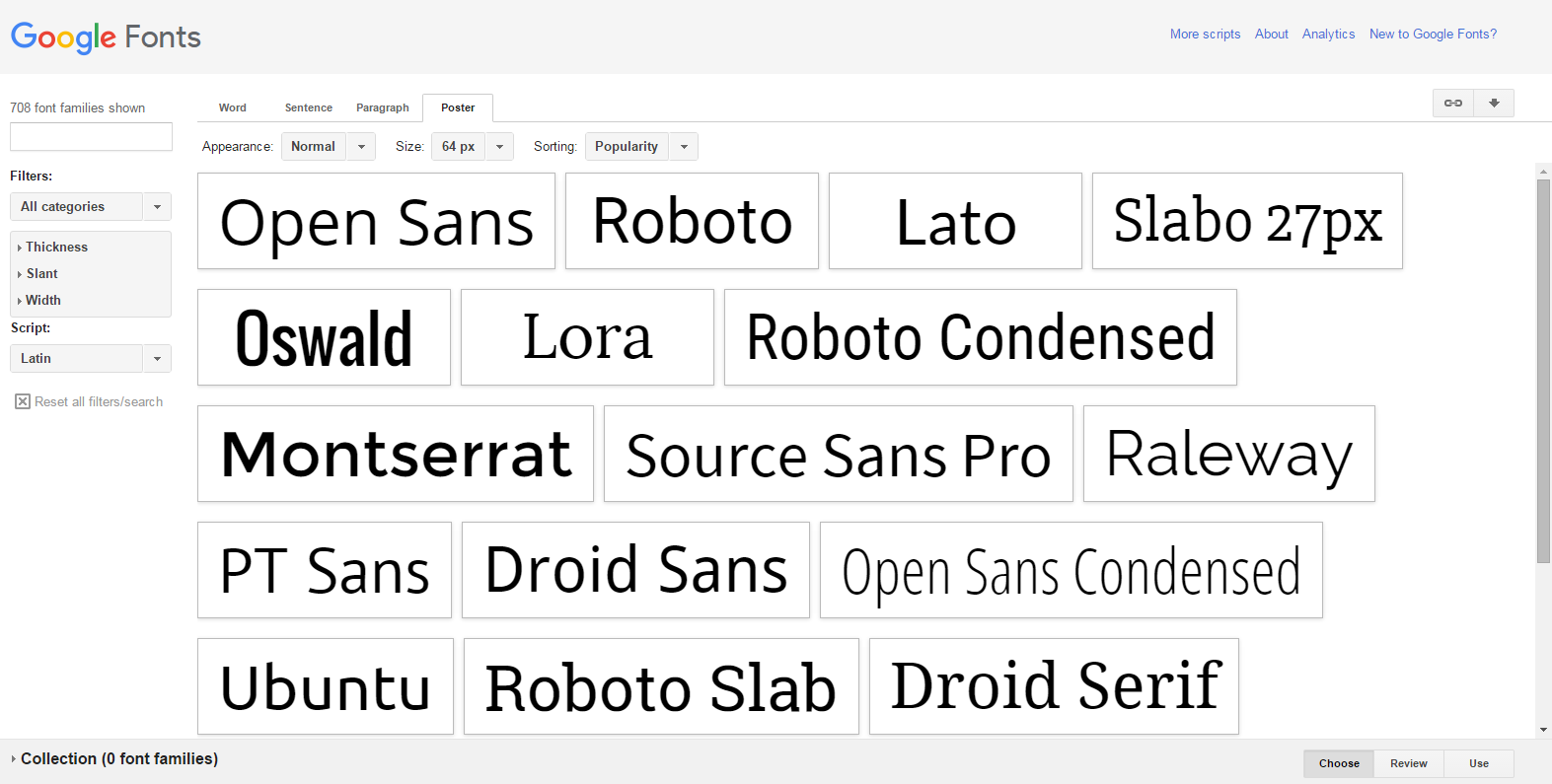
Credit: www.webhostinghub.com
Google Fonts Basics
Google Fonts are free and easy to use fonts. They make websites look better. Designers love them. There are many styles to choose from. Users can pick what fits their site best. Google Fonts work on all browsers. This means no problems for visitors.
Using Google Fonts is a smart choice. They are free for everyone. Websites load fast with them. This keeps users happy. Google Fonts are easy to add to any site. No special skills are needed. They offer a wide range of styles. This helps make each website unique.

Credit: www.youtube.com
Integrating Google Fonts With WordPress
Google Fonts make websites look better. They are easy to use. You can add them to WordPress in two ways. Using plugins is one way. Doing it manually is another way. Each way has benefits. Choose what suits you best.
Using Plugins For Google Fonts
Plugins are simple tools. They help add Google Fonts to your site. Easy Google Fonts is a popular plugin. It is free and easy to install. You can pick fonts and see changes fast. No coding needed. Perfect for beginners.
Manual Integration Techniques
Manual ways need some coding. First, go to Google Fonts. Choose a font you like. Copy the code. Next, open your WordPress theme files. Paste the code in the header file. Save changes and check your site. This way takes more steps. But it offers more control.
Choosing The Right Fonts
Picking fonts for your website is important. Fonts can change how things look. Readability is key. Choose fonts that are easy to read. Font size matters too. Bigger sizes help readers. Style is another factor. Some styles are modern; others are classic. Think about the mood you want to set. Different fonts give different feelings.
Factors To Consider
Consider who will visit your site. Age and interests affect font choice. Young people might like trendy fonts. Older folks might prefer classic ones. Color is important too. Make sure fonts stand out. Don’t use colors that blend in. Compatibility with devices matters. Fonts should look good on phones and computers. Test how fonts appear on different screens.
Popular Google Fonts For Websites
| Font Name | Style |
|---|---|
| Roboto | Modern, Clean |
| Open Sans | Simple, Clear |
| Lato | Friendly, Warm |
| Montserrat | Bold, Strong |
| Oswald | Unique, Stylish |

Credit: ostraining.com
Optimizing Font Performance
Fast loading fonts are important for your website. They help your site perform better. Google Fonts can be slow if not used well. Choose only the fonts you need. This reduces the file size. Smaller files load faster. Also, use font subsets. Subsets have only the letters you need. This makes the file even smaller.
Use CSS to load fonts. It is easy and quick. Use asynchronous loading. This loads fonts without slowing other parts. Make sure fonts load from a CDN. CDNs are fast and reliable. They help in loading fonts quickly.
Use the font-display property in CSS. It controls how fonts appear. Swap strategy is good. It shows text with a default font first. Once the real font loads, it swaps. This keeps the text readable. It avoids blank spaces on your page.
Use fallback fonts. They are similar to your main font. They show up if the main font is slow. Choose web-safe fonts for fallback. They work well on all devices. This makes sure your site looks good always.
Troubleshooting Font Issues
Google Fonts can sometimes cause trouble. Fonts may not show correctly. This can confuse website visitors. Slow page load times are another issue. Fonts that don’t match can look bad. These problems can hurt the site’s look. They can also affect user experience.
Check your font settings first. Ensure the font is selected properly. Use the right code to call the font. This can solve many issues. If pages load slowly, try reducing font weights. Use only the styles you need. Sometimes, plugins can cause conflicts. Disable them one by one to find the problem. Update your theme regularly. Themes should support Google Fonts. Browser caching can help speed up load times. This makes fonts load faster. These steps can improve font display and performance.
Frequently Asked Questions
What Are Google Fonts In WordPress?
Google Fonts in WordPress are web-based fonts that enhance website design. They offer a vast library of free, high-quality fonts. Easy to integrate, they improve typography and user experience. Using Google Fonts can boost your site’s aesthetics without impacting performance significantly.
How To Add Google Fonts To WordPress?
To add Google Fonts to WordPress, use a plugin or manual method. Plugins like Easy Google Fonts simplify the process. Alternatively, manually add Google Fonts by inserting code in your theme’s header. php file. Both methods ensure seamless font integration and customization.
Are Google Fonts Free For WordPress Users?
Yes, Google Fonts are free for WordPress users. Google offers an extensive library of fonts without any cost. You can easily integrate and use these fonts on your WordPress site. This allows you to enhance your website’s typography without spending money.
How Do Google Fonts Improve Website Design?
Google Fonts improve website design by offering diverse typography options. They enhance readability and visual appeal. With numerous styles and weights, they allow for creative expression. This improves user experience and engagement on your website, making it more attractive to visitors.
Conclusion
Google Fonts in WordPress offer simplicity and variety. They enhance your site’s look. Users can choose from hundreds of fonts. Easy to install. No coding required. Just a few clicks. Your site becomes stylish and readable. Google Fonts improve user experience.
They help your site stand out. Easy on the eyes. Perfect for non-native readers. Always free to use. This means more design freedom. Google Fonts can elevate any WordPress site. Give it a try. Enhance your content today. Readers will appreciate the effort.
Your site deserves attention. Google Fonts make it happen.


