
Have you ever wondered why some WordPress articles catch your eye immediately while others don’t? The secret often lies in their featured images.
These aren’t just regular pictures; they play a crucial role in grabbing your attention and setting the tone for your content. When you scroll through a blog or website, it’s the featured image that often makes the first impression. It’s your visual handshake with the reader, sparking curiosity and inviting them to explore further.
Understanding how to use these images effectively could be the key to boosting your engagement and standing out in the crowded digital space. Ready to unlock the potential of featured images and transform your WordPress site? Let’s dive in and discover how these visual tools can enhance your online presence.
Importance Of Featured Images
Featured images make posts look pretty. They catch the eye. A good image tells a story. It shows what the post is about. Bright colors and clear pictures work best. They make the blog feel alive. Readers like blogs with pictures. They stay longer. They read more.
Images bring more clicks. People like to click on nice pictures. Featured images draw in readers. They make people curious. They want to see more. Blogs with images get shared more. Friends share them on social media. More people visit. More readers means more fun. More fun means more success.
Credit: www.hostinger.com
Setting Up Featured Images
Picking the perfect image is key. It should match your post’s theme. Bright and clear images work best. They catch the eye quickly. Make sure the image fits well. A blurry image can make readers leave. Check the size too. Large files take longer to load. This can frustrate visitors. Use images that are relevant and add value.
Uploading images is easy. Start by clicking “Add New” in the dashboard. Select “Media” then “Upload.” Choose your image from the computer. WordPress supports many formats. JPEG and PNG are common choices. After uploading, check the image preview. If it looks good, set it as a featured image. Your post will now have a visual appeal.
Optimizing Featured Images
Choosing the right size for featured images is crucial. Large images can slow down your website. Small images may look blurry. It’s important to find a balance. A good rule is to keep the width between 1200 to 2000 pixels.
Resolution matters too. Higher resolution images look sharp. They make your site look professional. Avoid using low-resolution images. They can appear pixelated. Always aim for at least 72 DPI for web use.
Using SEO-friendly images can improve your site’s visibility. Use descriptive file names. Avoid using generic names like “image1.jpg”. Add alt text to each image. Describe what the image shows. This helps search engines understand your content.
Compress images to reduce size. This speeds up loading time. Faster sites rank better on search engines. Use tools like TinyPNG or JPEGmini for compression. Ensure that images are responsive. They should adjust for different screen sizes.
Credit: kinsta.com
Featured Images In Themes
Not every WordPress theme is the same. Some themes handle featured images differently. It’s important to check if the theme supports them. This ensures images display correctly. Always test after setting a featured image.
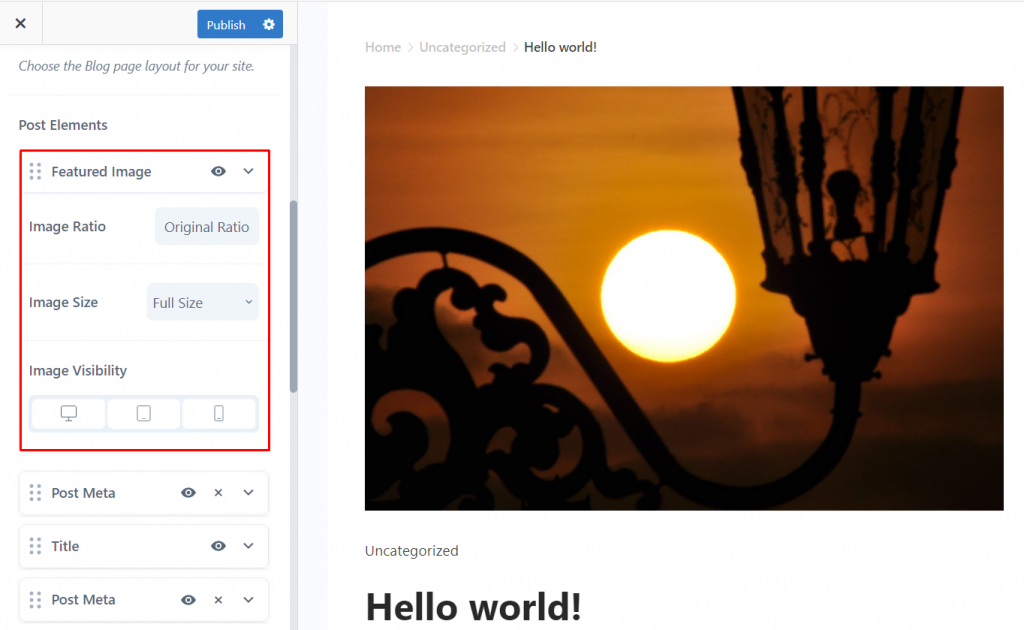
You can change how featured images look. Some themes let you change size. Others let you adjust position. Use theme settings to make changes. This helps your site look unique. A good image can attract more visitors.
Troubleshooting Issues
Featured images in WordPress serve as visual highlights for posts, grabbing attention and enriching content. Selecting and troubleshooting these images ensures they display correctly, enhancing user engagement and site aesthetics. Addressing common issues with featured images involves checking settings, ensuring proper uploads, and verifying theme compatibility for seamless integration.
Common Problems
Featured images sometimes do not appear. This can happen due to theme settings. Incorrect theme configuration might hide these images. Plugins can also cause conflicts. Check your plugins for any unusual behavior. A plugin may block images accidentally. Image size is another common issue. Large images may not load properly. Use optimized images for better results. Incorrect file formats can cause problems too. Ensure your images are in JPG or PNG format. These formats work well with WordPress.
Solutions And Tips
Check theme settings first. Look for any features that might hide images. Disable suspicious plugins one by one. Find the plugin causing the issue. Resize large images before uploading. Use an image editor for resizing. Convert images to JPG or PNG format. This helps with compatibility. Use a plugin for image optimization. It helps speed up loading times. Regularly update WordPress and plugins. Updates can fix many issues.
Best Practices
Using featured images helps your blog look neat. It creates a visual theme. This makes your site feel more professional. Always use the same size for all images. This keeps your posts looking tidy. Readers find it easy to follow and enjoy. A consistent look makes your brand strong. It also helps in creating a better user experience. Always choose images that relate to your content. This will keep your readers interested.
High-quality images look clear and sharp. They catch the eye quickly. Blurry images can make your site look bad. Always pick images that are not pixelated. Use clear and bright images to attract readers. This makes your post stand out. A good image speaks louder than words. It tells a story. It pulls in the reader and keeps them engaged.

Credit: snappa.com
Frequently Asked Questions
What Is A Featured Image In WordPress?
A featured image in WordPress is a primary image representing a post or page. It appears at the top of the post, enhancing visual appeal. Setting a featured image helps in grabbing attention and improving user engagement.
How Do I Set A Featured Image?
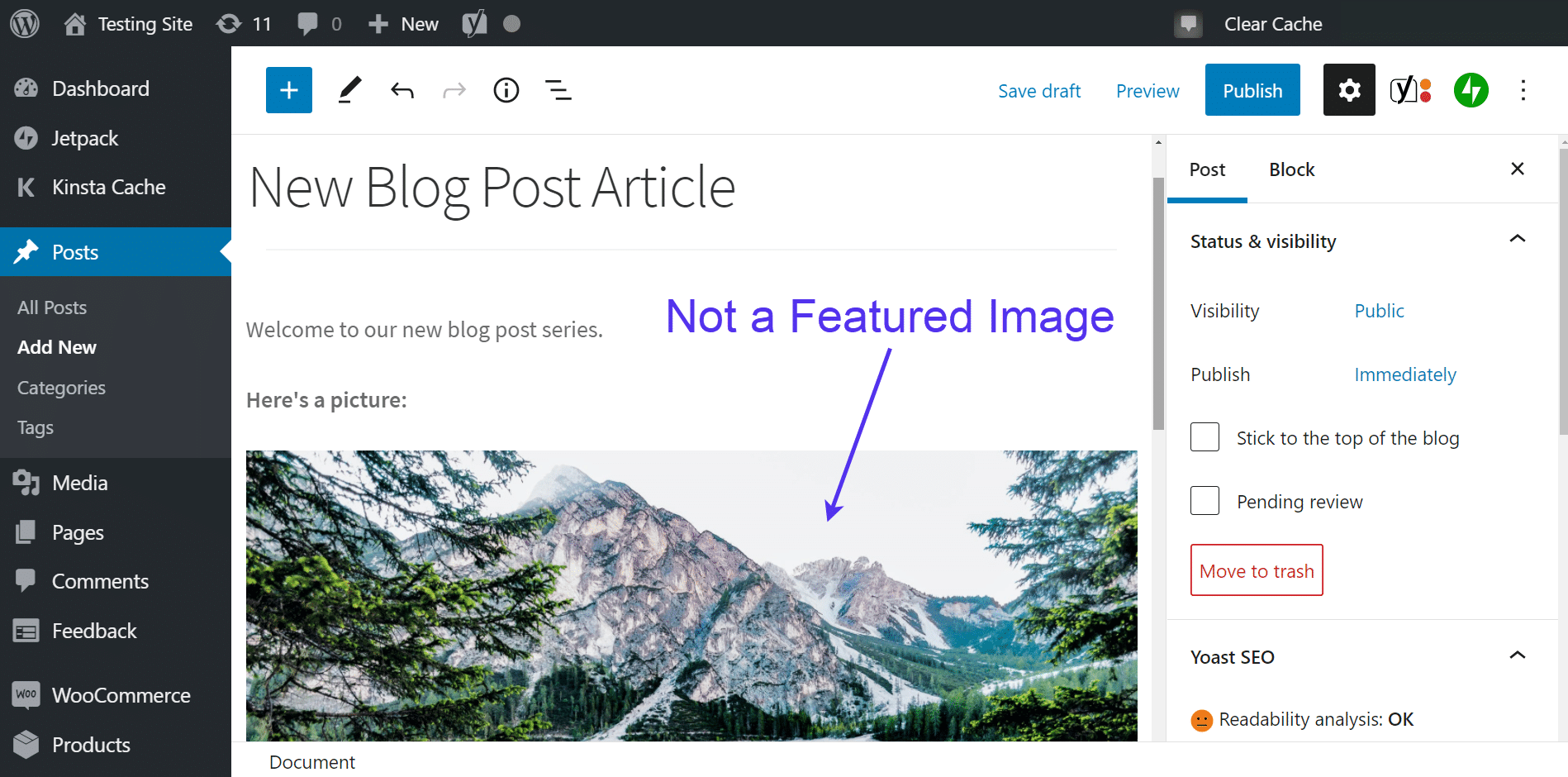
To set a featured image, navigate to the WordPress editor. On the right-hand side, find the ‘Featured Image’ option. Click ‘Set featured image,’ upload your image, and save changes. Your post will now display this image prominently.
Why Are Featured Images Important?
Featured images are crucial for attracting readers and enhancing content appeal. They improve click-through rates and provide a visual summary of the content. A compelling image can significantly increase user engagement and SEO performance.
Can I Use Different Featured Images On Each Post?
Yes, you can use different featured images for each WordPress post or page. This flexibility allows you to tailor visuals to match content themes. Unique images can increase relevance and capture audience interest effectively.
Conclusion
Featured images play a crucial role in WordPress blogs. They enhance your posts visually and attract reader attention. Easy to set, these images improve the overall appearance of your content. They help convey your message effectively. Visitors decide to read based on these images.
Choose relevant images to align with your post theme. Ensure high quality for a professional look. These images are more than decoration. They communicate your brand story. Optimize them for faster loading. Engage your audience with compelling visuals. Remember, a picture speaks volumes.
Featured images are essential for a successful blog. Keep experimenting with styles and formats.


