
Have you ever wondered why your WordPress site looks a certain way when you first set it up? That’s because of the default front page.
This page is the face of your website, the first thing your visitors see. It sets the tone, mood, and overall impression of your online presence. But what exactly is it, and how does it impact your site? Understanding this can transform how your audience perceives your brand, boost engagement, and even drive more conversions.
You’re about to unlock the secrets of the default front page in WordPress. By the end of this post, you’ll know how to tailor it to match your unique vision and needs. Ready to take control of your site’s first impression? Let’s dive in!
Credit: muffingroup.com
Default Front Page Features
The default front page in WordPress is like a book cover. It shows what your site is about. It often displays recent blog posts. This helps visitors see your latest updates quickly.
Another feature is the static page option. This lets you choose a fixed page to show first. Many websites use this to welcome visitors with a special message.
It can also have widgets. Widgets are small tools like clocks or calendars. They make the page more fun and useful.
Menus guide visitors around your site. They are at the top or side of the page. They help people find what they need easily.
Static Vs. Dynamic Front Pages
WordPress lets you choose between static and dynamic front pages. Static pages show the same content every time someone visits. They are simple and easy to maintain. Dynamic pages change often. They display the latest posts or updates. This keeps the site fresh and engaging.
Static front pages are good for small sites. Dynamic pages suit blogs or news sites. Site owners can select what fits their needs. Static pages load fast. Dynamic pages need more resources. Consider what is best for your audience.
Both options have their own benefits. Static pages are predictable. Dynamic pages can surprise users. Choose wisely for your site’s front page.
Customizing The Front Page
The Theme Customizer in WordPress is a helpful tool. It allows users to change the look of their site. Users can add or remove features easily. This tool is found in the WordPress dashboard. It offers options for colors, fonts, and layouts. Users can preview changes live. This helps in making quick decisions. The process is simple and user-friendly. Even beginners can use it without much effort.
Page Builders are plugins that help design pages. They offer drag-and-drop features. This makes designing easy for everyone. Users can add images, text, and videos. They can also change the layout as they wish. Many Page Builders have pre-made templates. These templates save time and effort. Users can select a template and edit it. This way, they get a professional look with less work.
Setting A Static Front Page
First, open your WordPress dashboard. Look for Settings in the menu. Click on it. Next, choose Reading. Here, you will see options for your front page. Select A static page. Choose the page you want as the front page. Save your changes. Now, your site has a static front page.
Sometimes, the page does not update right away. This can be confusing. Always click Save after making changes. Another issue is selecting the wrong page. Double-check your selection before saving. Ensure the page you choose is complete. An incomplete page can look odd. If you face issues, revisit your settings. Make sure everything is correct.
Default Theme Front Pages
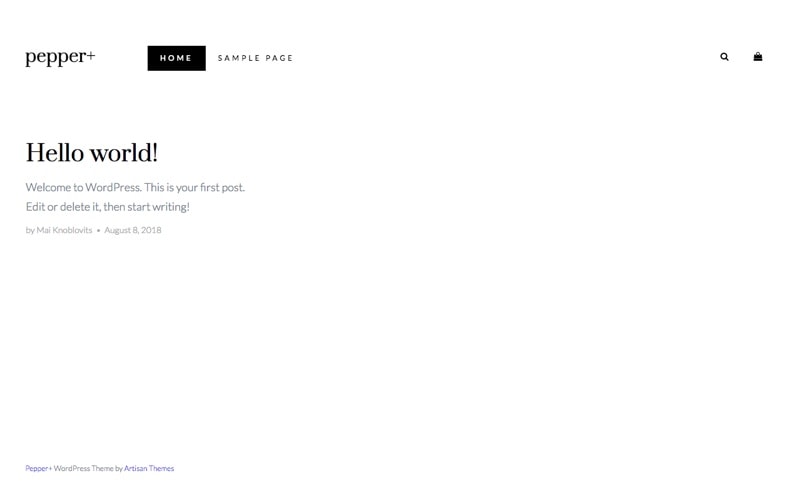
The Twenty Twenty-Three theme showcases a clean design. Large images and bold colors are common. Simple navigation helps users find content quickly. Responsive layouts make the page look good on phones. Text blocks are easy to read and well-spaced. The theme uses large headings to grab attention. Minimalistic design keeps the site fast.
Most themes include header menus for navigation. Footer sections provide extra links and info. Sidebar widgets add more features. Content areas are often centered for readability. Search bars help users find topics fast. Social media icons allow easy sharing. Color schemes vary but are often simple. Fonts are chosen for clarity and style.
Credit: artisanthemes.io
Impact On Seo And User Experience
A default front page in WordPress can affect loading speed. Fast loading pages help improve SEO rankings. Users like pages that load quickly. Slow pages can make users leave. This hurts your site’s bounce rate. A good front page should load in less than three seconds. Using lightweight themes can help. Optimizing images is also key. Avoid heavy plugins that slow down your site.
Content must be relevant to visitors. Relevant content keeps users engaged. It improves user experience. Google favors sites with quality content. This helps your SEO. Use clear titles and headers. They guide users through your site. Include keywords that match user searches. This increases your site’s visibility. Update your content regularly. Fresh content attracts more visitors.
Troubleshooting Front Page Issues
Many users face errors on their WordPress front page. One common issue is a blank page. This happens when there is a plugin conflict. Another error is the wrong page showing up. This occurs if the settings are not correct.
Check your settings first. Go to the WordPress dashboard. Visit the Reading settings. Ensure the right page is set as the front page. Also, disable plugins one by one. This helps find any conflicts.
WordPress offers many support resources. The official WordPress forum is a good place to start. Many users share solutions there. There are also many tutorials online. They help with step-by-step guides.
Consider reaching out to WordPress support. They provide expert help for issues. Some hosting providers also offer support. They can assist with front page problems. Always keep your WordPress updated for the best performance.
Credit: themesharbor.com
Frequently Asked Questions
What Is The Default Front Page In WordPress?
The default front page in WordPress displays your latest posts in reverse chronological order. This setup is ideal for blogs, allowing visitors to see your most recent content first. You can customize this in the settings to display a static page instead, tailoring it to your site’s needs.
How To Customize WordPress Front Page?
To customize the front page, go to Settings > Reading. Here, you can select a static page or your latest posts. Choose a page that best represents your site’s purpose. This flexibility allows you to create a unique and engaging homepage for visitors.
Can I Make A Static Front Page In WordPress?
Yes, you can make a static front page in WordPress. Navigate to Settings > Reading and select ‘A static page. ‘ Choose a page from your list to serve as the front page. This option is perfect for businesses or websites needing a consistent landing page.
Why Change WordPress Front Page Settings?
Changing the front page settings in WordPress allows you to control your site’s first impression. A static page can highlight key information, while a posts page showcases recent updates. Tailor these settings to match your site’s goals and enhance visitor engagement.
Conclusion
Exploring the default front page in WordPress helps you create a welcoming site. It sets the tone for visitors. A well-designed front page improves user experience. It keeps users engaged. Consider layout, content, and navigation carefully. These elements enhance your site’s appeal.
Remember, simplicity often works best. Clarity attracts and retains visitors. Your front page is the first impression. Make it count. Customize it to reflect your brand. Tailor it to your audience’s needs. This ensures a satisfying user journey. With thoughtful design, your website can shine.
Start by understanding your default options. Then, build a front page that truly represents you.


