
Have you ever stumbled upon a beautifully designed WordPress site and thought, “I wish I knew what theme they are using”? You’re not alone.
Unraveling the mystery behind a website’s theme can open a world of inspiration and possibilities for your own projects. Whether you’re a blogger, business owner, or a budding web designer, discovering the theme behind a captivating site can be a game-changer.
Imagine how much easier it would be to create a stunning site of your own, if only you had the same tools. This article will guide you through the simple steps to uncover the theme of any WordPress site, empowering you to elevate your web presence effortlessly. Stay with us, and unlock the secrets to crafting a site that truly stands out.
Understanding WordPress Themes
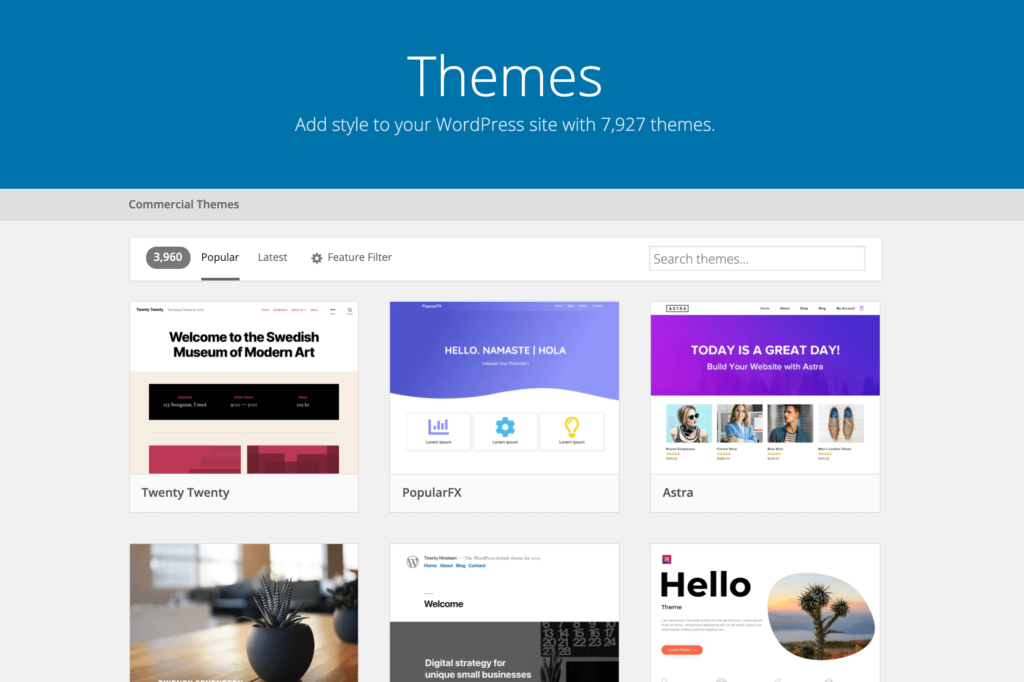
Themes are like clothes for websites. They change how a site looks. A good theme makes a site pretty. It also makes it easy to use. Some themes are fast and others are slow. Fast themes help sites load quickly. This makes people happy. Slow themes can make people leave. Themes also affect how a site works on phones. Many people use phones to visit sites. So, themes must work well on phones.
Themes let you change colors and fonts. You can add pictures and videos. Some themes let you do more. They have special tools. These tools make changes easy. You don’t need to know coding. Themes help you make your site unique. They give you a lot of choices. This makes your site different from others. Picking the right theme is important. It helps your site look good and work well.
Credit: torquemag.io
Identifying WordPress Themes
Browser tools help find the theme of a WordPress site. First, open the site in your browser. Then, right-click and choose “Inspect.” This opens the Developer Tools. Look for style.css in the head section. The theme name is usually there. Some sites hide this info. But most don’t. This method is easy and quick.
Online theme detectors are another way. Visit websites like What WordPress Theme is That. Enter the site URL. The detector shows the theme name. Sometimes it shows plugins too. These tools are user-friendly. No tech skills are needed. Results are fast and reliable. Perfect for beginners. They save time and effort.
Manual Inspection Techniques
Inspect the website’s source code to find the theme name. Right-click on the page and select “View Page Source” or “Inspect.” In the code, look for style.css or a similar file. You may find a section with Theme Name. This will tell you the theme in use. Keep your search focused. Avoid getting lost in the code. It’s like finding a treasure map!
Stylesheets are like the clothes of a website. They dress it up. Check the stylesheet links in the source code. You might see a link with the word “theme” in it. Clicking on it might reveal more about the theme. It often includes the theme name and version. Knowing this helps you learn more about the site. Simple steps like this can solve big mysteries!
Credit: www.hostinger.com
Limitations And Challenges
Many websites use hidden or modified themes. This can make it hard to find the theme name. Sometimes, developers change the theme’s name. They might also change its details. This is done to keep their work private. Such changes can confuse theme detectors. These tools may not show the right theme name.
The theme might look like a different one. This adds to the challenge. In some cases, themes are built from scratch. They are custom-made for the site. These themes are unique. No tool can detect them easily. Understanding this is key. It helps in knowing the limitations.
Checking a site’s theme can have security risks. Some sites hide their theme for safety. They fear hackers might attack. Knowing the theme can expose weaknesses. This is why some sites prefer to keep it secret. It helps protect their data.
Many sites take extra steps. They try to hide their theme details. This is to stay safe. It’s important to know this. It can prevent unwanted risks. Always be careful when exploring site themes.
Tools For Theme Detection
Discovering the theme of a WordPress site is easy with specific online tools. These tools quickly identify the theme and offer insights into its features. Perfect for web developers seeking inspiration or ensuring compatibility.
Recommended Plugins
Plugins can help find what theme a WordPress site uses. One popular plugin is WP Theme Detector. It tells you about the theme and plugins used. Another useful tool is What WordPress Theme Is That. It quickly finds the theme details. Plugins make theme detection easy and fast. They save time and effort. You don’t need to look at code. Just install and use.
Third-party Services
Some online services also help detect themes. ScanWP is one such service. It gives detailed information about the theme. Another service is WPSniffer. It is simple to use. Enter the website URL. The service shows the theme name and details. Third-party services are helpful. They work without installing anything. Just visit the website and enter the URL.

Credit: www.wpbeginner.com
Legal And Ethical Considerations
Respecting Copyrights is very important. Themes often have copyright protection. Using them without permission is wrong. It may lead to legal issues. Always seek permission before using a theme. This shows respect for the creator’s work.
Understanding Privacy Concerns is also crucial. Themes can collect user data. This data should be handled with care. Respect users’ privacy by not sharing their data. Always check a theme’s privacy policy. Ensure it aligns with legal standards. This builds trust with users.
Frequently Asked Questions
How Can I Identify A WordPress Theme?
To identify a WordPress theme, you can use online tools like What WordPress Theme Is That or WPThemeDetector. Simply enter the site URL, and these tools will provide theme details. Alternatively, inspect the site’s source code to find theme information in the HTML.
Are There Any Free Tools To Check WordPress Themes?
Yes, there are several free tools available online to check WordPress themes. Popular tools include What WordPress Theme Is That, WPThemeDetector, and ScanWP. These tools allow you to enter a website URL and reveal the theme and plugin information quickly and accurately.
Why Check What WordPress Theme A Site Uses?
Checking a WordPress theme helps you understand the site’s design and functionality. It can inspire your own site design or help you choose a similar theme. Knowing the theme also aids in assessing compatibility with plugins and other features for your website.
Can I Find Out A Site’s Theme Without Tools?
Yes, you can find out a site’s theme without tools by checking the source code. Right-click on the webpage, select “View Page Source,” and search for “wp-content/themes/” to find the theme name. This method requires some technical knowledge but is effective.
Conclusion
Discovering a WordPress theme is now straightforward and efficient. Use online tools or browser extensions. They simplify the process. Explore the theme’s features and design. Get inspired for your own website. Understanding themes enhances your web development skills. You learn what works for different audiences.
Choose themes wisely based on your needs. A well-chosen theme improves user experience. It also boosts website performance. With these insights, your WordPress journey becomes easier. You gain confidence in your design choices. Start exploring WordPress themes today. You’ll find the perfect match for your site.
Happy theme hunting!


