
Are you curious about the intricate web of data that makes up your WordPress site? Do you wonder where exactly all the theme information is stored within phpMyAdmin?
You’re not alone. Many WordPress users, just like you, seek to understand the backend of their websites to better manage, customize, and optimize their online presence. Knowing what tables store your theme information can empower you to make informed decisions, whether you’re troubleshooting an issue, planning a design overhaul, or simply looking to deepen your understanding of WordPress architecture.
This article will guide you through the maze of phpMyAdmin, unraveling the mystery behind the tables that hold your WordPress theme content. Get ready to unlock the secrets of your website’s database, making you not just a WordPress user but a WordPress master. Dive in, and discover the power that awaits in the depths of phpMyAdmin.
Introduction To Phpmyadmin
PhpMyAdmin is a tool for managing MySQL databases. It is used with WordPress. This tool helps you see and change database content. You can view tables and rows easily. WordPress stores data in a database. PhpMyAdmin helps manage this data.
It lets you access WordPress tables. These tables hold posts, users, and settings. You can find theme info in the database. PhpMyAdmin is like a window to your WordPress site’s heart. It shows how your site works inside.
The tool lets you run SQL queries. You can backup data quickly. PhpMyAdmin allows you to import and export tables. It has a simple interface for ease of use. Beginners can learn it fast. This makes database tasks simpler and quicker.
Credit: ultahost.com
WordPress Database Structure
WordPress uses a database to store site data. This includes posts, pages, and comments. The main tables include wp_posts, wp_users, and wp_comments. Each table has a specific purpose. For example, wp_posts stores all post content. The wp_users table keeps user details.
These tables are essential for WordPress. They help the site run smoothly. Without them, the site won’t work. Understanding these tables is key. It helps with managing the site better.
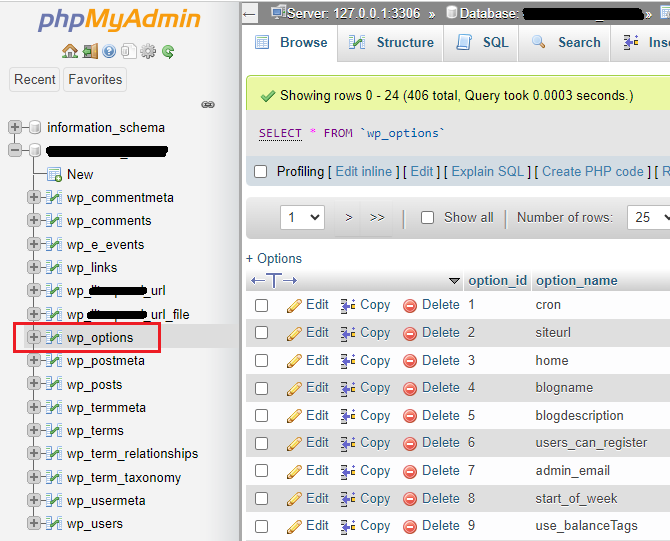
Themes in WordPress also use tables. The wp_options table stores theme settings. It keeps track of theme options. This includes colors and layouts. The wp_postmeta table is also important. It stores extra information about posts. Themes may add data here.
Knowing these tables helps with theme customization. It makes the site unique. You can change how it looks and works. Using these tables properly can enhance your site.
Identifying Theme Information
The wp_options table holds key theme data. This table stores settings and configurations. Theme name and version are found here. Customizations also save in this table. It’s like a settings vault for your theme. This makes it very important for WordPress.
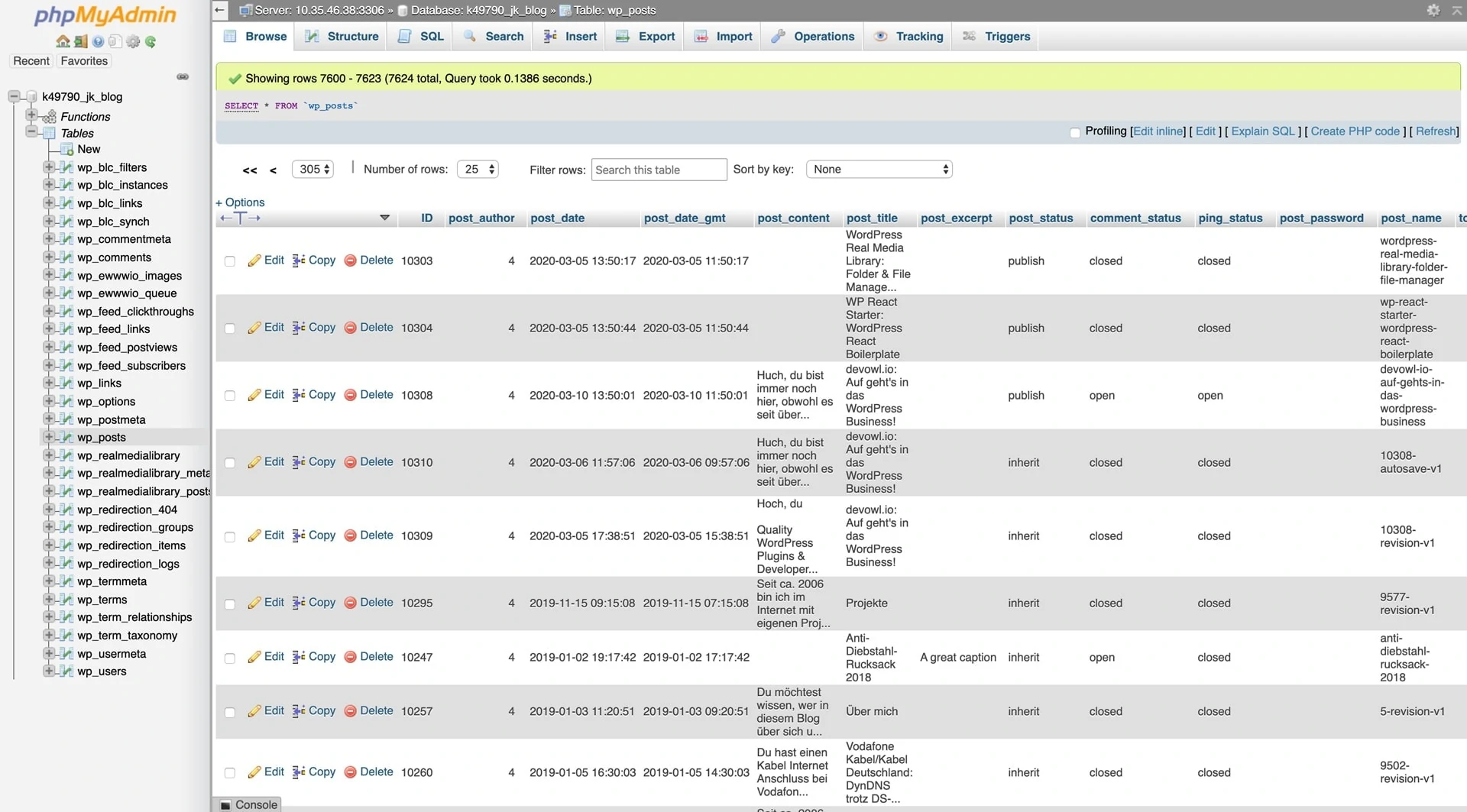
The wp_posts table is mainly for content. It stores posts, pages, and media. Theme info can be here too. Sometimes themes add custom post types. This table helps you see all content. It’s like a big library of your site’s data. Knowing this table helps manage your theme better.
Credit: devowl.io
Content Storage In WordPress
WordPress keeps all posts and pages in the wp_posts table. Each post has a unique ID. This ID helps find the post. The table stores title, content, and date of each post. Pages are stored like posts. They just have a different post type. This makes it easy to search and organize content.
WordPress saves media files like images in the wp_postmeta table. This table holds extra info about posts. It includes image size and type. Attachments are also stored here. Each media file gets a unique post ID. This ID links the file with its post. This setup helps manage images and files easily.
Accessing Theme Information
SQL helps find WordPress theme information. You need to know some basic queries. These queries help fetch data from the database. The theme info is often stored in the wp_options table. You can use the “SELECT” query to get data. For example, you might use: SELECT FROM wp_options WHERE option_name = 'theme'; This will show the theme’s name and details.
PhpMyAdmin is a tool for managing databases. It is simple and easy to use. First, log in to PhpMyAdmin. Look for the WordPress database on the left. Click on it to open. Then, search for the wp_options table. Click on it to see the contents. Here, you can explore theme data. Remember, changes here affect your site. Be cautious while editing.
Managing Theme Data
To change theme options, use phpMyAdmin. You will find tables with theme settings. These tables usually have names like wp_options. Look for rows with theme_mods_ prefix.
Edit these rows to change your theme’s look. Always save changes after editing. Check your website to see if changes worked.
Backup your theme data regularly. Use phpMyAdmin’s Export feature. This saves your data to a file.
If things go wrong, use the Import feature. This will restore your data. Always keep backup files safe. Do not lose them.
Security Considerations
Secure your database access with strong passwords. Use a mix of letters, numbers, and symbols. Always keep your login details private. Change passwords regularly to stay safe. Limit the number of users who can access the database. Use permissions to control what users can do. Consider using two-factor authentication for extra security. This adds another layer of protection.
Keeping your systems updated is very important. Regular updates fix security holes. Always update WordPress and plugins. Set up automatic updates if possible. This helps in maintaining security. Check your site for issues regularly. Perform database backups often. This ensures data safety in case of problems. Regular maintenance keeps the system running smoothly.
Credit: www.hostinger.com
Frequently Asked Questions
What Tables Store WordPress Theme Information?
WordPress theme information is primarily stored in the “wp_options” table. This table contains the theme’s settings, configurations, and options. Additionally, some theme-specific data might be stored in custom tables if the theme has unique features or settings.
How Can I Access WordPress Tables In Phpmyadmin?
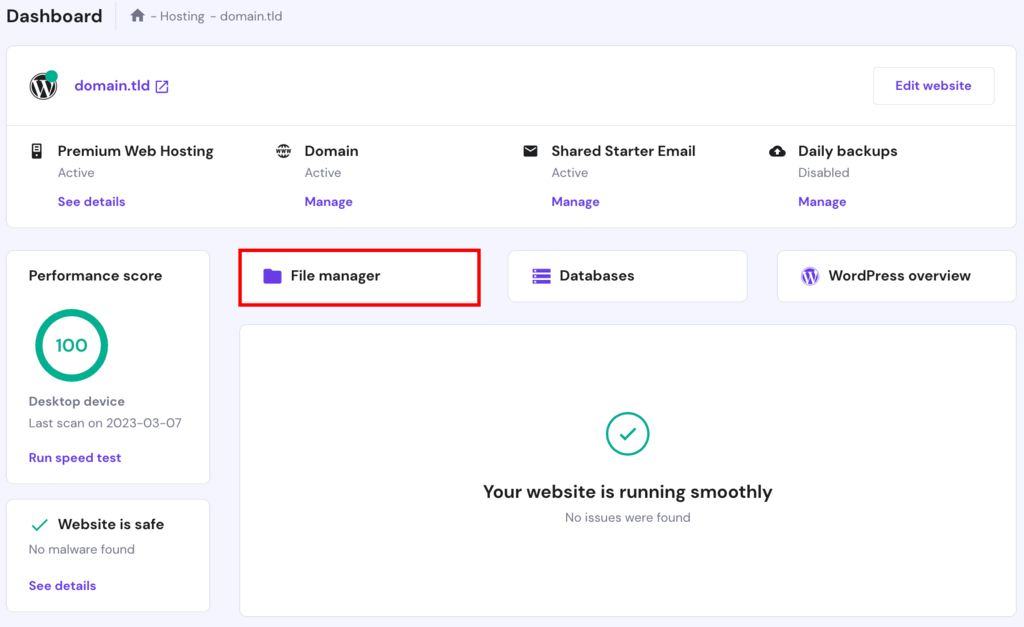
To access WordPress tables in phpMyAdmin, log into your hosting account’s control panel. Navigate to phpMyAdmin, select your WordPress database, and you’ll see a list of tables. You can click on any table to view or edit its data.
Which Table Contains WordPress Theme Customization Data?
The “wp_options” table holds most theme customization data. This includes theme settings, widget configurations, and customizer options. It’s the central repository for many WordPress settings.
Are WordPress Theme Data Stored In Multiple Tables?
Yes, WordPress theme data can be stored in multiple tables. While “wp_options” is primary, other tables might hold theme-related data. Custom themes might use additional tables for specific features.
Conclusion
Exploring WordPress theme tables in phpMyAdmin helps manage your site. Tables store theme options, settings, and content. Knowing where data is stored aids in editing themes effectively. It simplifies troubleshooting. If issues arise, you can easily locate them. This knowledge enhances your site management skills.
Access theme information and make informed changes. Streamline your site’s performance. WordPress themes become easier to handle. You gain confidence in managing your site’s backend. Keep your site optimized and functioning smoothly. Understanding these tables is a valuable skill for any WordPress user.


