

Have you ever landed on a website and wondered, “Is this site WordPress?” Maybe you’re curious because WordPress powers so many websites, from simple blogs to big business pages.
Knowing whether a site uses WordPress can help you understand its design, features, and how easy it might be to manage or update. You’ll discover simple ways to check if a site is built on WordPress. By the end, you’ll have the tools to spot WordPress sites quickly and confidently.
Keep reading—you’re about to unlock a useful skill that anyone working with websites should know.
Spotting WordPress Sites
Spotting a WordPress site can be easier than it seems. Many websites use WordPress because it is simple and flexible. Recognizing common signs helps you identify if a site runs on WordPress. This knowledge can aid in understanding the site’s structure and design choices.
Common WordPress Features
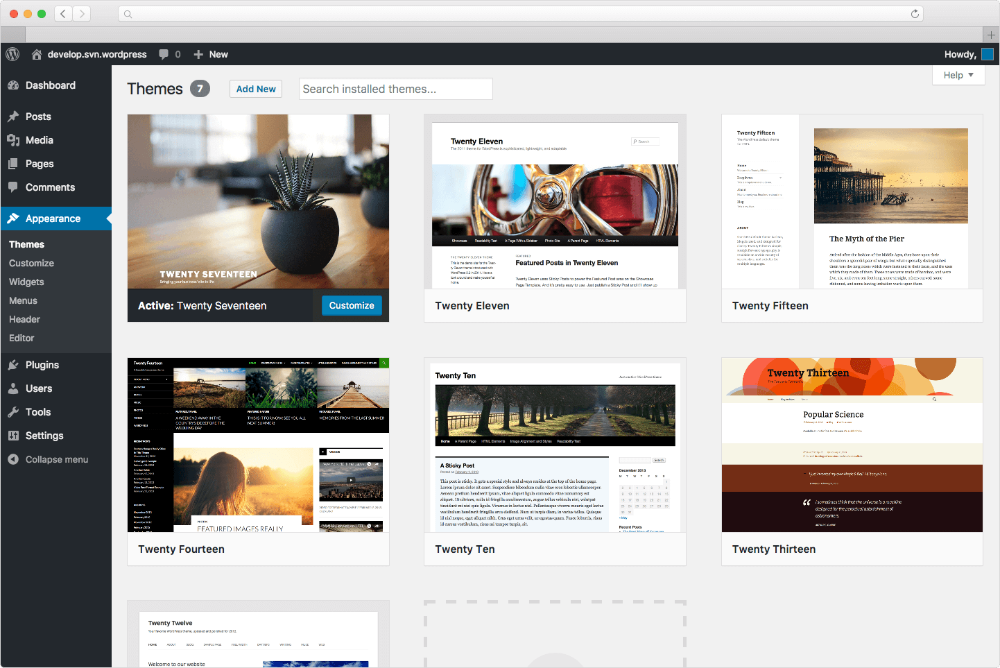
WordPress sites often have certain features that stand out. Look for a blog section with comments enabled. Many WordPress sites use widgets in sidebars or footers. You might see social media icons linked through plugins. Common themes include clean layouts and easy navigation menus. Some sites show “Powered by WordPress” in the footer area.
Typical Url Patterns
WordPress uses specific URL patterns for posts and pages. URLs might include “/category/” or “/tag/” in the address. Sometimes, you see “/wp-content/” in image or file links. Login pages usually end with “/wp-login.php” or “/wp-admin.” These patterns are clear hints the site uses WordPress. Checking the URL structure is a quick way to spot WordPress sites.

Credit: wordpress.com
Tools To Identify WordPress
Identifying whether a website uses WordPress is easier with the right tools. These tools help check the website’s structure and code. They reveal clues that show if WordPress powers the site.
Different methods suit different needs. Some tools work online, some are browser add-ons, and others require manual checks. Each method provides unique insights to confirm WordPress usage.
Online Site Checkers
Online site checkers scan websites quickly. They analyze the code and server details. These tools show if WordPress themes or plugins are active.
Enter the website URL, and the tool does the rest. It looks for common WordPress files like wp-content or wp-admin. These signs indicate WordPress usage clearly.
Browser Extensions
Browser extensions add convenience. They work directly within your browser. One click reveals if the site runs on WordPress.
Extensions detect WordPress themes and plugins instantly. They highlight WordPress-specific tags in the page source. This method saves time and effort.
Manual Inspection Techniques
Manual checks rely on viewing the site code. Right-click the page and select “View Page Source.” Search for words like “wp-content” or “wp-includes.”
These keywords show WordPress files are present. Checking the login page URL also helps. WordPress sites usually use “/wp-login.php” or “/wp-admin”.
Examining Site Source Code
Examining a website’s source code reveals clues about the platform it uses. It shows the building blocks behind the site. For WordPress sites, specific patterns and files often appear in the code. These signs help identify WordPress quickly. Checking the source code is a straightforward way to confirm if a site runs on WordPress.
Finding WordPress Meta Tags
Meta tags provide information about the website. WordPress sites often include unique meta tags. Look for tags like generator with content mentioning WordPress. This tag often says something like WordPress 5.8. These tags appear in the section of the source code. Spotting these tags is a clear sign the site uses WordPress.
Locating Wp-content And Wp-includes
WordPress stores its files in specific folders. The wp-content and wp-includes folders are common. These folders appear in the URLs of images, scripts, or stylesheets. For example, a link to an image might include /wp-content/uploads/. Scripts and styles often load from /wp-includes/. Finding these folders in the source code strongly indicates WordPress usage.
Credit: docs.presscustomizr.com
Checking For WordPress Plugins And Themes
Checking for WordPress plugins and themes helps reveal if a site uses WordPress. Plugins add features, while themes control design and layout. Both leave clues in the site’s code or appearance. Spotting these clues can confirm WordPress usage quickly.
Identifying Popular Plugins
Many WordPress sites use well-known plugins. Look for signs of plugins like WooCommerce, Yoast SEO, or Contact Form 7. These often add visible elements such as shopping carts or SEO tags. Viewing the page source may reveal plugin names or file paths containing “wp-content/plugins.”
Recognizing Theme Signatures
The theme shapes the site’s look and feel. WordPress themes often include a footer credit or style hints. Check the HTML source for theme names or folder paths with “wp-content/themes.” Popular themes like Astra or Divi have distinct structures and styles. These clues help identify WordPress sites easily.
Using Browser Developer Tools
Browser developer tools are built into most modern browsers. They help you see how a website works behind the scenes. These tools reveal details about the site’s code and resources. You can use them to check if a site runs on WordPress.
Using developer tools requires no special software. Just open the browser and start exploring. Let’s explore key ways to use these tools to identify WordPress sites.
Inspecting Network Requests
Network requests show all files the site loads. Open the Network tab in developer tools. Reload the page to capture all requests. Look for files like wp-admin or wp-content. These are clear signs of WordPress. Also, check for admin-ajax.php requests. This file is unique to WordPress sites.
Reviewing Javascript And Css Files
JavaScript and CSS files reveal the site’s framework. In the Sources or Network tab, find scripts and styles. WordPress themes and plugins add specific files here. Names often include wp- or theme names. Reading these file names helps confirm WordPress usage. This method is simple and effective.
Credit: www.elegantthemes.com
When Sites Hide WordPress Footprints
Some websites hide their WordPress footprints to protect their design and code. They want to keep their tools and themes secret. This makes it harder to tell if a site uses WordPress. It also helps stop hackers from finding weak spots.
Website owners use smart methods to hide WordPress details. These tricks remove common signs that reveal WordPress use. Understanding these tactics helps you identify hidden WordPress sites.
Common Hiding Techniques
One common way is to remove the WordPress version number. This stops hackers from knowing which version is used. Another trick hides the login page by changing its URL. This keeps bots from finding the admin area easily.
Some sites replace default WordPress themes with custom ones. They also change plugin folder names to hide plugins. Removing WordPress meta tags from the site’s code is another method. These tags often show the site uses WordPress.
How To Bypass Concealment
Look at the site’s source code carefully. Some WordPress clues still appear in HTML comments or script files. You can check for common WordPress file paths. These include wp-content or wp-includes folders.
Use online tools that scan for hidden WordPress footprints. They analyze page structure and server responses. Checking the website’s HTTP headers can reveal WordPress signals too. These hints help identify sites hiding their WordPress use.
Benefits Of Knowing A Site’s Platform
Knowing the platform behind a website helps in many ways. It shows how the site works and what tools it uses. This knowledge can guide decisions about security and design. It also helps in understanding the site’s strengths and limits. Let’s explore key benefits of knowing a site’s platform.
Security Insights
Understanding a site’s platform reveals its security level. Some platforms have strong built-in protections. Others may need extra security steps. Knowing the platform helps spot common threats. It helps in choosing the right tools to keep data safe. This knowledge reduces risks of hacks and data loss.
Design And Functionality Clues
The platform affects a site’s look and features. Certain platforms offer easy design changes. Others may limit customization options. Knowing the platform shows what is possible on the site. It helps in planning upgrades or fixes. This insight guides better user experiences and smoother site operation.
Frequently Asked Questions
How Can I Tell If A Site Uses WordPress?
You can check a site’s source code for “wp-content” or use online tools like BuiltWith. These indicate WordPress usage clearly.
What Are Common WordPress Site Features To Identify?
Look for typical WordPress themes, plugins, or URLs containing “/wp-admin” or “/wp-content. ” These are strong WordPress signs.
Are WordPress Sites Seo Friendly By Default?
Yes, WordPress offers SEO-friendly features like clean URLs and plugins that improve search engine rankings easily.
Can I Verify WordPress Sites Without Technical Skills?
Absolutely. Free online scanners like IsItWP or WhatCMS identify WordPress sites quickly without needing coding knowledge.
Conclusion
WordPress powers millions of websites worldwide today. It offers easy tools for building and managing sites. Many sites use WordPress because it is flexible and user-friendly. You can tell if a site uses WordPress by checking its source code or features.
Understanding this helps you learn about web design and site management. WordPress remains a popular choice for bloggers and businesses alike. Its simple setup suits beginners and experts both. Knowing if a site runs on WordPress can guide your own website plans.


