
Imagine you’re building a beautiful website on WordPress. You’ve chosen the perfect theme, installed essential plugins, and crafted eye-catching visuals.
But then, you face a challenge: how do you ensure your content displays correctly across various pages? This is where “the Loop” comes into play. It’s the secret engine behind how WordPress handles and displays your posts. Understanding the Loop is crucial for customizing your site’s content layout and enhancing user experience.
Whether you’re a seasoned WordPress developer or just starting, mastering the Loop will give you a powerful edge. Dive into this article to discover how the Loop works and how it can transform your WordPress site into a content powerhouse. Ready to unlock the potential of your website? Let’s get started!

Credit: jetpack.com
Understanding The Loop
The WordPress Loop is a vital part of how WordPress works. It is a code structure. It retrieves and displays posts from the database. Without the loop, pages would remain empty. The loop lets users see blog posts, articles, and pages. It helps manage how content appears on websites. Every WordPress theme uses it. The loop makes sure content is arranged correctly.
The loop checks for posts. It runs through each post one at a time. It then displays the post. You can show titles, content, and dates. The loop can also display author names. It makes sure each post is visible. This is why the loop is essential. It helps WordPress sites function smoothly. Without it, displaying posts would be difficult.
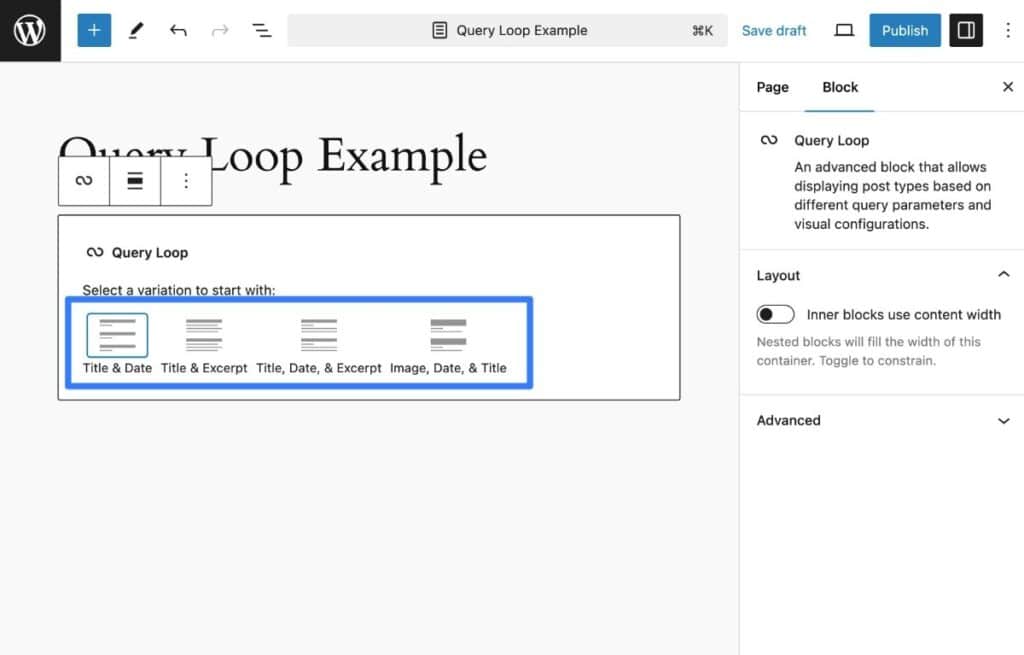
Credit: kinsta.com
Components Of The Loop
The WordPress Loop is a key part of displaying posts. It checks for posts and decides which ones to show. This happens through a query. A query asks the database for posts. Think of it like asking a question. The Loop gets the answer. It finds posts based on your settings. These settings include date, category, or author.
After the query, the Loop shows the posts. Each post is shown in a specific order. The order can be new to old or by category. The Loop repeats until all posts are shown. Without the Loop, posts wouldn’t show on your site. It is a simple yet powerful tool. It makes your WordPress site work well.
Customizing The Loop
The WP_Query class helps to fetch posts in WordPress. It gives you control over what posts to show. You can decide the number of posts. Choose to display by category or tag. Want posts from a specific author? Use WP_Query. The class allows custom queries. This means you can show posts your way.
Changing how posts appear is important. Use template tags inside the loop. They help display post title, date, or excerpt. You can add custom HTML or CSS. This makes each post unique. Always ensure your design is readable. A well-styled loop attracts readers. So, make sure to customize smartly.
Common Loop Patterns
The WordPress Loop is crucial for displaying posts. For a single post, it fetches the content from the database. It shows the post title, content, and author. The loop starts with while checking if there are posts. It uses have_posts() function. When true, it runs the_post(). This fetches the current post data. You can then display content. Use the_title() and the_content() functions. They show the post title and content. This pattern is simple yet effective.
To display multiple posts, the loop is slightly different. It iterates through all available posts. Use have_posts() function in a while loop. Each iteration fetches a post using the_post(). Display titles with the_title(). Show content snippets using the_excerpt(). This method helps to list several posts. It’s useful for blog pages. The loop handles pagination well. It’s efficient for showing post lists.
Troubleshooting Loop Issues
Errors in WordPress loops can cause problems. Your site may load slowly. Sometimes, pages don’t show content. Blank pages can appear. This means the loop is not working right. Infinite loops can happen. They make the site crash. Fixing these issues is important.
Check your code carefully. Look for missing tags. Tags help WordPress read your posts. Make sure you use the correct syntax. This helps avoid errors. Use the WordPress debug tool. It points out problems. Review theme files. Ensure they are not broken. Check for plugin conflicts. Disable plugins one by one. This shows which one is causing trouble.
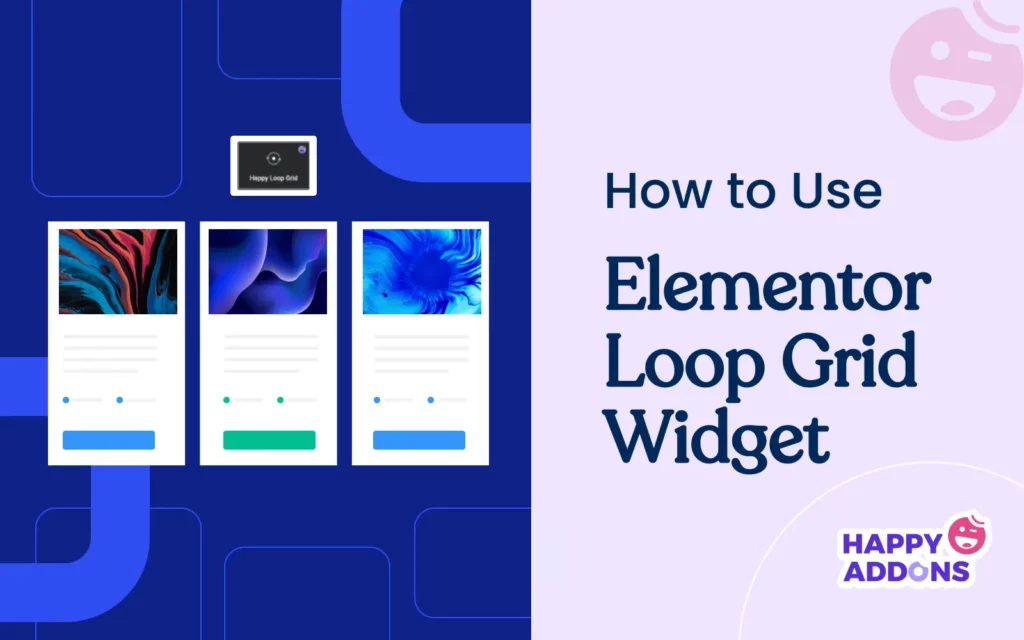
Credit: happyaddons.com
Best Practices For The Loop
The Loop is a key part of WordPress. It helps display posts. Writing clean code is important. Use simple queries to fetch data. This keeps the site fast.
Using functions reduces repetition. Functions like setup_postdata() are useful. They make code easier to read. Avoid nested loops. They slow down websites.
SEO is important for websites. Keep code clean for better SEO. Fast loading pages rank higher. Use the wp_reset_postdata() function after The Loop. This keeps data clean. Use meta tags for SEO. They help search engines understand the page.
Always check for errors. Errors can hurt SEO. Keep the loop simple. Simple loops are easier to manage. They help maintain good SEO practices.
Future Of The Loop
The WordPress Loop is a core function. It helps display posts and pages. Developers now seek to make the Loop faster. Speed is very important for websites. Some use JavaScript to speed up the Loop. Others explore machine learning for better content suggestions. These trends aim to make WordPress more friendly and efficient.
The Loop can improve with better customization. Some want to make it easier to change how posts look. More block-based themes might help. Users could change layouts without coding. This would make WordPress easier for beginners. API integration is another focus. This could allow the Loop to pull data from other sites. Such improvements can make WordPress a stronger tool for everyone.
Frequently Asked Questions
What Is The WordPress Loop?
The WordPress Loop is a PHP code used to display posts. It retrieves content from the database and formats it for display. The Loop is crucial for creating dynamic pages, allowing you to customize how posts appear. Every WordPress theme uses the Loop to fetch and display blog posts.
How Does The Loop Work In WordPress?
The Loop works by querying the database for content. It then iterates through the results and displays each post. Developers can customize it to filter posts by category or date. It’s flexible, allowing for various layouts and styles, enhancing user experience and site functionality.
Can The Loop Be Customized?
Yes, the Loop can be customized using WordPress functions and conditional tags. You can modify it to display specific posts, change layout, or include additional content. Customizing the Loop allows for unique design and functionality, tailoring the site to specific needs and audience preferences.
Why Is The Loop Important In WordPress?
The Loop is important because it controls content display. It ensures posts appear correctly on your site. Without it, posts wouldn’t display dynamically. It also allows for easy customization, making it essential for WordPress themes. The Loop enhances user experience by organizing content efficiently.
Conclusion
The WordPress Loop is a key tool for displaying posts. It helps fetch and display content on your site. With the Loop, you can show posts in various formats. Lists, grids, or even single posts. This flexibility makes your site dynamic.
Understanding the Loop improves your site’s performance. It allows you to tailor how content appears. This enhances user experience and engagement. By mastering the Loop, your WordPress site becomes more effective. A well-structured site attracts more visitors. Keep exploring and experimenting with the Loop.
Your site will benefit from it greatly.


