
Imagine you’re building a website. You want it to be fast, efficient, and easy to manage.
But here comes the dilemma: should you go for the simplicity of HTML and CSS or opt for the user-friendly powerhouse that is WordPress? This choice can feel overwhelming, especially when speed is a top priority. You don’t want your visitors waiting for pages to load; slow websites can drive them away before they even see your content.
We’ll dive deep into the speed performance of HTML/CSS compared to WordPress. You’ll discover the strengths and weaknesses of each, helping you make an informed decision. Whether you’re a seasoned web developer or a curious beginner, understanding the speed dynamics of these platforms can empower you to create websites that not only look great but also perform exceptionally well. So, let’s unravel the mystery behind website speed and find out which option truly offers the fastest experience for your users.

Credit: divicake.com
Performance Factors
Loading speed depends on code efficiency. Simple HTML and CSS often load faster. Less code means less data to download. WordPress can be slower. It relies on plugins and themes. These add extra code. This can slow down websites. Optimization is key. Compress images and minify CSS and JavaScript. These practices improve speed.
HTML and CSS are basic. They are easy to optimize. WordPress uses PHP and other scripts. These need more attention. Efficient coding helps reduce loading times. Remove unnecessary elements. Use only essential plugins. Clean code leads to better performance. Regular updates keep code fresh and secure.
HTML and CSS need less server power. Lightweight files mean faster processing. WordPress needs more resources. It uses a database. This can increase server load. Choose a good hosting provider. Ensure they offer enough resources. This can improve WordPress performance. Server speed is crucial for both HTML and WordPress. Fast servers mean fast websites.
Html And Css Basics
HTML and CSS create static web pages. These pages don’t change on their own. Users see the same content. Static pages are easy to load. They don’t need a server to process requests. This makes them very fast.
HTML and CSS offer a lot of customization. You can change colors, fonts, and layouts. Every part of a page can be altered. This allows for unique designs. With WordPress, you are limited to themes. HTML and CSS give more freedom.
Code in HTML and CSS is lightweight. It loads quicker than WordPress. There are no extra plugins or themes. Just simple code. This means pages load fast. This is great for users with slow internet.
WordPress Structure
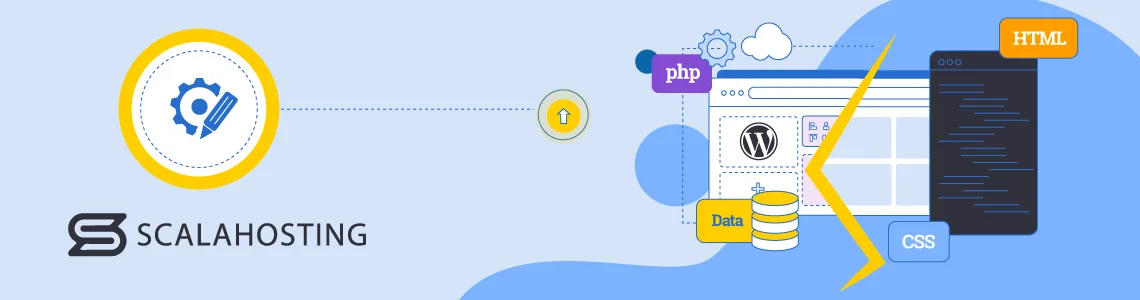
WordPress is a popular Content Management System (CMS). It helps users make websites easily. Users can create pages and posts. It offers a user-friendly interface for managing content. The CMS allows easy editing and updating. Users can add images and videos. This makes WordPress flexible for different needs. The CMS supports various media types. This enhances the website’s look and feel. It is suitable for blogs and business sites.
Themes and plugins change how WordPress works. A theme decides the site’s design. Plugins add extra features. Both can slow the website down. Heavy themes need more resources. This can make loading slower. Some plugins use more memory. They might cause delays. Choose themes and plugins wisely. Opt for lightweight options. This keeps the site fast and smooth. Regular updates help performance. Check for updates often.
WordPress relies on a database. It stores all the site’s data. Database queries fetch this data. Queries can affect speed. Simple queries are fast. Complex queries take longer. Optimize queries for better speed. This helps the site load quicker. Clean up the database often. Remove unused data. This reduces query time. Efficient queries boost site performance. They ensure a smoother user experience.
Credit: www.scalahosting.com
Speed Optimization Techniques
Caching stores data for quick access. It helps in loading pages faster. Use caching plugins for WordPress. In HTML and CSS, browser caching is useful. It saves static files on a user’s device. This makes repeated visits faster. Caching reduces server load and improves speed.
Minification removes unnecessary spaces in code. Smaller files load faster. Compress files using Gzip. This reduces file size. Faster loading means happier users. Both HTML and WordPress benefit from this. Minification and compression are simple steps. They improve page speed a lot.
A Content Delivery Network (CDN) makes pages load faster. It has many servers worldwide. It delivers content from the nearest server. This reduces loading time. Use CDNs for both HTML and WordPress sites. CDNs help manage traffic better. They improve speed for users everywhere.
Use Cases And Scenarios
Determining speed between HTML/CSS and WordPress depends on project needs. HTML/CSS offers faster load times due to lightweight code. WordPress provides flexibility and ease for dynamic sites but may slow down with heavy plugins.
Small Business Websites
Small businesses need simple sites. HTML and CSS offer control and customization. They are fast and require low resources. WordPress is easy for non-tech users. It has many templates and plugins. This can slow down sites but offers more features.
E-commerce Platforms
E-commerce sites need quick load times. HTML and CSS can be faster. But they need more effort to build. WordPress provides many e-commerce plugins. Easy to set up and manage. Can be slower due to plugins and themes.
Blogging And Content Sites
Blogs need frequent updates. WordPress is popular for bloggers. It offers easy publishing and management. HTML and CSS offer speed but need coding for each update. WordPress might be slower but easier for non-tech users.
Credit: designindc.com
Pros And Cons
WordPress handles big websites well. It can manage many pages easily. But HTML and CSS need more work. Adding pages takes time. WordPress has plugins to help. HTML needs manual coding.
Creating sites with WordPress is simple. No coding needed. Drag and drop tools make it fun. HTML and CSS need skills. You must know some coding. Beginners find WordPress easier.
WordPress updates often. It keeps sites secure and fast. HTML sites need manual updates. This can be hard. WordPress has automatic updates. They save time and effort. HTML needs more attention for changes.
Frequently Asked Questions
What Is Faster: Html/css Or WordPress?
HTML/CSS is generally faster because it’s lightweight and has no backend processes. WordPress can be slower due to plugins and dynamic content. However, optimization techniques can make both perform well. The choice depends on your project needs and technical expertise.
Does WordPress Affect Website Speed?
Yes, WordPress can affect speed due to its dynamic nature and plugin use. However, optimizing images, using caching plugins, and choosing a fast host can improve performance. A well-optimized WordPress site can be as fast as a static HTML/CSS site.
Are Html/css Websites More Secure Than WordPress?
HTML/CSS websites are often more secure since they lack a database or backend vulnerabilities. WordPress sites can be susceptible to attacks due to plugins and themes. Regular updates and security plugins can mitigate risks in WordPress, keeping it secure with proper management.
Can WordPress Be As Fast As Html/css?
Yes, with proper optimization, WordPress can match HTML/CSS speed. Using caching, minimizing plugins, and optimizing images can enhance WordPress performance. Choosing a fast hosting provider also contributes to speed, making WordPress competitive with static HTML/CSS sites.
Conclusion
Choosing between HTML/CSS and WordPress depends on your needs. HTML/CSS offers speed and custom control. WordPress provides ease with built-in features. For simple sites, HTML/CSS might be quicker. WordPress shines with complex functionalities. Consider your skills and project scope. HTML/CSS requires coding knowledge.
WordPress is user-friendly but can be slower. Both have pros and cons. Decide based on your priorities. Speed, ease, and flexibility matter. Make a choice that fits your goals. Each option serves different purposes. Choose wisely and align with your project’s demands.


