
Are you ready to take your WordPress site to the next level? Imagine having full control over your website’s design without any restrictions.
That’s exactly what a blank WordPress theme offers you. It’s a clean slate, a digital canvas waiting for your creativity. But how do you make the most of it without getting overwhelmed? This guide will walk you through the process, ensuring you unlock the full potential of a blank theme.
By the end, you’ll feel empowered to craft a website that’s uniquely yours, reflecting your personal style or brand. Curious to see how easy it can be? Let’s dive in and uncover the secrets to using a blank WordPress theme effectively.
Credit: digwp.com
Choosing The Right Blank Theme
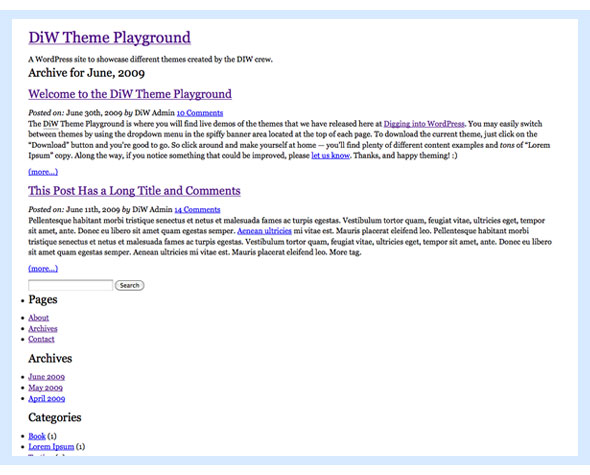
Think about what you need on your website. Do you want it to load fast? Or do you need it to look pretty? Different needs mean different themes. So, it’s important to ask yourself what you want. This helps you pick the best blank theme. A good choice can make your site better. Take your time. Make a list of your needs. This helps in choosing wisely.
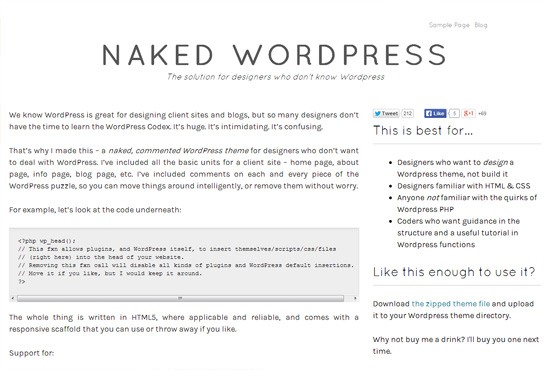
Many people like Underscores for its simple code. It’s easy to start with. Gantry is another choice. It’s good for flexible sites. Sage is popular too. It works well with modern tools. All these themes have something special. Choose one that fits your style.
Credit: www.webfx.com
Installing The Theme
Begin by navigating to the WordPress dashboard. Select ‘Appearance’ and click ‘Themes. ‘ Upload the blank theme file from your computer. Activate the theme to start customizing your website easily.
Downloading The Theme Files
First, find a reliable source to get your theme files. Many websites offer free themes. Ensure it is compatible with your WordPress version. Click on the download button. The files will usually be in a .zip format. Save them on your computer. Remember where you saved them for easy access.
Uploading To WordPress
Open your WordPress dashboard. Look for the Appearance tab. Click on Themes. Then, click Add New. Choose Upload Theme. Select the .zip file you downloaded. Click Install Now. Wait for the process to complete. Finally, click Activate to use your new theme.
Configuring Basic Settings
Choose a name for your site. This is your Site Title. Add a catchy tagline below the title. Keep it short and sweet. Next, upload your Site Logo. It shows at the top. Make sure it’s clear and simple. Use a recognizable image. Lastly, set your Site Icon. This is the small image in browser tabs. Use a square image for best results.
Go to the menus section. Click on Create a New Menu. Name your menu clearly. Add pages to your menu. Drag them to arrange the order. Use the Primary Menu location. This shows at the top of your site. Save your menu to see the changes.

Credit: wordpress.com
Adding Custom Styles
CSS helps make your site look unique. It controls colors, fonts, and layout. Write CSS code to change how your site appears. Use the WordPress customizer or theme editor. You can change the background color or font size. Make buttons look different. Style headings with CSS. Use simple selectors for easy changes. Try using classes and IDs for more control. Test your changes. Look at different devices to see how it looks.
Fonts change how people feel about your site. Use custom fonts to make your site special. Google Fonts is a popular choice. Pick fonts that are easy to read. Add them to your CSS file. Use the @font-face rule. Link the font from a web source. Choose a primary font for your text. Another font can be for headings. Keep it simple. Too many fonts can be confusing. Test your fonts. Make sure they look good on all devices.
Building Layouts
Start with a simple header. Use basic tools in WordPress. Add a logo. Include a menu bar. Keep it clean and easy to read. Make sure it looks good on phones. Test it on different devices. Headers help users find what they need. Don’t add too much detail. Simple is best. Users like clear information.
Footers go at the bottom of a page. Add contact info here. Include links to other pages. Sometimes, put social media icons. Make it look neat. Ensure text is easy to read. Use a small font size. Keep footer design simple. Users check footers for important links. Always make sure it works well.
Organize content areas clearly. Use sections for different topics. Add images for interest. Make text easy to scan. Use bullet points for lists. Keep paragraphs short. Users like quick reads. Content needs to be engaging. Always check layout on different screens. Ensure everything fits nicely. Content areas should be user-friendly.
Enhancing Functionality
Plugins make a theme more powerful. They add extra features. Contact forms help visitors reach you. SEO plugins improve site visibility. Security plugins keep your site safe. Install plugins from the WordPress dashboard. Ensure they are updated. This keeps your site running smoothly.
Widgets add content to your site. Sidebars and footers are common widget areas. Add a search bar for easy navigation. Include social media links to connect with followers. Use the WordPress customizer to add widgets. This makes your site user-friendly.
Testing And Optimization
Using a blank WordPress theme simplifies testing and optimization. Customize without clutter, focusing on essential features and design. This streamlined approach enhances performance, providing a clean slate for creative development and efficient functionality.
Ensuring Mobile Responsiveness
Mobile users are growing fast. Websites must work well on phones. A responsive design is key. It adjusts to different screen sizes. Test your site on various devices. Check if images fit the screen. Make sure text is easy to read. Buttons should be easy to click. Use tools to test responsiveness. Fix any issues quickly.
Improving Load Times
Fast websites keep users happy. Slow sites can lose visitors. Compress images to reduce size. Use fewer plugins. Minimize code and scripts. Check server speed regularly. Use caching for quicker load times. Tools like Google PageSpeed Insights help. They show what’s slowing your site. Make adjustments as needed. Fast load times improve user experience.
Launching Your Site
Before you launch, check your site on different devices. Make sure it looks good on both phones and computers. Test all links to see if they work. Check your images too. They should load fast and look clear. It’s important to review your content. Look for any spelling or grammar errors. Fix them if needed. Make sure your site is easy to navigate. People should find what they need quickly. Finally, ensure your site is secure. Use plugins to protect it from hackers.
Start by writing your first blog post. Keep it simple and clear. Use short sentences. Add pictures to make it interesting. Make sure to use headings. They help break up the text. This makes it easier to read. Use keywords people might search for. This helps more people find your post. After writing, read it aloud. Does it make sense? Fix any confusing parts. Now, you can publish your post. Share it with friends and family. They might give feedback. This can help you improve.
Frequently Asked Questions
What Is A Blank WordPress Theme?
A blank WordPress theme is a minimalist template designed for customization. It provides a clean slate for developers to build unique designs. These themes come with basic features, allowing users to add functionalities as needed. It’s perfect for those who want full control over their website’s design and functionality.
Why Use A Blank WordPress Theme?
Using a blank WordPress theme offers flexibility and customization. It allows developers to create tailored designs without unnecessary features. This approach ensures faster loading times and improved performance. It’s ideal for those seeking a personalized website experience, aligning perfectly with brand requirements and user preferences.
How To Install A Blank WordPress Theme?
To install a blank WordPress theme, go to your WordPress dashboard. Navigate to “Appearance” and select “Themes. ” Click “Add New” and upload your theme’s ZIP file. Once uploaded, click “Activate” to apply the theme. Ensure compatibility with plugins and test your website’s functionality after activation.
Can Beginners Use Blank WordPress Themes?
Yes, beginners can use blank WordPress themes with some learning. These themes require basic knowledge of HTML, CSS, and WordPress functionality. There are numerous online tutorials and resources available for guidance. With patience and practice, beginners can successfully customize their websites using blank themes.
Conclusion
Using a blank WordPress theme offers great flexibility. You can create unique designs. Tailor the site to fit your needs. There’s room for creativity. Experiment with layouts and styles. Build a website without constraints. Customize everything from scratch. Learn as you go.
Make your site truly yours. Start simple, then expand. Ideal for beginners and pros alike. Embrace the simplicity of blank themes. They provide endless possibilities. Dive into design and development. Enjoy crafting your perfect website. Explore and innovate with WordPress.
The journey is rewarding. Your website, your way.


