
Is your WordPress site secure? If you’re not sure, you’re not alone.
Many site owners overlook a crucial step in website security: scanning their WordPress theme files. A compromised theme can be the gateway for hackers, putting your site and sensitive information at risk. But don’t worry, understanding how to scan your WordPress theme files can safeguard your site from potential threats.
In this guide, you’ll learn the simple steps to ensure your theme is clean and secure. By the end, you’ll have the confidence to protect your online presence. Ready to take control of your website’s security? Let’s dive in and explore how you can scan your WordPress theme files effectively.
Importance Of Scanning Theme Files
Scanning theme files keeps your site safe. Themes can have hidden problems. Some themes may include malicious code or vulnerabilities. This can harm your website. Regular scanning spots these issues early. It helps keep your website secure and performing well. You can use special tools for scanning. These tools check for dangerous code. They also find outdated code.
Scanning is easy and quick. This helps you fix problems fast. Keeping your site safe is important. It protects your data and your visitors’ data. Regular checks make sure everything is fine. Your website runs smoothly. Your users stay happy and safe. Always remember to scan your theme files often.
Common Security Risks
Malicious code hides in themes. It can harm your site. Hackers use it to steal data. This code can slow down your website. It might even make it crash. Scan for malicious code regularly. This keeps your site safe.
Vulnerable plugins are a threat. They can break easily. Hackers look for plugins with weak spots. Update plugins often. This reduces risks. Uninstall plugins you don’t use. Less plugins mean less danger.
Outdated themes are risky. They lack new features. Old themes can have bugs. Bugs make themes unsafe. Update themes to protect your site. Choose themes with regular updates. Safe themes keep your site secure.
Choosing A Scanning Tool
Scanning WordPress theme files helps keep your site safe. Choose a reliable tool to spot harmful code. Ensure it checks all files thoroughly.
Free Vs. Paid Tools
Free tools often have basic features. They can scan files quickly. But, paid tools offer more. They have advanced features. They find hidden issues. Paid tools also have better support. This helps in solving problems fast.
Features To Consider
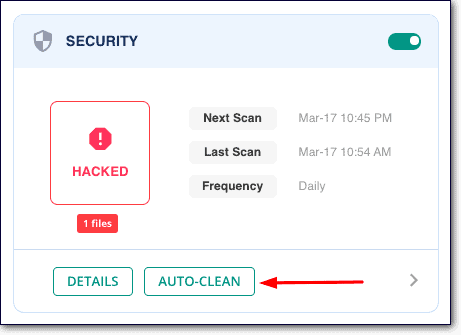
Consider the ease of use. Tools should be simple to navigate. Look for reliability. They should detect all issues. Speed is important too. Faster tools save time. Some tools offer automatic updates. This keeps them current. User reviews can be helpful. They show real user experiences.
Credit: www.malcare.com
Manual Inspection Techniques
Understanding the file structure of a WordPress theme is vital. Each theme has a unique setup. Most themes include files like style.css, functions.php, and index.php. Recognizing these files helps in spotting issues. Some files should never be altered. Know which files are core files. Avoid making changes in them.
Look for any unusual files. Files not usually part of a theme. These could be harmful. Always be cautious.
Reviewing code involves checking each line for errors. Ensure the code does not contain harmful scripts. Look for unusual functions or codes. Such as base64 or eval. They can be risky. Ensure that the code is clean and simple. This makes your theme safe to use.
Use tools to help spot errors. They make the job easier. Always ensure your theme is safe and secure.
Using Automated Scanners
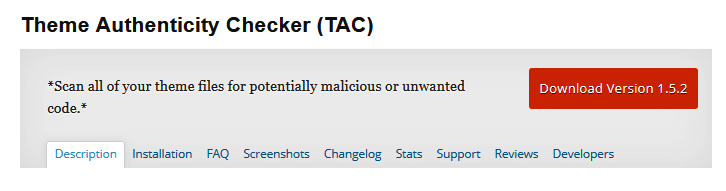
Many tools can scan your WordPress themes. These tools check for malware and security risks. Some well-known scanners include Theme Check, WPScan, and Sucuri SiteCheck. Theme Check is free and easy to use. It helps find bugs in your theme. WPScan focuses on security. It lists vulnerabilities in your theme. Sucuri SiteCheck scans for malware and harmful code. These scanners help keep your site safe.
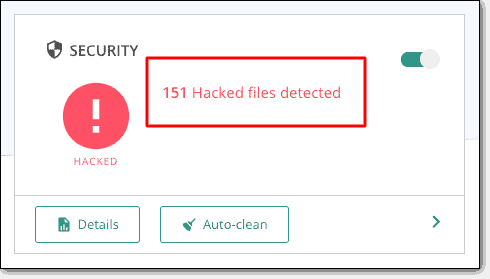
Scan results show if themes have problems. A report highlights issues found in the theme files. Read each result carefully. Look for red flags like “malware” or “vulnerabilities.” Not all issues are harmful. Some are minor and easy to fix. Check which issues need urgent action. Fixing these keeps your site secure. Use the results to improve your theme’s safety.
Credit: theme4press.com
Addressing Detected Issues
Malicious code can harm your website. It can steal data or break pages. It’s important to remove it fast. Use a code scanner to find bad code. Delete the code or replace it with clean code. Always back up files before making changes. This keeps your site safe if something goes wrong. After removing the code, test your site. Make sure everything works well. A clean site keeps your visitors safe.
Update your WordPress themes regularly. This fixes security holes. Developers release patches to improve themes. Patches make themes safer and faster. Check for updates often. Use the theme’s settings to update. Sometimes, updates break things. Test the site after updating. Fix issues quickly to keep the site running smoothly. Regular updates keep your site secure and fresh.
Best Practices For Theme Security
Updating themes keeps sites secure. New updates fix bugs and add security patches. Developers improve code often. It is wise to check for updates weekly. Install them without delay. This protects against hackers.
Download themes from trusted sources only. Official sites and known developers are best. Avoid unknown places. They might have hidden malware. Check reviews before downloading. This ensures safety. Safe sources mean fewer risks.
Credit: www.malcare.com
Frequently Asked Questions
How To Identify Malicious Code In Themes?
You can identify malicious code using security plugins like Wordfence. They scan for suspicious patterns and vulnerabilities. Always keep your themes updated. Regularly check for unauthorized changes. Use reputable themes from trusted sources to minimize risks.
Can I Scan Themes Without Plugins?
Yes, you can manually inspect theme files via FTP or WordPress editor. Look for unfamiliar code snippets. Use online tools to analyze files for malware. Regularly compare your theme files with the original versions. This helps detect unauthorized changes.
What Are Signs Of Infected Theme Files?
Signs include unexplained redirects, slow site performance, and unfamiliar code in theme files. Check for unauthorized admin users. Suspicious links or scripts may indicate infection. Regular scans and monitoring help detect these issues early.
Is It Safe To Use Free Themes?
Free themes can be safe if downloaded from reputable sources like WordPress. org. Always verify reviews and ratings. Ensure the theme is regularly updated and maintained. Scan for vulnerabilities before installation. Avoid downloading from unverified third-party sites.
Conclusion
Scanning WordPress theme files is crucial for security. It helps find hidden threats. Regular checks ensure your site stays safe. Use trusted tools for accurate results. Always update themes and plugins. Updates often fix security issues. Keep your website healthy and secure.
Understand each scan report clearly. It aids in effective decision-making. Practice these steps consistently. Your site will thank you. A secure WordPress site builds trust. Trust leads to returning visitors. So, stay vigilant. Protect your digital space wisely.


