
Have you ever found yourself in a situation where you’re unsure about whether to delete an old WordPress post? Maybe it’s not relevant anymore, but something stops you from hitting that delete button.
Whether it’s nostalgia, potential future use, or just the fear of losing valuable content, you’re not alone. Many bloggers and website owners face this dilemma. The good news is, you don’t have to delete those posts to keep your site tidy and organized.
You’ll discover simple and effective ways to keep your WordPress posts on file without permanently removing them. By the end, you’ll have a toolkit of strategies that not only help you manage your content but also ensure that you never lose valuable information. So, if you’re ready to take control of your WordPress content without the stress of deletion, keep reading!
Archiving WordPress Posts
Plugins help keep posts safe. WP Archive is a popular choice. It hides posts without deleting them. Simple Archive is another easy plugin. It lets you store posts in special places. Archive Control gives you full control. You decide which posts to archive. Using these tools is easy. They keep your site neat and tidy. Users find posts faster. No clutter. No mess.
Manual methods need some work. First, create a new category. Name it Archived Posts. Move old posts to this new category. This way, they are still on your site. Not gone. Just hidden from main view. You can also change the post date. Put an old date. It sends posts to the back. Readers won’t see them first. Safe and sound.
Draft Mode Benefits
Draft mode helps keep posts safe without removing them. It’s like a pause button for your content. You can take a post offline and make changes. This way, your audience won’t see it until it’s ready again. It’s also useful for content you want to update later. No need to start from scratch.
Revisiting drafts helps improve your content. You can add new information or fix mistakes. This makes your posts better and more accurate. It’s like giving your content a new coat of paint. Fresh and updated. Every time you revisit, you have a chance to improve. This keeps your blog alive and interesting.
Private Posts Option
Private posts are a great way to keep content safe. Only users with permission can see them. Convert public posts to private easily. This hides them from visitors. It keeps your site tidy and content secure.
To convert posts, open the editor. Look for the visibility settings. Change it to private. Your post is now hidden. Only you and certain users can see it. This is a simple way to manage content.
Control who can view private posts. Adjust user roles in settings. Admins can see all posts. Authors may see their own. Editors have more access. Carefully choose who can view private posts. This keeps sensitive content safe.

Credit: www.wpallimport.com
Password Protection Strategy
Protect your posts with a password. This keeps them safe from others. Go to your WordPress dashboard. Find the post you want to protect. Click on it. Look for the visibility option. Choose “Password Protected.” Enter a password. Remember it! Click “OK.” Then, save your changes. Your post is now safe. Only those with the password can see it.
Password protection is simple. It keeps your posts private. No one can read them without the password. It is a good way to keep information safe. You can share the password with a few people. They can read the post. This is useful for special projects. Or for sharing with friends and family. Protecting posts is easy. It gives you control over who reads your work.
Custom Post Status
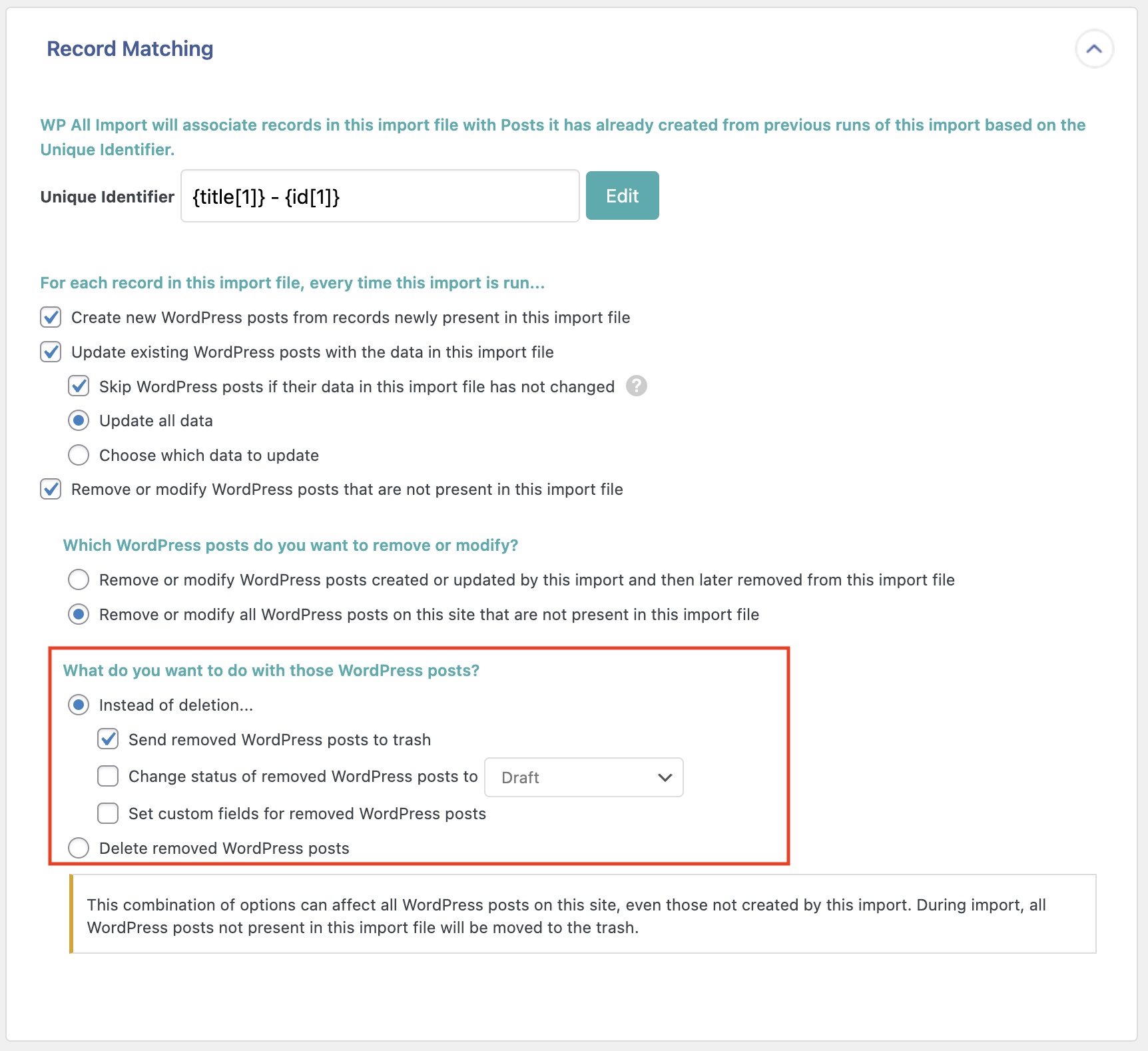
To keep WordPress posts without deleting, you can use custom post status. First, you need to add code to your theme. This code will create a new status. You can name it “on-file” or “archived”. This helps you save posts for later. Use the functions.php file to add the code. Don’t worry, it’s not hard. Just copy and paste. Make sure you save changes. Check if the new status works. Look at the post editor screen. You should see the new status there. Now, you can keep posts safe. They won’t be deleted.
Once you have custom status, managing posts is easy. Assign this status to any post. This tells WordPress not to delete it. Posts marked with custom status are kept safe. You can organize your posts better. No need to worry about losing content. Custom statuses are great for teamwork. Everyone knows which posts are on-file. It makes workflows smooth. Posts stay on WordPress but are hidden from public view. This helps keep your site clean. Use this feature to keep everything organized. It’s a smart way to manage content.
Credit: www.wpallimport.com
Utilizing Categories And Tags
Categorizing archived content helps keep your blog organized. Create a category called “Archived” or “Old Posts.” Move older posts to this category. This keeps them safe and out of sight. Readers find new content easily. It also helps you track what is current.
Using categories simplifies content management. It’s like putting books on a shelf. Each category holds a different type of content. This makes your site tidy and neat. Visitors appreciate a well-organized blog.
Tagging for efficient retrieval is also important. Tags are like labels on a drawer. They help find things quickly. Add tags that describe the post. This helps in searching later. Use simple words as tags.
Tags and categories together make content easy to find. They work like a map for your blog. Keep your readers happy. Organize your posts well. Make sure everything is in its right place.
Database Backup Considerations
Safeguard WordPress posts by implementing regular database backups. These backups ensure posts remain accessible without being deleted. Reliable backup plugins automate this process, preserving valuable content securely.
Regular Backup Practices
Backing up your WordPress posts is important. It keeps your work safe. Use a backup plugin for this task. Plugins help you save your posts easily. Schedule backups weekly. This way, you won’t lose anything. Store backups in a safe place. Cloud storage is a good option. It keeps your files away from harm. Avoid storing backups on the same server. That can be risky. It’s better to use external storage. It ensures safety.
Restoring Posts From Backups
Restoring posts is simple with backups. First, locate your backup file. Open your WordPress dashboard. Find the restore option. Use it to upload your backup file. Wait for the process to finish. Check your posts once done. Everything should be back in place. If you face issues, seek help. Forums can provide answers. Remember, backups are lifesavers. They keep your hard work secure.
Role Of User Permissions
Managing User Access Rights is key in WordPress. Users have different roles. Some can edit. Others can only view. Permissions help control what users do. Admins decide who can delete posts. This keeps important posts safe.
Restricting Deletion Permissions is very important. Admins should set rules. These rules stop unwanted changes. Only trusted users can delete. This protects content from being lost. Always check user roles. Ensure they match their tasks. This keeps the site secure.

Credit: melapress.com
Frequently Asked Questions
How Can I Archive WordPress Posts Without Deleting?
You can archive WordPress posts by using plugins like “Archiver” or “Simple Post Archiver”. These plugins allow you to hide posts from the main blog without deleting them. This way, they remain accessible in the backend for future reference.
What Are The Benefits Of Archiving Posts?
Archiving posts helps in decluttering your blog while keeping content accessible. It improves site navigation and performance by reducing visible content. Archived posts remain available for future updates or reference, maintaining their SEO value.
How Do I Use Plugins To Save Posts?
To save posts using plugins, install and activate an archiving plugin like “WP Archive”. Follow the plugin’s instructions to select and archive posts. This method ensures your posts are stored safely without deletion.
Can Archived Posts Be Restored Easily?
Yes, archived posts can be restored easily. Simply access the plugin settings and move the desired posts back to the main blog. This reversibility ensures your content remains flexible and accessible whenever needed.
Conclusion
Storing WordPress posts without deletion is simple. Archiving keeps posts safe. Tagging helps you find them easily. Drafts work well for unfinished pieces. Plugins provide extra storage options. They help you organize posts. Exporting lets you save content offline. This prevents accidental loss.
Regular backups ensure data safety. Always keep your WordPress updated. This protects your site. Use these tips wisely. Manage your posts effectively. Preserve your content for future use. Organize your site better. Enjoy stress-free blogging. Keep your website neat and tidy.
Keep your posts secure and accessible.


