
Are you ready to take your Java web application to the next level? Hosting it on OpenShift can unlock a world of possibilities, offering scalability, flexibility, and robust performance.
Imagine effortlessly managing your app while enjoying the peace of mind that comes with a secure and reliable platform. But how do you get there? How do you seamlessly transition from development to deployment in the cloud? This guide is designed with you in mind, breaking down the steps to host your Java web application on OpenShift with clarity and simplicity.
Whether you’re a seasoned developer or just starting out, you’re about to discover how easy and rewarding this process can be. Dive in, and let’s transform the way you manage your Java applications.

Credit: www.youtube.com
Setting Up Openshift Environment
Creating an OpenShift account is easy. Start by visiting the OpenShift website. Click on the sign-up button. Fill in your details. Choose a username and password. Verify your email to complete registration. You now have your OpenShift account ready.
OpenShift CLI helps manage your applications. Download the CLI from the OpenShift site. Follow instructions for your system. Windows or Mac or Linux? They have guides. Open a terminal window. Enter the installation commands. Wait for the process to finish. The CLI is now installed.
Preparing Java Web Application
Java projects need a clear structure. The main directory holds key files. Important files are src for source code and lib for libraries. The webapp folder contains web pages. Maven or Gradle help manage dependencies. They automate download tasks. Each dependency is listed in a configuration file. This ensures that all libraries are included. All team members need the same setup. Consistency is crucial for smooth running.
Build configuration is essential for Java applications. The pom.xml file in Maven holds settings. It includes version numbers and plugin details. Gradle uses a build.gradle file. This file specifies tasks and dependencies. Both files help automate builds. This ensures the application compiles correctly. Configuration files are easy to update. They keep projects organized and efficient.
Containerizing Java Application
A Dockerfile is a simple text file. It contains all the commands needed. These commands build a Docker image for your Java app. Start with a base image. Java’s official image is a good choice. Then, add your app’s files. Use the COPY command for this step. Finally, specify the command to run your app. Use the CMD instruction for that. Keep commands simple and clear. This makes the Dockerfile easy to understand.
To create a Docker image, use the docker build command. This command reads your Dockerfile. Then, it creates the image. Always tag your image with a name. This helps you find it later. Use a command like docker build -t my-java-app . Ensure the Docker daemon is running. Also, check for errors in the Dockerfile. If all goes well, your image is ready. You can now use it in Openshift.
Deploying To Openshift
First, create a new OpenShift project. OpenShift organizes applications into projects.
Use the oc new-project command. This command helps in creating a project.
Choose a simple name. Names should be easy to remember.
Every project needs a unique name. A project is like a folder for your app.
Deploy your Docker image to OpenShift.
Use oc new-app command. This command will deploy the image.
Specify the image name in the command.
OpenShift will pull your Docker image.
Ensure the image is ready and tested.
A successful image makes deployment smooth.
Managing Application In Openshift
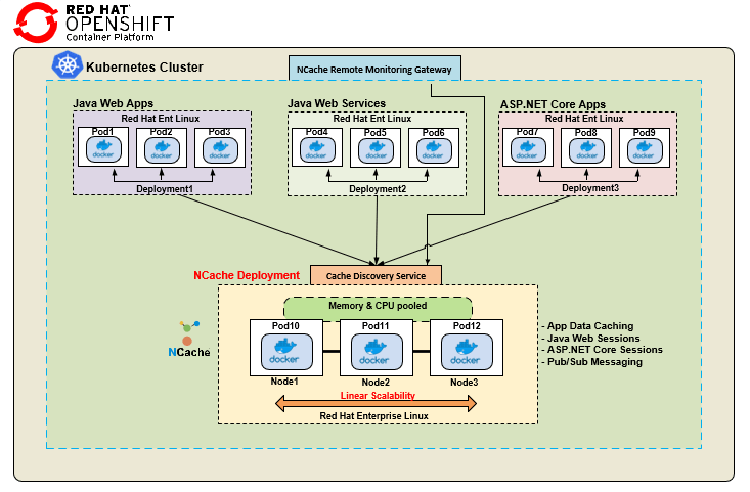
OpenShift makes scaling easy. Applications can handle more users with auto-scaling. This ensures apps run smoothly. No manual work needed. Developers can focus on code. OpenShift handles the rest. Resources adjust based on demand. Always ready for traffic spikes.
Keeping track of application health is crucial. OpenShift provides tools for monitoring. Logs help find problems quickly. They show what’s happening inside the app. Monitoring tools alert when something goes wrong. This helps in fixing issues faster. Developers can check logs anytime. Real-time data makes decision-making easy. OpenShift ensures applications stay healthy.
Credit: www.alachisoft.com
Troubleshooting Common Issues
Deployment errors can be tricky. Always check log files first. Logs tell what went wrong. Sometimes, configuration settings cause issues. Ensure all settings are correct. Watch out for missing dependencies. They often lead to errors. Use the Openshift console for troubleshooting. It shows useful details. Errors may also come from network problems. Ensure network settings are correct.
Performance issues slow applications down. Check the resource limits in Openshift. Make sure they suit your app. Code optimization can help improve speed. Look at your code for improvements. Database queries can also be slow. Optimize them for faster responses. Use Openshift monitoring tools. They help find bottlenecks. Finally, ensure load balancing is set up correctly.
Best Practices For Hosting
Deploying Java web applications on OpenShift can be seamless with proper steps. First, prepare your Java code and application server. Next, use OpenShift’s tools to set up your environment, ensuring scalability and security.
Security Considerations
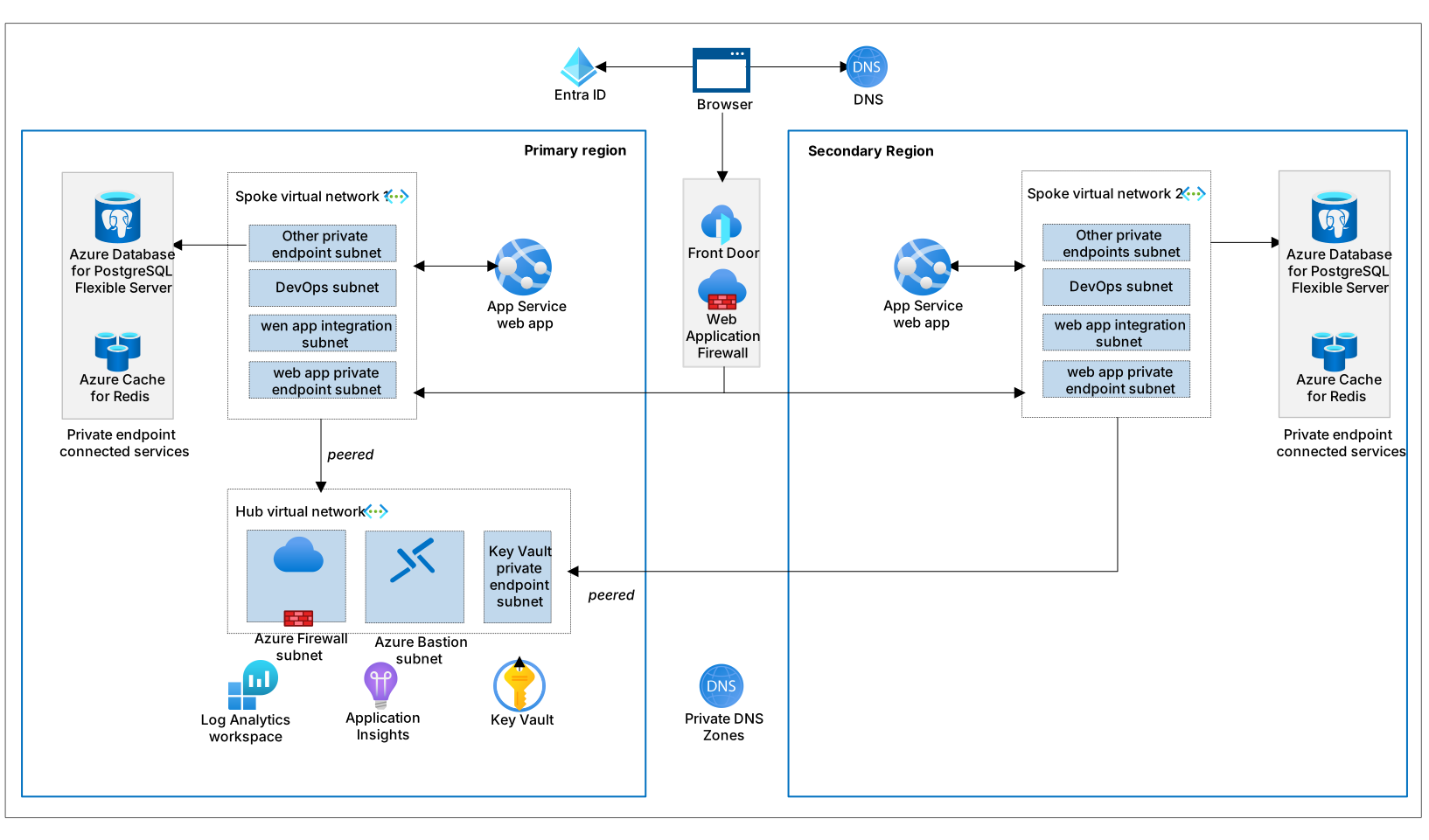
OpenShift provides strong security features for web applications. Always use SSL to encrypt data. Keep your software updated to prevent attacks. Limit access to sensitive information. Use firewalls to block unwanted traffic. Regularly check for vulnerabilities in your code. Implement strong password policies for users. Consider using two-factor authentication. Monitor your application for suspicious activity. Follow industry best practices for data protection. Secure your database connections with proper credentials.
Resource Optimization
Optimize resources to improve performance. Configure scaling policies for demand. Use containers to manage resources efficiently. Limit CPU usage and memory allocation. Monitor resource consumption regularly. Utilize load balancing to distribute traffic. Ensure your application runs smoothly. Avoid resource wastage with proper planning. Regularly review resource usage. Adjust settings as needed. Use caching to reduce load times.
Credit: devblogs.microsoft.com
Frequently Asked Questions
What Is Openshift For Java Applications?
OpenShift is a cloud platform that simplifies deploying Java applications. It supports various Java frameworks like Spring and Jakarta EE. OpenShift automates scaling, manages container orchestration, and provides a developer-friendly environment. This makes deploying and managing Java web applications efficient and straightforward.
How Do I Deploy A Java App On Openshift?
To deploy a Java app on OpenShift, first, containerize your application using Docker. Then, use the OpenShift CLI or web console to create a new application. Push your Docker image to OpenShift’s integrated registry. Finally, configure your application settings and deploy it to the OpenShift environment.
Why Choose Openshift For Java Hosting?
OpenShift provides scalability, flexibility, and robust security features for hosting Java applications. It supports automated deployments and continuous integration. OpenShift also offers easy scaling, making it ideal for growing applications. Additionally, it integrates well with popular Java frameworks, enhancing development and deployment efficiency.
Is Openshift Suitable For Beginners In Java?
Yes, OpenShift is suitable for beginners in Java. It offers user-friendly tools and documentation. OpenShift’s graphical user interface simplifies application deployment and management. Additionally, it provides templates and guides, making it easier for new developers to get started with Java web applications on the platform.
Conclusion
Hosting a Java web application on OpenShift is straightforward. Begin with setting up your OpenShift account. Then, deploy your application using the OpenShift console or command line. Ensure your application runs smoothly by checking logs and resources. OpenShift offers scalable options for growing needs.
Security features protect your data and applications. Easily manage updates and configurations. Enjoy the flexibility OpenShift provides for Java applications. With these steps, you’re ready to host successfully. Dive in and explore the possibilities. Your Java web application can thrive in OpenShift’s environment.


