
Imagine having a website that truly reflects your unique style and vision without spending a dime on design. Customizing a free WordPress theme is like crafting a tailor-made suit for your online presence.
You get to choose every detail, from colors and fonts to layout and widgets. This guide will walk you through simple yet effective steps to transform your WordPress theme into something extraordinary. You’ll discover easy tweaks that can make a world of difference, allowing your site to stand out and captivate your audience.
Ready to turn your website into a masterpiece? Let’s dive in and unlock the potential of your WordPress theme.
Choosing The Right Theme
Choosing the right theme is very important. Start by identifying your needs. Ask yourself, what features do you need? Do you need a blog or a store? Think about your goals. Write them down. This helps to narrow down your choices. A good theme should match your needs. It should also be easy to use.
Exploring popular free themes can be fun. Many themes are available in WordPress. Some are for blogs. Others are for shops. You can find themes for portfolios too. Look for themes with good ratings. Check user reviews. This will help you pick a reliable theme. Remember, a good theme should be responsive. It should look good on all devices.
Installing Your Theme
First, log in to your WordPress site. Use your username and password. Find the dashboard on the left. This is where you control your site. Click on Appearance to see theme options. This is the start of your customization journey.
Go to the Add New button under themes. Search for free themes. Pick one you like. Click Install to upload it. Wait for the installation to finish. Then, click Activate to make it live. Your site now has a new look.
Basic Customization Options
WordPress offers a simple tool called the Customizer. It helps you change your site’s look. You can see changes live. No need to save first. This tool is found in your WordPress dashboard. Easy to use for beginners. It makes changes quick and fun.
Your site needs a clear identity. Add a logo and a catchy tagline. Choose a site title that stands out. Colors matter too. Pick colors that match your brand. Bright colors catch the eye. Soft colors feel calm. Change them in the Customizer easily.
Menus help visitors find pages. Add important links to your menu. Keep it simple. Too many links can confuse. Widgets add extra features. They go in sidebars or footers. Add a calendar, search bar, or recent posts. Find them in the Customizer. Arrange them to fit your style.

Credit: www.theclassictemplates.com
Advanced Theme Customization
CSS helps change the look of your site. You can edit colors, fonts, and more. Always back up your site first. Use the WordPress Customizer or a plugin. Make small changes. Check them in a browser. This way, errors are easy to fix. Remember, CSS affects how your site looks. Be careful and patient.
Page layouts change how content appears. Use the WordPress Page Editor. You can move sections around. You can also add or remove blocks. Test layouts on different devices. Ensure everything looks good. A nice layout makes visitors happy. Try different layouts for different pages.
Fonts and icons make your site unique. Choose fonts from Google Fonts. They are free and easy to use. Add them to your CSS. Icons can be added with plugins. Select icons that fit your theme. They help in guiding users. Always keep fonts and icons simple. This keeps your site fast and clean.
Utilizing Plugins For Enhanced Customization
WordPress plugins can help make your site unique. Some plugins add new features. Others change how your site looks. It’s like giving your site new clothes and tools. This makes your site more fun and useful.
Essential Plugins For Customization
There are some plugins every site should have. Elementor helps you build pages easily. Customizer lets you change colors and fonts. Another good one is Jetpack. It helps with security and performance. These plugins make your site better.
Enhancing Functionality With Page Builders
Page builders make creating pages easy. Elementor is a favorite. It uses drag and drop. No coding needed. Beaver Builder is another good choice. Both let you design beautiful pages. Your site will look professional. Page builders are like magic tools for your website.
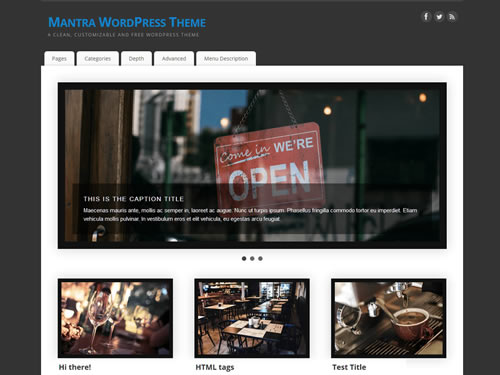
Credit: www.cryoutcreations.eu
Testing And Optimizing Your Theme
Customize a free WordPress theme by testing different colors, fonts, and layouts to find the perfect fit. Optimize the theme for speed and mobile responsiveness to enhance user experience. Regularly update and tweak settings for improved functionality and aesthetics.
Ensuring Mobile Responsiveness
Themes must work on all devices. Test on phones and tablets. Use tools like Google’s Mobile-Friendly Test. Check for clear text and images. Ensure buttons are easy to tap. This helps users enjoy your site on any device.
Improving Page Load Speed
Fast websites keep visitors happy. Use tools like PageSpeed Insights. Compress images to make them smaller. Remove unused plugins. Choose a good hosting service. These steps can make your site faster.
Cross-browser Compatibility Checks
Websites should look good in all browsers. Check your site in Chrome, Firefox, and Safari. Use tools like BrowserStack. Fix any design issues you find. This ensures everyone sees your site correctly.
Maintaining Your Customized Theme
Crafting a personal touch on your website involves customizing a free WordPress theme. Regular updates keep your design fresh and functional. This ensures a seamless user experience.
Updating Your Theme Safely
Updating your theme is important. New updates fix bugs. They also add new features. Before updating, save your custom changes. New updates can erase changes. Check the update notes. Look for changes that affect your customizations. Always use a child theme. A child theme saves your custom work. It keeps your changes safe.
Backing Up Your Customizations
Backing up your work is smart. Save a copy of your theme. A backup keeps your changes safe. Use plugins for backups. They make saving easy. Store your backup in different places. Use a cloud or a hard drive. Losing your work is sad. Backups prevent this. Regular backups are best. Set a reminder for this.
Keeping Track Of Changes
Track changes in a journal. Write down each change. This helps if something breaks. Knowing what changed makes fixing easy. Use a version control system. It keeps track of changes. Tools like Git help with this. They save each version. Look back at old versions. This helps find mistakes. Tracking changes is key. It keeps your work organized.
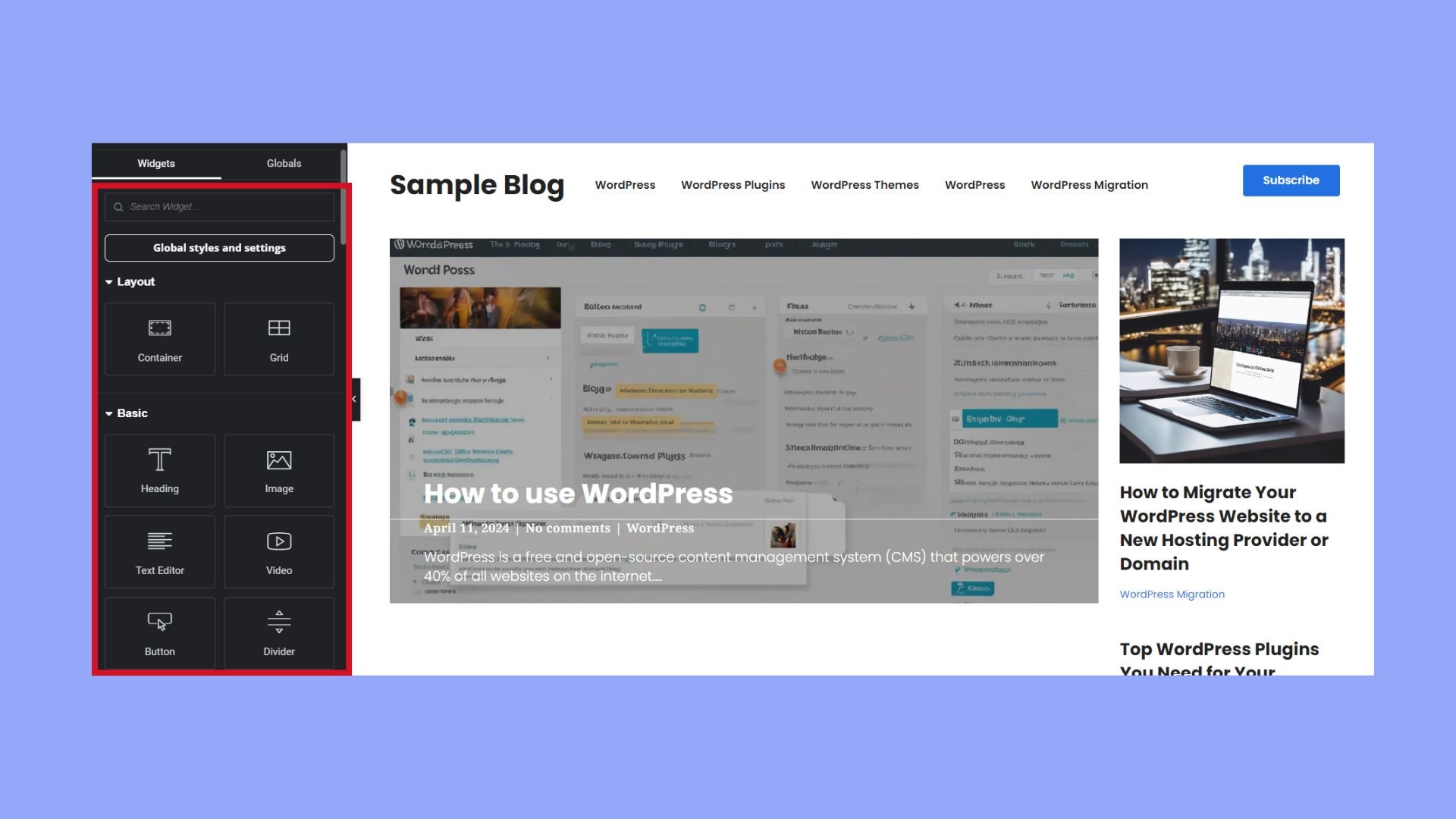
Credit: 10web.io
Frequently Asked Questions
How To Edit A Free WordPress Theme?
Access your WordPress dashboard and navigate to “Appearance” > “Editor”. Select the theme file to edit. Make changes using HTML, CSS, or PHP. Save your updates. Always back up your theme before making edits to avoid data loss. Use a child theme for safe customizations.
How Do You Customize A WordPress Theme?
Customize a WordPress theme by accessing the WordPress dashboard. Use the “Customize” option under “Appearance. ” Modify elements like colors, fonts, and layouts. For advanced edits, use a child theme and edit CSS or PHP files. Always back up your site before making changes to avoid data loss.
Why Can’t I Customize My WordPress Theme?
You might lack necessary permissions or your theme might not support customization. Check theme settings and ensure you have the required user role. Consider using a child theme for more flexibility. Some themes also require premium versions for full customization features.
Always update your theme for the latest customization options.
How To Add A Theme In WordPress For Free?
To add a free theme in WordPress, log into your dashboard. Go to “Appearance,” then “Themes. ” Click “Add New,” browse or search for a theme, and click “Install. ” Once installed, click “Activate” to use the theme. Enjoy customizing your new theme.
Conclusion
Customizing a free WordPress theme is simple and rewarding. Start with the basics. Adjust colors, fonts, and layouts to suit your style. Use the theme editor for deeper changes. Explore plugins to add new features. Always preview changes before going live.
This ensures your design is appealing and functional. Remember, practice makes perfect. Experiment with different settings. Don’t be afraid to make mistakes. It’s part of the learning process. Your customized theme reflects your unique vision. Enjoy creating a site that truly represents you.
Happy designing!


