
Are you ready to take your WordPress skills to the next level? Creating your own WordPress theme might sound challenging, but it’s an exciting way to showcase your creativity and technical prowess.
Imagine having a unique theme that perfectly reflects your style and meets all your needs. Whether you’re a budding developer or a seasoned designer, this step-by-step tutorial will guide you through the process of crafting a WordPress theme from scratch.
By the end of this guide, you’ll not only have a custom theme but also a deeper understanding of how WordPress works. Dive in, and let’s transform your vision into a stunning reality!
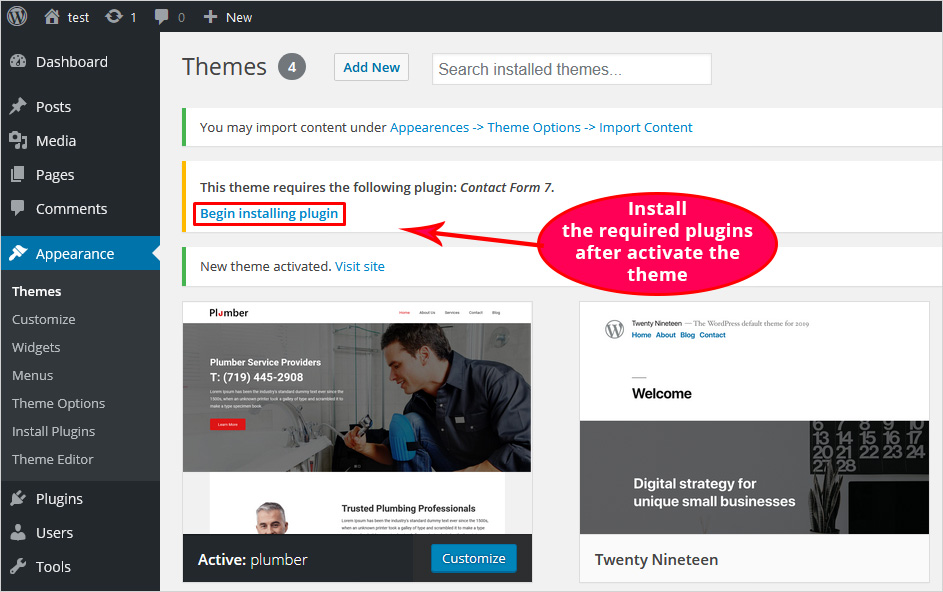
Credit: blog.templatetoaster.com
Getting Started
Creating a WordPress theme needs some tools. First, install a code editor. Popular choices are Visual Studio Code or Sublime Text. Next, you need a web browser to test your theme. Chrome or Firefox works well. A local server is needed too. Use XAMPP or MAMP for this. Finally, download the latest WordPress package. Having these tools will help you start building themes.
Start by installing a local server. XAMPP or MAMP is good. This server will help run WordPress on your computer. Next, create a new folder in the htdocs directory. Name it anything you like. Then, copy WordPress files into this folder. Open your browser and type localhost/your-folder-name. This opens the WordPress setup page. Follow the steps to install WordPress locally. Now, you’re ready to create your first theme.
Understanding WordPress Themes
WordPress themes have many parts. Each part has a special job. The style.css file holds the theme name. This file helps WordPress know the theme. The functions.php file adds features. These features make the theme work well.
The index.php file is key. It shows the main page. Other files help too. The header.php file shows the top of pages. The footer.php file shows the bottom. The sidebar.php file shows the side area.
WordPress has a special order. This order is the template hierarchy. It picks which file to use. For example, the page.php file shows single pages. The single.php file shows single posts. If no file fits, WordPress uses index.php. This keeps the site working right.
Creating A Basic Theme
First, make a new folder. Name it after your theme. This folder holds all theme files. Keep it organized. It is important for later. Inside, create these folders: CSS, JS, and Images. These folders store styles, scripts, and pictures.
Start with key files. Create index.php and style.css. These files are essential. The index.php is your main file. Style.css handles all theme styles. Include theme name in style.css. It helps WordPress recognize your theme.
Another important file is functions.php. It adds features to your theme. You can add more files as needed. Keep it simple for now. Basic files get you started.
Design And Layout
Start by setting up the header and footer sections. These are important parts of any website. A header usually has the logo and main menu. The footer may contain contact information or links. Both should be easy to read and navigate. Use simple colors and fonts. This keeps the design clean. Adding a logo? Make sure it is visible and clear. Do not make it too big or too small. Balance is key.
CSS helps style your theme. It changes the look of web pages. You can make text bold or change colors. Want a unique look? Use CSS to add borders or adjust spacing. It also helps in making the site responsive. This means it looks good on phones and computers. Remember, a well-styled site is easy on the eyes. Always test your CSS changes. Ensure everything looks good on all devices.
Dynamic Content With Php
PHP makes WordPress themes dynamic. Use WordPress functions to make this easy. Functions like get_header() and get_footer() help load parts of the page. This keeps code clean and neat. the_title() and the_content() are great for displaying posts. They make sure your content shows up right.
Using WordPress Functions
WordPress has many built-in functions. These functions help you manage your theme easily. Use wp_nav_menu() to show navigation menus. For sidebars, dynamic_sidebar() is handy. To add scripts, try wp_enqueue_script(). These make your theme more interactive.
Creating Custom Post Types
Custom post types let you add new content types. They are beyond just posts and pages. Use register_post_type() to create them. Add movies, books, or events to your site. Custom post types give more flexibility. They make your site unique and interesting.

Credit: www.dreamhost.com
Incorporating Widgets And Menus
Widgets and menus enhance WordPress themes by providing customization options. Streamlining user navigation, they create more engaging and interactive experiences. Seamlessly incorporate them for a polished and functional website.
Registering Widget Areas
Widgets add cool features to your site. First, register widget areas in the functions.php file. Use the register_sidebar function. Give each widget area a name. This helps to identify it. Also, set a description. Descriptions guide users. After registering, display them in your theme. Use the dynamic_sidebar function. Now, users can add widgets easily.
Creating Custom Menus
Menus help users navigate your site. Start by registering menus in the functions.php file. Use the register_nav_menus function. Provide a name and location for each menu. Then, display them in your theme. Use the wp_nav_menu function. This shows the menu in the right place. Allow users to set links as they want. This makes the site easy to use.
Enhancing With Plugins
Plugins add special powers to your WordPress theme. Some plugins help with security. Others make your site faster. Choose plugins that match your theme’s needs. Too many plugins can slow down your site. Pick only the necessary ones.
Always check reviews before installing a plugin. Good reviews mean the plugin works well. Bad reviews can mean problems. Look for plugins that get regular updates. Updated plugins are more secure.
After choosing plugins, add them to your theme. Follow the plugin’s instructions. Some plugins need a setup process. Others work right away. Test each plugin to see if it works correctly.
Check if the plugin changes your site’s look. Ensure it does not break your theme. If it does, try another plugin. Always back up your site before adding new plugins. This keeps your site safe.
Testing And Debugging
Crafting WordPress themes involves thorough testing and debugging to ensure functionality and aesthetics. Spot errors early to enhance user experience and maintain site performance.
Cross-browser Testing
Testing your WordPress theme on different browsers is crucial. Each browser may show your website differently. Use tools that help check how your site looks on Chrome, Firefox, and Safari. Make sure your theme works well on all browsers. Check for broken layouts or missing features. Fix any issues to ensure a smooth user experience. Remember, a well-tested theme attracts more visitors.
Debugging Common Issues
Debugging is finding and fixing errors in your theme. Start by checking error logs to find problems. Common issues include missing images or broken links. Use debugging tools to help locate errors. Read error messages carefully. They guide you to solve problems. Keep your code simple to avoid errors. Always test after fixing to see if the problem is gone. Regular debugging keeps your theme running smoothly.
Publishing Your Theme
Creating a WordPress theme involves designing and coding to match your vision. Publishing your theme requires understanding WordPress tools. This tutorial guides you through the process, ensuring your theme is ready for the world.
Uploading To WordPress Repository
Upload your theme to the WordPress repository. This is very important. First, create a zip file of your theme. Then, go to the official website. Log into your WordPress account. Click on “Add New” under the themes section. Now, upload your theme file. Follow the on-screen steps. Wait for the approval. It can take some time. Be patient.
Maintaining And Updating
Themes need regular updates. This keeps them safe and fast. Check for bugs often. Fix any issues you find. Update your theme with new features. Keep users happy and engaged. Notify users about updates. Use simple language in notes. Make it easy to understand. This builds trust in your theme.
Credit: www.monsterinsights.com
Frequently Asked Questions
What Is A WordPress Theme?
A WordPress theme is a collection of files that dictate the design and functionality of a WordPress website. It includes templates, stylesheets, images, and JavaScript files. Themes allow users to customize the appearance and layout of their website without altering the underlying software.
How To Start Creating A WordPress Theme?
Begin by understanding basic HTML, CSS, and PHP. Familiarize yourself with WordPress’s template hierarchy and coding standards. Use a development environment like Local by Flywheel. Create essential files like style. css and index. php. Follow tutorials and resources to enhance your skills.
Can I Create A Theme Without Coding Skills?
Yes, you can use theme builders like Elementor or Divi. These tools offer drag-and-drop functionality, allowing you to design themes without coding. However, coding knowledge provides more customization and flexibility, enabling you to create unique themes.
How To Test My WordPress Theme?
Use WordPress’s built-in theme testing features. Activate your theme and check for responsiveness across devices. Validate HTML and CSS using online tools. Test functionalities like navigation, forms, and widgets. Debug using WordPress’s debug mode and browser developer tools.
Conclusion
Creating WordPress themes offers exciting possibilities. You can design unique websites. Start with understanding the basics. Practice regularly to improve your skills. Explore different design techniques. Experiment with colors and layouts. Keep your code clean and organized. Learn from online tutorials and communities.
Stay updated with WordPress changes. Always test your theme before launching. Gather feedback from users for improvements. Enjoy the process of creativity. Share your creations with the world. Developing themes can be rewarding. With patience and dedication, you will succeed.
Dive into theme creation and watch your ideas come to life.


