

Ready to turn your WordPress site into a powerful conversion machine? Creating a landing page is one of the smartest moves you can make to capture leads, promote products, or grow your audience.
But if you’re wondering where to start or how to make it effective, you’re in the right place. This guide will walk you through simple, clear steps to build a landing page in WordPress that grabs attention and drives action.
By the end, you’ll have the tools and confidence to create a page that not only looks great but also turns visitors into loyal customers. Let’s dive in and make your landing page work for you!
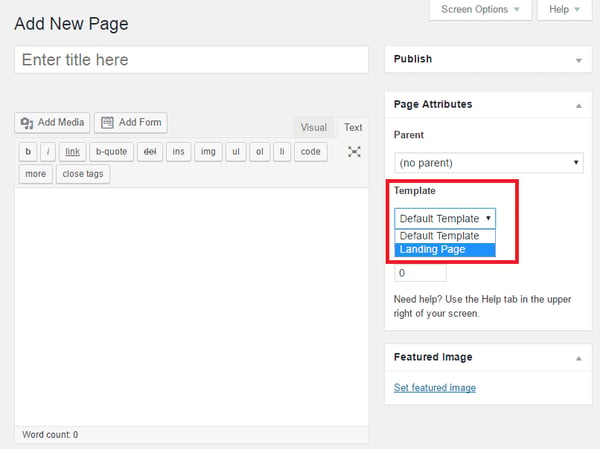
Credit: blog.hubspot.com
Set Clear Goals
Setting clear goals is the first step in creating an effective landing page in WordPress. Clear goals guide your design and content choices. They help you focus on what matters most for your visitors. With clear goals, your landing page can drive better results.
Identify Visitor Actions
Decide what action you want visitors to take on your landing page. It could be signing up for a newsletter, buying a product, or downloading a free guide. Choose one main action to keep visitors focused. Avoid asking for too many things at once. Clear visitor actions improve the chances of success.
Know Your Audience
Understand who will visit your landing page. Think about their needs, problems, and interests. Use simple language that your audience understands. Tailor your message to speak directly to them. Knowing your audience helps you create content that connects and converts.
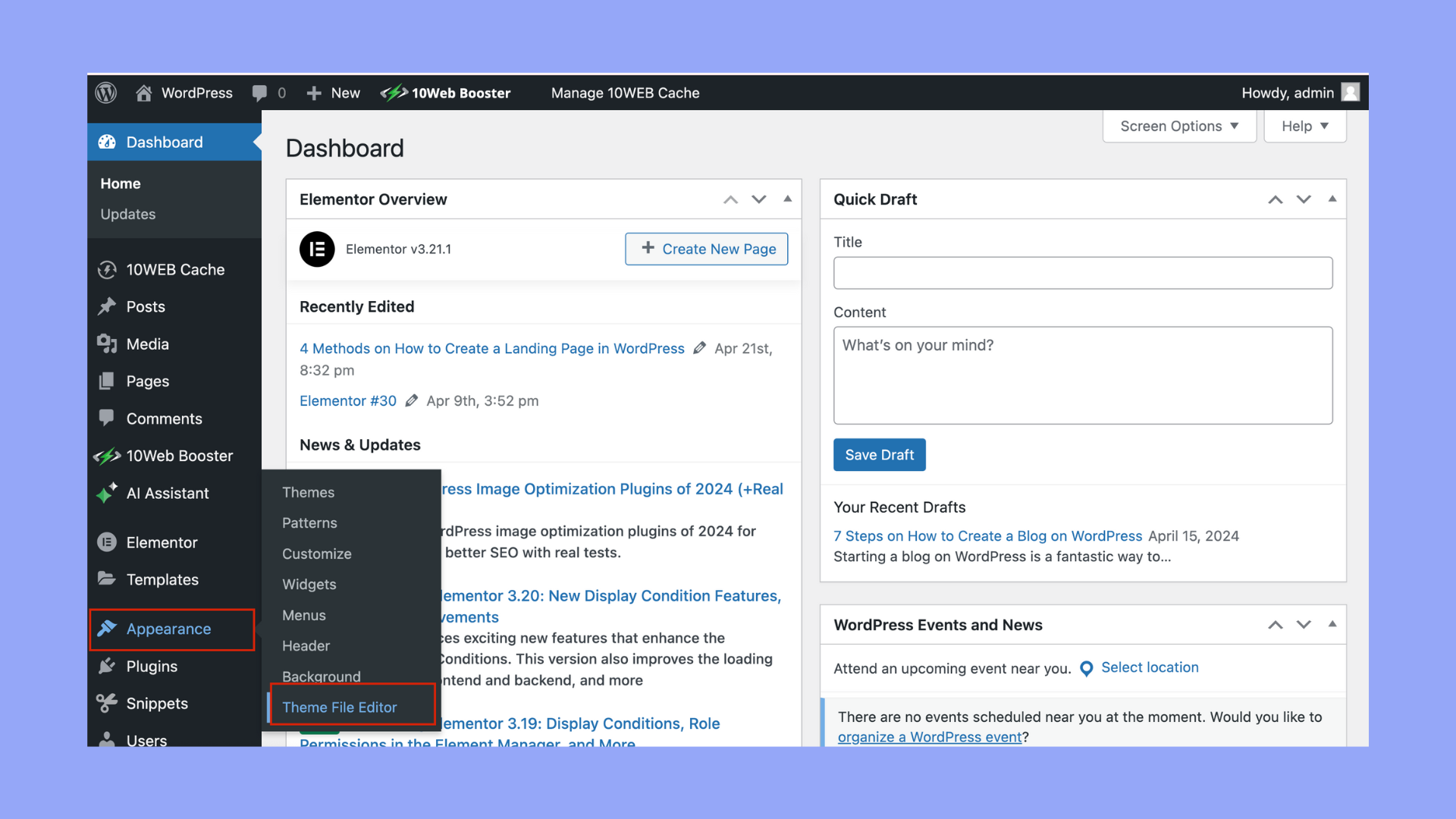
Credit: 10web.io
Pick The Right Tools
Choosing the right tools is essential for building an effective landing page in WordPress. The tools you select impact the design, functionality, and ease of use. Picking suitable tools saves time and helps you create a page that meets your goals.
WordPress offers many options, from themes to plugins. Select tools that match your skill level and the type of landing page you want. The right tools make your work smoother and your page more professional.
Choose WordPress Theme Or Plugin
A WordPress theme controls the overall look of your site. Some themes come with built-in landing page features. Choose a theme that is lightweight and easy to customize.
Plugins add extra functions to your site. Many plugins specialize in landing page creation. Pick a plugin with good reviews and regular updates for security and support.
Consider page builder plugins like Elementor or Beaver Builder. They offer drag-and-drop features to design pages without coding. Themes and plugins work together to create a seamless experience.
Select A Landing Page Template
Templates provide a ready-made design for your landing page. They save time and help maintain a clean layout. Choose a template that fits your goal, such as lead capture or product promotion.
Look for templates with clear call-to-action buttons and simple navigation. A good template focuses visitors on the main message and action. Customize the template to match your brand colors and fonts.
Test different templates to see which one converts best. Most page builder plugins offer a variety of templates. Select one that is mobile-friendly to reach more users on smartphones.
Craft Your Content
Crafting your content is a key step in building an effective landing page in WordPress. Content shapes the visitor’s experience and guides them toward your goal. Clear, simple, and engaging text helps visitors understand your offer quickly.
Good content also builds trust and encourages action. Use words that your audience easily understands. Break information into small parts to keep readers interested. Combine text with visuals to make your message stronger.
Write A Captivating Headline
The headline is the first thing visitors see. Make it clear and interesting. Tell visitors what they will get or learn. Use simple words that grab attention fast. Avoid long or confusing sentences. A strong headline makes visitors want to read more.
Create Benefit-driven Copy
Focus on how your offer helps the visitor. Explain the benefits, not just the features. Show how your product or service solves problems. Use short sentences that are easy to follow. Highlight key points using bullet lists or bold text. Keep your message friendly and direct.
Add High-quality Visuals
Images and videos make your page more appealing. Choose clear and relevant visuals that support your message. Avoid low-quality or distracting pictures. Use visuals to explain or show your offer in action. Proper images help visitors understand and trust your page.
Build Trust
Building trust is essential for a successful landing page. Visitors need confidence in your brand before taking action. Trust helps reduce hesitation and boosts conversions. Use clear elements to show reliability and credibility.
Include Testimonials
Testimonials provide real feedback from happy customers. They show your product or service works well. Use short, honest quotes with customer names and photos if possible. Place them where visitors can easily see. Testimonials create a personal connection and build trust fast.
Display Trust Badges
Trust badges highlight security and professionalism. Use badges from payment providers, security certificates, or industry awards. These badges reassure visitors their data is safe. Place them near forms or checkout buttons. Trust badges reduce fear and encourage users to proceed.
Design Effective Ctas
Designing effective call-to-actions (CTAs) is key to making your landing page successful. CTAs guide visitors toward the action you want them to take. Clear and strong CTAs increase conversions and improve user experience. Focus on clarity and visibility to make your CTAs stand out.
Use Clear Button Text
Use simple words that tell visitors exactly what to do. Phrases like “Download Now,” “Get Started,” or “Sign Up Free” work well. Avoid vague terms like “Click Here” or “Submit.” Clear button text reduces confusion and encourages clicks. Keep it short and direct for quick understanding.
Make Ctas Visually Prominent
Make your CTA buttons easy to find by using contrasting colors. The button should stand out from the rest of the page design. Use enough white space around the button to avoid clutter. Larger buttons attract more attention but keep them balanced with the layout. Visual prominence helps visitors spot your CTA quickly and act.
Optimize For Devices
Optimizing your landing page for devices ensures visitors have a smooth experience. People use different devices to visit websites. Your landing page should look great and work well on all of them. Proper optimization helps keep visitors engaged and improves your page’s performance.
Ensure Mobile Responsiveness
Most users browse on mobile devices. Make your landing page adjust to different screen sizes. Use responsive WordPress themes or plugins that support mobile-friendly layouts. Check that images and text resize correctly. Buttons and links must be easy to tap on small screens. Mobile responsiveness boosts user experience and search engine rankings.
Test Across Browsers
Visitors use various browsers like Chrome, Firefox, and Safari. Your landing page should display and function properly on all. Test your page on multiple browsers regularly. Fix any layout issues or broken features found. Browser testing avoids losing visitors due to compatibility problems. It ensures your landing page looks professional everywhere.
Track And Improve
Tracking and improving your landing page is essential for better results. It shows what works and what needs change. Regular monitoring helps increase visitor engagement and conversions. Use tools and methods to gather data and test different versions. This process leads to a more effective landing page over time.
Set Up Analytics
Start by setting up analytics to measure your landing page performance. Google Analytics is a popular and free tool for this. Install the Google Analytics plugin on your WordPress site. Connect your landing page to Google Analytics using tracking codes.
Analytics tracks visitors, their behavior, and conversion rates. It shows which traffic sources bring the most visitors. You can see how long visitors stay and where they click. Use this data to understand user actions and improve your page.
Run A/b Tests
A/B testing compares two versions of your landing page. Change one element at a time, like a headline or button color. Split your visitors into two groups and show each group a different version. Track which version performs better in conversions.
Use WordPress plugins like Thrive Optimize or Nelio A/B Testing to run tests easily. Test headlines, images, CTAs, and layouts. Keep improving your page based on test results. This method helps find the best design and content for your visitors.

Credit: www.youtube.com
Publish And Promote
Publishing and promoting your WordPress landing page is the final step to reach your audience. After designing and setting up, you need to make your page live and then attract visitors. This phase ensures your efforts convert into real results.
Effective publishing and promotion help your landing page gain visibility and drive actions. Focus on clear steps to launch and then bring traffic to your page.
Launch Your Landing Page
Double-check your landing page for errors before publishing. Preview the page on different devices to ensure it looks good everywhere. Use WordPress’s built-in tools to publish your page with a single click. Set a clear URL that is easy to remember and SEO-friendly. Enable caching and optimize loading speed for better user experience. Confirm all links and buttons work properly. Once live, your landing page is ready to welcome visitors.
Drive Traffic To Your Page
Use social media platforms to share your landing page with your audience. Post regularly on Facebook, Twitter, and LinkedIn to reach more people. Consider running small paid ads targeting your ideal customers. Send an email newsletter to your subscribers with a link to the page. Collaborate with bloggers or influencers in your niche for wider exposure. Use SEO techniques by adding keywords in titles and descriptions. Track visitor behavior using analytics to improve your promotion strategies.
Frequently Asked Questions
How To Create A Landing Page Step By Step?
Define your goal and audience. Choose a platform and template. Write a clear headline and persuasive copy. Add visuals, social proof, and a strong CTA. Optimize for mobile, track performance, and test to improve your landing page.
Is WordPress Good For A Landing Page?
WordPress is excellent for landing pages due to its flexibility, customizable templates, and user-friendly plugins. It allows easy design, mobile optimization, and integration with marketing tools to boost conversions effectively.
What Is The Difference Between A Landing Page And A Page In WordPress?
A WordPress page is a standard website section with general content. A landing page focuses on a single goal, like capturing leads, with minimal distractions. Landing pages use targeted design and calls-to-action to boost conversions, unlike regular pages that serve broader purposes.
Is A WordPress Landing Page Free?
Creating a WordPress landing page can be free using basic themes and plugins. Premium features or templates may require payment.
Conclusion
Creating a landing page in WordPress is simple with the right steps. Focus on your goal and audience first. Choose a clean template that fits your message. Write clear headlines and strong calls to action. Use images that support your content.
Don’t forget to add social proof for trust. Test your page regularly to improve results. Keep it simple and user-friendly for best success. Follow these tips, and your landing page will perform well.


