
Are you ready to make your blog’s homepage shine with the Shapely theme in WordPress? Imagine a space that not only captures attention but also keeps visitors coming back for more.
With the right design, your homepage can be the perfect introduction to your world. Whether you’re a seasoned blogger or just starting out, this guide will help you create a homepage that’s both stunning and functional. We’ll walk you through the steps, offering tips to make your site not only look good but feel right.
So, if you’re eager to turn your vision into reality and connect with your audience in a meaningful way, keep reading. Your ideal blog homepage is just a few clicks away.
Choosing Shapely Theme
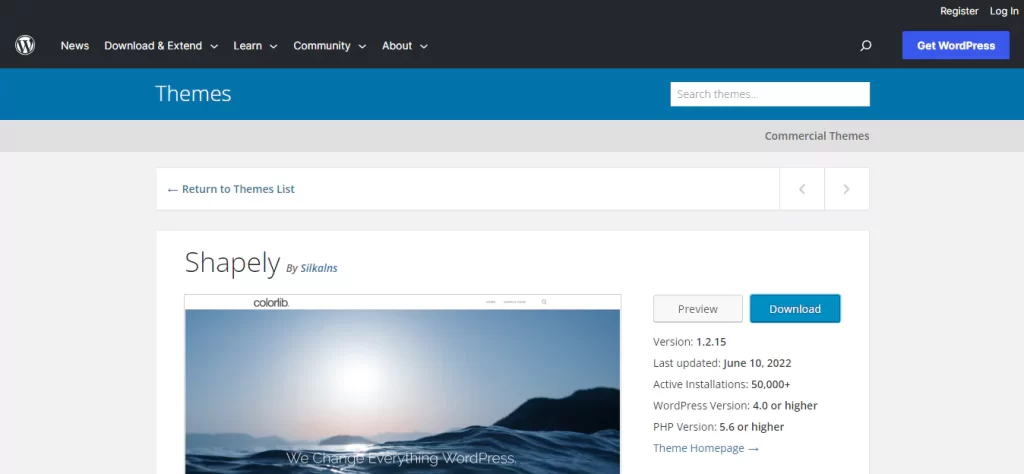
Shapely is a popular theme for blogs. It is simple and easy to use. Many people like its clean look. The theme is also free to download. Shapely works well with most plugins. This makes it a good choice for many bloggers.
The theme offers customizable options. Users can change colors and fonts. There are also different layout choices. This helps make your blog unique. Shapely also supports responsive design. This means your blog looks good on phones and tablets.
Installing Shapely Theme
Shapely is a popular theme. First, log into your WordPress account. Go to the dashboard. Find the “Appearance” tab. Click on “Themes”. Choose “Add New” at the top. Search for “Shapely” in the search bar. Look for the theme in the results. Click “Install” to begin. Wait for the installation to complete.
After installation, click “Activate”. Shapely will now be active. Your blog will look fresh. Explore the customization options. Customize the colors and fonts. Make your blog unique. Ensure your site stands out. Shapely offers many features. It is easy to use. Enjoy building your homepage.
Customizing Theme Settings
Choose colors that suit your blog. Make sure they are easy on the eyes. Fonts should be clear and readable. Pick fonts that match your style. Use font sizes that are not too small.
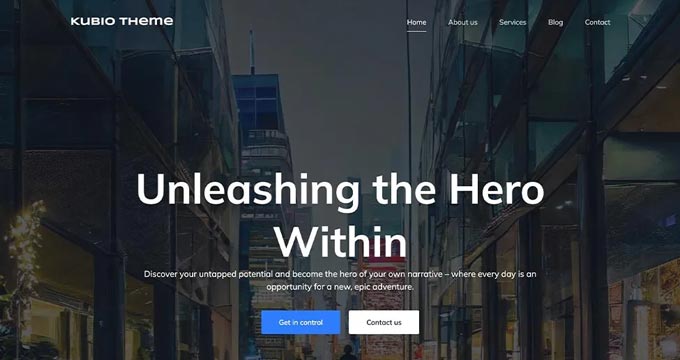
Your header is the top part of your site. Add your blog name and a logo if you have one. You can also add a menu. This helps people find things on your site. Make sure the header looks neat.
The footer is at the bottom of the page. You can add links or contact info here. Some people put social media links in the footer. Keep it simple and useful.
Credit: www.wpbeginner.com
Creating Static Homepage
First, go to the WordPress dashboard. Find the Settings option. Click on Reading. Here, you can set a static page for your homepage. Choose a page you want. Then, save your changes. This will make your homepage static.
Open the page editor for your static page. Look for the Page Attributes box. You will find it on the right side. Select Homepage from the template dropdown. This assigns the homepage template to your page. Save your changes. Your blog now has a new look. It is as simple as that!
Utilizing Shapely Widgets
Craft a captivating blog homepage using Shapely Widgets in WordPress. Arrange widgets to highlight your best content. Customize easily for an engaging reader experience.
Adding Parallax Sections
Parallax sections make your page look cool. They create a sense of depth. To add them, go to your dashboard. Choose the Shapely theme. Find the parallax widget. Drag it to your homepage. Add text or images. Make sure the images are high quality. Adjust settings to fit your style.
Incorporating Call-to-action
Call-to-Action buttons are important. They guide visitors to do something. You might want them to sign up. Or maybe you want them to buy. Add a widget for Call-to-Action. Customize the text. Make it clear. Use bright colors for the button. This helps it stand out. Place it where it is easy to see.
Integrating Client Logos
Client logos show trust. They tell visitors you are reliable. Add a widget for logos. Upload your logos. You might need to resize them. Arrange them neatly. Keep them in one line. This makes them look tidy. Visitors can see who trusts your brand. This builds confidence.
Credit: www.world-of-waterfalls.com
Enhancing With Plugins
Customize your blog homepage using the Shapely theme in WordPress. Enhance it with plugins for added features. This approach helps create an engaging and functional page.
Seo Optimization Tools
Boost your blog’s visibility with SEO plugins. These tools help you find the right keywords. You can track your blog’s performance. Make sure your blog is easy to find on search engines. Yoast SEO is a popular choice. It guides you step by step. It helps you optimize your content. Use simple words and phrases. Keep sentences short and clear. This makes your blog more readable.
Social Media Integration
Connecting your blog to social media is important. Plugins can help share your posts easily. Your readers can click to share on Facebook or Twitter. This increases your blog’s reach. Social media buttons make sharing easy. They should be visible and easy to use. This encourages more interaction. It helps your blog grow and reach new audiences.
Performance Enhancement
Speed matters. Use plugins to improve blog performance. Slow sites lose visitors quickly. Faster blogs keep readers happy. Cache plugins reduce load times. They store parts of your site. This makes it load faster next time. Optimize images for better speed. Smaller images load quicker. Fast blogs keep users engaged. They improve overall experience.
Testing And Launching
Crafting your blog homepage with the Shapely theme in WordPress involves testing layout elements thoroughly. Launching requires ensuring responsiveness across devices and optimizing loading speed for a seamless user experience.
Cross-device Compatibility
Ensure your blog looks great on all devices. Test it on phones, tablets, and computers. This helps you spot any design flaws. Check buttons and links to make sure they work. A good-looking site on all screens keeps readers happy.
Checking Load Speed
Fast loading is crucial for your site. Use tools like Google PageSpeed Insights. Slow sites lose visitors. Compress images and reduce plugins. This speeds up your site. A quick site improves user experience.
Launching Live Site
Before going live, double-check all settings. Make sure your blog is ready. Backup your site to avoid data loss. Once ready, publish your site for the world to see. A smooth launch brings more traffic and engagement.
Credit: blog.1byte.com
Frequently Asked Questions
How Do I Customize Shapely Theme Homepage?
To customize the Shapely theme homepage, navigate to Appearance > Customize in WordPress. Use the WordPress Customizer to modify sections, add widgets, and change colors. You can also use the page builder plugins compatible with Shapely to add more features and design elements to your homepage.
Can I Add Widgets To Shapely Homepage?
Yes, Shapely supports widgets on the homepage. Go to Appearance > Widgets in WordPress. Drag and drop the desired widgets into the Shapely homepage sections. Customize each widget’s settings to fit your design and content needs. Widgets enhance functionality and improve user engagement on your blog.
How To Optimize Shapely Homepage For Seo?
Optimizing your Shapely homepage for SEO involves using SEO plugins like Yoast. Ensure your homepage content includes relevant keywords. Optimize images with alt text and compress them for faster loading. Use descriptive meta tags and a clean URL structure. Regularly update content to keep it fresh and relevant.
Is Shapely Theme Mobile-friendly?
Yes, Shapely is a responsive theme designed to be mobile-friendly. It automatically adjusts the layout for different devices. You can test the mobile view in WordPress Customizer. Ensuring your site looks good on mobile devices improves user experience and helps with SEO rankings.
Conclusion
Creating your blog homepage with the Shapely theme is straightforward. Follow simple steps to customize your page. Shapely offers flexible options for layout and design. Enhance your blog’s appearance with ease. Engage your audience through thoughtful design choices. Keep your focus on simplicity and clarity.
Use widgets to add functionality and style. Test your homepage to ensure it meets your needs. With Shapely, building a homepage becomes easy. Enjoy crafting a space that reflects your vision. Your blog homepage is ready to impress visitors.


