
Are you looking to grow your WordPress site’s audience and keep your visitors coming back? Adding a subscribe option to your WordPress site is one of the smartest ways to do that.
Imagine turning casual readers into loyal followers who never miss your updates. In this post, you’ll discover simple, step-by-step methods to add a subscribe button that fits your site perfectly. Ready to boost your engagement and build a stronger connection with your audience?
Keep reading—you’re just moments away from making your site more powerful and user-friendly.
Benefits Of Adding Subscribe Feature
Adding a subscribe feature to your WordPress site offers many advantages. It helps build a loyal audience and keeps visitors coming back. Visitors can easily receive updates and new content directly. This feature supports ongoing communication between you and your readers. Below are key benefits of adding a subscribe option.
Increase Audience Engagement
Subscribers are more likely to interact with your content. They receive notifications about new posts or offers. This keeps them interested and active on your site. Engaged visitors often leave comments and share your content. This interaction creates a stronger community around your blog.
Grow Your Email List
Collecting subscriber emails builds a valuable list. This list allows direct communication without relying on social media. You can send newsletters, promotions, or updates easily. A bigger email list means more chances to reach readers. It is a powerful tool for marketing and growth.
Enhance Content Reach
Subscribers help spread your content further. They often share posts with friends or on social platforms. This increases your blog’s visibility beyond regular visitors. More shares lead to new visitors and potential subscribers. The subscribe feature helps your content reach a wider audience.
Credit: www.hostpapa.com
Choosing The Right Subscription Method
Choosing the right subscription method for your WordPress site is important. It helps you grow your audience and keep readers updated. Different methods fit different needs and skill levels. Understanding the options helps you pick the best one for your site.
Built-in WordPress Options
WordPress offers basic subscription features by default. You can enable email subscriptions through the Jetpack plugin, which is made by WordPress.com. This option is simple and quick to set up. It lets visitors subscribe to your posts by email. No coding is needed. The downside is limited customization and control over subscriber data.
Using Plugins
Plugins provide more features and flexibility. Popular plugins like MailPoet or Subscribe2 offer easy subscription forms. They let you design forms, manage lists, and send newsletters directly from WordPress. Some plugins support automation and analytics. Choose plugins with good reviews and regular updates. Plugins add functionality without complex coding.
Third-party Services
Third-party services like Mailchimp or ConvertKit handle subscriptions outside WordPress. They offer advanced features like automation, tracking, and detailed reports. These services provide customizable sign-up forms and email templates. They usually require connecting via API or embedding forms. This method suits sites needing powerful marketing tools. It may involve monthly fees depending on subscriber count.
Setting Up WordPress Subscribe Button
Adding a subscribe button to your WordPress site helps you grow your audience. Visitors can easily sign up for updates and newsletters. Setting up this button is simple and requires just a few steps. This guide shows you how to add and customize a WordPress subscribe button.
Using Jetpack For Subscriptions
Jetpack is a popular plugin that includes subscription features. First, install and activate Jetpack on your WordPress site. Connect it to your WordPress.com account to access all features. Then, enable the “Subscriptions” module in Jetpack settings.
After activation, add the subscription widget to your sidebar or footer. This widget lets visitors enter their email to subscribe. Jetpack handles email delivery and subscriber management automatically.
Installing And Configuring Plugins
You can also use other plugins designed for subscriptions. Go to your WordPress dashboard and click on “Plugins” > “Add New.” Search for terms like “subscribe,” “newsletter,” or “email list.” Choose a plugin with good ratings and recent updates.
Install and activate the plugin. Follow its setup instructions to connect with your email marketing service. Configure subscription settings like confirmation emails and welcome messages. Test the form to ensure it works properly before publishing.
Customizing Subscription Forms
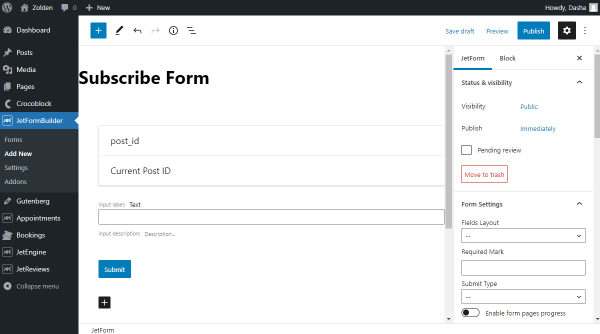
Subscription forms should match your website’s style. Most plugins let you change colors, fonts, and button text. Use simple labels like “Subscribe Now” or “Get Updates.” Avoid asking for too much information; name and email are enough.
Place the form where visitors can easily see it. Common spots include the sidebar, footer, or at the end of posts. A clean, clear form encourages more sign-ups and improves user experience.
Credit: jetformbuilder.com
Adding Subscribe Form To Your Site
Adding a subscribe form to your WordPress site helps grow your email list. It lets visitors sign up for updates or newsletters. The form should be easy to find and use. There are different ways to add subscribe forms. Choose the method that fits your site design and audience best.
Placing Forms In Widgets
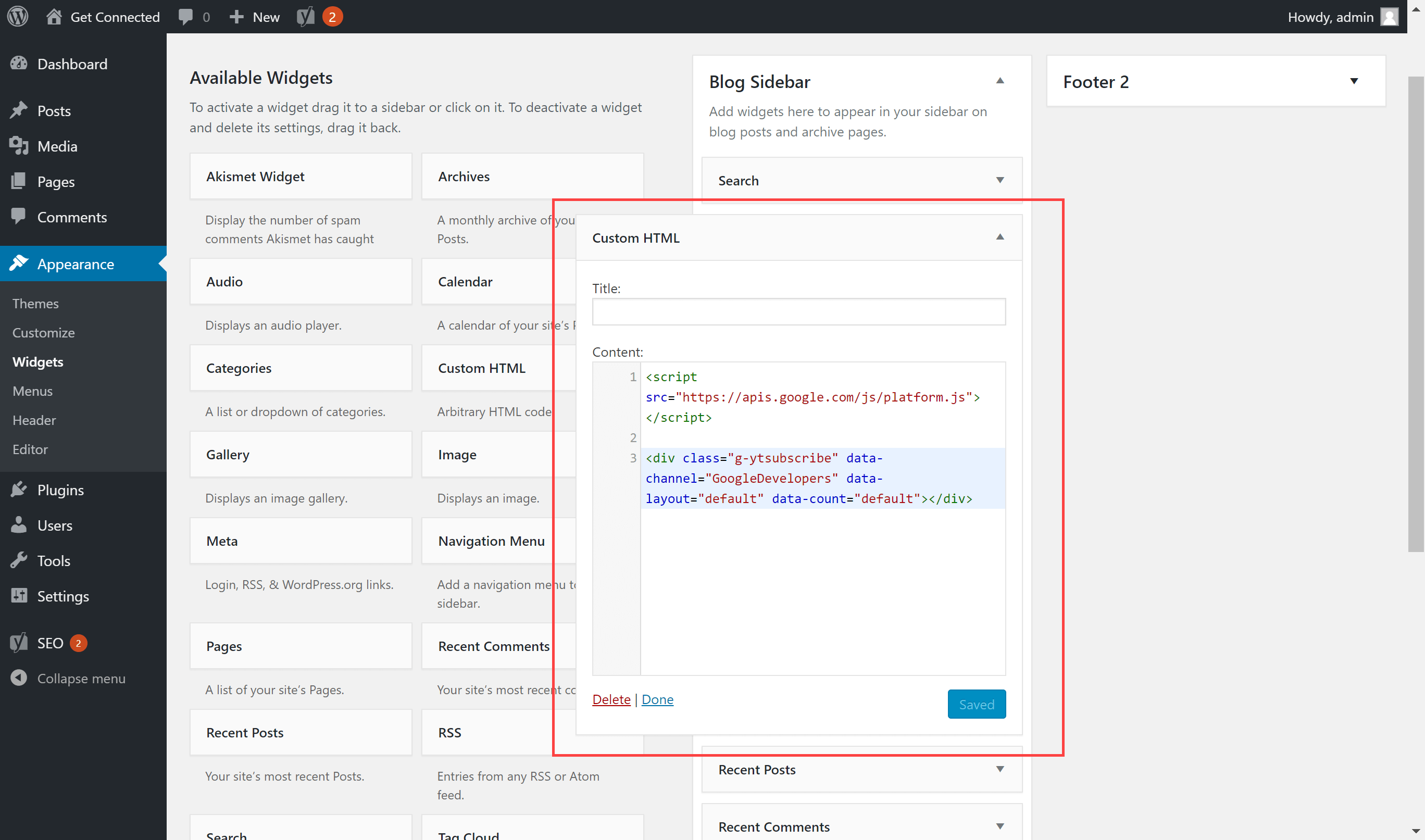
Widgets let you add subscribe forms to sidebars or footers. Most themes support widgets for easy placement. Go to Appearance > Widgets in your WordPress dashboard. Drag a subscribe form widget to your chosen area. Customize the title and fields to fit your needs. This method keeps the form visible on many pages.
Embedding Forms In Posts And Pages
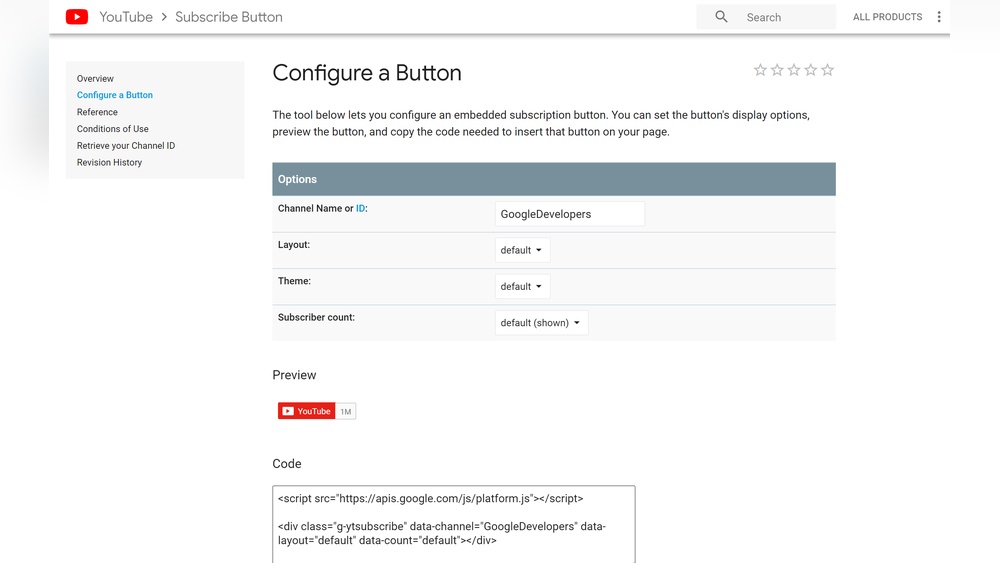
Embed subscribe forms directly inside posts or pages. Use a shortcode or block from your email service plugin. Place the form where it fits naturally within your content. This approach targets readers already interested in your topic. It can increase sign-ups by capturing attention at the right moment.
Using Pop-ups And Slide-ins
Pop-ups and slide-ins grab visitor attention quickly. They appear on screen after a delay or scroll trigger. Use plugins that support these features for easy setup. Design the form to be simple and clear. Avoid annoying your visitors with too many pop-ups. This method works well to boost subscriber numbers fast.
Optimizing Subscribe Forms For Better Conversion
Optimizing subscribe forms helps increase the number of people who sign up. Small changes can make a big difference in conversion rates. A well-designed form invites visitors to join your list without feeling forced. Clear design, strong calls-to-action, and mobile-friendly layouts improve user experience. These factors work together to turn visitors into subscribers.
Design Tips
Keep the form simple and clean. Use plenty of white space around fields. Limit the number of fields to just name and email. Use readable fonts and colors that match your site. Highlight the form with a border or background color. Place the form where visitors can easily see it, like the sidebar or end of posts.
Call-to-action Strategies
Use clear and direct language for your buttons. Phrases like “Subscribe Now” or “Join Free” work well. Make the button stand out with a bright color. Add a short benefit statement near the button. For example, “Get weekly tips straight to your inbox.” Test different texts to find what works best.
Mobile-friendly Forms
Many users visit sites on phones. Forms must load quickly and look good on small screens. Use responsive form plugins that adjust to any device. Make input fields large enough for easy typing. Avoid using too many fields on mobile. Test the form on multiple devices before publishing.
Managing And Engaging Your Subscribers
Managing and engaging your subscribers keeps your WordPress email list active. It builds trust and encourages readers to return. Good management ensures your messages reach the right people at the right time. Engagement helps create a loyal community around your blog or business.
Sending Welcome Emails
Welcome emails greet new subscribers warmly. They show appreciation and set expectations. A clear welcome message helps readers understand what you offer. Include a brief introduction and useful links. Keep the tone friendly and simple. This first email often shapes the subscriber’s opinion.
Regular Newsletter Tips
Send newsletters regularly to maintain contact. Consistency helps readers remember your brand. Share useful content and updates about your site. Use short paragraphs and clear headings for easy reading. Avoid too many sales pitches. Focus on value to keep subscribers interested.
Segmenting Your Audience
Segmenting divides your list into smaller groups. Each group gets content that fits their interests. This increases open rates and clicks. Use data like location, behavior, or preferences. Tailored messages feel personal and relevant. Segmentation helps avoid sending unwanted emails.
Troubleshooting Common Subscription Issues
Subscription issues can slow down your email list growth. Troubleshooting these problems helps keep your subscribers happy. Here are solutions to common issues you might face.
Form Not Showing
Check if the subscription form shortcode is correctly placed. Sometimes, a missing or wrong shortcode stops the form from appearing. Clear your site cache to see recent changes. Disable conflicting plugins that may block the form display. Also, verify the theme supports widgets or shortcodes used for the form.
Email Delivery Problems
Emails not reaching inboxes is a frequent issue. Use SMTP plugins to improve email delivery. Avoid free email services for sending newsletters. Check if your server IP is blacklisted and fix it fast. Test your subscription emails by sending to different email providers.
Spam And Compliance
Subscribers may mark emails as spam if content is unclear. Include clear unsubscribe links in every email. Follow GDPR and CAN-SPAM rules for consent and data handling. Avoid using all caps or excessive punctuation in emails. Keep your subscription form simple and honest to build trust.
Credit: wpmanageninja.com
Frequently Asked Questions
How Do I Add A Subscribe Button To WordPress?
To add a subscribe button, use a plugin like Mailchimp or Jetpack. Install and activate it, then customize the subscription form. Finally, add the form to your sidebar or posts using widgets or shortcodes.
What Are The Best Plugins For WordPress Subscriptions?
Popular plugins include Mailchimp for WordPress, Jetpack, and Newsletter. These plugins offer easy integration, customizable forms, and automated email services. Choose one based on your needs for design and email marketing features.
Can I Add A Subscribe Form Without Plugins?
Yes, you can add a subscribe form using custom HTML and CSS. Embed a form from email services like Mailchimp or ConvertKit directly into your site. This method requires basic coding knowledge but avoids extra plugins.
How Do I Customize My WordPress Subscribe Form?
Most subscription plugins allow you to change colors, fields, and messages. Use the plugin’s settings or form builder to match your site’s design. This improves user experience and encourages more subscriptions.
Conclusion
Adding a subscribe option to your WordPress site helps grow your audience. Visitors can easily sign up for updates and newsletters. This keeps them connected with your content. Simple steps make the process quick and clear. Your site becomes more interactive and user-friendly.
Regular subscribers mean more traffic and engagement. Keep your subscription form visible and easy to use. Start building a loyal community today with this small change.


