
Are you ready to start accepting payments on your WordPress website but don’t know where to begin? Adding a payment method might seem tricky, but with the right steps, you can set it up quickly and securely.
Imagine how much easier it will be for your visitors to buy from you when payments are smooth and hassle-free. In this guide, you’ll learn exactly how to add a payment method to your WordPress site, so you can turn visitors into paying customers with confidence.
Keep reading to discover simple, effective ways to make your website payment-ready today.

Credit: www.youtube.com
Choose A Payment Gateway
Choosing the right payment gateway is a key step for your WordPress website. It lets customers pay easily and safely. The right gateway fits your needs and keeps payments smooth. This section covers popular options and what to check before picking one.
Popular Payment Gateways
PayPal is one of the most known gateways worldwide. It supports many currencies and is easy to set up. Stripe is another top choice. It offers good features for online stores and mobile payments. Square works well for small businesses and in-person sales. Authorize.Net is good for those wanting advanced security. Each gateway has unique features and fees.
Factors To Consider
Check transaction fees for each payment. Some gateways charge a fixed fee plus a percentage. Think about the countries you want to sell in. Not all gateways support every country or currency. Look at the setup process and ease of use. A simple setup saves time and headaches. Security is very important. Choose a gateway that supports strong protection like SSL and fraud detection. Also, check if the gateway works well with your WordPress plugins.
Credit: directorist.com
Install Payment Plugins
Installing payment plugins is a key step to accept payments on your WordPress site. These plugins connect your site to payment gateways like PayPal or Stripe. They handle secure transactions smoothly. Choosing and installing the right plugin ensures a good user experience and safe payments.
Selecting The Right Plugin
Choose a plugin that fits your business needs. Check if it supports popular payment methods. Look for plugins with good ratings and regular updates. Make sure it works with your WordPress theme and other plugins. Simple setup is a plus, especially for beginners.
Plugin Installation Process
Go to your WordPress dashboard. Click on “Plugins” and then “Add New.” Search for the payment plugin by name. Click “Install Now” and wait for it to finish. After installation, click “Activate” to start using the plugin. Follow the setup guide to connect your payment accounts.
Configure Payment Settings
Configuring payment settings is a key step to accept payments on your WordPress site. This setup ensures smooth transactions and secure processing.
Correct configuration helps avoid payment errors and builds trust with customers. You control how payments work on your site.
Api Keys And Credentials
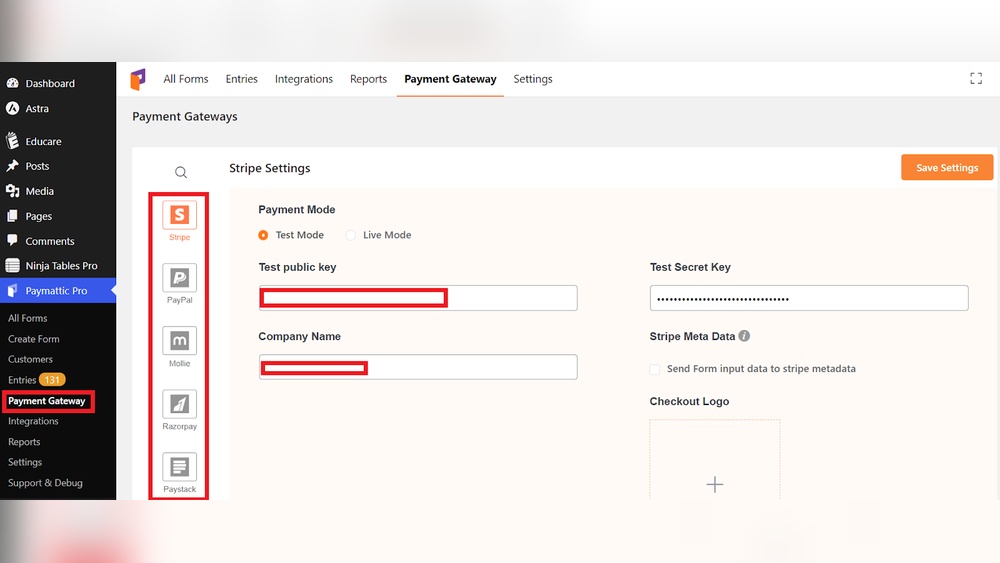
API keys connect your website to payment gateways. These keys verify your identity and allow transactions.
Get API keys from your payment provider’s dashboard. Copy and paste them into your WordPress payment plugin settings.
Keep your keys secret and do not share them publicly. Wrong keys stop payments or cause security risks.
Currency And Payment Options
Choose the currency your site will accept. Match it to your target customers’ location or business needs.
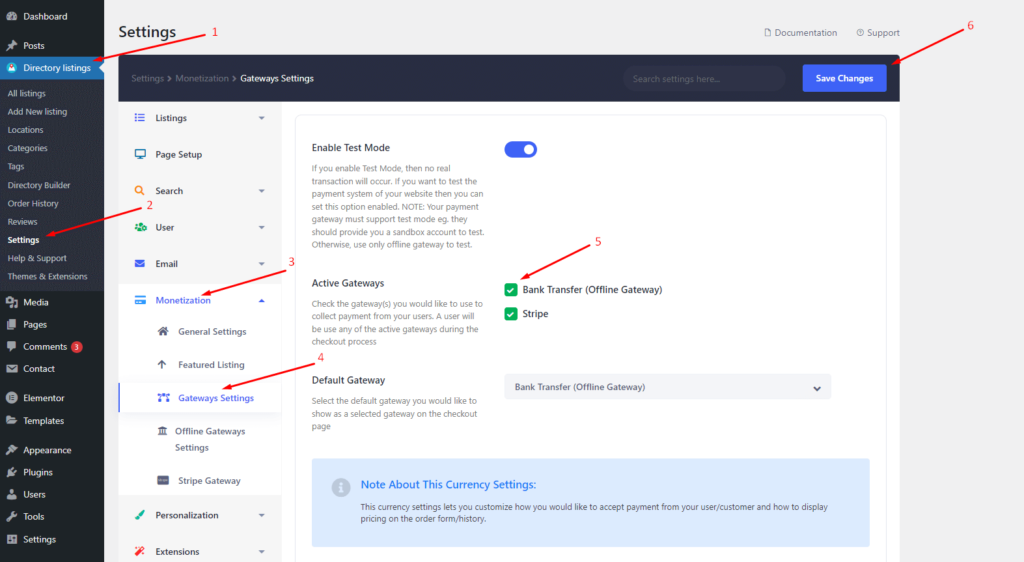
Set payment options like credit cards, PayPal, or bank transfers. Enable methods your customers prefer.
Check that your payment gateway supports your chosen currency and payment types. This avoids checkout problems.
Add Payment Method To Checkout
Adding a payment method to the checkout page is important for any WordPress website that sells products or services. It allows customers to pay easily and securely. This step helps improve user experience and can increase sales. The process involves selecting a payment gateway, setting it up, and making sure it works smoothly during checkout.
Customizing Checkout Page
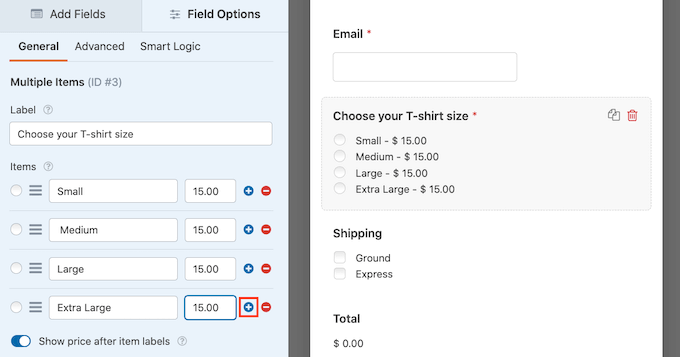
Customize the checkout page to match your website style. Change colors, fonts, and layout for a consistent look. Make sure the payment fields are clear and easy to fill out. Remove any unnecessary steps to keep the process simple. Show payment options clearly so customers can choose their preferred method.
Testing Payment Integration
Test the payment system before going live. Use test modes provided by payment gateways to avoid real charges. Check if payments are processed correctly and notifications work. Simulate different payment methods to find any issues. Fix errors quickly to ensure smooth checkout for customers.
Ensure Security Measures
Adding a payment method to your WordPress website requires strong security. Protecting your customers’ data builds trust and prevents theft. Without security, sensitive information can be stolen or misused. Follow safety steps to keep your site and buyers safe.
Ssl Certificates
SSL certificates encrypt data between your website and visitors. This stops hackers from reading or changing information. Most payment gateways require SSL to work properly. You can get SSL certificates from hosting providers or free services like Let’s Encrypt. Look for “https://” in your site URL, which shows SSL is active.
Secure Payment Practices
Use trusted payment gateways like PayPal or Stripe for transactions. These platforms handle security and protect card details. Avoid storing sensitive payment data on your site to reduce risk. Update your WordPress plugins and themes regularly to fix security flaws. Use strong passwords and two-factor authentication for admin access.
Troubleshoot Common Issues
Troubleshooting common issues helps keep your payment system working well. Problems can stop customers from paying. Fixing these issues fast keeps your sales steady.
Plugin Conflicts
Plugins can clash and cause errors in payments. Two plugins might try to do the same task. This can break the payment process.
Deactivate other plugins one by one to find the conflict. Check if payments work after each change. Update all plugins to the latest versions. This often solves many problems.
Look for error messages in your WordPress dashboard. They give clues about which plugin causes trouble. Use a staging site to test changes safely.
Payment Failures
Payment failures happen for many reasons. Incorrect API keys or expired credentials are common causes. Double-check your payment gateway settings.
Ensure your SSL certificate is active. Secure connections build trust and prevent failures. Test payments in sandbox mode to catch errors early.
Watch for limits on your payment processor account. Some accounts block large or unusual transactions. Contact your payment provider for support if needed.
Maintain And Update Payment Methods
Maintaining and updating payment methods on your WordPress website keeps transactions smooth and secure. Regular care helps avoid errors and downtime. It also improves customer trust by ensuring payment options work properly.
Regular Plugin Updates
Keep your payment plugins up to date. Developers fix bugs and add security patches in updates. Outdated plugins can cause payment failures or expose your site to risks. Always back up your website before updating. Test the payment process after updates to confirm everything works well.
Monitoring Transactions
Track all payment transactions regularly. Look for failed or suspicious payments. Detecting issues early helps you fix problems fast. Use your plugin’s dashboard or connect to payment gateways for detailed reports. Monitoring builds trust with customers and keeps your business running smoothly.
Credit: www.wpbeginner.com
Frequently Asked Questions
How Do I Add A Payment Method To WordPress?
To add a payment method, install a payment gateway plugin like WooCommerce or Stripe. Configure the plugin with your account details and enable the payment options.
Which Payment Gateways Work Best With WordPress?
Popular gateways include PayPal, Stripe, Square, and Authorize. net. They offer secure transactions and easy integration with WordPress plugins.
Can I Add Multiple Payment Methods On WordPress?
Yes, WordPress plugins like WooCommerce allow multiple payment methods. You can enable options like credit cards, PayPal, and bank transfers simultaneously.
Is Adding Payment Methods To WordPress Secure?
Yes, if you use reputable plugins and SSL certificates. Always keep plugins updated to protect customer data and ensure secure transactions.
Conclusion
Adding a payment method to your WordPress site is simple and fast. Choose the right plugin that fits your needs. Follow clear steps to set it up without trouble. Test the payment system to ensure it works well. Secure your site to protect customer information.
Keep your payment options updated for smooth transactions. This helps your visitors buy with confidence. A good payment method improves your website’s trust and sales. Start today and make your site ready to accept payments easily.


