
Are you looking to give your WordPress site a fresh, vibrant look? Adding a custom color scheme can transform your theme from ordinary to extraordinary.
Whether you’re aiming to reflect your brand’s personality or simply want a visual makeover, tweaking your color palette is the key. Imagine your website captivating visitors at first glance, with colors that create an emotional connection and enhance user experience.
In this guide, you’ll discover simple steps to infuse your WordPress theme with the perfect color scheme. Ready to make your site stand out and engage your audience like never before? Let’s dive into the world of colors and creativity!
Credit: www.cssigniter.com
Choosing The Right Color Palette
Colors can make us feel different things. Red is exciting. Blue is calm. Yellow is happy. Picking the right colors can help users feel good. It can also make your site look nice. Choose colors that match the mood you want. Think about how these colors make people feel.
Your brand has special colors. Use them on your site. This keeps everything looking the same. It helps people know your brand. Consistency is key. Users will remember your brand colors. They will think of your brand when they see them.
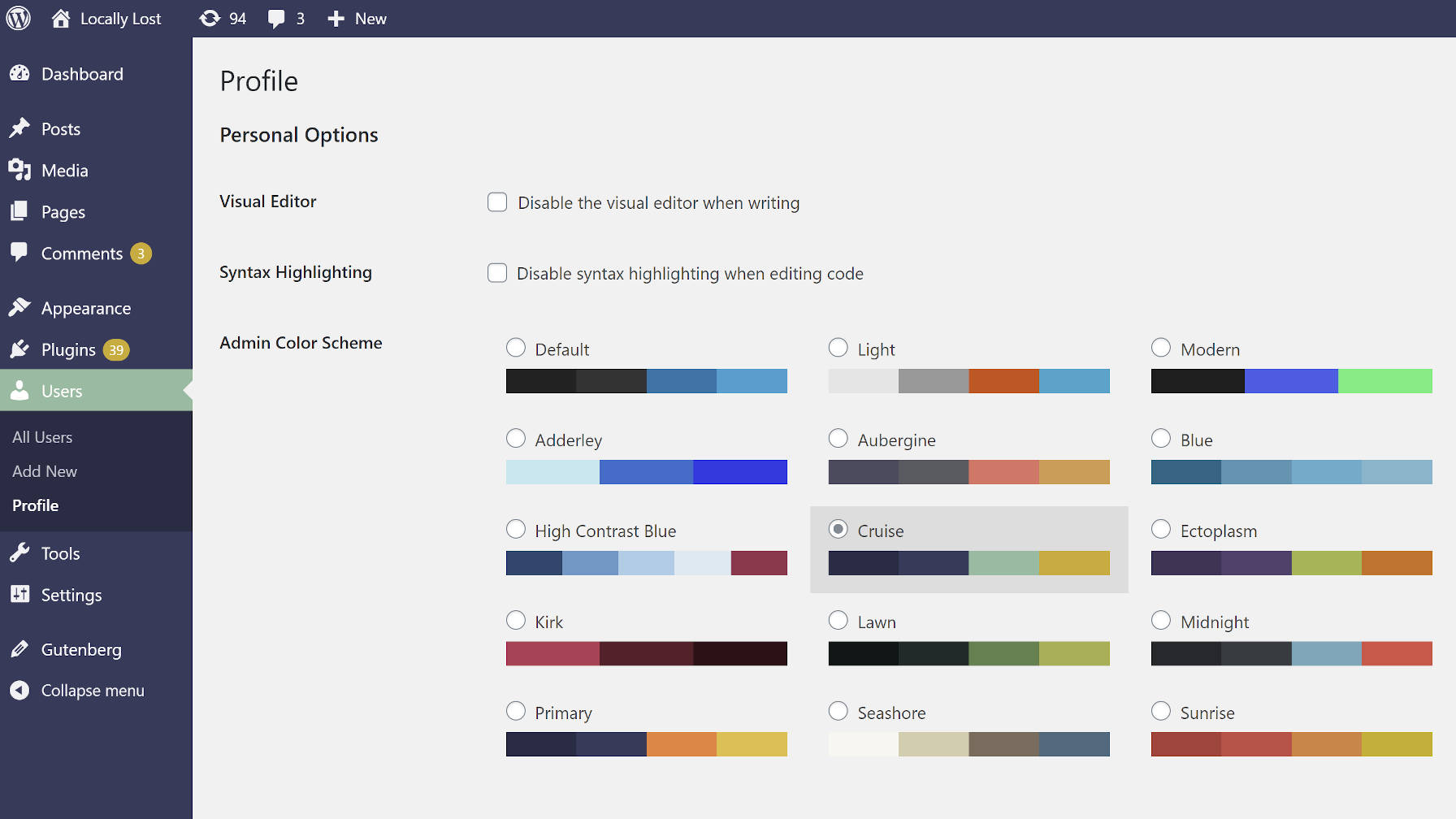
Colors should make reading easy. Contrast is important. Light text on a dark background works well. The opposite is true too. Don’t use too many colors. It can confuse users. Keep it simple. Make sure buttons stand out. They should be easy to find. This helps users navigate your site better.
Credit: wptavern.com
Tools For Color Scheme Creation
Online color generators help create beautiful color schemes. They are easy to use. Just choose your favorite colors. The generator will mix them for you. You can see many color combinations. This helps in finding the perfect colors for your theme. Explore different options and create unique palettes.
Adobe Color is a powerful tool for designers. It offers many features for color creation. Users can create, save, and share color schemes. Adobe Color supports various color rules. This includes complementary and analogous colors. Users can also explore themes created by others. This gives inspiration for your projects.
Canva is known for its user-friendly interface. It offers a color palette generator. Users can create palettes from images. This is great for matching colors in photos. Canva also suggests colors that work well together. Experiment with different shades and tones. Create a cohesive look for your WordPress theme.
Implementing Color Scheme In WordPress
The Theme Customizer is easy to use. Find it in the WordPress dashboard. Choose the Colors option. Select your preferred colors. Save changes to see them live. This tool is user-friendly. No coding needed. Adjust colors for text, background, and links. Experiment with different shades. Make your site unique.
CSS changes your site’s look. Access CSS files through the WordPress dashboard. Use the Appearance menu, then select Editor. Add or change color codes in the CSS file. Save changes to update your site. Be careful, wrong code can cause issues. Always back up your files first. Practice makes perfect.
A Child Theme protects your changes. It lets you edit without affecting the main theme. Create a new folder in the theme directory. Add a style.css file. Link it to the parent theme. Add your color changes here. Update the child theme, not the parent. This keeps your site safe.
Utilizing Plugins For Color Management
Many plugins help with color schemes in WordPress. Some are easy to use. These plugins let you choose colors. They can change how your site looks. People love Color Scheme Designer. It’s simple and fun. Another is Color Manager. This one is very popular.
Advanced plugins give more features. You can try Color Palettes. It helps you save favorite colors. This is great for future use. Plugins make changing colors easy. They help your site look nice.
Install the plugin first. Find it in your dashboard. Click on the plugin’s name. Open the settings menu. You can see many options. Choose your favorite colors. Save them for later. Look at color previews. This helps you decide. Change things if you like. Make your site special and unique.
Testing And Refining Your Color Scheme
Conducting user feedback sessions is vital. Gather a small group of users. Ask them about the color scheme. Listen to their thoughts and ideas. Their feedback can guide improvements. A simple survey can do wonders. It helps you understand user preferences.
Analyzing website analytics provides insights. Look at user behavior data. Check the bounce rate and time spent on pages. Identify patterns and trends. This analysis can reveal if colors affect engagement. Adjust the scheme based on findings.
Making necessary adjustments is crucial. Use feedback and analytics to tweak colors. Small changes can have big impacts. Test different shades and combinations. Ensure colors fit your brand message. Keep revisiting your scheme for best results.
Credit: www.hongkiat.com
Maintaining Consistency Across Pages
A consistent color scheme creates a unified look on your website. This helps visitors feel comfortable. They can easily navigate your site. Choose colors that match your brand. Use these colors on every page. This builds trust with your audience. Consistency is key.
Ensuring Uniformity In Design
Use the same color palette everywhere. This keeps your design uniform. It’s important for user experience. Visitors expect a smooth transition. From one page to another. So, ensure all pages follow the same style. This includes headers, footers, and buttons.
Updating Color Scheme For New Content
New content should match the existing color scheme. This ensures visual harmony. Before adding new content, check the current colors. Update the colors of new sections. Make sure they blend well. This creates a seamless experience for users.
Frequently Asked Questions
How Do I Add A Color Palette In WordPress?
Go to the WordPress dashboard, navigate to Appearance > Customize. Select Colors, then add your desired palette. Save changes to apply.
How Do I Add A Layout To My WordPress Theme?
To add a layout to your WordPress theme, access your theme’s files via the WordPress dashboard. Go to Appearance > Theme Editor. Edit your theme’s template files by adding or modifying HTML, CSS, or PHP code. Save changes and preview your layout.
Always back up your theme before editing.
How Can You Create A Custom Color Scheme?
Open a design tool or software. Choose your base color. Use color theory to select complementary colors. Adjust shades and tints for balance. Save your custom palette for future use.
How Do I Add A Color Block In WordPress?
To add a color block in WordPress, use the Gutenberg editor. Click “Add Block,” select “Group” or “Cover,” then choose “Color Settings” to pick your desired color. Save your changes and preview to ensure it appears as intended.
Conclusion
Creating a unique color scheme enhances your WordPress site’s appeal. It reflects your brand and improves user experience. Colors can make your website feel welcoming or professional. So, select shades that align with your theme and message. Use WordPress tools to apply your chosen colors easily.
Experiment and adjust until satisfied with the result. Remember, a consistent color scheme helps in building trust and recognition. It’s a simple yet effective way to elevate your site’s design. Now, go ahead and transform your WordPress theme with vibrant colors.
Your audience will surely notice and appreciate it.


