
Have you ever wondered how WordPress plugins actually work to make your website more powerful? If you want to add new features or improve your site’s performance without needing to code, understanding plugins is key.
You’ll discover exactly what plugins do behind the scenes and how they fit into your WordPress site. By the end, you’ll feel confident about choosing and using plugins to get the most out of your website. Keep reading—your WordPress skills are about to level up!
WordPress Plugins Basics
Plugins are small software pieces that add new features to WordPress. They help customize websites without coding. Users can pick plugins to fit their site needs. This makes WordPress flexible and powerful for all types of websites.
Understanding how plugins work helps you choose the right ones. It also helps keep your site safe and fast. Let’s explore the basics of WordPress plugins to get a clear idea.
What Are Plugins
Plugins are codes that extend WordPress functions. They add new tools or change existing features. For example, a plugin can add a contact form or improve SEO. Each plugin works inside your WordPress site. You install it and activate it in the admin area.
Plugins do not change WordPress core files. They work separately but interact with the site smoothly. This way, you can add or remove features anytime without breaking the site.
Role In WordPress Ecosystem
Plugins play a vital role in the WordPress world. They allow users to create unique websites. From blogs to online stores, plugins make many features possible. Developers build thousands of plugins for different tasks.
WordPress itself stays simple and clean. Plugins add complexity only when needed. This keeps WordPress fast and easy to use. The ecosystem grows because plugins support many needs and ideas.
Plugin Installation Process
The plugin installation process is simple and key to expanding WordPress features. Plugins add new tools and options to your website. They enhance functionality without changing the core code. Installing plugins takes only a few steps. It helps customize your site exactly how you want.
Finding Plugins
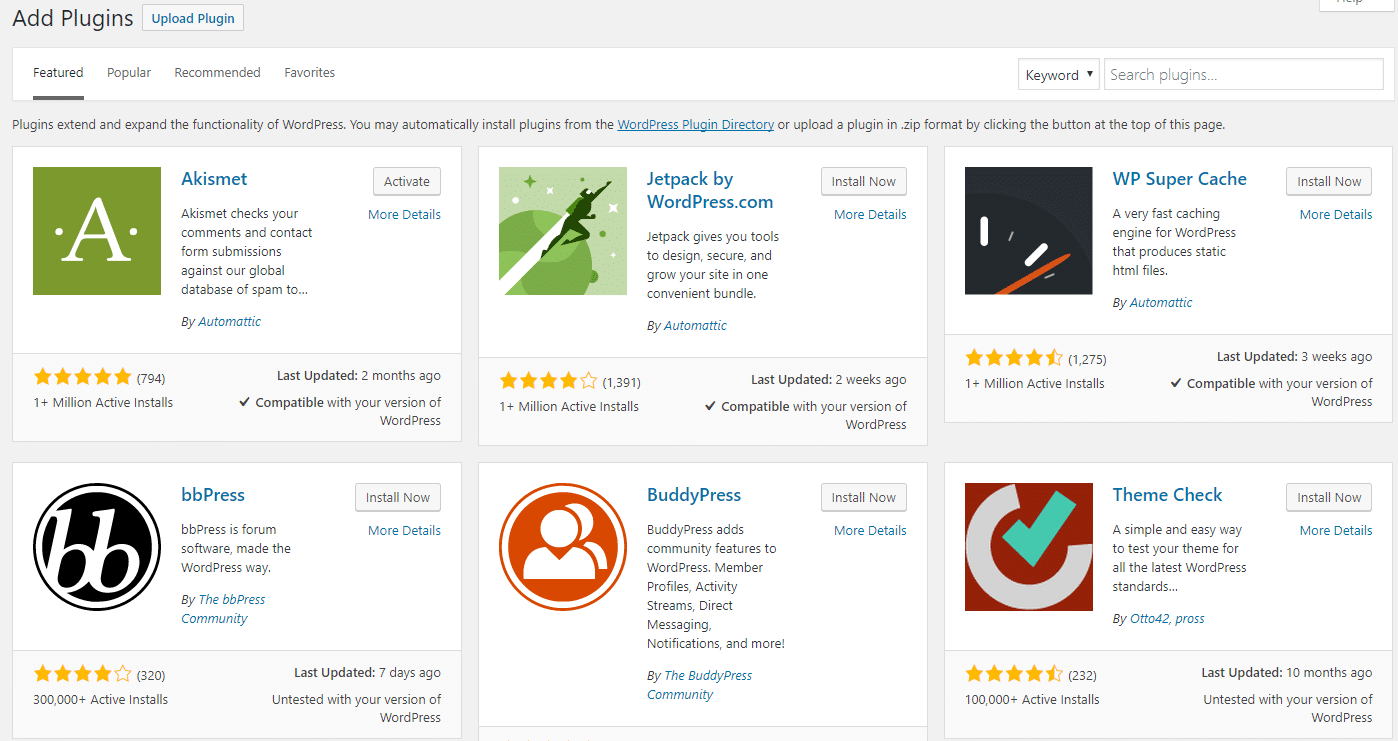
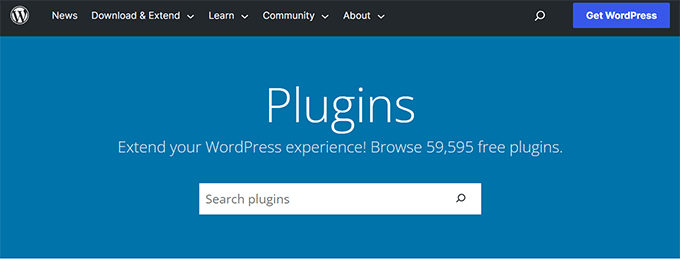
Start by searching the WordPress Plugin Directory. It has thousands of free plugins. Use keywords related to the feature you need. Check the plugin’s ratings and reviews. Look at the number of active installations. This shows how popular and trusted the plugin is. Also, check the last update date. Fresh updates mean the plugin is well maintained.
Installing And Activating
After choosing a plugin, click “Install Now.” WordPress downloads and installs the plugin automatically. Once installed, click “Activate” to start using it. Activation turns on the plugin features on your site. Some plugins may ask for setup after activation. Follow the instructions to configure settings. Your new tools are ready to improve your website’s performance.
How Plugins Interact With WordPress
Plugins interact with WordPress by connecting to its core system. They add new features or change existing ones without altering the main code. This keeps WordPress flexible and easy to update. Plugins communicate with WordPress using specific methods. These methods control how and when plugins run their code.
Hooks And Filters
Hooks let plugins insert their code at specific points. WordPress provides two types: actions and filters. Actions let plugins add extra tasks during WordPress processes. Filters let plugins change data before it is shown or saved. This system allows plugins to modify WordPress behavior safely. Developers use hooks to customize themes, admin pages, and more.
Plugin Api Usage
The Plugin API offers functions to manage hooks easily. It helps plugins register their actions and filters. This API also manages plugin settings and data storage. Using the API ensures plugins work smoothly with WordPress updates. It keeps plugins organized and reduces conflicts between them. Proper API use makes plugins reliable and secure.
Credit: kinsta.com
Common Plugin Features
Plugins add new features to WordPress sites. They help improve how your website works without coding. Common plugin features make websites easier to use and more powerful. These features focus on adding useful tools and allowing changes to fit your needs.
Enhancing Functionality
Plugins bring extra tools to your website. They add contact forms, sliders, SEO tools, and security features. These tools help your site do more tasks. They improve user experience and site performance. Plugins also enable social media sharing and analytics tracking.
Customization Options
Plugins offer many ways to change your site’s look and feel. You can adjust colors, fonts, and layouts easily. Some plugins provide templates or drag-and-drop builders. These options help make your site unique. Customization lets you match your brand style and user needs.
Security And Performance
Security and performance are key factors for any WordPress site using plugins. Plugins add features but can also bring risks. Poorly coded plugins may slow down your site or expose it to attacks. Managing these issues keeps your website safe and fast for visitors.
Managing Plugin Risks
Always choose plugins from trusted sources. Check ratings and reviews before installing. Keep plugins updated to fix security bugs. Delete plugins that you no longer use. Use security plugins to scan for vulnerabilities. Regular backups help recover your site after problems.
Optimizing Plugin Speed
Limit the number of active plugins to reduce load. Use lightweight plugins designed for speed. Test your site speed after installing new plugins. Avoid plugins that load many scripts or large files. Combine caching plugins with content delivery networks. Fast sites improve user experience and search rankings.
Popular Plugin Examples
Plugins add new features to WordPress sites. They help customize and improve your website without coding. Some plugins are very popular because they serve common needs. Below are examples of popular plugin types that many WordPress users install.
Seo Plugins
SEO plugins help improve your site’s visibility on search engines. They guide you to write better content and optimize keywords. These plugins also create sitemaps and control meta tags. Many beginners use SEO plugins to boost their site traffic.
E-commerce Plugins
E-commerce plugins turn a WordPress site into an online store. They manage products, payments, and shipping options. These plugins make selling online easy and safe. Users can add shopping carts and payment gateways fast.
Security Plugins
Security plugins protect your website from hackers and malware. They scan for threats and block suspicious activity. These plugins also back up data and monitor site health. Keeping your site safe is simple with good security plugins.
Tips For Choosing Plugins
Choosing the right plugins is key for a smooth WordPress site. Plugins add features but can also slow your site. Careful selection helps keep your site fast and secure.
Focus on quality, compatibility, and user feedback. These tips guide you to pick plugins that work well and fit your needs.
Evaluating Ratings And Reviews
Ratings show how well a plugin works for others. Higher ratings usually mean better quality. Read reviews to see user experiences. Look for recent comments to check ongoing support. Beware of plugins with many negative reviews or no updates.
Checking Compatibility
Ensure the plugin matches your WordPress version. Incompatible plugins can cause errors or crashes. Check if the plugin supports your current theme and other plugins. Look for updates from the developer to maintain compatibility. Always test new plugins on a staging site first.
Credit: www.wpbeginner.com
Credit: www.wpbeginner.com
Frequently Asked Questions
What Are WordPress Plugins And How Do They Work?
WordPress plugins are add-ons that extend website functionality. They work by integrating with WordPress core code, adding features without altering the core system. Plugins activate specific tasks like SEO, security, or design, enhancing your website’s performance and user experience effortlessly.
How Do Plugins Affect WordPress Website Speed?
Plugins can impact website speed depending on their quality and number. Well-coded plugins optimize tasks efficiently, while too many or poorly made plugins may slow down loading times. Regularly update and choose lightweight plugins to maintain fast site performance.
Can Plugins Cause Security Issues On WordPress?
Yes, outdated or poorly coded plugins can create security vulnerabilities. Always use trusted plugins from official sources, update them regularly, and delete unused ones to minimize risks and protect your WordPress site from potential threats.
How Do I Install And Activate WordPress Plugins?
To install plugins, go to your WordPress dashboard, click “Plugins,” then “Add New. ” Search for a plugin, click “Install Now,” and then “Activate. ” This process adds new features and functionalities to your website quickly and easily.
Conclusion
Plugins add features and tools to your WordPress site. They work by connecting with your website’s core system. Each plugin serves a specific purpose, like improving design or adding security. You can find many free and paid plugins online. Installing and activating a plugin takes just a few clicks.
Always choose trusted plugins to keep your site safe. Regular updates help plugins run smoothly and fix bugs. Understanding how plugins work helps you customize your site easily. Experiment with plugins to find what fits your needs best.


