

Are you thinking about building a website but worried that WordPress might be too hard to use? You’re not alone.
Many people wonder if they need special skills or a tech background to get started. The good news is, WordPress was designed to be user-friendly, but like any tool, it has its challenges. You’ll discover exactly how difficult WordPress really is, what to expect when you start, and simple tips to make your experience smoother.
By the end, you’ll feel more confident about whether WordPress is the right choice for your website. Keep reading to find out!
Ease Of Setup
Setting up WordPress is often easier than many expect. The platform is designed to be user-friendly, even for beginners. This section breaks down the setup process into clear steps. Understanding each step helps reduce any initial confusion.
Choosing A Hosting Provider
Your hosting provider stores your website online. Many hosts offer specialized WordPress plans. These plans make setup faster and simpler. Look for hosts with good support and easy WordPress installation tools. Budget and reliability are important factors to consider.
Installing WordPress
Most hosts provide one-click WordPress installation. This means you do not have to do it manually. The process usually takes a few minutes. After installation, WordPress is ready for use. Some hosts also offer automatic updates for security and features.
Initial Configuration
After installation, configure basic settings like site title and language. Choose a theme to control your site’s look. Install essential plugins for added features. WordPress has a simple dashboard for managing all settings. This setup phase is quick and straightforward.

Credit: mhthemes.com
User Interface Experience
The user interface experience shapes how easily someone can use WordPress. It affects how fast you learn and how smoothly you work. WordPress aims to be friendly, but some parts may feel tricky at first. Understanding the design helps you feel more confident.
Dashboard Layout
The dashboard is the first screen you see after logging in. It shows important information and tools in one place. Widgets give quick access to site stats, updates, and recent posts. The layout is simple but can feel crowded for beginners. You can customize the dashboard by adding or removing widgets.
Navigating Menus
Menus are on the left side of the screen. They help you move between posts, pages, media, and settings. The menu items have clear names, making it easier to find what you need. Some submenus appear after clicking, which might confuse new users. Still, the structure stays consistent across different parts of the site.
Using The Gutenberg Editor
The Gutenberg editor uses blocks to build pages and posts. Each block holds a different type of content, like text, images, or videos. This block system offers more control but takes time to get used to. You can move blocks, change styles, and add new blocks easily. The editor shows a live preview, so you see changes right away.
Customization Options
WordPress offers many ways to change and shape your website. Customization options let you create a site that fits your style and needs. You can change colors, layouts, fonts, and add new features. This makes WordPress flexible for beginners and experts alike.
Understanding the main customization tools helps you see how easy or hard WordPress can be. The options include themes, plugins, widgets, and menus. Each one plays a role in building your website’s look and function.
Themes And Templates
Themes control the overall design of your site. They change colors, fonts, and layout with just a few clicks. Many free and paid themes are available. Some themes are simple, while others offer many settings to tweak. Beginners can use basic themes to keep things easy. Advanced users can pick themes with more options to customize deeply.
Plugins And Their Impact
Plugins add extra features to your website. You can install plugins for contact forms, SEO, security, and more. There are thousands of plugins available. Some are easy to use, while others need more setup. Plugins can slow your site if you use too many. Choosing the right plugins helps keep your site fast and secure.
Widgets And Menus
Widgets let you add small blocks of content to sidebars and footers. They show things like recent posts, search bars, or calendars. Menus help visitors navigate your site. You can create custom menus with links to pages, posts, or categories. Both widgets and menus are simple to set up with drag-and-drop tools. They help make your site user-friendly and organized.

Credit: www.wpbeginner.com
Content Creation Process
The content creation process in WordPress is designed to be simple and user-friendly. It helps you publish blog posts and pages quickly. WordPress offers tools that guide you step-by-step. Even beginners find it easy to start writing and sharing content.
Writing And Formatting Posts
WordPress uses a block editor that breaks content into sections. Each block can be text, images, or other media. Writing is straightforward, like using a word processor. You can change font size, style, and color easily. Formatting options help make your posts clear and attractive. Lists, quotes, and headings are simple to add.
Adding Media
Adding images and videos is simple in WordPress. You upload files directly from your computer. The media library stores all your files for easy access. You can insert media into posts with a few clicks. WordPress also lets you resize and align images. This keeps your content visually appealing and organized.
Managing Pages
Pages are different from posts but easy to manage. You create pages for your website’s main sections. Editing pages uses the same block editor as posts. You can add text, images, and other content blocks. WordPress lets you organize pages in menus. This helps visitors navigate your site smoothly.
Learning Curve For Beginners
Starting with WordPress can feel challenging. The platform has many features. Beginners may find it hard to know where to begin. Understanding the basics takes time and effort. The learning curve varies from person to person.
Some tasks are simple, like writing a post. Others, like customizing themes, need more skill. Knowing what to focus on helps reduce frustration. Learning step-by-step makes the process smoother. Patience is key for new users.
Common Challenges
Beginners often struggle with technical terms. Understanding plugins and themes can be confusing. Setting up a website structure takes practice. Managing updates and backups may seem complex. Some find the dashboard overwhelming at first. Mistakes happen, but they help learning.
Available Tutorials And Resources
Many tutorials explain WordPress basics clearly. Videos, blogs, and guides cover different topics. Step-by-step instructions help beginners follow along. Free and paid resources fit various budgets. Using these materials speeds up learning. Practice with tutorials builds confidence.
Community Support
WordPress has a large, active community. Forums and groups offer advice and answers. Users share tips and solutions freely. Help is available for beginners daily. Community support reduces the feeling of isolation. It encourages trying new things without fear.
Technical Aspects
Understanding the technical aspects of WordPress is key to knowing how hard it is to use. WordPress offers many features that need some basic technical knowledge. These include security, SEO, backups, and updates. Each area has its own challenges. Knowing what to expect helps you use WordPress better.
Security Basics
WordPress needs strong security to protect your site. You must use strong passwords and limit user access. Installing security plugins helps block attacks. Regular scans find vulnerabilities early. Security settings require some learning but are essential for safety.
Seo Features
WordPress has built-in tools to improve SEO. You can add titles, descriptions, and keywords easily. SEO plugins guide you on best practices. Optimizing images and links boosts your site’s ranking. Some SEO terms may be new, but plugins simplify the process.
Backup And Updates
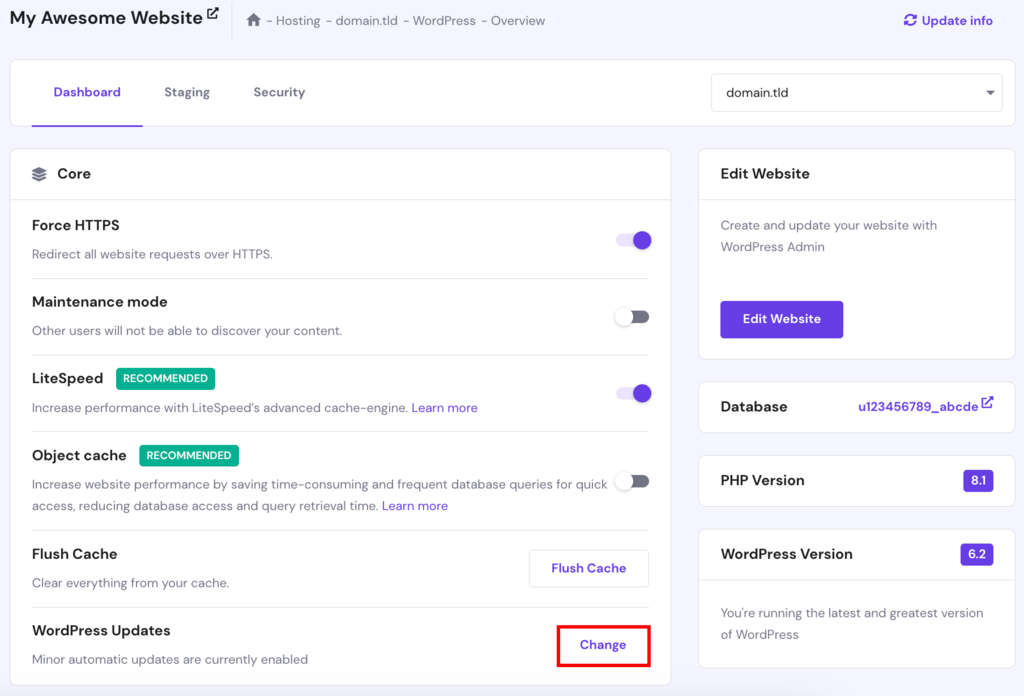
Backing up your site prevents data loss. WordPress allows manual or automatic backups. Updates fix bugs and improve security. You need to update WordPress, themes, and plugins often. Skipping updates can cause problems. These tasks need attention but are not hard once routine.
Comparing WordPress With Alternatives
Choosing the right platform for your website is important. WordPress is popular, but other options exist. This section compares WordPress with some common alternatives. You will see how easy they are to use, how much control they offer, and the costs involved.
Ease Of Use Comparison
WordPress offers a user-friendly interface. Beginners may need time to learn its features. Platforms like Wix and Squarespace have drag-and-drop builders. These builders simplify website creation. They are easier for absolute beginners. WordPress needs some setup and learning. But it becomes easier with practice.
Flexibility And Control
WordPress gives full control over website design and functions. You can add many plugins and themes. This makes customization very flexible. Alternatives like Wix limit customization options. They provide fewer features and less control. WordPress suits users who want more control. Others prefer simple setups with fewer choices.
Cost Considerations
WordPress itself is free to use. You pay for hosting and premium themes or plugins. Wix and Squarespace include hosting in their plans. They charge monthly fees for all services. WordPress can be cheaper or costly. It depends on your website needs. Alternatives have predictable, fixed costs.
Credit: www.hostinger.com
Frequently Asked Questions
Is WordPress Beginner-friendly For New Users?
Yes, WordPress is beginner-friendly with its intuitive dashboard. It offers easy content management and many tutorials to guide new users.
How Much Technical Skill Is Needed For WordPress?
Basic technical skills help, but no coding is required. Users can install themes and plugins easily without advanced knowledge.
Can I Customize WordPress Without Coding Experience?
Absolutely, WordPress allows extensive customization using themes and plugins. Drag-and-drop builders make designing your site simple and code-free.
What Makes WordPress Easier Or Harder To Use?
Ease depends on familiarity with web tools and goals. Simple blogs are easy; complex e-commerce sites may require more learning.
Conclusion
WordPress offers a user-friendly way to build websites. Beginners may face some challenges at first. Learning basic features takes a little time. Many helpful tutorials and guides exist online. With practice, using WordPress feels easier and faster. It allows users to create sites without deep coding skills.
The platform suits both simple blogs and complex sites. Patience and small steps lead to success. WordPress remains a popular choice for many website creators. Give it a try and see how it fits your needs.


