

Are you wondering if WordPress really needs a database to work? If you’ve ever set up a website or thought about starting one, this question might have popped into your mind.
Understanding how WordPress manages your content behind the scenes can save you time, money, and frustration. You’ll discover why a database is key to your site’s performance and what happens if it’s missing. Keep reading, and you’ll get clear answers that make managing your WordPress site easier than ever.
WordPress And Databases
WordPress is a popular tool for building websites. It uses a database to store important information. This database works behind the scenes to keep everything running smoothly. Without it, WordPress cannot save or show content on your site.
The database holds all the data your site needs. It helps WordPress load pages fast and organize content clearly. Understanding how WordPress uses databases helps you manage your site better.
Role Of Databases In WordPress
The database stores and manages site content. It keeps posts, pages, and comments safe. Every time you add or edit something, the database updates the information.
WordPress uses the database to deliver content quickly. It connects your site to the stored data. This connection lets visitors see fresh content instantly. The database also helps manage users and settings.
Types Of Data Stored
The database stores many types of data. It keeps text like posts and page content. It also saves user information and passwords safely.
Settings for themes and plugins are stored here too. Comments from visitors are kept in the database. Even links and categories are saved for easy access.
All this data is organized in tables. This helps WordPress find and show the right content fast. The database is the backbone of your WordPress site.

Credit: blogvault.net
How WordPress Uses Databases
WordPress depends heavily on databases to work properly. The database stores all vital information. It keeps the website running smoothly and helps manage content, users, and settings.
Understanding how WordPress uses databases shows why they are essential. The database holds the core data that powers the website’s features. Let’s explore the main ways WordPress interacts with its database.
Content Management
WordPress saves posts, pages, and comments in the database. Every article or blog post is stored as data. This allows users to edit, delete, or publish content easily. The database also tracks revisions and drafts. It keeps the website content organized and accessible.
User Information
The database stores user details like usernames and passwords. It manages user roles and permissions. This helps control who can access the site and what they can do. User profiles, email addresses, and settings are all saved securely.
Plugin And Theme Settings
Plugins and themes add features to WordPress. Their settings and data are saved in the database too. This allows customization without changing code. The database keeps these settings safe and loads them when needed. It ensures the website looks and works as intended.
Database Options For WordPress
WordPress needs a database to store all its content and settings. The choice of database affects site speed, security, and scalability. Various options exist to fit different needs and hosting environments. Understanding these options helps you make better decisions for your website.
Mysql And Mariadb
MySQL is the most common database for WordPress. It is reliable and well supported by hosting providers. WordPress uses MySQL to save posts, users, and settings.
MariaDB is a popular alternative to MySQL. It is open-source and designed to be faster. Many hosts now use MariaDB instead of MySQL. WordPress works well with both databases.
Alternative Database Solutions
Some developers use other databases like PostgreSQL. WordPress does not officially support these options. Special plugins or custom setups are needed to work with them.
Using alternative databases may require technical skills. They can offer unique features but may lack broad support. Consider your site’s needs before choosing non-standard databases.

Credit: www.reddit.com
What Happens Without A Database
WordPress relies heavily on a database to store and manage content. Without a database, WordPress cannot save posts, pages, or user information. The platform loses its dynamic nature and cannot create new content on the fly. This absence causes major changes in how the site functions.
Limitations And Challenges
Without a database, WordPress becomes a static system. Content must be manually updated in files. This slows down the publishing process and requires technical skills. User interaction, such as comments or logins, stops working. Site management becomes harder and less flexible. Many plugins and themes need a database to work properly. The site loses many core features and becomes less useful.
Static Site Alternatives
Static sites store content directly in files, not a database. They load faster and need less server power. These sites suit small blogs or simple portfolios. Some tools convert WordPress sites into static pages. Static sites do not support dynamic features like user accounts or real-time updates. They offer a simpler, more secure approach but with limited functionality.
Managing WordPress Databases
Managing WordPress databases is key to keeping your website fast and safe. The database stores all your posts, pages, settings, and user information. It works behind the scenes to make your site run smoothly. Regular care of your database helps avoid crashes and data loss.
Cleaning and organizing the database improves site speed. Protecting your data stops hackers from stealing information. Both tasks need simple steps anyone can follow.
Backup And Security
Backing up your WordPress database is very important. It copies your data so you can restore it if something breaks. Use plugins or your web host’s tools to save backups regularly. Store backups in a safe place, not just on your website server.
Security protects your database from attacks. Use strong passwords and change them often. Limit database access only to trusted users. Keep WordPress and plugins updated to fix security holes.
Optimization Techniques
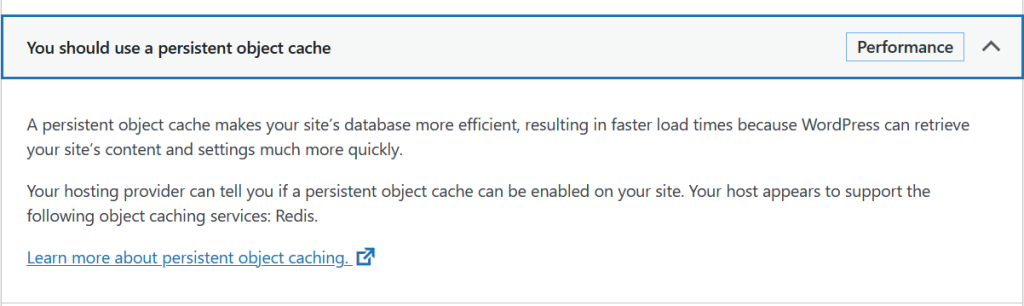
Optimizing your database keeps it fast and tidy. Remove unused data like old post revisions and spam comments. Use plugins that clean and optimize tables automatically. Check for errors and fix them regularly.
Smaller and well-organized databases load faster. This makes your website better for visitors and improves search rankings.
Credit: wordify.com
When To Consider Database-free Solutions
Choosing a website setup depends on your needs. Some sites do not need a database. These are called database-free or static sites. They serve content that does not change often.
Database-free solutions work well for simple websites. They offer speed and ease of use. It is important to know when these solutions fit your project.
Use Cases For Static Sites
Static sites work best for small projects. Examples include portfolios, brochures, and event pages. These sites show fixed content that rarely updates. Static sites load very fast. They also need less server resources. Security risks are lower without a database. Maintenance is easier with fewer components. Static sites can be a smart choice for basic needs.
Pros And Cons Compared To WordPress
Static sites load quicker than WordPress sites. They avoid database queries, reducing server load. Static sites need less technical upkeep. They are safer from hacking attempts. But WordPress offers more flexibility. It supports dynamic content and user interaction. WordPress has a large plugin ecosystem. Static sites lack easy content management. Editing requires more technical skills. WordPress suits growing sites with complex needs. Choose static sites for simple, fast projects.
Frequently Asked Questions
Does WordPress Require A Database To Function?
Yes, WordPress needs a database to store content, settings, and user information. It uses MySQL or MariaDB for this purpose.
What Type Of Database Does WordPress Use?
WordPress primarily uses MySQL or MariaDB databases to manage its data efficiently and reliably.
Can WordPress Work Without A Database?
No, WordPress cannot operate without a database as it stores all essential data there.
How Does The Database Affect WordPress Performance?
The database impacts site speed and stability by managing data queries and storage efficiently.
Conclusion
WordPress relies on a database to store content and settings. Without a database, the site cannot save posts or user information. The database keeps everything organized and easy to access. This makes WordPress flexible and powerful for many websites. Understanding this helps you see why a database is needed.
It is a key part of how WordPress works every day. So, using WordPress means working with a database behind the scenes. Simple as that.


