
Are you struggling to make your WordPress blog reflect your unique style and vision? Controlling what your blog displays is crucial to grabbing your readers’ attention and keeping them engaged.
Imagine landing on a blog page and being instantly captivated by its content. Now, think about how you can create that mesmerizing experience for your own audience. By tailoring what your WordPress blog displays, you can shape the narrative and guide your readers exactly where you want them to go.
Ready to uncover the secrets that will transform your blog into a compelling and personalized space? Dive into this article to discover how you can take full control and make your blog truly yours.
Customizing The Homepage
Static pages stay the same. Dynamic pages change often. Static pages are good for information. Dynamic pages are good for news. Blogs often use dynamic pages. Some blogs use static pages. Static pages can show important content. Choose what fits your blog best.
Featured content is special. It catches the eye. It draws visitors in. Choose the best stories. Pick the best images. Make them stand out. Highlight your top posts. Use clear titles. Use vibrant images. Ensure easy navigation. Keep things simple.
Managing Posts And Pages
Categories and tags help your readers find posts. Use categories for big topics. Tags are for small details. Readers can see all posts in a category or tag. Keep categories simple. Too many confuse people. Tags should be specific. Only add tags that fit the post. This makes your blog easy to navigate.
Page attributes help manage how pages look. Choose a parent page for better organization. This groups pages under one main page. Select a template to change the style. Templates give different looks to pages. Order lets you arrange pages. This decides which page shows first.
Widgets And Sidebars
Widgets make your blog look nice. They add helpful features. You can find widgets in the WordPress dashboard. Click on the Appearance tab. Then, click on Widgets. Drag a widget to your sidebar. This adds the widget to your blog. Want to remove a widget? Just drag it back. It’s simple and quick. Experiment with different widgets. Find the ones that fit your blog best.
Sidebars hold your widgets. They are on the side of your blog. Changing the layout is easy. Go to the Appearance section. Click on Customize. Choose Widgets. Select a sidebar to change. Drag widgets to rearrange them. You can add or remove as needed. Make your sidebar neat and tidy. A clean sidebar helps readers. It makes your blog look better.
Menus And Navigation
Custom menus help users find pages. First, go to your WordPress dashboard. Click on Appearance, then Menus. Next, create a new menu. Give it a simple name. Add pages, posts, and links to it. Just drag and drop them. Organize them to your liking. Save the menu when done.
Menu locations decide where menus show up. WordPress themes have different spots. Go back to the Menus section. Look for Menu Settings. Here, assign your custom menu. Choose the right location, like header or footer. Save the changes. Check your blog to see the updates. Make sure everything looks right.
Theme Customization
Change the look of your blog with theme settings. You can pick colors, fonts, and layouts. Find settings in the WordPress dashboard. Click on “Appearance” and then “Customize.” Explore each option to see changes live. Make sure to save your changes.
Custom CSS lets you tweak your blog style. It changes your site without altering theme files. Add CSS by going to “Appearance” then “Customize.” Find the “Additional CSS” section. Write your code there and see instant changes. Use simple CSS to keep things easy. Remember, a little change can make a big difference.
Credit: wcanvas.com
Plugins For Display Control
Many plugins help to change how a blog looks. Elementor is very popular. It lets you drag and drop items. This makes changes easy. WPBakery is another good choice. It offers a lot of themes and styles. Beaver Builder gives many options. It is simple and quick to use.
Plugin Installation And Management
Installing plugins is easy with WordPress. Find the plugin in the WordPress store. Click on the install button. Then click activate. Managing plugins is simple too. Go to the plugin page. You can update or delete them from here. Keep plugins updated for best performance. Too many plugins can slow your site. Choose only the plugins you need.
Seo And Content Visibility
Search engines love fresh and relevant content. To make your blog visible, ensure your content is optimized for search engines. Use keywords naturally throughout your text. Keywords help search engines understand your topic. But don’t overuse them. This can hurt your ranking. Write in a way that is easy to read. Short sentences are better. Use simple words and clear language.
Search engines use robots to find your content. Make sure these robots can read your site. Use meta tags and alt text for images. These help search engines understand your content. Keep your URLs simple and descriptive. This helps users and search engines. Always keep your audience in mind. Write for them, not just for search engines. Quality content is key.
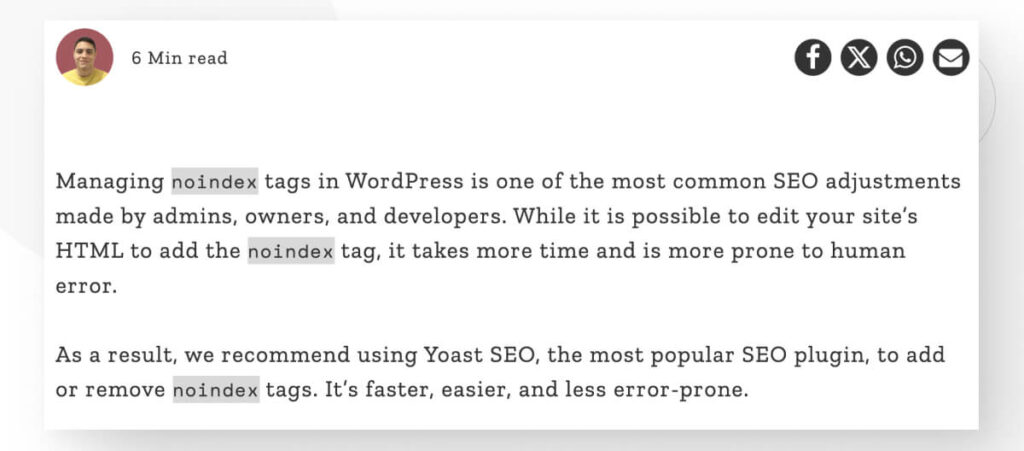
Sometimes, you may not want all pages indexed. You can control this with a robots.txt file. This file tells search engines which pages to skip. Use it wisely. Too many restrictions can hide important content. Also, use the noindex tag for specific pages. This tag helps manage what is shown in search results. Always review your settings. Make sure they match your needs.

Credit: www.bluehost.com
User Roles And Permissions
WordPress lets you control who does what on your blog. You can assign different roles to users. Each role has its own set of capabilities. For instance, an administrator can do everything. An editor can publish and manage posts. Authors can write and publish their own posts. Subscribers can only read content. Choose roles wisely. It helps in managing your blog better.
You can control who sees what on your blog. Some posts can be public. Anyone can read them. Other posts might be private or password-protected. Only certain users can see them. This feature is useful for exclusive content. You can also use plugins to manage content access. This keeps your blog organized and secure.
Credit: loficoder.medium.com
Frequently Asked Questions
How Do I Customize My WordPress Homepage?
To customize your WordPress homepage, navigate to the Customizer. Select “Homepage Settings” to choose a static page or latest posts. You can also use themes and plugins for more design options. Ensure changes are saved and previewed before publishing.
Can I Control Post Visibility In WordPress?
Yes, WordPress allows you to control post visibility. You can set posts to public, private, or password-protected. Simply go to the post editor, find the “Visibility” option, and make your selection. This ensures content is visible only to intended audiences.
How To Change WordPress Menu Items?
To change WordPress menu items, go to “Appearance” then “Menus” in your dashboard. From there, you can add, remove, or rearrange menu items easily. Don’t forget to save your changes to update the menu on your site.
What Plugins Help Manage WordPress Content?
Several plugins can help manage content on WordPress. Popular options include Yoast SEO for optimizing content, Jetpack for performance, and Elementor for design. These plugins enhance functionality and make content management efficient.
Conclusion
Mastering your WordPress blog display enhances user experience significantly. Simplicity in design attracts more visitors. Customization options let you reflect your brand. Choose themes and plugins wisely. Consistency maintains reader interest and trust. Engage your audience with relevant content. Regular updates keep your blog fresh and inviting.
A well-organized layout guides readers smoothly. Take control of your blog’s appearance today. Enjoy the process and see the results. Happy blogging!


