
Are you wondering if WordPress Premium lets you use plugins to boost your website? You’re not alone.
Plugins are powerful tools that can add new features and make your site stand out. But not all WordPress plans treat plugins the same way. If you want to know exactly what you can do with WordPress Premium and how it affects your website’s potential, keep reading.
This guide will clear up the confusion and help you make the best choice for your site.
Credit: teamupdraft.com
WordPress Premium Plan Features
The WordPress Premium plan offers a mix of tools and features for bloggers and small businesses. It provides more options than the free plan but still limits some advanced functions. This plan suits users who want a professional site without complex setup or high costs.
Core Benefits
The Premium plan gives access to custom themes and design tools. It includes removal of WordPress ads, creating a cleaner site look. Users can also monetize their website using ads and get basic Google Analytics support. Support via live chat and email comes with the plan.
Storage And Bandwidth
Users get 13 GB of storage space for media and files. This is enough for most blogs and small websites. Bandwidth is unlimited, so sites can handle many visitors without extra charges. Fast site loading is ensured through WordPress’s global network.
Customization Options
The plan allows some design changes like custom CSS and fonts. Users can personalize their site’s appearance easily. However, installing third-party plugins is not allowed. Only built-in WordPress features and themes are available for use.
Credit: www.elegantthemes.com
Plugin Support On WordPress Premium
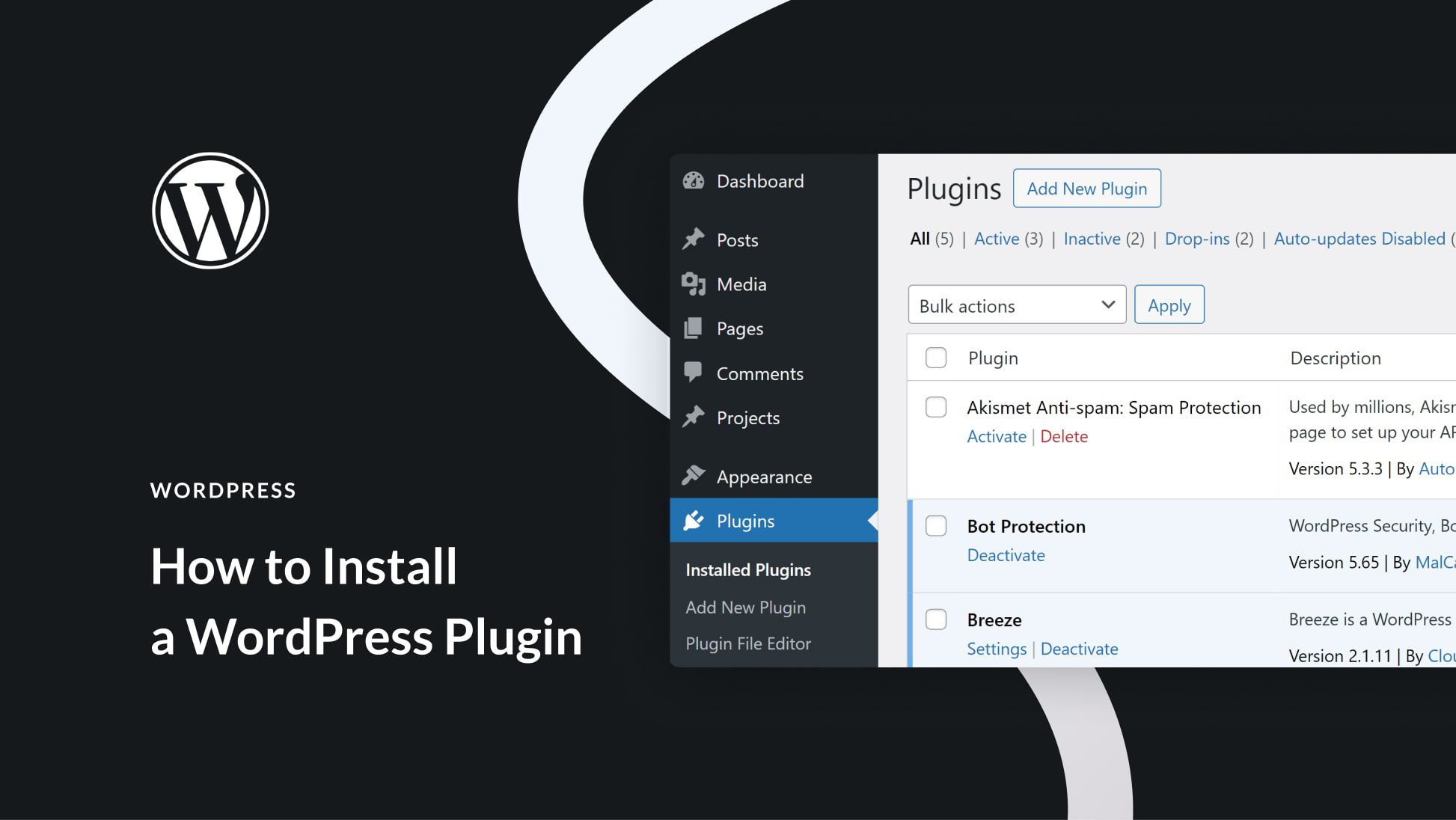
WordPress Premium offers a range of features to help you build a strong website. Understanding its plugin support is important. Plugins add extra functions to your site. Knowing what you can and cannot do with plugins on WordPress Premium helps set clear expectations.
Plugin Installation Restrictions
WordPress Premium does not allow users to install custom plugins. This means you cannot upload plugins from outside sources. The platform keeps plugin options limited to maintain security and performance. Users must work within these boundaries when adding new features.
Available Built-in Plugins
WordPress Premium includes several built-in plugins. These are ready to use and cover common needs like SEO, social sharing, and backups. These plugins are tested and maintained by WordPress. They help improve your site without extra installations.
Third-party Plugin Limitations
Third-party plugins are not supported on WordPress Premium. This limits choices for advanced customization. Users cannot add plugins from external developers or marketplaces. This restriction keeps your site simple but less flexible.
Comparing WordPress Plans
Choosing the right WordPress plan matters for your website’s features and tools. Each plan offers different options, especially for plugins. Plugins add functions like contact forms, SEO tools, and security features. Understanding the differences helps you pick the best fit.
Free Vs Premium
The Free WordPress plan does not allow plugins. You get basic features and limited customization. The Premium plan offers more design options and extra storage. Still, it does not support third-party plugins. You can use built-in tools only.
Business And Ecommerce Plans
Business and eCommerce plans support plugins fully. You can install any plugin from the WordPress directory or third-party sources. These plans also provide advanced tools for SEO, marketing, and online stores. They suit users who need more control and functionality.
Which Plan Supports Plugins Fully?
Only Business and eCommerce plans support full plugin use. Free and Premium plans restrict plugin installation. Choosing Business or eCommerce plans allows you to customize your site deeply. This is essential for growing websites needing specific features.
Alternatives For Plugin Usage
WordPress Premium does not allow the installation of third-party plugins. This can limit some website features. Still, there are ways to add functionality without plugins. These alternatives can help improve your site.
Upgrading To Higher Plans
Higher WordPress plans, like Business or eCommerce, support plugins. Upgrading lets you install many useful tools. These plans offer more control over your website’s features. Consider upgrading if you need specific plugins.
Using Custom Code
Custom code can replace some plugin functions. Adding HTML, CSS, or JavaScript can enhance your site. This method needs basic coding skills. It works well for small changes and simple features.
Third-party Platforms
Some external platforms can add features to your site. For example, embed forms or social media widgets. These tools do not require plugin installation. They help extend your website’s capabilities easily.
Impact Of Plugin Restrictions
Plugin restrictions on WordPress Premium plans affect many parts of your website. These limits change how you can build and manage your site. Understanding their impact helps you decide if the plan fits your needs.
Site Functionality
Plugins add features that improve your site. Without them, your options shrink. You cannot install custom plugins to create unique functions. This limits tools for SEO, contact forms, and e-commerce. The site may not meet all your goals.
Performance Considerations
Plugins can slow down your site if overused. But they also help optimize speed and caching. On WordPress Premium, fewer plugins mean less risk of conflicts. This can lead to more stable and faster page loads. Still, missing key plugins may reduce overall performance.
Security Implications
Security plugins protect your site from threats. Limited plugin access means fewer security options. You rely more on WordPress’s built-in security features. This might not cover all risks, especially for complex sites. Careful monitoring becomes essential to keep your site safe.
Tips For Managing WordPress Premium Sites
Managing a WordPress Premium site can be simple with the right approach. Use built-in tools wisely and keep your site fast and secure. This section shares key tips for smooth site management and better performance.
Maximizing Built-in Features
WordPress Premium offers many built-in features. Use the customizer to change your site’s look easily. Explore the SEO tools to improve your site’s search ranking. Use the analytics feature to track visitor behavior. These tools help you manage your site without extra plugins.
Choosing Compatible Plugins
WordPress Premium allows a limited set of plugins. Pick plugins that work well with your theme and WordPress version. Avoid plugins that slow down your site or cause errors. Check reviews and ratings before installing any plugin. Use only plugins that add real value to your site.
Maintaining Site Speed
Site speed matters for visitors and search engines. Use caching features available in WordPress Premium. Optimize images before uploading them to your site. Limit the number of plugins to reduce load time. Regularly check your site’s speed using online tools. Fast sites keep visitors happy and improve rankings.
Credit: www.seedprod.com
Frequently Asked Questions
Does WordPress Premium Support Third-party Plugins?
No, WordPress Premium does not allow third-party plugins. It only supports built-in features and customizations provided by WordPress. com. To install plugins, you need a Business or higher plan.
Can I Install Custom Plugins On WordPress Premium?
No, custom plugin installation is not allowed on WordPress Premium. This feature is available starting with the WordPress Business plan and above.
What Are The Plugin Options For WordPress Premium Users?
WordPress Premium users can only use built-in WordPress. com features. They cannot upload or activate external plugins, limiting advanced customization options.
How To Get Plugin Support On WordPress.com Plans?
To access plugin support, upgrade to the Business or eCommerce plan. These plans allow installing and managing third-party plugins freely.
Conclusion
WordPress Premium does not allow third-party plugins. You can only use built-in features and tools. This limits customization compared to higher plans. For full plugin access, consider WordPress Business or higher. Choosing the right plan depends on your website needs.
Understanding these limits helps avoid surprises later. Plugins add extra functions and improve your site. Without plugins, you work with what WordPress offers. Think about what features your site requires most. This way, you pick the best plan for your goals.


