
Have you ever typed “My Host.Domain.Name” and wondered what it really means? If you’re trying to understand how websites work or where your favorite sites live online, this phrase holds the key.
Knowing what “My Host. Domain. Name” stands for can help you take control of your online presence, improve your website’s performance, and even boost your business. Keep reading, because by the end of this article, you’ll see your website—and the internet—in a whole new way.
Credit: www.boldgrid.com
Host.domain.name Basics
The term Host.Domain.Name is essential in understanding how the internet works. It helps identify computers and services on a network. This section breaks down the basics clearly and simply.
Knowing these basics helps you grasp website addresses and network setups better. It also improves your ability to troubleshoot internet issues.
What Host.domain.name Means
Host.Domain.Name is a way to name devices on the internet. The “Host” part refers to a specific machine or device. The “Domain.Name” points to the network or website it belongs to.
For example, in “mail.example.com”, “mail” is the host, and “example.com” is the domain name. This structure helps direct internet traffic correctly.
Common Uses Of Hostnames
Hostnames identify servers, computers, and devices on a network. They allow users to connect to specific services like websites or email servers. Hostnames make it easier to find and manage devices.
For instance, “ftp.example.com” might be used for file transfers, while “www.example.com” points to a website. Hostnames organize internet resources clearly.
Differences Between Hostname And Domain
A hostname is a single device name within a network. A domain name covers a larger area, like a whole website or organization. The hostname is part of the domain name.
Domains group many hosts under one name. Hostnames specify exact devices in that group. This difference helps manage and navigate the internet easily.
Components Of Hostnames
Hostnames are the names used to identify computers or devices on the internet. They help users find websites easily instead of using long numbers called IP addresses. A hostname has different parts. Each part has a special role and meaning. Understanding these parts helps you know how internet addresses are built and work.
Subdomains Explained
Subdomains are the smaller parts that come before the main domain name. They help organize and separate different sections of a website. For example, in blog.example.com, “blog” is the subdomain. It shows a specific area of the site. Subdomains can make websites easier to navigate.
Top-level Domains (tlds)
The top-level domain is the last part of a hostname. It appears after the final dot. Examples include .com, .org, and .net. TLDs often show the type of website or its location. For example, .edu is for education, and .uk is for the United Kingdom. They help classify websites on the internet.
Second-level Domains
The second-level domain is the part right before the TLD. It often represents the name of the website or company. In example.com, “example” is the second-level domain. This part is unique and helps identify the website. It is the main name people remember when visiting a site.
How Hostnames Work
Hostnames are simple names assigned to devices on a network. They help identify computers, servers, and other devices. Instead of using long numbers, hostnames make it easier to find and connect to devices. Understanding how hostnames work helps you grasp how the internet and networks function.
Role In Network Communication
Hostnames act as labels for devices on a network. They allow users to recognize computers without memorizing IP numbers. When you enter a hostname, the network knows where to send your data. This system makes communication smooth and clear.
Dns And Hostname Resolution
DNS stands for Domain Name System. It changes hostnames into IP addresses. This process is called hostname resolution. DNS servers store many hostnames and their matching IPs. They help your device find the correct address quickly and easily.
Ip Address Association
Every hostname links to an IP address. The IP address is a unique number for each device. It shows the device’s location on the internet or local network. Without this link, data cannot reach the right place. The association keeps network traffic organized and efficient.
Credit: forum.virtualmin.com
Types Of Hosts
Hosts are computers or devices that provide services to other computers on a network. Different types of hosts serve different purposes. Each host type helps to run specific tasks and functions on the internet or local networks.
Web Servers
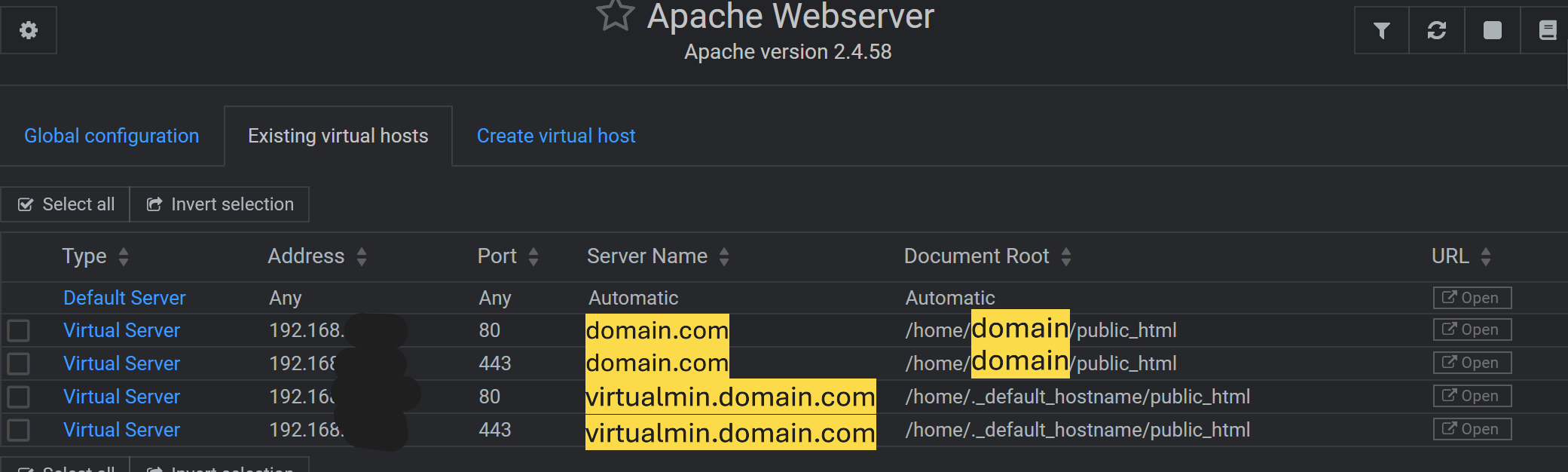
Web servers store and deliver websites to users. They send web pages to your browser when you enter a website address. These servers handle requests quickly to keep websites running smoothly. Every website you visit relies on a web server to load its content.
Mail Servers
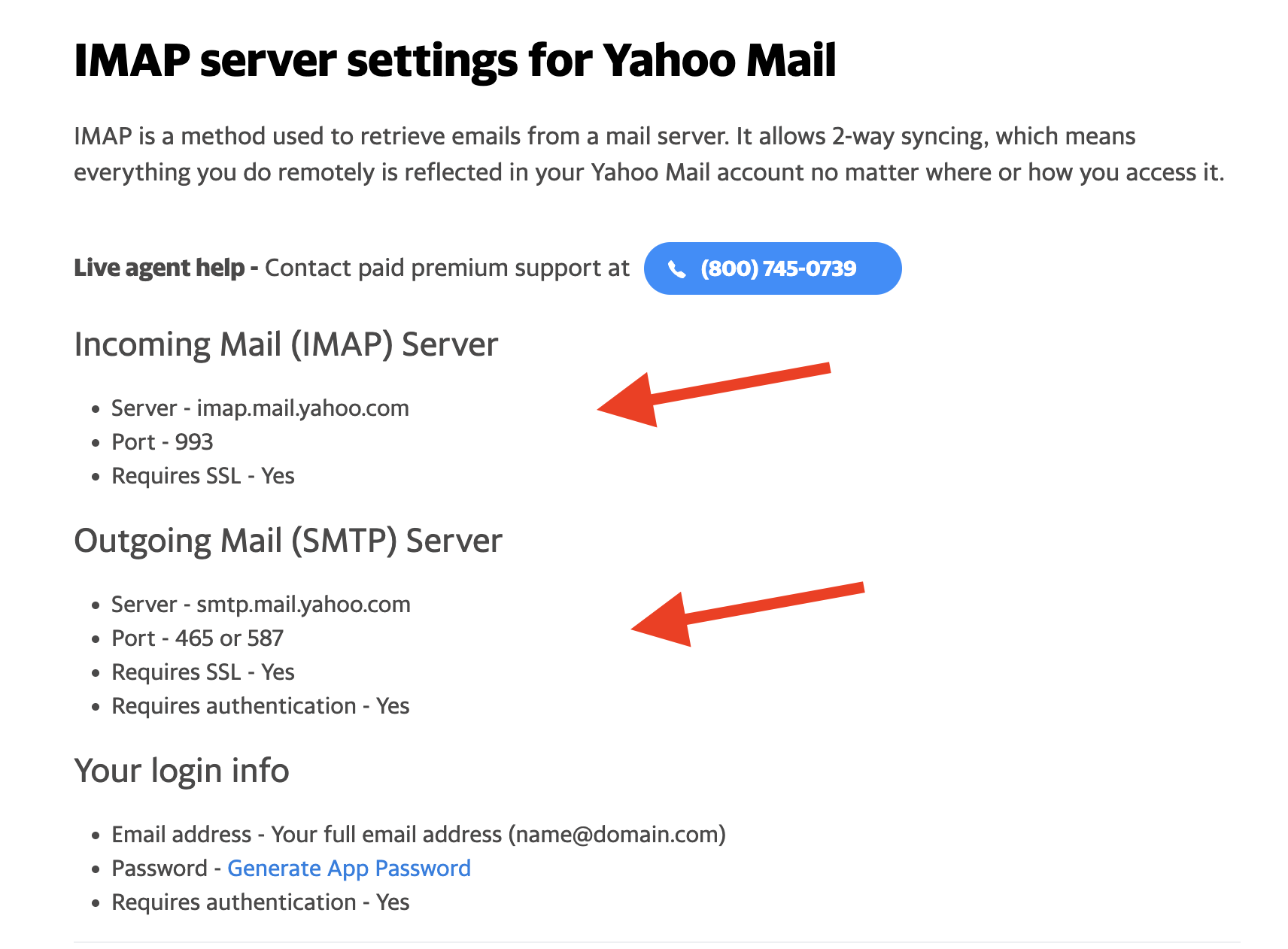
Mail servers manage email sending and receiving. They store your emails and make sure messages reach the correct inbox. These servers work quietly in the background to keep your email conversations flowing without delay.
Ftp Servers
FTP servers help transfer files between computers. They allow users to upload or download files safely. Many businesses use FTP servers to share large files or backup important data securely.
Finding Your Hostname
Finding your hostname is an important step in managing your website or network. The hostname is the name assigned to your device or server on the internet or local network. Knowing your hostname helps you connect to the right server and manage your online services effectively.
This section explains easy ways to find your hostname. Use simple tools and methods anyone can follow. These methods suit beginners and experienced users alike.
Using Command Line Tools
Command line tools offer a quick way to find your hostname. On Windows, open Command Prompt and type hostname. Press enter, and your hostname appears.
On Mac or Linux, open Terminal and type the same command: hostname. Press enter, and you see your hostname immediately.
This method works fast and needs no extra software. It is ideal for users comfortable with basic commands.
Checking Through Control Panels
Many web hosting services provide control panels like cPanel or Plesk. Log in to your hosting account and find the server information section.
The hostname usually shows in the server details or account information. It may appear as server name or host address.
This method is helpful for users managing websites through hosting platforms. It avoids command line use and shows all server info in one place.
Online Lookup Services
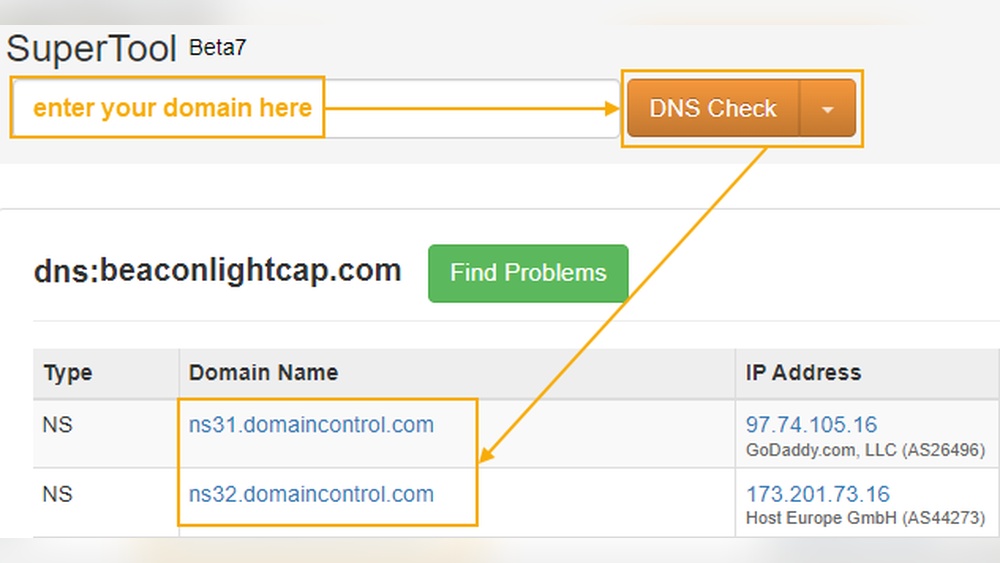
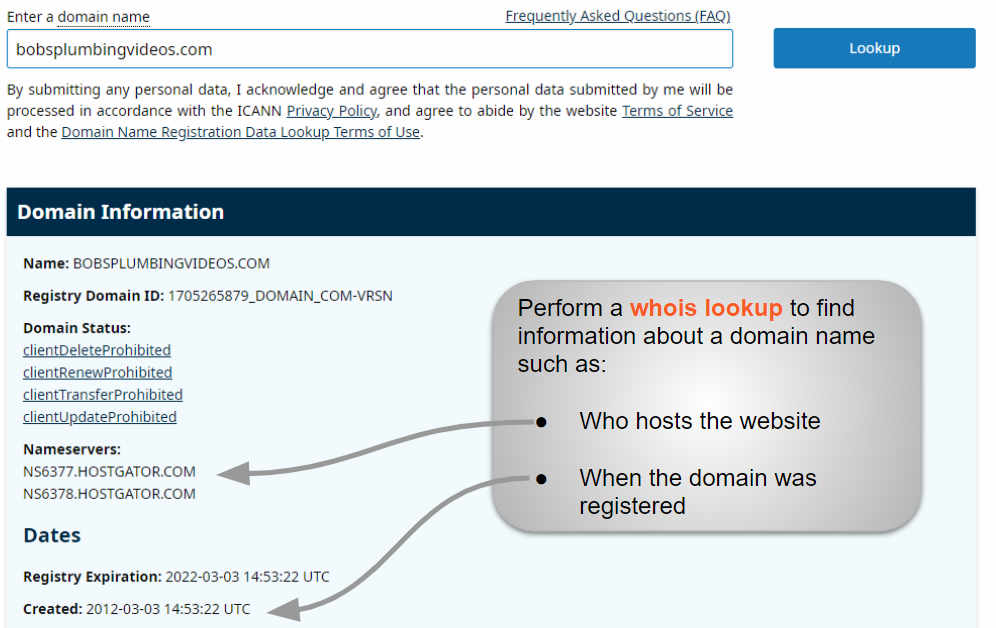
Online lookup services help find hostnames linked to IP addresses or domain names. Visit websites like Whois or DNS lookup tools.
Enter your domain or IP address to retrieve the hostname. These tools provide simple reports about your server and domain details.
They are useful for users without technical knowledge or access to control panels. Just enter your information and get quick results.
Credit: mailmeteor.com
Common Issues With Hostnames
Hostnames play a vital role in how devices connect on the internet. They help identify computers, servers, and websites. Despite their importance, hostnames often face common issues. These problems can cause delays, errors, and security risks. Understanding these issues helps keep your network smooth and safe.
Dns Misconfigurations
DNS translates hostnames into IP addresses. If DNS settings are wrong, devices cannot find the right server. This leads to website errors or slow loading times. Common mistakes include wrong IP entries or missing DNS records. Fixing DNS helps restore proper connection quickly.
Hostname Conflicts
Hostname conflicts happen when two devices share the same name. This causes confusion in the network. Devices may fail to communicate or access resources. Unique hostnames prevent these conflicts. Always check your network for duplicate names to avoid issues.
Security Concerns
Hostnames can reveal details about your network. Attackers might use this information to target devices. Weak or default hostnames make hacking easier. Use strong, unique names and update them regularly. Protect your network by managing hostnames carefully.
Managing Hostnames
Managing hostnames is an important part of running a website or a network. The hostname identifies your device or server on the internet. It helps users and systems find your site easily. Keeping hostnames clear and organized makes your network work smoothly.
Changing Your Hostname
Changing a hostname is simple but must be done carefully. Use your hosting control panel or server settings to update it. After changing, check if the new name works correctly. Restart your device or service to apply the change. Notify users if the hostname change affects access.
Best Practices For Naming
Choose short and clear names for your hostnames. Use only letters, numbers, and hyphens. Avoid spaces and special characters. Make names easy to remember and type. Include relevant words about the service or location. Consistency helps in managing multiple hosts.
Maintaining Host Records
Host records link hostnames to IP addresses. Keep these records accurate and updated. Use DNS management tools to edit records safely. Remove old or unused hostnames to prevent confusion. Regular checks ensure your hostname works without issues.
Frequently Asked Questions
What Is The Meaning Of My Host.domain.name?
My host. domain. name is a hostname format showing a specific server within a domain. It helps identify machines on a network uniquely.
How Does Host.domain.name Work In Networking?
Host. domain. name maps a hostname to an IP address using DNS. This enables users to access servers with easy-to-remember names.
Why Is My Host.domain.name Important For Websites?
It directs web traffic to the correct server. Without it, browsers can’t find the right website location online.
Can I Customize My Host.domain.name?
Yes, you can customize hostnames within your domain. This helps organize and identify devices and services efficiently.
Conclusion
Understanding your host. domain. name helps you manage websites better. It shows where your site lives on the internet. This knowledge makes solving technical problems easier. You can check your domain’s details quickly anytime. Keep your domain information safe and updated.
Knowing these basics keeps your online presence smooth. Simple steps lead to better control of your website. Stay informed and use this info to help your site grow.


