
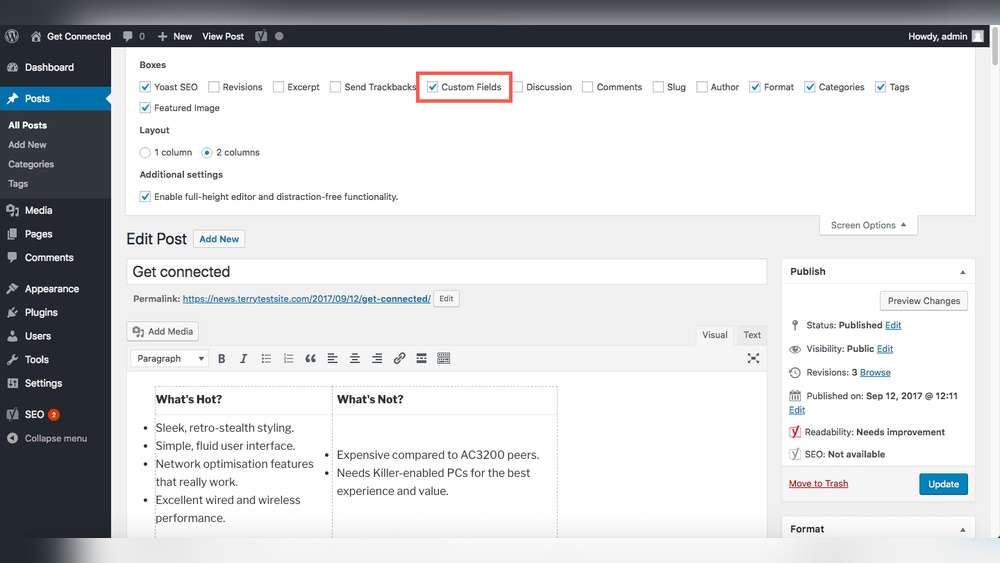
If you want your WordPress site to stand out and rank better on search engines, adding meta tags is a simple but powerful step you can’t afford to skip. Meta tags help search engines understand your content and attract the right visitors to your pages.
But how do you add meta to WordPress without any hassle? You’ll discover easy, step-by-step methods to add meta tags quickly—even if you’re not tech-savvy. By the end, you’ll know exactly how to boost your site’s visibility and make every page work harder for you.
Keep reading, because your website’s success starts here.
Why Meta Tags Matter
Meta tags play a crucial role in how search engines and users see your website. These small pieces of code provide important information about your pages. They help search engines understand your content better. This understanding can improve your site’s visibility in search results.
Meta tags also influence how your pages appear on search engine results pages (SERPs). Well-written meta tags can attract more visitors. Visitors are more likely to click on links that clearly describe the page content.
Impact On Seo
Meta tags help search engines index your site correctly. They tell search engines what your page is about. This helps your site show up for relevant searches. Using the right keywords in meta tags can improve your rankings. Without meta tags, search engines may misinterpret your content. This can lower your site’s position in search results.
Enhancing Click-through Rates
Meta tags appear in search results as snippets. Clear, concise meta descriptions attract users to click. They give users a preview of your page content. Good meta descriptions create trust and interest. This leads to higher click-through rates. Higher click rates can drive more traffic to your site. This shows search engines your page is useful.
Types Of Meta Tags
Meta tags give search engines important details about your web page. They help improve your site’s visibility and how it appears in search results. Different meta tags serve different roles. Knowing their types helps you use them properly on WordPress.
Meta Title
The meta title defines the page’s main heading in search results. It shows as the clickable link on Google. Keep the title short, clear, and relevant. Aim for about 50 to 60 characters. A strong meta title attracts visitors and boosts rankings.
Meta Description
The meta description summarizes the page content. It appears below the meta title in search listings. Write a clear and inviting description. Use around 150 to 160 characters. A good description can increase click rates from search engines.
Meta Keywords
Meta keywords list the main topics of your page. Search engines rarely use them now. Still, some WordPress plugins ask for keywords. Use a few relevant words only. Avoid keyword stuffing. Focus on quality over quantity.
Other Useful Tags
Other meta tags include robots, viewport, and charset tags. Robots tag controls search engine indexing and following links. Viewport tag helps with mobile responsiveness. Charset tag defines the character set, like UTF-8. These tags improve site performance and usability.
Adding Meta Tags Without Plugins
Adding meta tags helps improve your website’s search engine presence. Many WordPress users choose plugins, but you can add meta tags without them. This method keeps your site light and fast. It also gives you full control over your meta information.
Adding meta tags manually involves editing your theme files. This method is simple and effective for basic SEO needs. Let’s explore two easy ways to add meta tags without plugins.
Editing Theme Files
Access your WordPress theme files via Appearance > Theme Editor. Find the header.php file in your active theme folder. This file controls the content inside the
section of your site.Insert your meta tags between the
and tags. Example:Save the file and check your website source to confirm the tags appear. This method works well for static meta tags that rarely change.
Using Functions.php
For dynamic or custom meta tags, use your theme’s functions.php file. This allows you to add meta tags programmatically.
Open functions.php from the Theme Editor. Add this code snippet:
function add_custom_meta_tags() { echo ''; echo ''; } add_action('wp_head', 'add_custom_meta_tags'); This code runs every time a page loads. You can customize the description and keywords easily.
Using functions.php keeps your meta tags organized and flexible. Remember to back up your files before editing.
Credit: www.wpzoom.com
Popular Seo Plugins For Meta Tags
Meta tags help search engines understand your website better. SEO plugins make adding meta tags easy. They offer tools to customize titles, descriptions, and keywords for each page.
These plugins also guide you to improve your SEO scores. They save time and avoid coding mistakes. Below are three popular SEO plugins for meta tags.
Yoast Seo
Yoast SEO is a top choice for many WordPress users. It allows easy editing of meta titles and descriptions. The plugin shows a preview of how your page appears in search results. Yoast also gives SEO tips to improve your content. It works well for beginners and experts alike.
All In One Seo Pack
All in One SEO Pack is simple and powerful. It supports meta tags, XML sitemaps, and social media integration. This plugin automatically generates meta tags for new posts. Users can customize settings for each page or post. It suits those who want a straightforward SEO tool.
Rank Math
Rank Math offers many features in one plugin. It lets you add meta titles, descriptions, and keywords easily. The plugin includes a setup wizard for quick configuration. Rank Math also provides SEO analysis and suggestions. It helps improve your site’s search engine ranking.
Setting Meta Tags With Yoast Seo
Setting meta tags is key for improving your website’s search engine ranking. Yoast SEO is a popular tool that helps manage these tags easily. It guides you in creating clear titles and descriptions for each page. This makes your site more attractive in search results and increases visitor clicks.
Installing And Activating
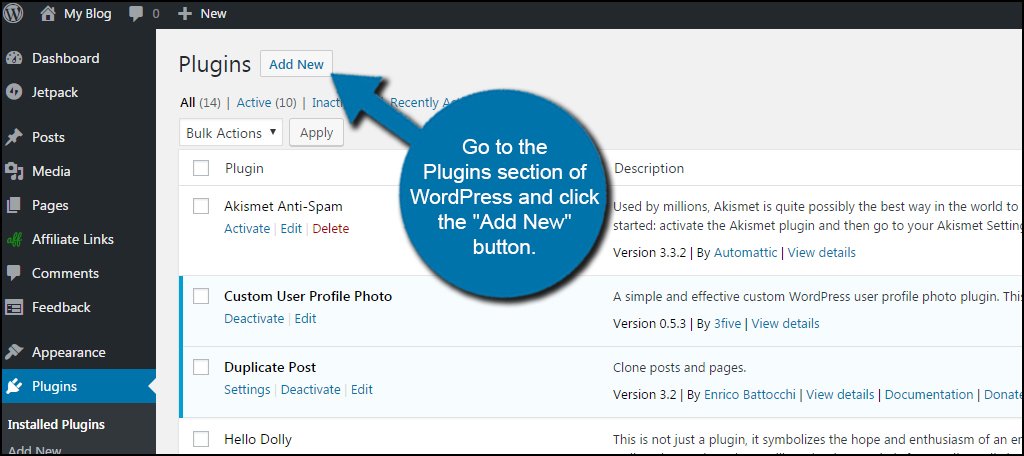
Go to your WordPress dashboard. Find the “Plugins” menu and click “Add New.” Type “Yoast SEO” in the search box. Click “Install Now” next to the Yoast SEO plugin. After installation, press “Activate” to start using it.
Configuring Meta Titles
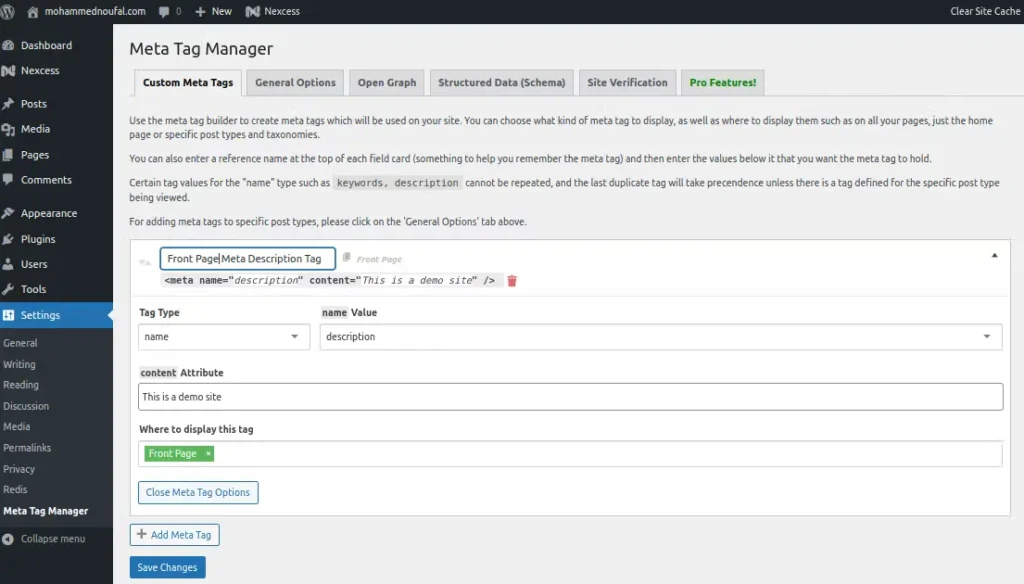
Open the Yoast SEO settings from the dashboard. Navigate to the “Search Appearance” section. Here, set the template for your meta titles. Use simple and clear words that describe the page. Keep titles under 60 characters for best results.
Customizing Meta Descriptions
In the same “Search Appearance” area, find the meta description settings. Write short, informative descriptions for each page. Use up to 160 characters to summarize the page content. Make descriptions inviting to encourage clicks from searchers.
Credit: www.greengeeks.com
Optimizing Meta Tags For Better Seo
Optimizing meta tags helps search engines understand your content better. It also improves how your pages appear in search results. Well-crafted meta tags can increase your website’s visibility and attract more visitors.
Meta tags include the title tag and meta description. Both play a key role in SEO. They should clearly describe your page content and include important keywords.
Keyword Placement Tips
Place your main keyword near the beginning of the meta title. This helps search engines recognize the topic fast. Use important keywords naturally in the meta description. Avoid keyword stuffing. Keep it clear and relevant to the page content.
Character Limits
Keep your meta title under 60 characters. This prevents it from being cut off in search results. Meta descriptions should be around 150 to 160 characters. This length gives enough space to describe the page well without truncation.
Avoiding Duplicate Meta Tags
Each page needs a unique meta title and description. Duplicate tags confuse search engines and lower rankings. Use different keywords and content for each page’s meta tags. Regularly check your site for duplicates and fix them quickly.
Testing And Verifying Meta Tags
Testing and verifying meta tags is an important step after adding them to WordPress. It ensures your tags work correctly and improve your site’s SEO. Proper meta tags help search engines understand your content better. This can increase your site’s visibility in search results.
There are easy ways to check if your meta tags show up properly. These tools also help find any errors or missing tags. Let’s explore some simple methods to test and verify your meta tags.
Using Browser Inspect Tools
Browser inspect tools let you view your site’s HTML code. Right-click on your webpage and select “Inspect” or “Inspect Element.” Find the section. Here, you can see all meta tags like title, description, and keywords.
Check if your tags display the correct content. This method is fast and does not need extra software. Use it to confirm your meta tags appear on every page.
Google Search Console
Google Search Console helps monitor your site’s presence on Google. It shows how Google reads your meta tags. Submit your site and check the “Coverage” and “Enhancements” reports.
These reports reveal issues with meta tags or other SEO factors. Fixing these can improve your search rankings. Google Search Console is free and trusted by many website owners.
Seo Audit Tools
SEO audit tools scan your website for SEO errors. They check meta tags for length, relevance, and duplicates. Tools like Screaming Frog or Ahrefs provide detailed reports.
These reports highlight missing or incorrect meta tags. You can then edit your WordPress site to fix them. Regular audits keep your SEO healthy and up to date.
Credit: www.liquidweb.com
Frequently Asked Questions
What Is Meta In WordPress And Why Add It?
Meta in WordPress refers to metadata like author, date, and categories. Adding meta improves site organization and SEO. It helps visitors find relevant content quickly. Meta also enhances the blog’s appearance and user experience.
How Do I Add Meta Tags In WordPress?
You can add meta tags using SEO plugins like Yoast or All in One SEO. These plugins provide easy fields to enter meta titles and descriptions. Alternatively, add meta tags manually in the theme’s header. php file.
Can I Customize Meta Information For Each Post?
Yes, SEO plugins let you customize meta titles and descriptions per post. This improves SEO by targeting specific keywords. Custom meta helps posts rank better and attract more organic traffic.
Does Adding Meta Slow Down My WordPress Site?
Adding meta through plugins has minimal impact on site speed. Well-coded SEO plugins are optimized for performance. Avoid multiple plugins doing the same job to keep your site fast.
Conclusion
Adding meta tags to your WordPress site helps improve search visibility. It guides search engines to understand your content better. Use simple tools or plugins to add meta titles and descriptions. Keep your meta information clear and relevant to your pages.
Regularly update meta tags to match your content changes. This small step can make a big difference in your site’s traffic. Start adding meta tags today to help your site get noticed.


