

You’ve probably heard a lot about Business Process Management (BPM) software and how it can transform your company. But what if it’s not the right fit for you?
Before you dive in and invest time and money, it’s important to know when BPM software might actually be more hassle than help. You’ll discover clear signs that say your business doesn’t need BPM software right now. Keep reading to avoid costly mistakes and make smarter decisions for your business’s future.

Credit: kdfoundation.org
Signs Bpm Software May Be Overkill
Choosing the right tools for your business is important. Sometimes, Business Process Management (BPM) software is more than needed. It can add complexity and cost without much benefit. Recognizing when BPM software is overkill helps save time and money. Here are clear signs that BPM software might not be necessary for your business.
Simple Processes With Low Complexity
When your business tasks are easy and straightforward, BPM software may not help. Simple processes need fewer steps and less control. Using complex software for basic tasks can slow work down. Manual methods or simple tools often work best for simple workflows.
Small Team Dynamics
Small teams usually communicate well without extra software. They share information quickly and make decisions fast. BPM systems may add unnecessary steps for small groups. Teams with fewer members benefit more from direct conversations and simple task lists.
Limited Budget Constraints
BPM software often requires a significant investment. Small businesses with tight budgets should consider costs carefully. Spending on expensive software may not bring enough value. Focus on affordable solutions that meet your current needs without overspending.
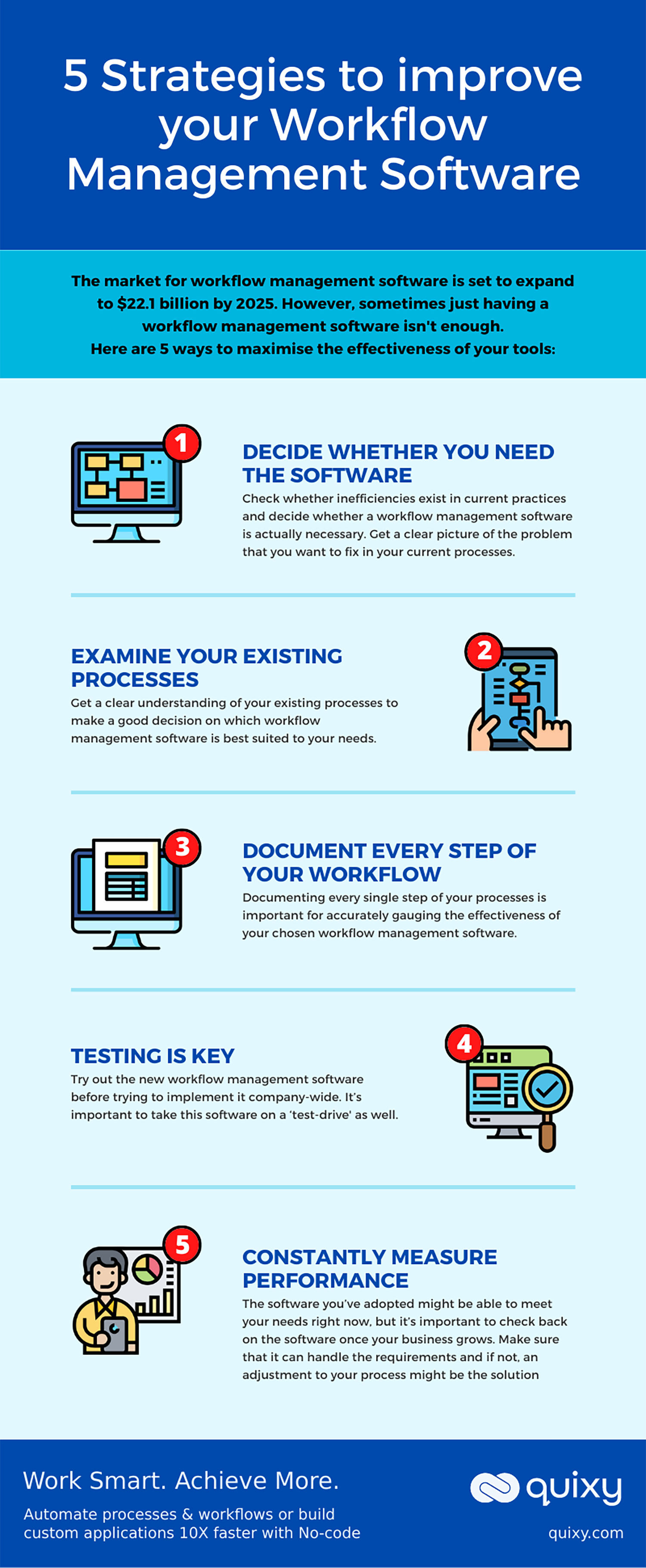
Credit: quixy.com
Alternatives To Bpm Software
Not all businesses need complex Business Process Management (BPM) software. Many companies can manage their workflows with simpler methods. These alternatives offer control without heavy investment or steep learning curves. They suit small teams or basic processes well.
These options keep things clear and easy. They help avoid unnecessary costs and tech headaches. Let’s explore some common alternatives to BPM software.
Manual Process Management
Manual process management uses paper, whiteboards, or simple checklists. Teams track tasks and deadlines by hand. This method works best for small projects or teams. It allows direct control over each step. Communication stays personal and clear.
Manual management requires discipline. It can slow down as tasks grow. Still, it keeps things straightforward without tech needs.
Basic Automation Tools
Basic automation tools include simple apps like task reminders or email filters. They help reduce repetitive work without complex setups. Tools like these save time on routine tasks.
They fit well in offices using common software like Gmail or Outlook. Small automations improve efficiency without full BPM systems.
Spreadsheet And Document Solutions
Spreadsheets and documents can organize workflows effectively. Programs like Excel or Google Sheets track progress and data. Teams update sheets to share task status and deadlines.
This method is flexible and widely known. It allows easy customization for unique needs. It also avoids costly software purchases. This suits businesses with simple or evolving processes.
Risks Of Unnecessary Bpm Implementation
Implementing Business Process Management (BPM) software without a clear need can cause several problems. It is not just about buying new technology. Unnecessary BPM tools can bring risks that hurt a business more than help it.
These risks affect budgets, employees, and how work flows daily. Understanding these problems can save time and money. It also keeps your team focused on what matters most.
Increased Costs Without Roi
Buying BPM software can be expensive. The cost includes licenses, setup, and training. If the software is not needed, these costs have no return. Money spent may not improve processes or profits. This waste can hurt small businesses the most.
Employee Resistance And Overload
Introducing new BPM tools can confuse workers. Employees may resist using software they find complex or unnecessary. This resistance slows down work and lowers morale. Too many tools also add to employee stress and workload.
Complexity In Workflow
Unneeded BPM software can make processes more complex. Instead of simplifying tasks, it adds extra steps. This complexity slows down operations and causes errors. Simple workflows are often more effective than complicated ones.
When To Reconsider Bpm Adoption
Deciding to adopt Business Process Management (BPM) software requires careful thought. Not every business benefits from BPM tools at every stage. Recognizing the right time to reconsider BPM adoption helps avoid wasted resources and effort.
Changes in business needs or growth often signal a need to revisit BPM decisions. Understanding specific triggers can guide companies to adopt BPM at the right moment.
Scaling Business Operations
When a business grows, operations become more complex. Managing tasks manually can slow down progress. BPM software helps organize workflows and improve efficiency during expansion. If your business is expanding rapidly, BPM tools can support smoother scaling.
Process Standardization Needs
Consistency is key in business operations. Different teams may perform the same task in various ways. BPM software enforces standard procedures, reducing errors and confusion. When process variations cause problems, BPM adoption becomes important.
Regulatory Compliance Requirements
Some industries face strict rules and audits. Keeping track of compliance manually can lead to mistakes. BPM software helps monitor and document processes to meet regulations. If your business handles sensitive data or follows strict laws, BPM tools can ease compliance management.
Best Practices For Process Management Without Bpm
Managing business processes does not always require complex software. Small teams or simple workflows can thrive without Business Process Management (BPM) tools. Following key practices can keep operations smooth and efficient. These practices help maintain clarity, improve teamwork, and boost overall performance.
Clear Communication Channels
Open and clear communication is crucial for process success. Use simple tools like email, chat apps, or shared documents. Make sure everyone knows how to share updates and ask questions. Clear instructions reduce errors and speed up tasks. Regular check-ins keep teams aligned and informed.
Regular Process Reviews
Checking processes often helps find problems early. Set fixed times to review workflows and results. Talk about what works and what needs fixing. Small changes can improve efficiency and save time. Encourage feedback from everyone involved in the process.
Employee Training And Involvement
Train employees on their roles and process goals. Make sure they understand the steps and tools used. Involve them in creating and improving processes. Their ideas can lead to better ways of working. Well-trained and engaged employees perform tasks more confidently.

Credit: en.wikipedia.org
Frequently Asked Questions
When Is Bpm Software Unnecessary For Small Businesses?
BPM software is often unnecessary for small businesses with simple processes. Manual methods can efficiently manage their workflows. Small teams benefit more from direct communication and basic tools. Investing in BPM software may lead to unnecessary expenses and complexity.
Can A Startup Avoid Bpm Software Initially?
Yes, startups with limited processes can avoid BPM software initially. Focus on refining core operations first. Simple tools like spreadsheets and task managers usually suffice. BPM software can be adopted later as the business grows and processes become complex.
What Signs Indicate Bpm Software Isn’t Needed?
Signs include minimal process complexity, small team size, and low workflow volume. If processes rarely change, manual tracking is effective. When communication is direct and clear, BPM software offers little added value. Avoiding unnecessary software reduces costs and implementation time.
How Does Bpm Software Affect Business Costs?
BPM software can increase costs due to licensing, training, and maintenance. For businesses with simple workflows, these expenses may not justify the benefits. Avoiding BPM software saves money and resources. Consider software only when process improvement potential is significant.
Conclusion
Not every business needs process management software. Small teams with simple tasks often work well without it. Using such software can add extra costs and complexity. Focus first on clear communication and basic organization. When your processes grow complex, then consider adding tools.
Choosing the right time saves money and effort. Keep your business needs in mind before deciding. Simple solutions often bring the best results.


