
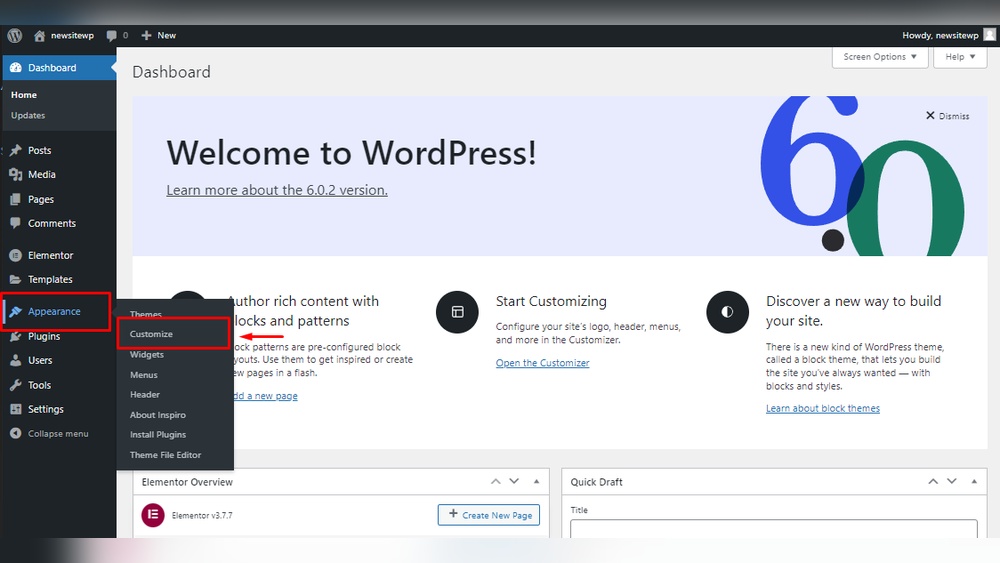
Are you ready to create your own website but don’t know where to start? Building a site on WordPress is easier than you might think.
Whether you want a blog, a business page, or an online store, WordPress gives you the tools to bring your ideas to life quickly. In this guide, you’ll discover simple steps to set up your site, even if you have no technical experience.
Keep reading, and by the end, you’ll have the confidence to build a site that stands out and works perfectly for your needs. Let’s get started!
Credit: wordpress.com
Choosing The Right Hosting
Choosing the right hosting is the first big step in building a WordPress site. Hosting affects your site’s speed, security, and reliability. A good host keeps your site online and fast. It also helps your site grow smoothly as visitors increase.
Shared Vs Dedicated Hosting
Shared hosting means your site shares a server with other websites. It is cheaper and good for small sites. But, shared hosting can be slower if other sites use too many resources.
Dedicated hosting gives you a whole server for your site alone. It is faster and more secure. Dedicated hosting costs more but is best for big sites with many visitors.
Top Hosting Providers
Choose hosting providers known for good speed and uptime. Bluehost, SiteGround, and HostGator are popular choices. They offer easy WordPress installation and good support. Check if the host has backups and security tools included.
Setting Up Your Domain
Your domain is your website’s address on the internet. You can buy a domain from places like GoDaddy or Namecheap. Some hosts include a free domain when you buy hosting. Connect your domain to your hosting account to make your site live.
Installing WordPress
Installing WordPress is the first step to creating your website. It sets the base for your site’s design and content. The installation process is simple and can be done in two main ways. Choose the method that suits your comfort and technical skills.
One-click Installation
Many web hosts offer a one-click WordPress installation tool. This tool saves time and effort. You just need to log in to your hosting account. Find the WordPress installer in the control panel. Click the install button and fill in some basic details like site name and admin username. The system will do the rest automatically. This method is fast and easy for beginners.
Manual Installation Guide
Manual installation requires a few more steps but gives full control. First, download the latest WordPress package from the official site. Next, upload it to your web server using an FTP client. Create a MySQL database for WordPress to store data. Then, open your website in a browser and follow the setup wizard. Enter the database details and create an admin account. After completing these steps, your WordPress site will be ready.
Selecting A Theme
Choosing the right theme is a key step in building your WordPress site. It controls how your site looks and feels. The theme affects your site’s design, layout, and user experience. Picking a theme that suits your content and style helps visitors stay longer on your site.
Free Vs Premium Themes
Free themes are easy to find and use. They work well for simple websites. Many free themes come with basic features. They are a good option if you have a small budget.
Premium themes cost money but offer more features. They often include better design and support. Premium themes are good for business or professional sites. They provide more options for customization and updates.
Customizing Your Theme
Customizing your theme makes your site unique. WordPress lets you change colors, fonts, and layouts. Many themes have built-in options for customization.
You can add your logo and change menus. Customization helps match the site to your brand. Simple changes can improve your site’s look and feel.
Essential Plugins
Plugins add important features to your WordPress site. They help customize and improve your website without coding. Choosing the right plugins makes your site faster, safer, and easier to manage. Some plugins are essential for every WordPress site. These tools handle key tasks and protect your content. Focus on plugins that enhance user experience and site performance.
Must-have Plugins
Start with plugins that improve site speed and SEO. A caching plugin helps pages load quickly for visitors. SEO plugins guide search engines to find your content. Contact form plugins make it easy for visitors to reach you. Image optimization plugins reduce file size without losing quality. These plugins work together to keep your site smooth and user-friendly.
Security And Backup Tools
Protect your website with security plugins. They block unwanted login attempts and scan for malware. Use backup plugins to save your site data regularly. Backups allow quick recovery if your site breaks or is hacked. Security and backup tools keep your site safe and your mind calm. Choose plugins with good reviews and frequent updates for best results.
Creating Key Pages
Creating key pages is a crucial step when building a WordPress site. These pages help visitors understand your site and find important information quickly. Focus on clear content and easy navigation to keep users engaged.
Homepage Setup
The homepage is the first page visitors see. It should introduce your site clearly and attract attention. Use a simple design with a strong headline and a brief description of your site’s purpose.
Add images or a logo to make the page visually appealing. Include buttons or links that guide visitors to other important pages. Keep the layout clean and easy to read on all devices.
About And Contact Pages
The About page tells visitors who you are and what your site offers. Share your story in simple words. Explain your goals and the benefits visitors will get from your site.
The Contact page is where visitors can reach you. Provide a contact form or your email address. Add phone numbers and social media links if available. Make it easy for visitors to ask questions or request help.
Optimizing For Seo
Optimizing your WordPress site for SEO helps more people find your content. Search engines rank sites higher that follow good SEO practices. This boosts your traffic and visibility. Simple steps can improve your SEO greatly.
Seo Plugins
SEO plugins make optimization easier. They guide you through important tasks. Popular plugins like Yoast SEO and All in One SEO offer tools for meta tags, sitemaps, and readability checks. These tools help you improve your site without deep technical knowledge. Install and activate a plugin. Then follow its advice for each page and post.
Content Optimization Tips
Write clear and useful content. Use keywords naturally in titles, headings, and text. Keep sentences short and easy. Add images with descriptive alt text. Use internal links to connect related pages. Make sure your site loads fast and works well on phones. These steps help search engines understand your site better. They also improve user experience.
Enhancing Site Speed
Speed matters a lot for any website. Fast sites keep visitors happy and lower bounce rates. WordPress sites can be fast with the right steps. Enhancing site speed improves user experience and SEO rankings. Small changes can make big differences.
Caching Solutions
Caching stores copies of your web pages. This reduces the time to load pages for visitors. WordPress offers many caching plugins. These plugins create static versions of your pages. Visitors see the cached pages quickly without waiting for processing. Popular caching plugins include WP Super Cache and W3 Total Cache. Set up caching carefully to avoid display errors. Regularly clear cache to show the latest content.
Image Optimization
Large images slow down your website. Optimizing images reduces file size without losing quality. Use tools or plugins to compress images before uploading. Plugins like Smush or ShortPixel work well for WordPress. Choose the right image format: JPEG for photos, PNG for graphics. Resize images to fit your site’s design. Optimized images load faster and save bandwidth.

Credit: www.geeksforgeeks.org
Launching Your Site
Launching your WordPress site is an exciting step. It means your hard work is ready for the world. Careful preparation makes the launch smooth. This helps visitors have a good first impression. Follow simple steps to make sure your site is ready and visible.
Pre-launch Checklist
Check your site on different devices. Make sure it looks good on phones and tablets. Test all links to avoid broken pages. Review your content for spelling and grammar. Confirm your contact forms work correctly. Install security plugins to protect your site. Set up backups to save your data. Verify your SEO settings for better search results.
Promoting Your Website
Tell friends and family about your site. Share it on social media platforms. Join online groups related to your site’s topic. Write guest posts on popular blogs. Use email newsletters to reach your audience. Submit your site to search engines. Keep your content fresh and updated. Engage with visitors through comments and feedback.
Credit: kairaweb.com
Frequently Asked Questions
What Are The First Steps To Build A WordPress Site?
Start by choosing a domain name and reliable hosting. Install WordPress via your host’s control panel. Select a theme that fits your site’s purpose to customize the design effectively.
How Do I Choose The Best WordPress Theme?
Look for responsive, lightweight themes that suit your niche. Check ratings and reviews. Ensure compatibility with popular plugins for better functionality and SEO.
Can I Build A WordPress Site Without Coding?
Yes, WordPress offers drag-and-drop builders and themes that require no coding. Use plugins and pre-built templates to design and customize your site easily.
How Do I Optimize My WordPress Site For Seo?
Use SEO plugins like Yoast or Rank Math. Optimize content with keywords, meta descriptions, and alt texts. Ensure fast loading speeds and mobile responsiveness.
Conclusion
Building a WordPress site can be simple and fun. Start by choosing a good theme. Add plugins to make your site useful. Keep your content clear and easy to read. Test your site on different devices. Update WordPress and plugins often for safety.
Take your time and learn as you go. A great website grows with your effort and care. Ready to create your own site? It’s easier than you think.


