
Have you ever wondered how websites magically appear when you type their address into your browser? Or questioned what keeps them running smoothly, even when millions of people visit at the same time?
The answer is web hosting, an essential part of the internet puzzle that often goes unnoticed. Imagine it as the invisible engine powering the websites you visit daily, including your favorite social media platforms and online stores. Understanding web hosting might sound technical and intimidating, but don’t worry—this guide is crafted just for you.
Whether you’re looking to launch your own website or simply want to grasp the basics, we’ll break down the concept of web hosting into bite-sized pieces. You’ll learn why it’s crucial, how it works, and what options are available to suit your needs. So, if you’re ready to demystify web hosting and gain confidence in navigating the digital world, keep reading. Your journey to mastering web hosting starts right here!
What Is Web Hosting
Web hosting keeps your website online. Websites live on servers. A server is a powerful computer. It stores your website’s files. Visitors see your site because of these servers. Imagine renting space on a computer. That’s web hosting. It makes your website visible to everyone. Without hosting, your site won’t work.
Different types of web hosting exist. Shared hosting is popular. Many websites share one server. It’s cheap and easy. Then there’s VPS hosting. Fewer sites share the server. It’s more private. Finally, dedicated hosting means you have your own server. It’s expensive but powerful. Choose the type that fits your needs best.
Hosting companies help manage servers. They ensure your site stays online. They fix problems and keep data safe. Picking the right host is important. Consider their support and features. A good host makes your website run smoothly.
Types Of Web Hosting
Web hosting is like renting space on the internet for your website. There are different types, including shared, VPS, and dedicated hosting. Each type offers varying levels of control, performance, and cost, suitable for different website needs.
Shared Hosting
Shared hosting is like sharing a house with many people. Resources such as CPU and memory are shared among many websites. This makes it cheap and easy to use. But if one website gets too much traffic, others may slow down.
Vps Hosting
VPS stands for Virtual Private Server. It is like living in an apartment. You get more control and resources than shared hosting. It is safer and flexible. You can customize it according to your needs.
Dedicated Hosting
Dedicated hosting means you get your own server. No sharing with anyone. It is like owning a house. You have full control and power. It is expensive but offers top performance.
Cloud Hosting
Cloud hosting uses many servers together. If one server fails, others help. This is like having many backup plans. It is reliable and scalable. You pay for what you use, like paying for water and electricity.
How Web Hosting Works
Web hosting uses servers to store websites. These servers live in data centers. These centers are big buildings with many computers. They are always running. Servers keep websites online all the time. They also send website data to your computer.
Data centers have cooling systems. These systems keep servers from getting too hot. They have backup power too. This keeps websites running during power cuts. Security is very strong at data centers. This protects websites from hackers. Servers and data centers work together to keep websites online.
A domain name is like a website’s address. It’s what you type in the browser to visit a site. Web hosting connects the domain name to the server. This lets people see the website. Hosting ensures the domain name points to the right place. When you click a link, hosting helps find the server with the website data. This makes the website load on your screen. Domain names and hosting work hand in hand.
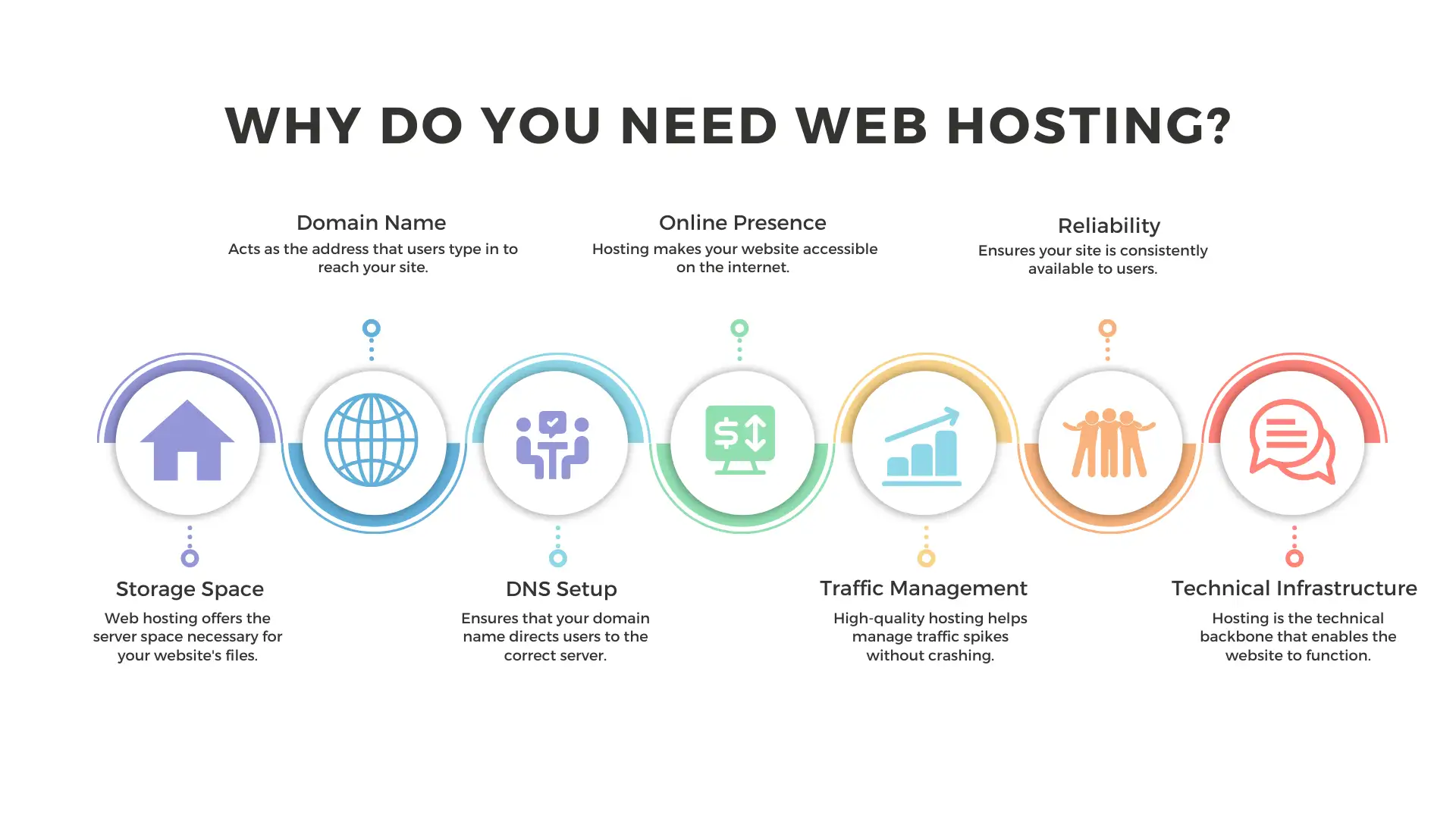
Credit: wegic.ai
Choosing The Right Hosting
Web hosting is like renting space on the internet for your website. It stores your site’s data and makes it accessible online. Choosing the right hosting ensures your website runs smoothly and loads quickly for visitors.
Assessing Your Needs
Understanding your website’s needs is very important. Traffic, content type, and budget are key factors. A small blog needs less than a big online store. Think about storage space and bandwidth. These affect website speed. Choose wisely to avoid downtime.
Basic plans work for new sites. Larger sites need advanced plans. Consider email accounts and security features. These keep your site safe and professional. Make a list of your needs before choosing.
Comparing Hosting Providers
Many companies offer web hosting services. Compare their prices and features. Some offer free domain names. Others include SSL certificates. Check their customer support. Good support helps in solving problems quickly.
Read user reviews. They give real insights into service quality. Look for uptime guarantees. Uptime shows how often your site stays online. Consider the control panel. Easy interfaces make managing your site simple.
Key Features To Consider
Storage is the space for your website files. Choose enough storage for your needs. More files need more space. Bandwidth is how much data moves from your site. A site with many visitors needs more bandwidth. Limited bandwidth can slow your site. Check both when selecting web hosting.
Uptime means your site is online and working. Higher uptime is better. Look for at least 99.9% uptime. Reliable hosts keep your site running smoothly. Downtime can frustrate visitors. It may also affect your site’s reputation. Choose a hosting provider with good uptime records.
Customer support helps when you have issues. Good support is available 24/7. You might need help anytime. Quick responses are important. Chat, email, and phone support are best. Read reviews to check support quality. Reliable support makes hosting easier.

Credit: www.wiley.com
Setting Up Your Website
A domain is your website’s name on the internet. First, choose a unique name for your site. This is what people will type to find you. Make sure it’s easy to remember. Once you have a name, you need to register it. Use a domain registrar. This is a service that helps you buy your domain. Popular registrars include GoDaddy and Namecheap. After registering, your domain is yours. You can now use it for your website.
Your website files need to be uploaded to the internet. This is done using a web hosting service. Think of hosting as renting space for your site. Choose a host that suits your needs. Common hosts are Bluehost and HostGator. Once you have hosting, use an FTP client to upload your files. This will make your website live. Now, everyone can see it online.
Managing Your Hosting
Understanding web hosting is crucial for managing your online presence. Web hosting provides space on a server to store your website files. This service makes your site accessible to people worldwide through the internet.
Control Panel Usage
The control panel is your website’s command center. It helps you manage files, emails, and databases. With a simple interface, you can add domains or subdomains easily. Changing passwords or creating email accounts is just a click away. Backup your site to keep it safe. Restore it whenever needed. Control panels can also help you install software like WordPress. This makes building a site easier. Look for a control panel that is user-friendly. It should make hosting tasks simple.
Performance Monitoring
Keeping track of your website’s performance is crucial. Slow websites can lose visitors fast. Use tools to monitor speed and uptime. This ensures your site is always up and running. Check your site’s load time regularly. Faster sites keep users happy. Identify any issues quickly. Fix them to maintain a smooth experience. Performance tools can also show you the number of visitors. This helps in planning for more traffic. Keep an eye on these metrics for a healthy website.
Common Hosting Issues
Downtime means your website is not working. It can frustrate visitors. First, check if the server is down. Use online tools to test the server. Next, see if your internet connection is okay. Ask your web host for help if needed. Clear your browser’s cache. This can solve loading problems. Restart your computer or device. Sometimes, it fixes the issue. Keep your software updated. Old software can cause downtime. Always have a backup plan for emergencies.
Security is very important for websites. Hackers can attack any site. Use strong passwords and change them often. A good firewall can block attacks. SSL certificates keep data safe. They are like a lock for your website. Update all plugins and themes. Old ones can have security holes. Always back up your website. You can restore it if something goes wrong. Educate yourself on security best practices. Protecting your website is smart.
Future Of Web Hosting
Cloud hosting is becoming more popular. It uses many computers to store data. This makes websites run faster. It also helps when many people visit at once. Artificial intelligence (AI) is also important. AI can fix problems quickly. It can help keep websites safe from hackers. AI can even make websites work better for users.
Another trend is green hosting. This means using less energy. It helps the Earth. Green hosting uses wind or sun power. Some companies plant trees to make up for energy use.
Edge computing is a new idea. It brings data closer to users. This helps websites load faster. People will enjoy using the internet more. These trends are exciting.

Credit: www.amazon.com
Frequently Asked Questions
What Is Web Hosting In Simple Words?
Web hosting stores your website files on a server, making them accessible online. It involves renting space on a server. Reliable hosting ensures fast load times and security. Various hosting types suit different needs and budgets. Choose a provider with good support and uptime guarantees for optimal website performance.
What Are The 3 Types Of Web Hosting?
The three types of web hosting are shared hosting, VPS hosting, and dedicated hosting. Shared hosting involves multiple websites on one server. VPS hosting provides a virtual private server. Dedicated hosting offers an entire server for one website. Each hosting type varies in cost, performance, and control.
Can I Run My Website Without Hosting?
You need web hosting to make your website accessible online. Hosting stores your site’s data on servers. Without hosting, your site won’t be visible to users on the internet. Consider free or paid hosting options depending on your needs.
How Much Does Web Hosting Cost Per Month?
Web hosting costs range from $3 to $300 per month. Prices vary based on hosting type and features. Shared hosting is cheaper, while dedicated hosting is more expensive. Compare plans to find the best fit for your needs and budget.
Choose a reliable provider for optimal website performance.
Conclusion
Understanding web hosting is crucial for your online journey. It’s the foundation of your website. Choose a host that fits your needs. Think about speed, support, and reliability. Don’t forget security. It keeps your site safe. Compare different hosting options.
Find the best value for your money. Remember, a good host enhances your site’s performance. It boosts user experience. Now you know the basics of web hosting. Ready to take the next step? Start your online adventure with confidence. Your website awaits!


