
Do you ever scroll to the bottom of a blog post and wonder what happens in that mysterious section known as the post-footer? You’re not alone.
The post-footer is like the hidden gem of a WordPress blog, often overlooked but packed with potential. If you’re curious about enhancing your website’s performance and user experience, understanding the post-footer could be your secret weapon. You’ll discover what the post-footer is, why it matters, and how you can optimize it to captivate your audience and boost engagement.
Dive in, because what happens after the content might just be the key to your blog’s success.
Credit: kinsta.com
What Is The Post-footer?
The post-footer is a special part of a blog post. It appears at the end of each post. This section can hold useful information. Sometimes it has links to other posts. Sometimes it shows the date or author. It can also have social media buttons. Readers can share the post. Some footers include copyright notices. Others might have a short bio of the author. A well-designed footer helps users find more content. It makes the site look professional.
Customizing the post-footer is easy. WordPress provides many options. You can change the style. You can add widgets. You can even add a newsletter signup. This way, readers can stay updated. A neat footer keeps readers engaged. It invites them to explore more. It is a small part but very important.

Credit: publishpress.com
Importance Of The Post-footer
The post-footer is at the end of a blog post. It shows extra details. This part can show the author’s name and the date. Sometimes, it shows the number of comments. People can find more posts by the same writer there.
The post-footer helps with navigation. It makes it easy to find related posts. Readers can click on tags or categories. This way, they find similar topics they like.
Many websites use the post-footer for social media links. Readers can share the post with friends. It helps the blog reach more people. This makes the blog more popular.
Elements Of A Post-footer
Every blog post has a copyright notice at the end. This tells who owns the content. It also shows the year the content was made. This is important to protect the writer’s work. Without this, someone might use the work without asking.
Post-footers often have social media icons. These icons help readers share the post easily. Clicking these icons opens a sharing page. This makes it simple to tell friends about the post. Social links can grow the blog’s audience.
A good post-footer has call-to-action buttons. These buttons guide readers on what to do next. They might suggest reading another post. Or they could ask readers to subscribe. Call-to-actions keep readers engaged on the blog.
Customizing The Post-footer
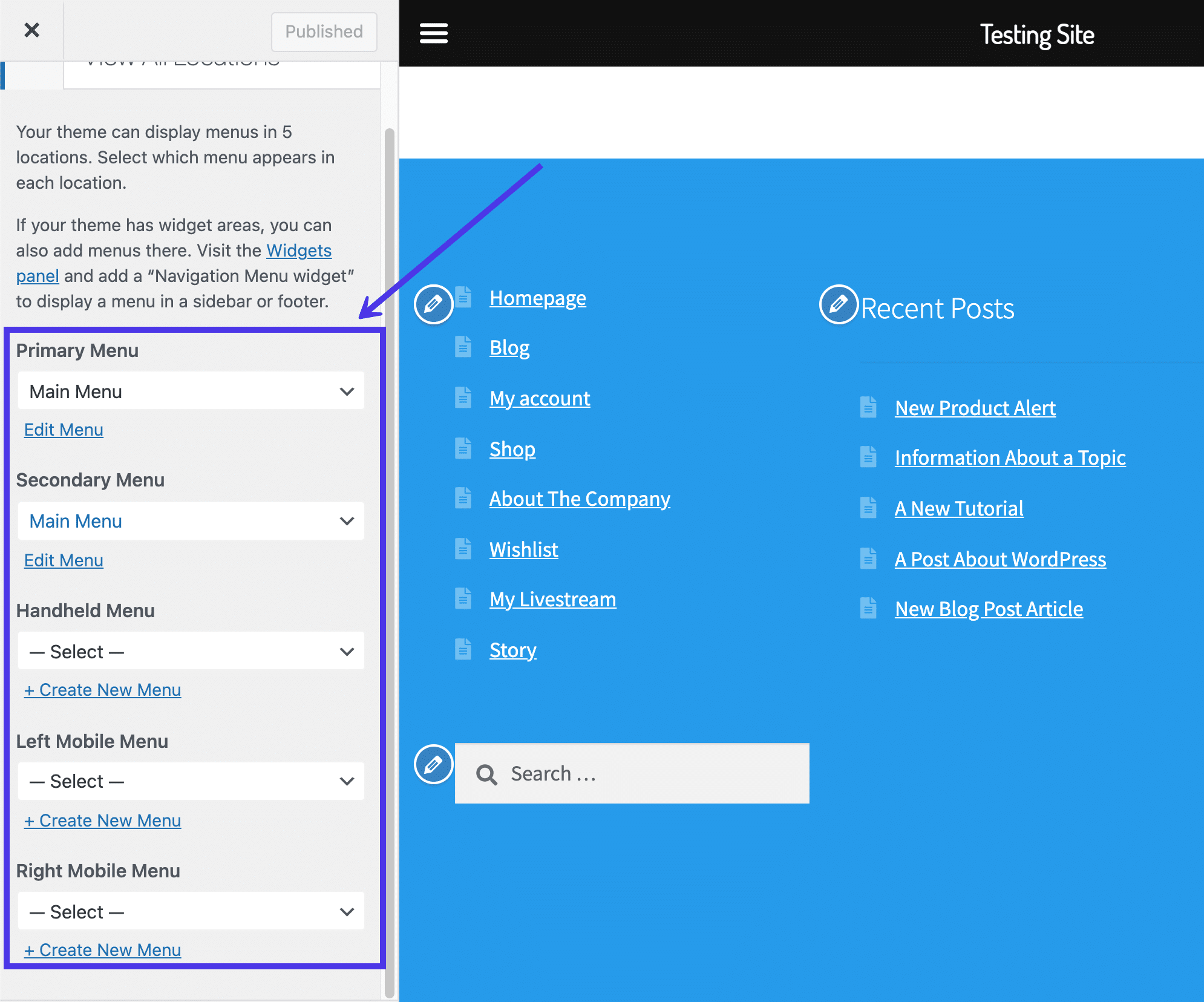
Many WordPress themes let you change the post-footer easily. You can do this in the customizer area. Look for options to edit the footer. Some themes have built-in widgets. These widgets can be added or removed. Choose what you want to show. Some themes even allow changing colors and fonts. This makes your footer look unique.
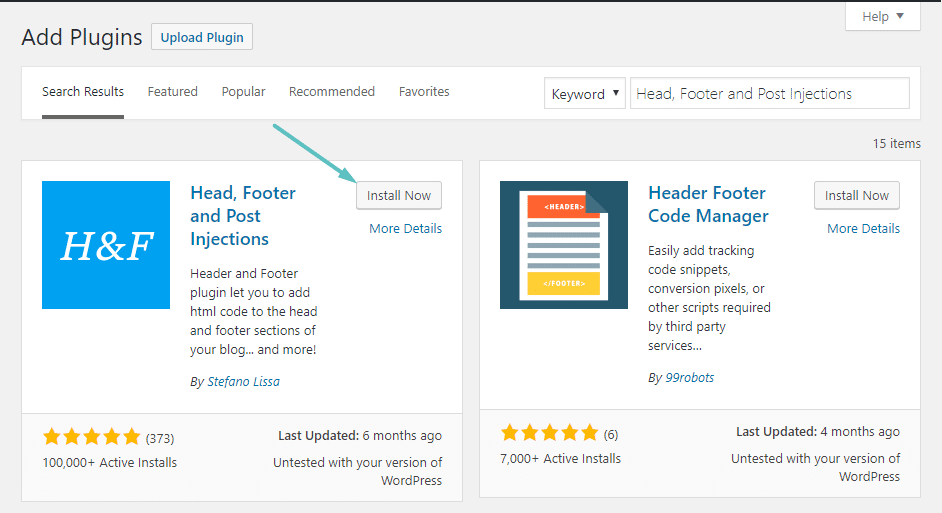
Plugins offer a simple way to change footers. Many plugins are free and easy to use. They add new features to your footer. You can add social media links or contact forms. Some plugins let you add custom code. This helps in adding special effects. Just install, activate, and configure the plugin.
For those who know code, editing directly is an option. You need to access the footer.php file. Be careful while making changes. A small mistake can break your site. Always back up your file before editing. Simple changes like adding text or links are possible. You can also change the HTML and CSS for styling.
Best Practices For Post-footers
Post-footers should look the same across all pages. This helps users feel familiar with the site. Use the same fonts and colors everywhere. Keep the style simple and clear. Consistent design builds trust with visitors.
Text in post-footers needs to be easy to read. Use a large enough font size. Avoid too many colors or fancy fonts. Space text well so it does not look crowded. Clear text helps people find what they need quickly.
Footers can make people stay longer. Include links to interesting content. Add social media buttons for sharing. Use call-to-action phrases like “Learn More”. Keep the footer clean to not overwhelm users.
Common Mistakes In Post-footers
Post-footers often have too much content. This confuses readers. Important details should stand out. Avoid cluttering with excess links and text. Keep it simple. Focus on key elements. Make it easy to understand.
Many users read on phones. Post-footers must look good on small screens. Check mobile view. Ensure text and links fit well. Mobile-friendly design is crucial. It improves user experience and keeps readers engaged.
Post-footers can boost SEO. Use keywords wisely. Include relevant links. This helps search engines find your site. Optimize the footer for better ranking. It can improve visibility. Make every word count.
Examples Of Effective Post-footers
A great post-footer can make a big difference. It helps readers find more content. You can add links to related posts. Readers may want more after reading.
Social media icons can be part of a post-footer. They let users share your content easily. Also, you can add a newsletter signup form. This helps in growing your audience.
| Element | Purpose |
|---|---|
| Related Posts | Keep readers engaged |
| Social Icons | Share content easily |
| Newsletter Signup | Grow your audience |
Call-to-action is crucial. Tell readers what to do next. Like “Read more” or “Subscribe now”. It guides their journey on your site.
Credit: kinsta.com
Frequently Asked Questions
What Is A WordPress Post-footer?
A WordPress post-footer is the section at the bottom of a blog post. It typically contains information like author bio, categories, tags, and sharing buttons. Post-footers enhance user engagement and provide additional navigation options. Customizing the post-footer can improve website aesthetics and functionality.
How Do I Customize The Post-footer?
To customize the post-footer, access your WordPress theme settings or use a page builder plugin. Many themes offer options to modify footer content and style. You can add widgets, change layouts, or include custom scripts. Always preview changes before publishing to ensure optimal user experience.
Why Is The Post-footer Important?
The post-footer is important because it enhances user engagement and site navigation. It provides readers with related content, author details, and social sharing options. An effective post-footer improves user interaction, increases page views, and boosts SEO by linking related content.
Can I Add Widgets To The Post-footer?
Yes, you can add widgets to the post-footer in WordPress. Widgets like recent posts, social media icons, and newsletter sign-ups can be added. Use the WordPress Customizer or the Widgets section to manage them. Adding relevant widgets enhances user experience and engagement.
Conclusion
Understanding the post-footer in WordPress enhances your site’s appeal. It adds valuable information and improves user experience. Customize it with widgets, links, or contact details. This helps visitors navigate your site easily. A well-designed post-footer boosts engagement and retention. Remember to keep it simple and relevant.
Avoid clutter. Focus on what matters most to your audience. This small section can make a big difference. Experiment with different elements. See what works best for your site. Your post-footer can reflect your brand’s personality. Make it a part of your site’s success strategy.


