
Have you ever uploaded an image to your WordPress site and wondered how to make your captions more engaging and informative? You’re not alone.
Many WordPress users struggle with optimizing their media captions to enhance user experience and boost SEO. But what if there was a way to transform your captions from mere descriptions into powerful tools that capture attention and convey value? Imagine scrolling through a blog where every image not only complements the text but also offers a deeper layer of information.
This is where the magic of WordPress media captions comes in. By mastering the art of captioning, you can create a seamless blend of visuals and text that keeps your audience hooked. We’ll unravel the mystery behind WordPress media captions and explore how they can be your secret weapon for storytelling and engagement. If you want to make sure every image on your site speaks volumes, read on to discover the tips and tricks that will elevate your content to the next level.
Credit: supsystic.com
WordPress Media Library
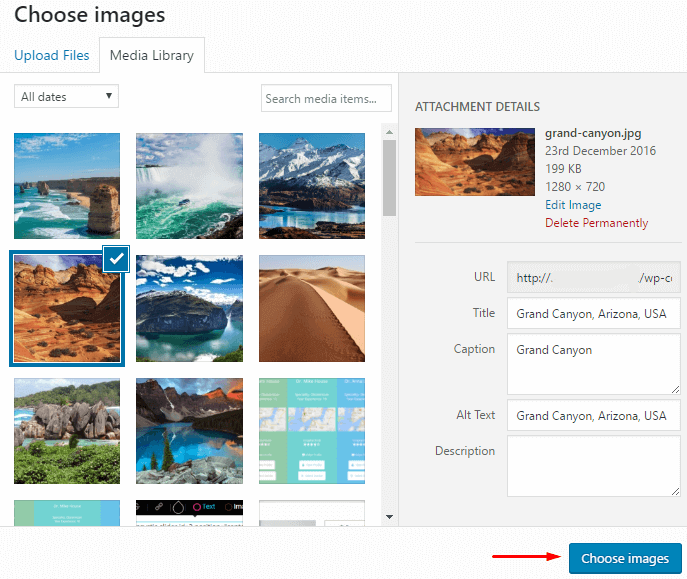
The WordPress Media Library is where all your photos, videos, and documents live. It helps you keep everything organized. You can find files easily. It also lets you add captions to media files. Captions are short descriptions. They help explain your media. They make content more engaging and informative. You can also edit media. Change file names or descriptions. This helps in organizing. It also improves SEO. Well-described media helps search engines. People find your content faster.
Adding files to the WordPress Media Library is simple. You can upload images, videos, or documents. Drag and drop files into the library. Or use the upload button. The library accepts many file types. It supports JPEG, PNG, GIF, MP4, and more. After uploading, add captions to files. Captions help users understand media. They improve accessibility. Captions also boost SEO. Search engines love detailed descriptions. Well-captioned media helps your website rank higher.
Importance Of Media Captions
Captions help everyone. They make media easy to understand. People with hearing problems benefit a lot. They can read and enjoy videos. Captions support language learners too. Words become clear and simple. This helps in learning and understanding. Kids understand better with captions. They can follow the story easily.
Captions improve SEO. They add text to images and videos. This makes media easier to find. Search engines love text. Captions give them more to read. Keywords in captions boost search results. People find your content faster. A good caption attracts more visitors. It keeps them on your site longer.
Creating Effective Captions
Clear descriptions help people understand media better. Use simple words. Describe what you see. Short sentences work best. Make sure every word adds value. Avoid confusing phrases.
Keywords improve search results. Include them naturally. Do not stuff them everywhere. Place them where they fit. Think about what people search for. Use these words in your captions.

Credit: shortpixel.com
Media Caption Best Practices
Keep the style of your captions the same. Use the same tone and voice. This helps readers understand better. A unified style builds trust. It makes content easy to follow. Even small changes can confuse people. It is best to avoid that.
Include important details. But keep it short. Long captions can bore readers. They may not read all of it. Only share what is needed. Details should be clear and simple. Make sure each word adds value. This keeps readers engaged and informed.
Using Html Tables For Captions
HTML tables help in organizing data neatly. They make captions look clean and structured. Tables keep information aligned. This makes it easier to read. Users can find details quickly. This is helpful on websites with lots of data. Tables can show comparisons easily. This makes them a great tool for captions.
Creating tables in WordPress is simple. Use the HTML editor. Add a table tag to start. Inside, use tr for rows. Use td for cells. Fill in your data. Make sure to check the preview. This ensures everything looks good. Always test your table on different devices. This helps in making sure it’s responsive.
Tools And Plugins For Media Captions
WordPress plugins make adding captions easy. Yoast SEO is a well-known tool. It helps with captions and SEO.
Caption Pro is another popular choice. It’s easy to use. Users can add captions quickly. It works well with pictures.
WP Caption Generator is simple. It creates captions automatically. Users can customize them.
Selecting the right tool is important. Consider your needs before choosing. Some tools are for experts. Others are for beginners.
Think about the plugin’s features. Are they easy to use? Do they match your style? Test different options to find the best one.
Troubleshooting Common Issues
Media captions might not show up correctly. This is a common issue. Always check if the theme supports captions. Sometimes, themes hide captions by default. Try changing the theme settings. This can solve display problems. Also, ensure the captions are not empty. An empty caption won’t display. Use short captions for better results.
Compatibility issues often arise with plugins. Some plugins might conflict with captions. Deactivate all plugins first. Then activate them one by one. This helps find the problem plugin. Update WordPress regularly. Updates fix many compatibility issues. Also, keep all plugins updated. This ensures smooth operation.
Credit: www.metaslider.com
Future Trends In Media Captions
AI helps create captions faster. Machines learn to understand words. They can write captions for pictures and videos. This saves time. Automation makes it easier. It reduces human work. AI tools can also fix mistakes. This makes captions more accurate. With AI, captions can be ready in seconds.
Accessibility helps everyone understand content. Captions are important for people who can’t hear. They read captions to know what’s happening. More websites now use captions. This is because it’s the right thing to do. It helps more people enjoy content. As a result, captions are becoming more popular. Everyone benefits from clear captions.
Frequently Asked Questions
What Is A WordPress Media Caption?
A WordPress media caption is a text description for media files. It provides context and additional information. Captions enhance user engagement and improve SEO by making content more accessible. They appear below images and other media in your posts or pages.
How To Add Captions In WordPress?
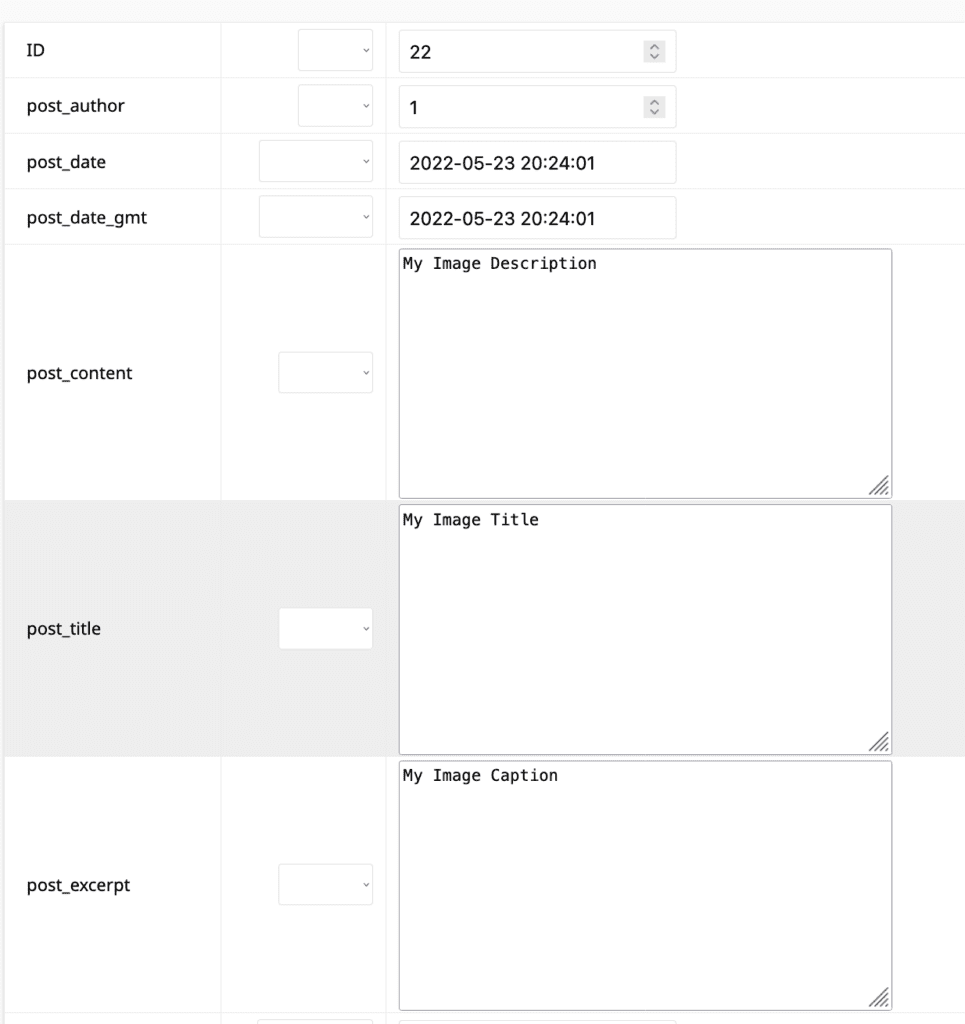
To add captions in WordPress, upload your media file through the media library. Click on the file to edit, then enter your desired caption in the caption field. Save changes, and the caption will appear under the media when inserted into your post or page.
Why Are WordPress Captions Important?
WordPress captions are important for accessibility and SEO. They help search engines understand your content better. Captions provide context to media files, enhancing user engagement. They make your content more informative and accessible to a broader audience, including those using screen readers.
Can Captions Improve Seo On WordPress?
Yes, captions can improve SEO on WordPress. They provide additional context for search engines to index. Captions make content more accessible, enhancing user experience. By including relevant keywords in captions, you can improve your content’s searchability and visibility on search engines.
Conclusion
Captions enhance your media content by adding context and clarity. They help readers grasp your message quickly. Using captions in WordPress is simple and effective. This boosts engagement and improves overall user experience. A clear caption makes your images stand out.
It invites readers to explore more. Always aim for concise and meaningful captions. They should complement your content without overwhelming it. Remember, a good caption is a bridge. It connects your visuals to your written words. Keep practicing. Your captions will improve over time.
This enhances the impact of your blog posts significantly.


