
Feeling overwhelmed by the vast world of WordPress and trying to figure out which CDN (Content Delivery Network) to use? You’re not alone.
As a beginner, diving into the technical aspects of website optimization can seem daunting. But here’s the thing: choosing the right CDN can dramatically boost your site’s speed and performance, keeping your visitors happy and engaged. Imagine your website loading instantly, no matter where your audience is in the world.
Sounds amazing, right? In this guide, we’ll break down the best CDN options for WordPress beginners like you. We’ll make it simple, straightforward, and easy to understand. Ready to take your website to the next level? Let’s get started!
Credit: www.elegantthemes.com
What Is A Cdn?
A Content Delivery Network (CDN) helps load websites faster. It stores copies of a website’s data at various locations. When someone visits a site, the CDN delivers the data from the closest location. This reduces the time it takes for pages to load. Faster loading times improve user experience and can help sites rank better on search engines.
CDNs are useful for sites with many visitors from different places. They also help during traffic spikes. Websites with heavy images or videos benefit greatly from CDNs. By reducing load time, CDNs support smoother browsing.
Benefits Of Using A Cdn
CDNs make websites faster. They store copies of your site on many servers. Users access the closest server. This means less travel for data. Faster load times make users happy. Search engines like fast sites. Your site ranks better.
CDNs help keep sites safe. They block bad traffic. They stop attacks like DDoS. Your site stays online. They provide extra layers of security. Your data is protected. Users trust secure sites.
CDNs improve how users feel on your site. Pages load quickly. Content is accessible. Users stay longer. They enjoy browsing. Happy users return. More visits mean more success.
Popular Cdn Options For WordPress
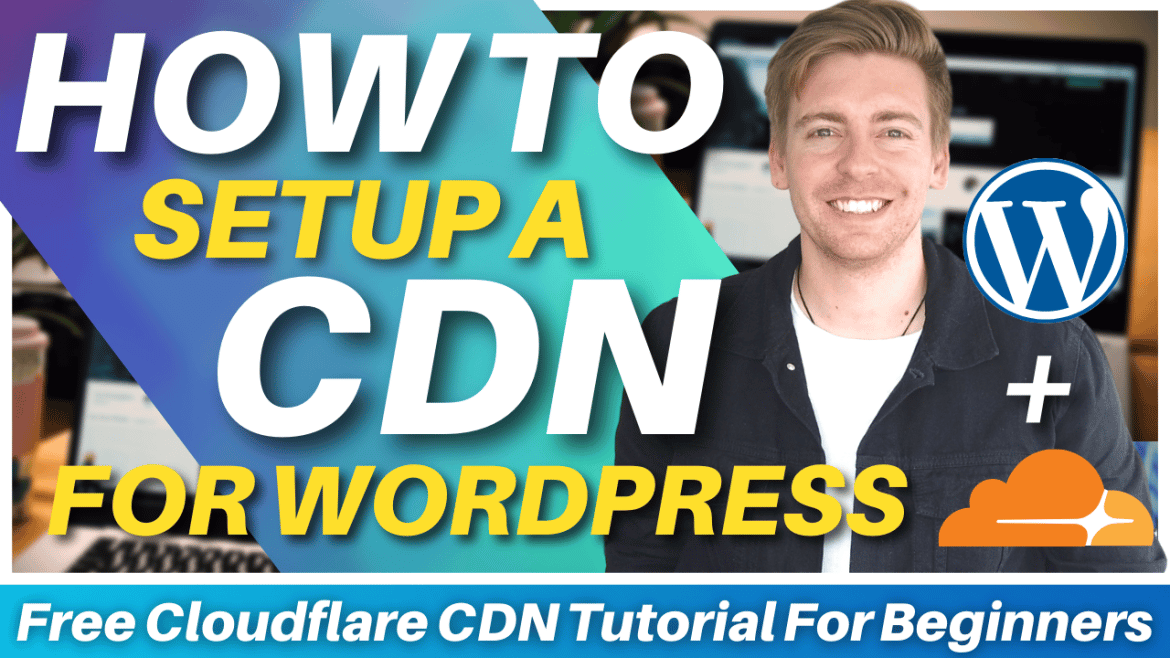
Cloudflare is a popular choice for WordPress users. It offers both free and paid plans. Free plans are a good start for beginners. It helps make websites load faster. Also, it protects sites from bad traffic. Many users like its simple setup. You can start using it in minutes.
MaxCDN is now part of StackPath. It is known for its speed. Many WordPress users trust it. It can handle lots of traffic. This makes it ideal for growing sites. The setup is easy. Users get help from a friendly support team.
Amazon CloudFront is from Amazon Web Services. It is known for its large network. This means fast content delivery. Many big websites use it. It can be complex for beginners. Yet, it offers strong features. It’s a reliable choice for many.
KeyCDN offers affordable plans. It is easy to use. Many WordPress users like its simple dashboard. It provides strong security features. You get a free trial to test it. This helps users decide if it’s right for them.
Credit: www.elegantthemes.com
Factors To Consider When Choosing A Cdn
Check the cost of the CDN service. Some offer free plans for beginners. Paid plans might have more features. Compare prices to see what fits your budget.
Find out if the CDN is easy to set up. Some CDNs work well with WordPress plugins. Easy integration saves you time and effort.
Choose a CDN with fast loading speeds. Reliable CDNs have good uptime. They ensure your site is always available. This keeps your visitors happy.
Good customer support is essential. Look for CDNs with helpful guides and tutorials. Support teams should be easy to contact. They help when you face problems.
How To Set Up A Cdn On WordPress
To start, pick a CDN plugin for WordPress. Popular choices include W3 Total Cache and Cloudflare. Install the plugin through the WordPress dashboard. Click “Add New” under plugins. Search for your chosen CDN plugin. Click “Install” then “Activate”. This makes the plugin ready to use. Follow the plugin instructions for setup. Each plugin has its own steps.
After installing, configure the CDN settings. Access the plugin settings from the dashboard. Enter your CDN account details. Ensure to input the correct URL for your CDN. Adjust settings to match your website needs. Enable options like image optimization. This helps speed up your site. Save changes before exiting.
Check if the CDN is working well. Use tools like Google PageSpeed Insights. Run tests to see how fast your pages load. Look for improvements in speed. Ensure images and scripts load quickly. If issues arise, revisit settings. Double-check your configurations. Make adjustments as needed.
Common Cdn Issues And Solutions
Caching helps speed up your website. But it can cause trouble. Sometimes, it shows old content to visitors. This makes your site outdated. Clear your cache often. Update it to keep your site fresh. Use browser tools to check cached data. Always ensure your CDN settings are correct. This keeps your site running smoothly.
SSL certificates protect your data. Errors can block your site. This scares visitors away. Make sure your SSL is valid and updated. Check your CDN settings. Correct any wrong entries. Use tools to check your SSL status. Fix errors fast to keep trust. Security is key for your site’s success.
Content delivery should be fast. Delays frustrate users. They leave your site quickly. Check your server speed. Ensure your CDN is set right. Look at network status. Fix issues promptly. Use a reliable CDN. This keeps your content flowing. Speed matters for user satisfaction.
Tips For Optimizing Cdn Performance
Smaller images load faster. Use tools to compress images. This helps save space. WebP is a good format. It is lightweight and clear. Use responsive images. They adapt to screen size. This makes them load faster.
Browser caching saves site data. Repeat visitors get faster loads. Set cache time for files. Images can cache for months. Always update when files change. This keeps the site fresh.
Remove extra spaces and comments. This makes files smaller. Smaller files load quickly. Use online tools to help. They make this easy. Minified files are harder to read. So, keep a copy of the original.
Credit: stewartgauld.com
Frequently Asked Questions
What Is A Cdn In WordPress?
A CDN, or Content Delivery Network, enhances website performance by distributing your content across multiple servers worldwide. This reduces loading times for users by delivering content from the nearest server location. For WordPress beginners, using a CDN can significantly improve site speed and user experience.
Why Use A Cdn For WordPress Sites?
Using a CDN for WordPress sites improves loading speed and reduces server load. It helps deliver content faster to users by distributing it across global servers. This leads to a smoother user experience, better SEO rankings, and decreased bounce rates for your website.
Which Cdn Is Best For WordPress Beginners?
Cloudflare is a popular choice for WordPress beginners. It offers a free plan with easy setup and comprehensive support. Cloudflare enhances site speed, security, and reliability, making it a great starting point for those new to CDNs.
How Do Cdns Improve Website Speed?
CDNs improve website speed by caching content on multiple servers globally. They deliver content to users from the closest server location. This reduces latency and improves loading times, offering a faster browsing experience for visitors to your WordPress site.
Conclusion
Choosing the right CDN for WordPress boosts site performance. Faster loading times lead to happier visitors. Begin with options like Cloudflare or StackPath. These CDNs are user-friendly and reliable. They offer great features for beginners. Remember, a good CDN enhances user experience.
It also improves your site’s SEO ranking. Always consider cost, ease of use, and support. Test different CDNs to find the best fit. A well-chosen CDN makes managing your WordPress site smoother. Enjoy the benefits of a speedy and secure website.
Happy blogging!


