
Are you ready to unlock the secrets of creating an engaging and user-friendly website? If you’ve ever felt overwhelmed by the intricacies of designing your WordPress site, especially when it comes to organizing content, you’re not alone.
Navigating through themes, plugins, and settings can be daunting. But there’s one tool that can transform your site’s navigation from chaotic to seamless: table menus. Imagine offering your visitors an intuitive way to explore your site, keeping them engaged and coming back for more.
Whether you’re a blogger, a business owner, or just someone passionate about sharing ideas, mastering WordPress table menus can elevate your website’s user experience. Stick around to discover how you can easily implement these game-changing elements and enhance your site’s functionality.
Credit: wptavern.com
WordPress Menus Basics
WordPress menus help users navigate your site. They guide visitors to important pages. Menus make websites easy to use. Visitors find what they need quickly. Menus can show links to pages, posts, or categories. They can also link to external websites. This helps keep visitors engaged. Menus are like a map for your site. They provide a clear path to follow. Without menus, sites can be confusing.
WordPress offers different menu types. The main menu is at the top of the page. It shows important links. Secondary menus might be in the footer. They often have less important links. Sidebar menus are on the side. They help visitors find related content. Drop-down menus are useful too. They hide links until clicked. This saves space on the screen. Each type serves a special purpose. Choose the right menu for your needs.
Creating Menus In WordPress
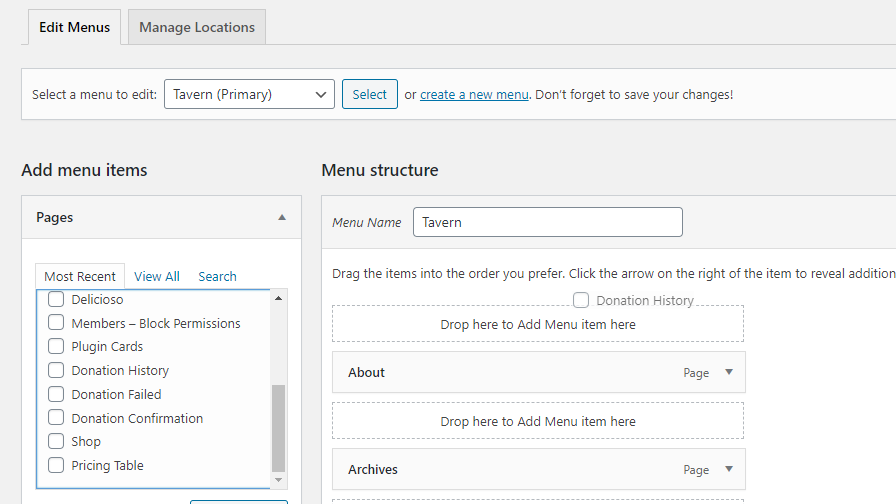
Menus help users find pages quickly. Accessing the menu settings is easy. First, go to your WordPress dashboard. Find the Appearance tab on the side. Click on it. Then, select Menus. Here, you can see all your menus. You can edit or create new ones. It’s like arranging a desk. Everything should be in the right place.
Adding items to menus is fun. Click on the Add Items button. A list will appear. You can add pages, posts, or links. Choose what you need. Drag them into your menu. Make sure they are in the right order. If you want a submenu, just slide an item under another. It’s like stacking books. You want the tallest one first.
Customizing Menus
To change the order of items, drag them up or down. This helps you organize items. Make sure the most important items are on top. People will see them first. It’s easy to change again later if needed. This makes your menu look neat.
WordPress allows you to assign menus to different locations. Each theme has different menu spots. You can assign your menu to the header or footer. Check your theme settings for options. Always save changes after assigning. This ensures your menu appears correctly.
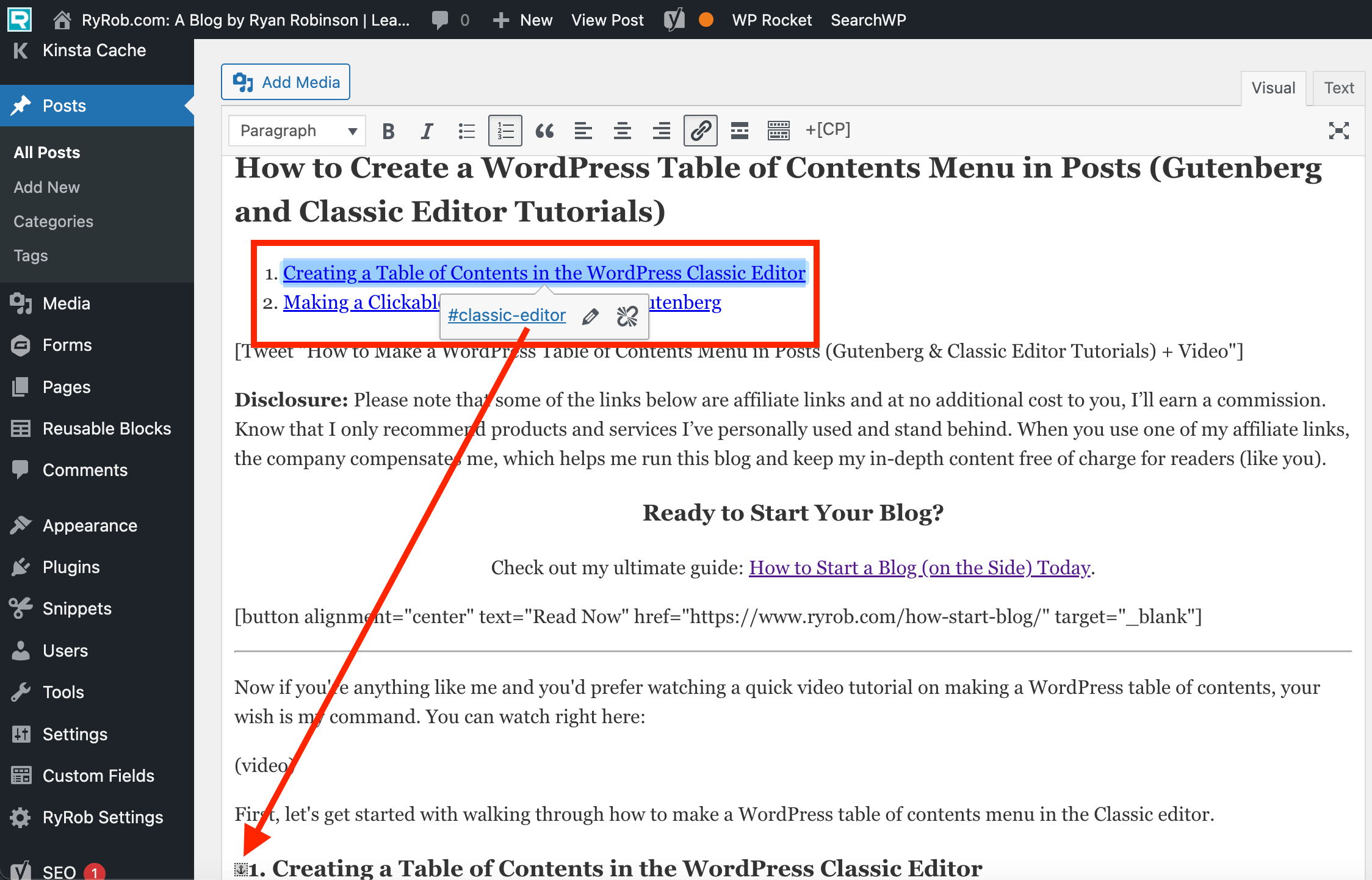
Custom links can be added to your menu. This lets you link to any page or site. Use the “Custom Links” option in the menu settings. Enter the URL and a label. Make sure the URL is correct. This is useful for linking to external resources. It adds more value to your site visitors.
Credit: www.ryrob.com
Using Menu Widgets
Explore the simplicity of WordPress Table Menus with Menu Widgets. Easily organize and display content in a structured way. Enhance user experience by making navigation intuitive and visually appealing.
Menu Widgets Overview
Menu widgets help organize your site’s navigation. They display menus on sidebars or footers. This makes navigation easier for users. You can add custom links and pages to these menus. Arrange them in any order you like. Widgets are flexible and customizable. They enhance the user experience.
Integrating Menus With Widgets
Integrating menus with widgets is simple. First, go to your WordPress dashboard. Find the “Appearance” tab. Click “Widgets”. Drag and drop the “Menu” widget to your desired area. You can place it in sidebars or footers. Select the menu you want to display. Save your changes. This integration improves site navigation and user engagement.
Advanced Menu Features
Explore advanced menu features in WordPress. Table menus offer organized and visually appealing navigation. Enhance user experience with customizable options, simplifying site interaction.
Mega Menus
Mega menus are big menu lists. They show many choices at once. These menus help users find things quickly. They are great for websites with lots of content. Users can see many links without clicking. This makes browsing easy. Mega menus often have images too. Pictures help users understand choices better. They make the menu look nice. Many websites use mega menus today. They are a popular choice for big sites.
Conditional Menus
Conditional menus change based on user actions. They show different options for different users. If someone logs in, they see special links. Guests might see other links. This makes the website feel personal. Users get content that fits their needs. It helps them navigate easily. Website owners can control what users see. This feature is useful for membership sites. It keeps the menu clean and relevant.
Plugins For Menu Enhancement
Enhancing WordPress menus is easy with plugins. They allow custom table menus for better user interaction. These tools simplify navigation by adding features like dropdowns, mega menus, and responsive designs.
Popular Menu Plugins
Menu plugins help make a website look better. They can change how menus work. They add cool features to menus. Max Mega Menu is a popular choice. It creates large menus. It is easy to use. Another option is WP Mobile Menu. This one is great for phones and tablets. It makes menus look nice on small screens. UberMenu is also well-liked. It adds creative styles to menus. These plugins offer many styles. They help make menus interesting.
Benefits Of Using Plugins
Plugins make menus easy to use. They allow custom designs. Menu plugins save time for users. They provide helpful shortcuts. They improve menu navigation. Users find content quickly. Plugins make websites look modern. They add stylish effects. Plugins work with many themes. They fit different website styles. They help users find information fast. Plugins are easy to install. They offer many options. They make changes simple. Plugins are useful for website design. They enhance user experience.
Troubleshooting Common Menu Issues
The menu might not show if it’s not properly assigned. Check your theme’s settings. Make sure the menu is set to the correct location. Sometimes, themes have multiple menu spots. Verify you chose the right one. Another reason could be a plugin conflict. Deactivate plugins one by one. See if the menu appears. If it does, one of those plugins was the problem.
Menus may look odd if the CSS is wrong. Check your theme’s custom CSS. Ensure there are no errors. Sometimes stylesheets don’t load properly. Clear your browser cache. This might fix the issue. Another tip is to update your theme. Older versions might have bugs. If the issue remains, consult the theme’s support team.

Credit: www.youtube.com
Frequently Asked Questions
What Are WordPress Table Menus?
WordPress table menus are navigation elements presented in a tabular format. They organize menu items in rows and columns. This layout enhances user experience by making information easily accessible. Table menus are particularly useful for websites with complex structures or when displaying detailed information.
How To Create Table Menus In WordPress?
To create table menus in WordPress, use plugins like “TablePress” or “WP Table Builder. ” These plugins offer user-friendly interfaces to design and manage table menus. Alternatively, custom HTML and CSS can be utilized for more tailored designs, providing flexibility in aesthetics and functionality.
Why Use Table Menus On Your WordPress Site?
Table menus improve site navigation by organizing content neatly. They enhance user experience by offering structured information at a glance. This format is ideal for sites with extensive data, ensuring visitors can find what they need quickly and efficiently.
Are Table Menus Mobile-friendly In WordPress?
Yes, table menus can be mobile-friendly with responsive design. Many WordPress plugins ensure that table menus adjust to various screen sizes. Proper configuration and testing are essential to maintain usability on mobile devices, ensuring a seamless user experience.
Conclusion
Exploring WordPress table menus can enhance your website’s functionality. They organize content neatly, providing a smooth user experience. Easy navigation keeps visitors engaged and satisfied. Consider your site’s needs when setting up table menus. Choose the right plugin for your design goals.
Test different layouts and styles. Ensure mobile compatibility for broader reach. Regular updates help maintain performance and security. Simple steps lead to a more professional site. Remember, a well-structured menu guides users effectively. Happy website building!


