
Are you trying to make changes to your WordPress site but can’t seem to find the right file? You’re not alone.
Many WordPress users find themselves puzzled when it comes to locating the exact URL address of a WordPress file. Understanding where to find these files can be crucial for customizing your website, resolving issues, or simply gaining more control over your digital space.
Imagine the sense of empowerment and confidence you’ll feel once you have this knowledge at your fingertips. This article will uncover the mystery of WordPress file URLs in a straightforward, easy-to-digest manner. Get ready to take a deep dive into the world of WordPress and unlock the secrets that will make managing your site a breeze. Keep reading to transform your WordPress experience from confusion to clarity.
Credit: www.hostinger.com
WordPress File Structure
WordPress has important core files. These files make WordPress work. They include wp-config.php, which has the site’s settings. Another file is wp-load.php, which starts WordPress. These files should not be changed. They are essential for your website. Keep them safe and updated.
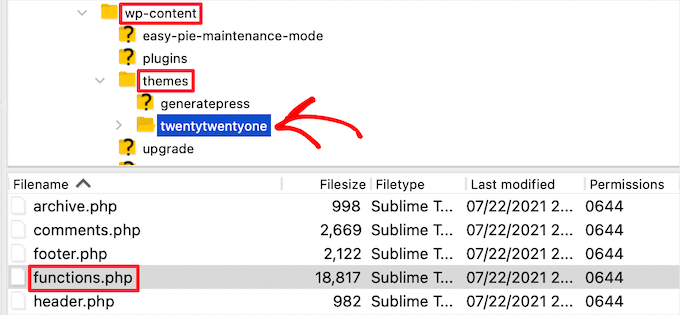
Themes and plugins give your site style and features. Themes change how your site looks. Plugins add new functions. You can find them in wp-content folder. Choose them carefully. Some can slow your site down. Always update them for safety. A good theme makes your site beautiful. A helpful plugin makes it useful.
The uploads directory stores all your media files. Pictures, videos, and documents live here. This folder is inside wp-content. It grows with every upload. Organize files by date. This helps find them easily. Keep an eye on space. Too many files can make backups slow. Clean up old files to save space.
Accessing WordPress Files
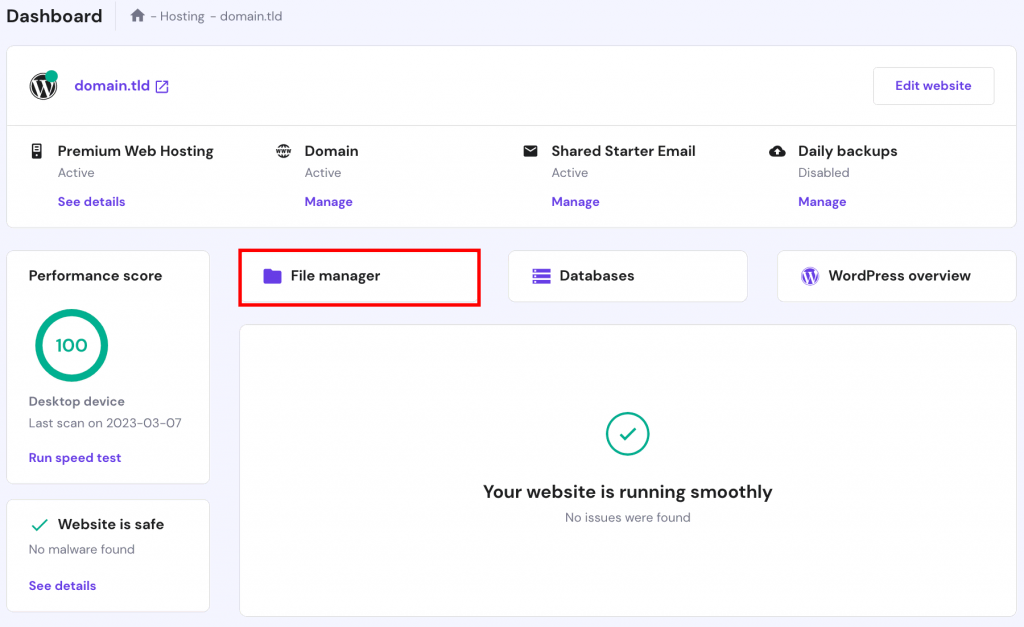
File managers help to access WordPress files easily. They are found in web hosting accounts. Locate the file manager in your hosting panel. Click on it to open. Navigate to the WordPress folder. You will see different files and folders. Choose any file to view or edit.
FTP clients are tools to connect to your website. They help you access files on the server. Install an FTP client like FileZilla. Enter your website’s FTP details. Once connected, locate the WordPress folder. Download or upload files as needed. It’s simple and fast.
Many hosts offer control panels. These panels help manage your website. Login to your hosting account. Find the control panel option. From there, locate the WordPress files. You can edit them directly from the control panel. It’s a safe way to handle files.
Finding The Url Of WordPress Files
Theme files live inside the wp-content/themes folder. Each theme has its own folder there. The URL for a theme file starts with your site’s name. Then, add /wp-content/themes/ and your theme’s folder name. Finally, type the file name. Example: example.com/wp-content/themes/theme-name/style.css.
Plugin files are in the wp-content/plugins directory. Each plugin has its folder here. To find a plugin file URL, start with your site’s name. Add /wp-content/plugins/ and the plugin’s folder name. Then, the file name. For example: example.com/wp-content/plugins/plugin-name/plugin-file.php.
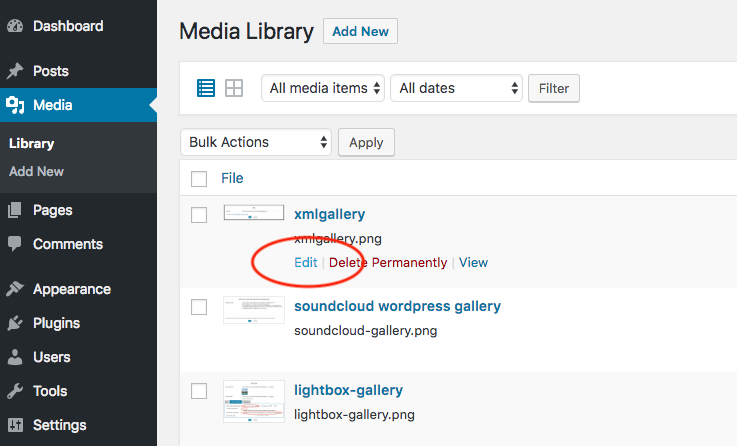
Media files, like images, go in the wp-content/uploads folder. WordPress organizes them by year and month. The URL starts with your site’s name. Add /wp-content/uploads/year/month/ and the file name. Example: example.com/wp-content/uploads/2023/10/image.jpg.
Credit: www.wpbeginner.com
Common WordPress Url Paths
WordPress has two main URLs: the Site URL and the Home URL. The Site URL points to where your WordPress files live. The Home URL is where people see your site. They can be the same, but not always. For example, if you have WordPress in a folder. Then the Site URL is different from the Home URL.
WordPress lets you make custom URL structures. This means you can change how your links look. It helps in making URLs easy to read. Also, it is good for SEO. You can choose settings like Day and Name or Post Name for your URLs. This is found in the Permalink settings.
A permalink is a full URL to a page or post. A slug is part of that URL. It comes after the domain name. Slugs are usually short and clear. They help people know what the page is about. You can change the slug to make it friendly. This helps in making your site better.
Troubleshooting Url Issues
Broken links make websites hard to read. These links lead to nowhere. Search engines dislike them. Visitors feel lost when they click on them. Fixing these links is crucial. Use tools to find and fix them. Keep your site clean. It’s important for user trust.
Redirects guide users from old links to new ones. Sometimes, they fail. This can confuse visitors. Bad redirects harm user experience. They can hurt your site’s ranking. Check and fix any broken redirects. Make sure every link works smoothly.
Security keeps your site safe. URL issues can create security risks. Hackers may exploit broken links. Secure your URLs with strong protection. Use HTTPS for safety. Regular checks are important. Protect your visitors and your website.
Best Practices For Managing Urls
Short URLs are easy to read. Use words that describe content. Avoid numbers and special characters. Use hyphens to separate words. They help search engines understand the URL. Keep URLs simple and clear.
Consistency is important. Use the same style for all URLs. Choose lowercase letters. Avoid spaces and underscores. Use hyphens instead. Ensure URLs match page titles. This keeps things tidy.
Check URLs often. Look for broken links. Remove or fix them. Update old URLs to match new content. Ensure URLs redirect properly. This helps users find what they need.
Credit: www.wonderplugin.com
Frequently Asked Questions
What Is The WordPress Url File Location?
The WordPress URL is usually stored in the database. It’s located under the “wp_options” table. The specific option names are “siteurl” and “home. ” These values define the URL address of your WordPress site. You can access them via phpMyAdmin or other database management tools.
How Can I Change My WordPress Url?
To change your WordPress URL, go to the “Settings” in your WordPress dashboard. Update the “WordPress Address (URL)” and “Site Address (URL). ” Save your changes to apply them. Alternatively, you can change it in the “wp-config. php” file or directly in the database.
Why Is My WordPress Url Not Working?
If your WordPress URL isn’t working, check your. htaccess file for errors. Also, verify your site URL settings in the database. Ensure your domain is correctly pointing to your hosting server. Lastly, check for plugin conflicts or theme issues that might affect the URL.
How To Find My WordPress Login Url?
Your WordPress login URL is usually “yourdomain. com/wp-admin” or “yourdomain. com/wp-login. php”. These URLs direct you to the WordPress login page. If you’ve changed the login URL for security reasons, consult your website administrator or check your security plugin settings.
Conclusion
Finding the correct WordPress file URL is essential for website management. This knowledge helps in linking, troubleshooting, and customizing your site. Remember to check your WordPress settings for accuracy. Always ensure URLs are updated after changes. Bookmark important URLs for quick access.
Simplify tasks by keeping your URLs organized. Stay updated with WordPress features for better site control. Understanding these basics enhances your user experience. Implement these steps, and your WordPress journey becomes smoother. Continue exploring WordPress to gain more insights. Happy website building!


