
When optimizing your website for search engines, every detail matters. Imagine spending hours crafting the perfect XML sitemap, only to realize it’s bloated with unnecessary WordPress files that could be hampering your SEO efforts.
You wouldn’t want your sitemap to overwhelm search engines with irrelevant information, would you? This article will guide you on which WordPress files you should exclude from your XML sitemap. By doing so, you’ll streamline your site’s indexing, improve your SEO performance, and ensure that search engines focus on your most valuable content.
Curious to find out how a few simple tweaks can make a big difference? Keep reading to discover the essentials for a cleaner, more efficient XML sitemap.
Importance Of Xml Sitemaps
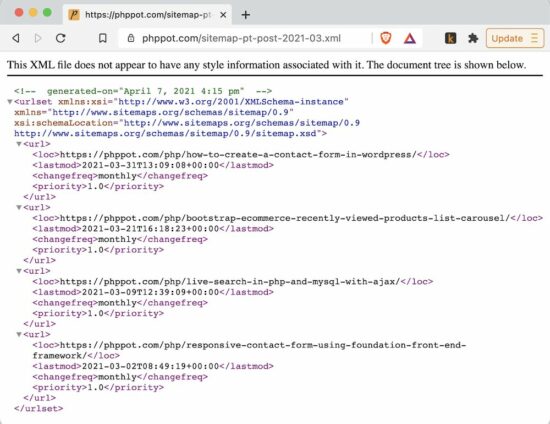
XML sitemaps help search engines find your website pages. They act like a map for Google and Bing. Sitemaps make sure important pages get noticed. This is good for SEO. Without a sitemap, some pages might be missed.
Not all files should be in a sitemap. Avoid adding WordPress files like admin, include, and content files. These are not useful for search engines. Keeping these out helps keep the sitemap clean. A clean sitemap makes your site run better.
Credit: phppot.com
Common WordPress Files In Xml Sitemaps
Some WordPress files should not be in XML sitemaps. They do not help with SEO. Readme.html is one such file. It shows WordPress version details. This is not useful for search engines. License.txt is another example. It contains license information. This does not need indexing.
Wp-config.php is a key file. It holds database settings. Do not include it in sitemaps. Wp-login.php and Wp-register.php are for user access. They should stay out of sitemaps. These files do not have SEO value.
Wp-admin is for admin tasks. It should not be in XML sitemaps. Wp-includes holds code libraries. These are not needed for SEO. Keeping these files out helps a cleaner sitemap.
Files To Exclude From Xml Sitemaps
Admin directories should stay out of XML sitemaps. These are places like the WordPress dashboard. Users do not need access here. It is for site management only. Keeping these directories out helps maintain security. It also keeps sitemap clean.
Login pages are not for everyone. They are for site admins. Putting them in a sitemap is not a good idea. It can lead to unwanted access attempts. Keep them hidden. It helps keep user accounts safe.
Internal scripts are for site function. Users do not need them. They make the site work better. But, they do not need to be in a sitemap. Keeping them out makes sitemap cleaner. It also helps site speed.
Impact Of Parsing Unnecessary Files
Parsing unnecessary files can hurt SEO. These files can clutter the XML sitemap. Search engines find it hard to spot important pages. Ranking may drop due to this confusion. Duplicate content can arise. This misguides search engines. Original content might lose its spot. The site’s visibility can be impacted.
Crawl budget matters. It tells how often search engines visit a site. Parsing unimportant files wastes this budget. Important pages don’t get indexed. Search engines spend time on useless files. This slows down website updates. Efficient use of crawl budget keeps the site fresh. It improves search rankings. Better file selection helps in optimizing crawl budget.
Tools For Managing Xml Sitemaps
Excluding certain WordPress files from your XML sitemap is crucial. Avoid parsing files like wp-config. php,. htaccess, and core directories. These files are unnecessary for search engines and can clutter your sitemap. Keep your XML sitemap clean and focused on content that matters.
Plugins For Sitemap Optimization
Plugins can help you manage XML sitemaps. They make tasks easy. Yoast SEO is a popular choice. It automatically updates your sitemap. Google XML Sitemaps is another option. It supports all WordPress content. These plugins are easy to use. They help improve site visibility.
Manual Editing Techniques
Some files should not be in your sitemap. Admin files and login pages are examples. They do not help with SEO. You can edit your sitemap manually. This keeps unwanted files out. Use a plain text editor. Look for the files you want to remove. Then, delete their entries in the sitemap. This helps keep your sitemap clean.

Credit: stackoverflow.com
Best Practices For Sitemap Management
Sitemaps need regular updates. This helps search engines find your content. Always add new posts and pages. Remove pages you delete. This keeps your site map clean and effective. Use WordPress plugins for easy updates. Some plugins update sitemaps automatically. This saves time and reduces errors.
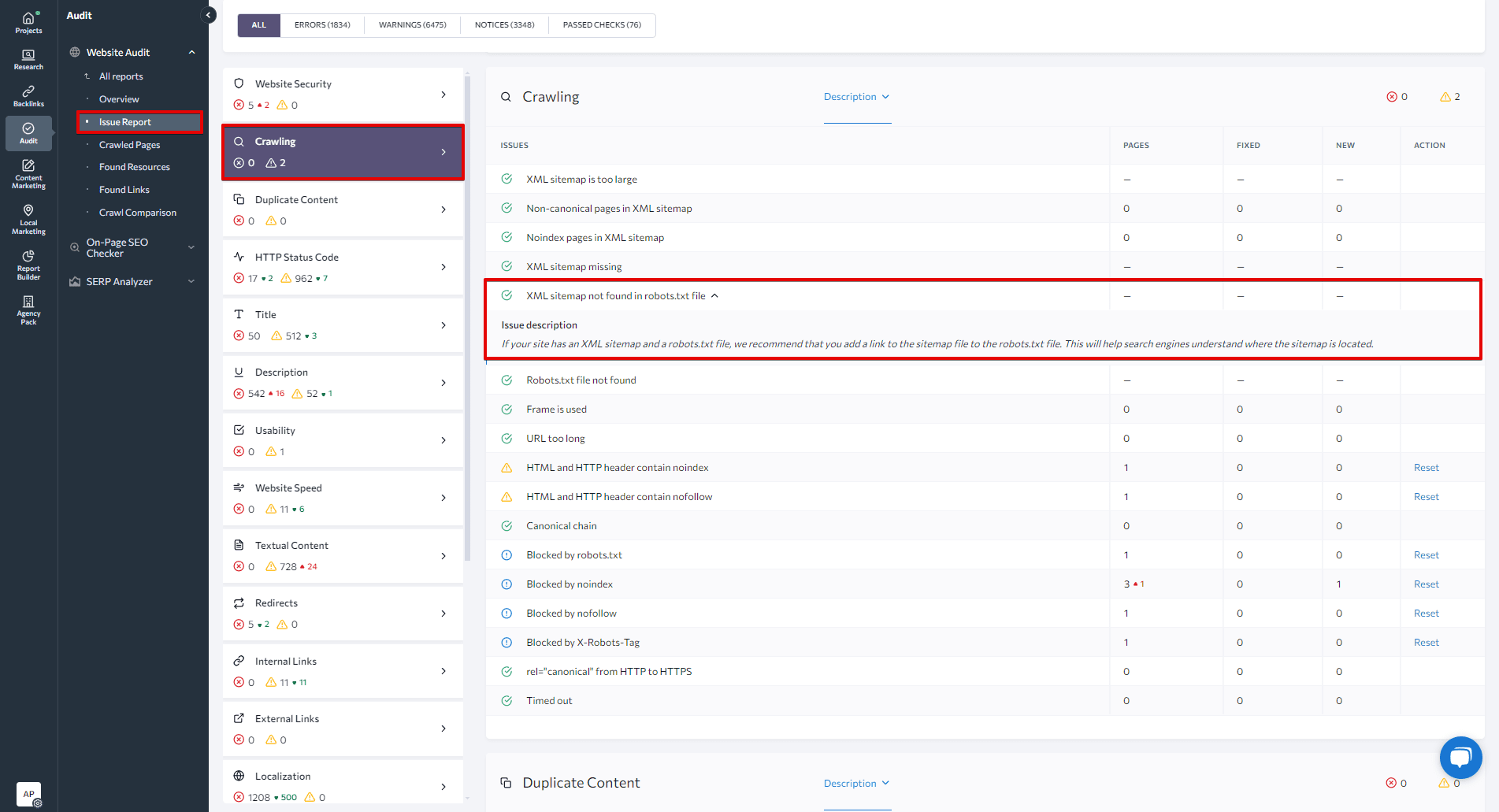
Google Search Console is a helpful tool. It shows you how Google sees your site. Check for errors in your sitemap. Errors can stop pages from being indexed. Fixing errors helps your website rank better. Look for indexing issues often. Use this data to improve your site performance. A clean sitemap is key to a healthy website.
Credit: seranking.com
Frequently Asked Questions
What Files To Exclude From WordPress Xml Sitemap?
Exclude files like wp-config. php,. htaccess, and wp-load. php. These files are crucial for the site’s operation but don’t need indexing. Including them can pose security risks and unnecessarily clutter your sitemap. Focus on indexing content that adds value to users and search engines.
Why Avoid Parsing Wp-includes Files In Sitemap?
Wp-includes files contain WordPress core functionalities and are not content-focused. Including them in your XML sitemap doesn’t benefit search engines or users. Instead, it can lead to sitemap bloat, making it harder for search engines to crawl essential content efficiently.
Keep your sitemap lean and relevant.
Are Wp-content Files Necessary In Xml Sitemaps?
Not all wp-content files are necessary for XML sitemaps. Include only content that enhances user experience and site visibility. Exclude core files like themes and plugins. They don’t need indexing. Prioritize indexing posts, pages, and media files that provide value to search engines and site visitors.
Should I Include Themes In Xml Sitemaps?
No, including themes in XML sitemaps is unnecessary. Themes are not content-rich and don’t offer value in search indexing. Focus your sitemap on pages, posts, and media that enhance user engagement and search engine visibility. This approach ensures a cleaner, more efficient sitemap.
Conclusion
Avoid parsing unnecessary WordPress files in your XML sitemap. This enhances site performance. Focus on essential files for better SEO results. Leave out admin files and plugin directories. These do not need indexing. Keep your sitemap clean and relevant. Prioritize content that helps search engines understand your site.
This strategy improves site visibility. Search engines then crawl your site more efficiently. With a tidy sitemap, you improve user experience. Ensure your site loads faster and more reliably. This careful selection leads to better search rankings. Optimize wisely and watch your site grow.


