
Have you ever landed on a website and immediately felt welcomed by its clear message and engaging visuals? This is often the result of a well-crafted static home page.
If you’re using WordPress, understanding what a static home page is can transform your site into an inviting digital space that speaks directly to your visitors. Imagine having full control over the first impression your website makes—it’s powerful, right? By learning about static home pages, you can tailor your website’s appearance to match your goals perfectly.
Keep reading to discover how this simple feature can elevate your WordPress site, ensuring your visitors stay longer and explore deeper.
Static Home Page Basics
A static home page in WordPress shows the same content each time someone visits. It doesn’t change like a blog page. Static pages are great for sharing important information. Businesses use them to tell visitors about services or products. It’s easy to set up in WordPress.
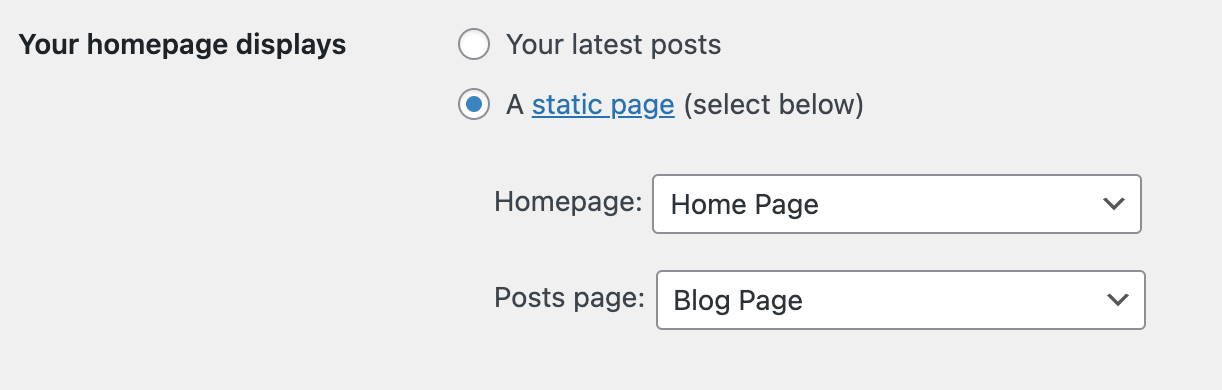
Go to the settings menu. Choose “Reading.” Select “A static page” option. Pick a page from the list. Save your changes. Now your home page stays the same. This feature helps control what visitors see first. Static pages make websites look professional. They offer a clean, organized feel.
Many websites use static pages for their main entrance. It makes the site easy to navigate. Users find what they need quickly. Static pages help websites load fast. This is good for user experience.
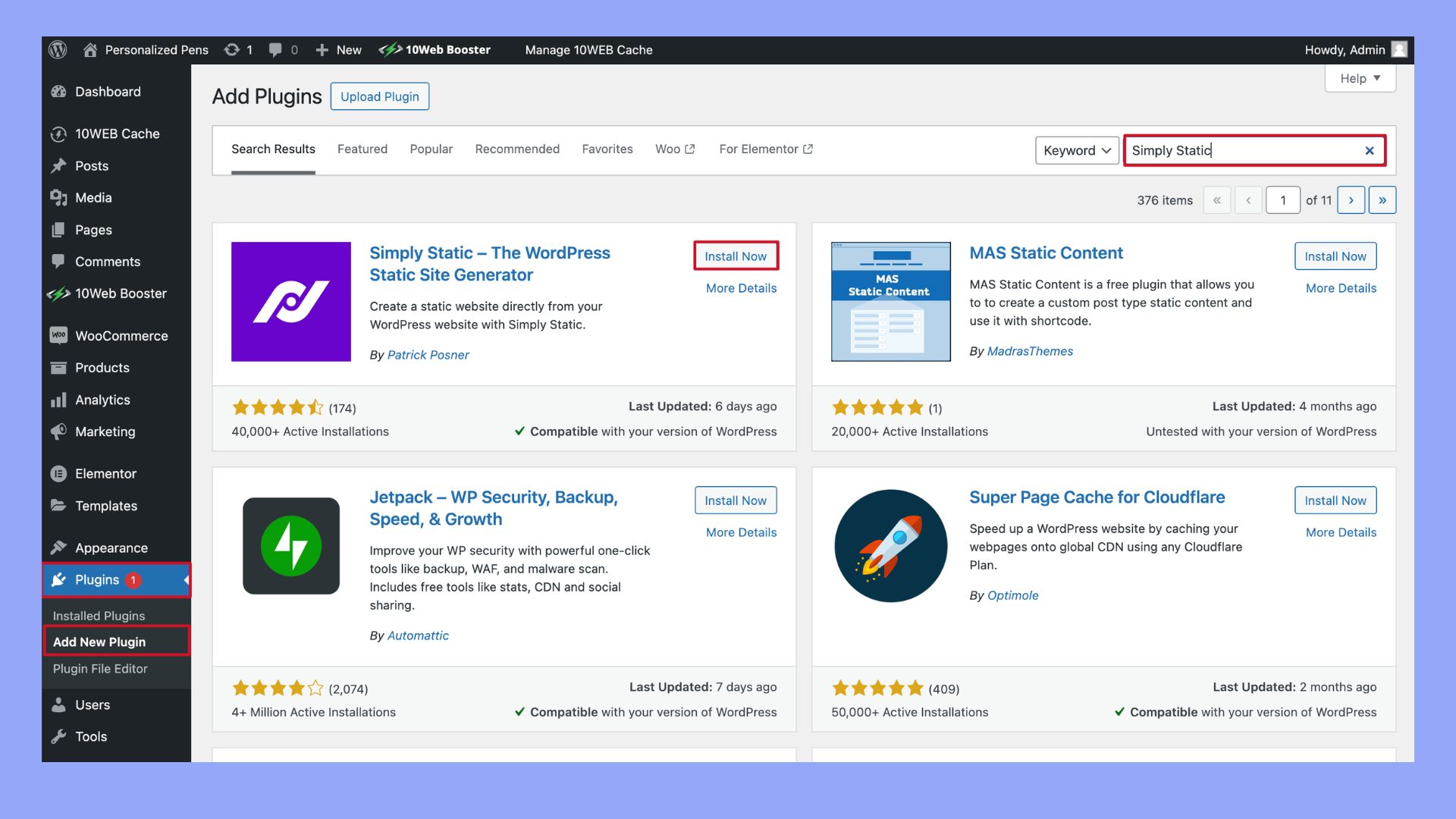
Credit: 10web.io
Benefits Of A Static Home Page
A static home page helps keep your site’s main page the same. This can make your website look more professional. Visitors find the same information every time. No changes mean less confusion. Your site can load faster with a static page. Faster loading is good for users. Search engines also like fast pages.
Static pages allow for better control. You decide what visitors see first. Important details stay at the top. This can lead to more engagement. People will stay longer on your site. More time on site can mean more success.
Setting Up A Static Home Page
A static home page stays the same. It shows the same content every time. To start, go to the WordPress dashboard. Choose the page you like for your home. Make sure it looks nice. Some themes have special templates. Check if your theme has one. Use a template if it fits your needs. This makes your page look unique.
Go to the WordPress settings. Find the “Reading” section. Here, you can set your home page. Choose the page you picked before. This makes it your main page. Your visitors will see this page first. Ensure it has important info. This makes your site easy to understand. A good home page helps attract visitors.
Static Vs. Dynamic Home Pages
A static home page always shows the same content. It does not change. This keeps the message clear. Visitors see the same information every time. In contrast, a dynamic home page updates often. It shows new posts and changes. Some people like this because it feels fresh. Others prefer the stability of static content. Both have their uses. Each serves different needs.
Static pages can improve SEO. Search engines like stable content. It helps in ranking higher. Dynamic pages might change often. This can confuse search engines. Consistent keywords on a static page are beneficial. They help search engines find and list the page. Both types need good SEO practices.
Users enjoy a static home page for its simplicity. It loads fast and is easy to read. There’s no clutter. Dynamic pages can offer variety. They show new content each visit. This keeps the site interesting. But, it can be overwhelming for some users. Static pages are predictable. Some users find comfort in that.
Customizing A Static Home Page
Page builders make editing easy. You can design your page like a pro. Drag and drop elements where you want them. Change colors, fonts, and layouts. Make your page look unique. You don’t need coding skills. It’s simple for beginners. You can preview changes instantly. This helps you see how it looks. Many builders offer templates. These templates give you a starting point. You can tweak them as needed. Building your page is fun and creative.
Using Page Builders
Page builders help you make your site pretty. They give you control over design. You can add images and text easily. They let you change styles fast. Choose from many options to fit your needs. They make your site look good.
Incorporating Widgets
Widgets add features to your page. You can use them for social media links. Add search bars or calendars. They make your site more useful. Widgets are easy to add. Just click and drag them. You can move them around. They make your site interactive. They help visitors find information quickly.
Credit: wordpress.org
Common Challenges
Setting up a static home page in WordPress can be tricky. Beginners often face issues with customization. Confusion arises when choosing the right layout and ensuring responsive design.
Design Limitations
Static home pages in WordPress can be hard to change. You might want a new look. But it can be tough. The tools are not always easy. Some themes have limited options. It’s like coloring with a few crayons. You want a rainbow. But you only have red and blue.
Also, some designs might not fit well. It can be like trying to put a square peg in a round hole. This means your page might not look good. It can be a puzzle. You have pieces, but they don’t fit. This can make your site look plain.
Content Updates
Updating content on a static page can be a task. It is not like writing on paper. You have to use the computer. Some parts are not easy to reach. You might need help. This means calling a friend. Or hiring a person who knows this stuff.
Also, changes might not show right away. It can be slow. Like waiting for a snail to cross the road. This can be a problem. If you have news, you want it up fast. But the page says, “Wait.” This can be annoying.
Best Practices
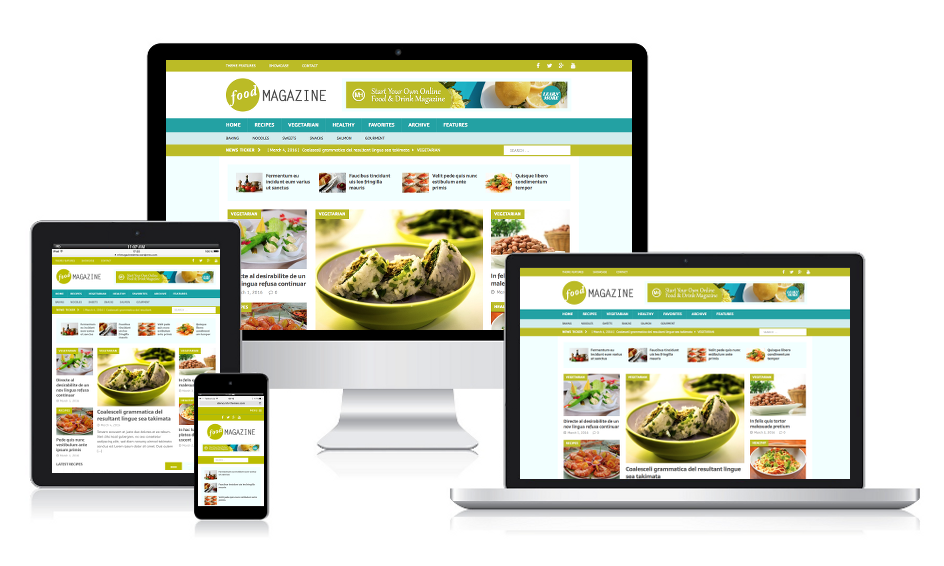
Choose a simple layout for your static home page. This helps users find information quickly. Use a clear font that everyone can read easily. Bright colors can catch attention but use them wisely. Too many colors can confuse visitors. Add images that relate to your content. Pictures make the page look nice and interesting. Ensure your site is mobile-friendly. Many people use phones to browse the web. Test your page on different devices. Make sure everything looks good and works well.
Plan what you want to show on your home page. Highlight important information first. Use clear headings to guide readers. Short paragraphs are easier to read. Bullet points can help list key details. Update your content regularly. Fresh content keeps visitors coming back. Avoid jargon and technical terms. Simple words make your message clear. Always think about what your audience needs. Provide value with every piece of content.
Credit: mhthemes.com
Frequently Asked Questions
What Is A Static Home Page In WordPress?
A static home page in WordPress displays specific content consistently. It doesn’t change like a blog page with new posts. Users set it up to showcase important information, making it ideal for business sites. This feature helps create a professional look with consistent content for visitors.
How To Set A Static Home Page?
To set a static home page, go to WordPress dashboard. Click on ‘Settings’, then ‘Reading’. Choose ‘A static page’, and select your desired page from the dropdown menu. Save changes to implement the static home page setting. This process ensures your selected page remains fixed as the homepage.
Why Use A Static Home Page?
Using a static home page provides consistency and control over displayed content. It helps emphasize important information and maintains a professional appearance. Businesses often choose static pages to highlight services or products. This choice enhances user experience by ensuring visitors see key details first.
Can Blogs Have A Static Home Page?
Yes, blogs can have a static home page. This setup allows for a designated page to showcase featured posts or information. It separates dynamic blog content from the main landing page. Bloggers often use this to highlight their best work or introduce their site effectively.
Conclusion
A static home page in WordPress offers stability and focus. It helps visitors find key information quickly. This setup enhances user experience by reducing distractions. Businesses can showcase vital content immediately. A static page also improves loading speed. This is crucial for keeping visitors engaged.
It’s a simple way to control your site’s first impression. Remember, first impressions matter. So, consider using a static home page. It could be the right choice for your WordPress site. Experiment and see how it fits your goals. Your website deserves the best setup.


