
Have you ever wondered how to make certain text stand out on your WordPress site? Maybe you’re looking to highlight a powerful statement or an insightful comment from someone else.
If so, you’re likely searching for the best way to use a block quote. Imagine transforming your content with just a few clicks, giving it that professional touch that makes visitors take notice. Block quotes can be your secret weapon in capturing attention and emphasizing key points.
They are not just a stylistic choice; they can enhance the readability and impact of your posts. Curious about how to master this tool? Stick around as we delve into what a block quote is in WordPress and how it can elevate your content to new heights.
Credit: www.wpbeginner.com
Block Quote Basics
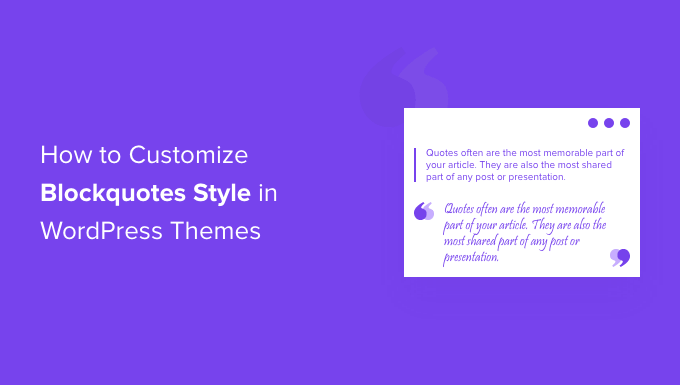
A block quote is a special text style in WordPress. It’s used to show a longer quote or important text. The text is set apart from regular writing. This helps it stand out. Block quotes often have different formatting. They may be indented or italicized. This makes them easy to notice. They are great for showing famous sayings or key messages. Writers use them to add emphasis to important ideas.
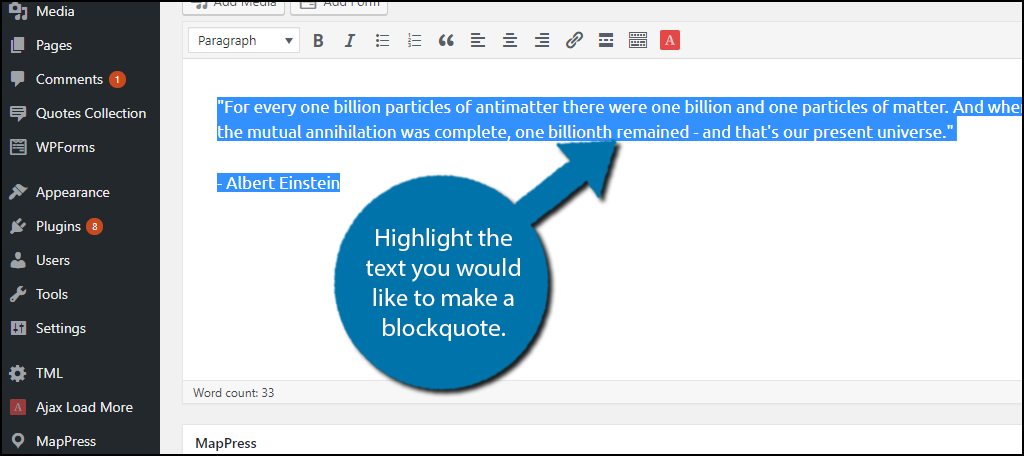
Creating block quotes in WordPress is simple. Highlight the text you want to quote. Then select the block quote option. This changes the text’s appearance. It helps readers focus on the quote. Key information is easier to see this way. Block quotes make writing more interesting.
Importance Of Block Quotes
Block quotes make text stand out. They highlight important parts. Readers notice them easily. This makes the content engaging. It also makes the text visually appealing. Using block quotes can help emphasize key points. WordPress offers an easy way to add block quotes. This helps writers present important information clearly. It enhances the reader’s experience.
Block quotes can break up long texts. This makes reading easier. They serve as a pause for the reader. This allows for better understanding. Readers appreciate clear and concise information. Block quotes can guide them to these parts.
Creating Block Quotes
Block quotes in WordPress highlight long quotes or text excerpts, setting them apart for emphasis. This feature makes content more readable and visually appealing. Ideal for showcasing important statements or references.
Using The Classic Editor
The Classic Editor in WordPress is simple to use. To create a block quote, find the quote button in the toolbar. Select the text you want to quote. Click the button to format it as a quote. The text will now stand out. This makes it clear to readers. It separates quoted text from regular text. You can also add a source. Just type it after the quote. This helps readers know where the quote comes from.
Using The Gutenberg Editor
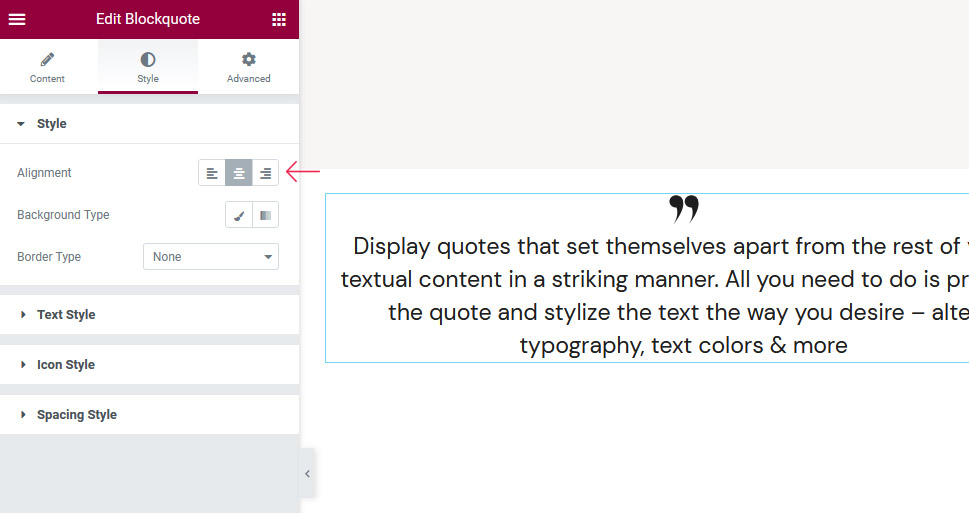
Gutenberg Editor offers more options for block quotes. Add a block by clicking the plus sign. Choose the block quote option. Type or paste your quote into the block. You can customize the style. Change the font or background color. This can make your quote unique. It grabs the reader’s attention. You can add a citation below the quote. Readers will appreciate knowing the source.
Credit: www.greengeeks.com
Styling Block Quotes
Block quotes can look more interesting with custom styles. Use CSS to change fonts, colors, and borders. Add a unique touch to make quotes stand out. Simple style changes can make them eye-catching.
Customizing With Css
CSS helps in changing the look of block quotes. You can make text bold or italic. Add a border to make it pop. Choose a different background color. This helps in making quotes more visible and attractive.
Using Themes For Styling
Themes often have built-in styles for block quotes. These styles can make quotes match the blog’s look. Some themes offer easy customization options. This means you can adjust styles without knowing CSS. Themes help in keeping a consistent design across your website.
Best Practices For Block Quotes
Block quotes in WordPress help emphasize extended text passages within a post. Use them to highlight important statements from interviews or books. Ensure the quoted text is clear and visually distinct, maintaining readability and engagement for the audience.
Attribution And Citation
It’s important to always give credit. Mention the author’s name clearly. Use a clear style for citations. This helps readers know who said what. It also shows respect for the original author.
Maintaining Readability
Keep your text simple and neat. Avoid using too many block quotes. It might confuse readers. Use short quotes for easy understanding. This keeps the flow of your text smooth. Make sure the text around the quote is clear. It helps readers understand the quote better.
Credit: qodeinteractive.com
Common Mistakes
Using too many block quotes can confuse readers. They might not know what is most important. Block quotes should be used for special points. Not for every sentence. They highlight important text. But too many lose their impact. It’s like crying wolf. People stop paying attention. Keep them special and rare. Use them wisely. Your message will be clearer.
Poor formatting makes text hard to read. Block quotes need space. They should stand out. Some people don’t add enough space. Others might make them too small. Both are mistakes. Readers need clear text. Block quotes should be easy to see. They should not blend in with other text. Proper formatting helps readers. They understand your message better.
Enhancing Content With Block Quotes
Block quotes make words stand out. They help readers notice important things. Text in a block quote often looks different. It can be indented or have a special style. This makes it easy to find. Readers see it and know, “This is important.” Writers use block quotes to draw eyes to key details. They are simple to use in WordPress.
Using block quotes can make content more trustworthy. Adding quotes from experts shows that the writer did research. It tells the reader, “This information is reliable.” People trust content with reliable sources. A block quote can show a piece of someone’s speech or writing. This adds weight to the content. Readers feel confident with what they read.
Tools And Plugins
WordPress block quotes highlight important text visually. They set apart quotes from regular content, adding emphasis and clarity. Using block quotes enhances readability by distinguishing quoted text, making it easier for readers to grasp key points.
Popular Block Quote Plugins
Many plugins help with block quotes in WordPress. Easy Blockquote is a favorite. It makes quoting simple. Blockquote Shortcode is another choice. This plugin offers more styles. Advanced Gutenberg also supports quotes. It has extra features for other blocks too. These plugins help add unique quotes. They enhance your website’s appeal. Explore these tools for better designs.
Integrating With Other Tools
Plugins often work with other tools. Page builders like Elementor are compatible. They help integrate block quotes smoothly. SEO plugins also support them. This ensures your quotes are search-friendly. Integration makes managing content easier. Using tools together saves time. It also boosts your site’s performance. Choose plugins that blend well with others. This ensures a seamless experience.
Frequently Asked Questions
What Is A Block Quote In WordPress?
A block quote in WordPress is a formatting tool used to highlight and distinguish quoted text. It visually separates the quoted section from the rest of the content, often with indentation or styling. Using block quotes can improve readability and emphasize important information or citations within your posts.
How Do I Add A Block Quote In WordPress?
To add a block quote in WordPress, simply select the text you want to quote. Then, click on the block quote icon in the editor toolbar. This will format the selected text as a block quote, adding visual emphasis and improving the overall layout of your content.
Why Use Block Quotes In WordPress?
Using block quotes in WordPress enhances readability and highlights important text. They help separate quoted content from the main text, making it more visually appealing. Block quotes also lend credibility by clearly distinguishing quoted material, thus improving the overall presentation and understanding of the content.
Can Block Quotes Improve Seo?
Block quotes can indirectly improve SEO by enhancing user experience. Well-formatted content is easier to read, keeping visitors engaged longer. While block quotes themselves don’t boost SEO, they contribute to a better user experience, which search engines recognize, potentially improving your site’s rankings.
Conclusion
Block quotes in WordPress are essential for clear content presentation. They highlight important text, making it stand out. Readers easily notice and understand these sections. Using block quotes wisely enhances readability. They also help convey authority and credibility in your writing.
So, use them to emphasize key points. This practice can improve your blog’s engagement. Remember, simplicity in design and content always wins. Keep your audience in mind and make your message clear. Happy blogging!


