
Imagine speeding up your WordPress website without breaking a sweat. You’re about to discover the secret weapon that makes this possible: caching plugins.
These powerful tools can transform your site’s performance, making it faster and more efficient. But what exactly does a caching plugin do in WordPress? As a website owner, you understand the importance of keeping your visitors engaged. Slow loading times can drive them away, but a caching plugin can be your knight in shining armor.
It streamlines the process, ensuring your content reaches users quickly and effortlessly. You might be wondering how this magic works and why it’s crucial for your website’s success. Dive into this article and uncover the mysteries of caching plugins. By the end, you’ll know exactly how to leverage this technology to boost your site’s speed and keep your audience coming back for more.
Credit: wp-rocket.me
Role Of Caching Plugins
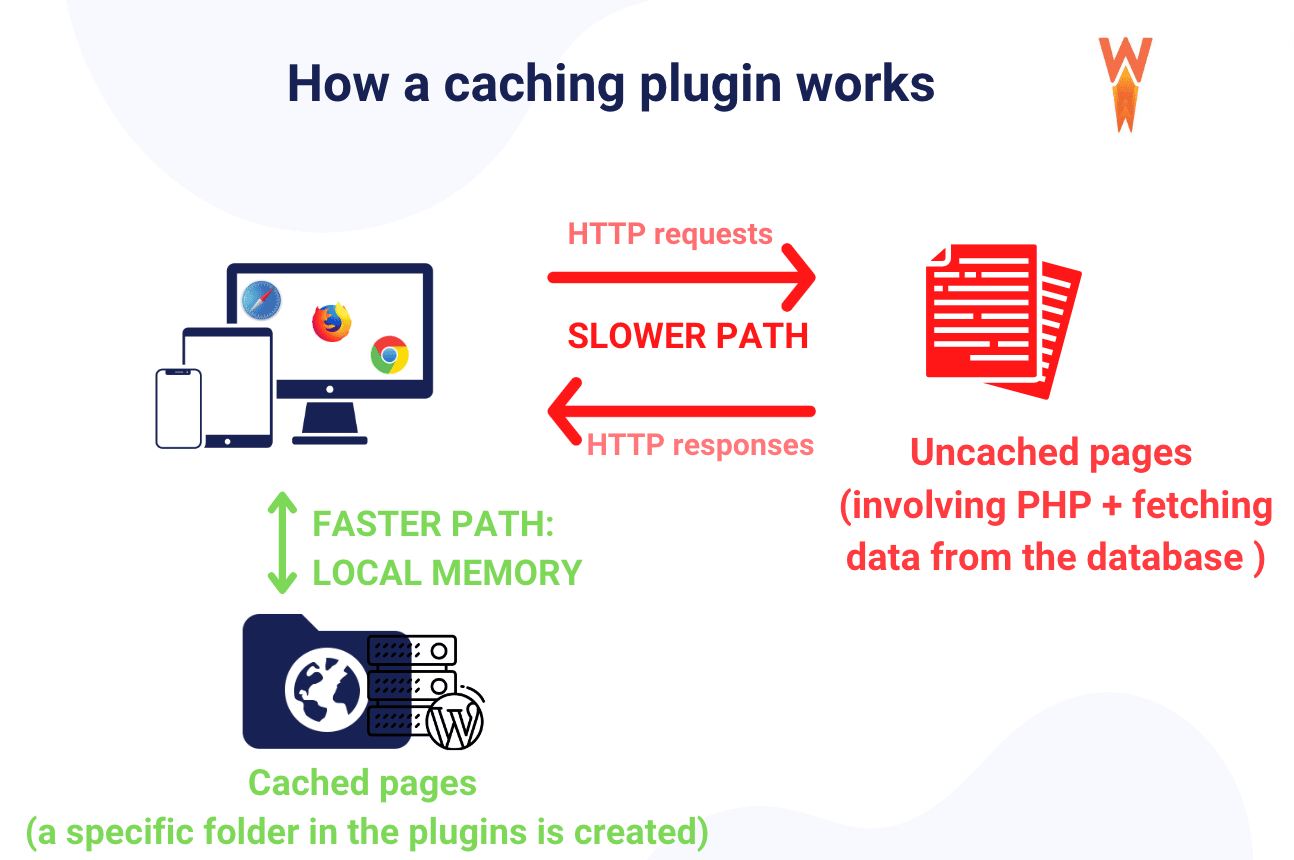
Caching plugins store parts of your site for faster access. They keep data ready for visitors. This speeds up loading time. Faster sites make users happy. Happy users stay longer. They visit more pages. A caching plugin helps your site work better. It reduces server load too.
Without caching, sites can be slow. Slow sites might lose visitors. Speed matters for websites. Caching plugins help solve this. They make sites quicker. This is important for search engines. Better speed can help in rankings. Caching is a smart way to improve site performance.
Credit: www.digitalhill.com
Types Of Caching
Page caching saves web pages as static files. This makes them load faster. Users get quicker access to websites. This is because their requests are served without running scripts again. It helps reduce server load. Websites run smoothly. Visitors stay happy with quick access.
Browser caching stores web files in the user’s browser. This means repeated visits are faster. The browser does not download everything again. Images, CSS, and scripts stay in the cache. Loading times drop significantly. Users enjoy a better experience. It saves data usage too.
Object caching stores database queries. It saves time in fetching data. Commonly used data is kept ready. This means less work for the server. Websites load faster. Users see pages quickly. It is useful for sites with frequent database requests.
Database caching speeds up data retrieval. Stored queries are reused. This reduces the server’s workload. Data is fetched faster for the user. It improves website performance. It benefits dynamic websites the most. Overall, it enhances the user experience.
How Caching Improves Performance
Speed Enhancement is the key to a fast website. Caching stores data. It helps pages load quickly. Faster pages keep visitors happy. They spend more time on your site.
Reduced Server Load is another benefit. Caching saves energy. It stops servers from working too hard. This helps your site stay strong. Even with many visitors.
Improved User Experience keeps users smiling. Fast pages make users happy. No one likes to wait. With caching, your site feels smooth. Users will enjoy browsing more.
Popular Caching Plugins
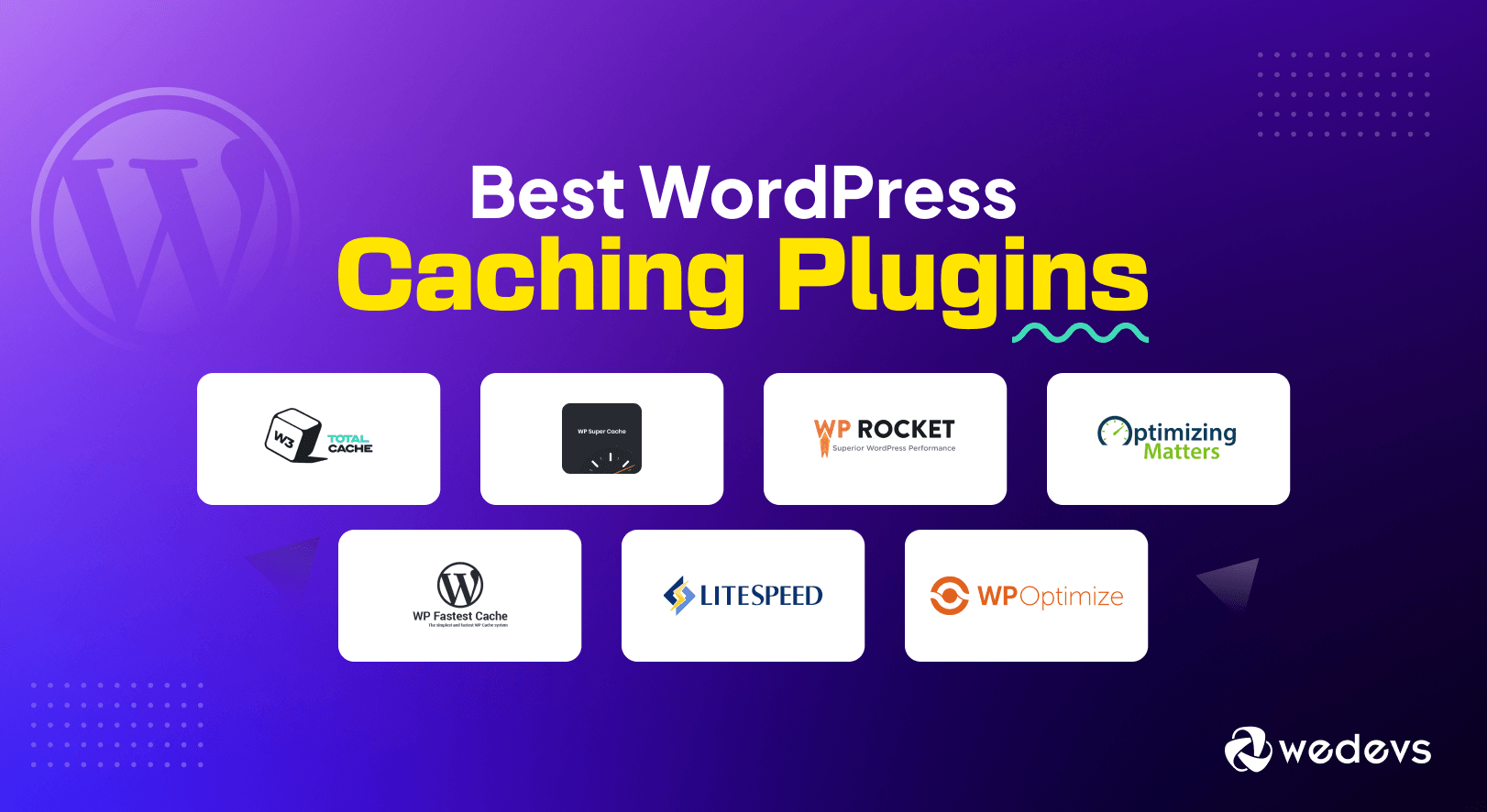
W3 Total Cache boosts WordPress speed. It improves load times by caching pages, posts, and feeds. This plugin is trusted by many big websites. It’s free and offers advanced features. Setup might be complex, but it’s worth it.
WP Super Cache is easy for beginners. It creates static HTML files. These files are served to users instead of heavy WordPress scripts. Simple settings make it popular among new users. It ensures quick page loading.
WP Rocket provides a user-friendly experience. It is known for its easy setup. No technical knowledge needed. It optimizes CSS, JavaScript, and images. This plugin improves website performance efficiently.
LiteSpeed Cache works with LiteSpeed servers. It offers powerful caching features. It supports WordPress multisite and WooCommerce. This plugin is perfect for sites needing fast load times.
Setting Up A Caching Plugin
Begin by searching for the caching plugin in the WordPress dashboard. Click on the install button. Wait for the installation to complete. Activate the plugin to start using it. This makes your website faster. Check for updates regularly. Updates keep the plugin working well.
Use the default settings if unsure. Default settings are often good enough. Enable browser caching for faster load times. Set cache expiry time for stale data removal. Try minifying CSS and JS files for speed. Test your site after changes. Testing ensures your site works properly.
Avoid using many caching plugins. One plugin is usually enough. Check compatibility with other plugins. Incompatible plugins cause errors. Don’t forget to clear cache often. Old cache might slow down your site. Avoid ignoring plugin updates. Updates fix bugs and improve performance.
Troubleshooting Caching Issues
Clearing the cache can fix many problems. Plugins often have a button for this. Just click it. This refreshes the stored data. Your site gets updated with new changes. Browsers also store cache. Clear it too. It helps with display issues. Check the settings of your caching plugin. Some have automatic clearing options. Use them if needed. Clear cache after big updates. This keeps everything fresh and correct.
Some plugins don’t work well with others. This is a compatibility problem. It can cause errors on your site. Check if your caching plugin is causing issues. Deactivate it for a short time. See if the problem goes away. Update all plugins regularly. This can solve many compatibility problems. Look for known issues on plugin pages. Developers often list them. Use support forums for help.
Testing your site’s speed is important. Tools like Google PageSpeed are useful. They show how fast your site loads. A caching plugin should make it faster. If not, something might be wrong. Run tests before and after activating the plugin. Compare the results. Look for areas to improve. Sometimes, settings need tweaking. Small changes can boost performance a lot.
Best Practices For Caching
Caches need cleaning. Old data can slow websites. Regularly clear old cache files. This helps keep your site fast. An organized cache works better. Tools can help with this task. They automate the process. Keep things simple and tidy.
A Content Delivery Network (CDN) helps speed things up. It stores site copies in many places. This means visitors get pages faster. Combining CDN and caching boosts speed. It enhances user experience. Your site runs smoother. Everyone enjoys a fast-loading page.
Check your site often. See how fast it loads. Look for any slow areas. Find issues and fix them. Use tools to help. They show what needs attention. Good performance keeps users happy. Fast sites are the best.
Credit: wedevs.com
Frequently Asked Questions
What Is A Caching Plugin In WordPress?
A caching plugin in WordPress stores static versions of your web pages. This reduces server load and speeds up your site. It improves user experience and can boost SEO rankings. By minimizing server processing time, it ensures faster page loading.
How Does Caching Improve Website Speed?
Caching improves website speed by storing static HTML versions of your pages. This reduces the time needed to generate dynamic content. Users access cached pages faster, leading to quicker load times. Faster websites enhance user experience and can positively impact SEO.
Do Caching Plugins Affect Website Performance?
Yes, caching plugins significantly enhance website performance by reducing load times. They store static copies of pages, minimizing server requests. This leads to faster page delivery to users, improving the overall user experience. Efficient caching can also reduce server strain and bandwidth usage.
Are Caching Plugins Easy To Configure?
Yes, most caching plugins are user-friendly and easy to configure. They offer basic settings suitable for beginners. Advanced options are available for tech-savvy users. With intuitive interfaces and guides, setting up caching is straightforward, enhancing site speed effortlessly.
Conclusion
Caching plugins boost WordPress site speed by storing data temporarily. Faster loading times enhance user experience and reduce bounce rates. These plugins save server resources and improve site performance. With better speed, sites rank higher in search results. Installation is simple and setup takes minutes.
Users notice quicker page transitions and smoother browsing. Choosing the right caching plugin ensures optimal results. Test different options to find the best fit for your site. Regular updates and maintenance keep your site running efficiently. An essential tool for any WordPress website.


